AI Upsells & Personalized Recommendations for Shopify Stores
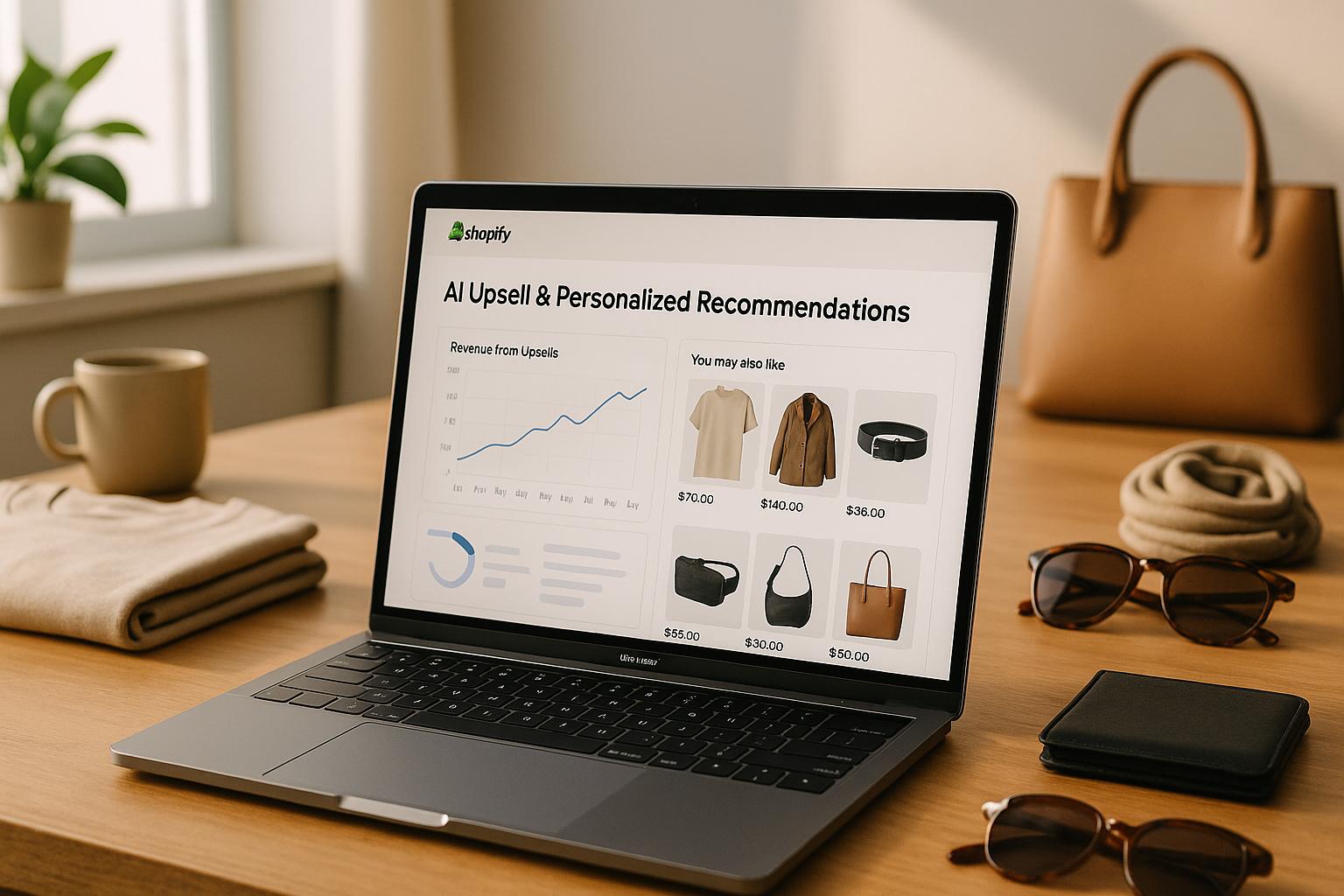
AI-powered upsells and personalized recommendations transform Shopify stores by tailoring product suggestions to each shopper's preferences. By analyzing real-time data like browsing behavior, purchase history, and cart contents, AI delivers dynamic, relevant recommendations that boost sales and improve customer satisfaction. This approach helps increase average order value (AOV), reduce cart abandonment, and encourage repeat purchases.
Key Benefits:
- Higher AOV: Suggest complementary items, bundles, or upgrades that align with customer interests.
- Real-Time Personalization: Adjust recommendations based on live customer activity.
- Post-Purchase Opportunities: Offer tailored suggestions on thank-you pages and through follow-up emails or SMS.
- Repeat Business: Predict customer needs and send timely reminders for reorders or upgrades.
How It Works:
- Product Pages: Suggest related or premium items based on what shoppers view.
- Cart & Checkout: Recommend low-cost add-ons or upgrades without disrupting the purchase flow.
- Post-Purchase: Use thank-you pages and emails to encourage additional purchases.
- Omnichannel Integration: Tools like klink.cloud unify customer data across platforms for consistent recommendations.
Getting Started:
- Prepare Your Data: Organize product catalogs and clean customer data for accuracy.
- Choose Tools: Use Shopify-compatible apps for on-site recommendations, post-purchase upsells, and omnichannel campaigns.
- Track Performance: Monitor metrics like AOV and upsell take rates to refine strategies.
Build a Shopify post-purchase app that uses OpenAI to create upsell offers based on purchased items
What Are AI Upsells and Recommendations?
AI upsells and personalized recommendations bring a whole new level of shopping experience to Shopify. These are not just random product suggestions - they're powered by real-time customer data and advanced algorithms that adapt to individual shopper behavior. Unlike traditional systems that stick to fixed rules, AI learns and evolves to make suggestions that feel tailored and relevant.
As customers browse your Shopify store, the AI tracks their actions - like what they click on, how long they spend on a page, what they add to their cart, and what they purchase. Using this data, it predicts which products might genuinely interest each shopper. The goal isn’t just to push more products; it’s about enhancing the shopping journey while boosting your store’s revenue.
The difference between AI recommendations and basic product suggestions is huge. Traditional Shopify stores often rely on simple criteria, like product categories or manual tagging, to show related items. While that can work, it doesn’t adjust to individual preferences. AI, on the other hand, processes multiple data points at once and updates recommendations in real time based on each customer’s behavior.
How AI Upsells Work
AI upsells are powered by machine learning algorithms that analyze large amounts of customer data to uncover patterns and preferences. These systems consider browsing history, engagement with pages, and past purchases to suggest complementary products or upgrades.
Cart contents are especially important for real-time recommendations. For instance, if someone adds a camera to their cart, the AI might suggest memory cards, camera bags, or tripods - items that other shoppers with similar behavior have purchased together. These suggestions feel natural because they’re rooted in actual shopping patterns.
The system also segments customers automatically. It considers factors like budget, brand preferences, and shopping frequency to tailor recommendations. A first-time visitor might see different suggestions compared to a loyal customer, creating a personalized experience for everyone. This dynamic approach stands in stark contrast to static recommendations, which are explained next.
AI vs. Static Product Recommendations
Static product recommendations follow fixed rules and require manual updates. For example, they might show “customers who bought this also bought” based on historical data or product categories. While this method is straightforward, it doesn’t adapt to individual behavior - every visitor sees the same suggestions, regardless of their unique preferences.
AI-powered recommendations, however, are constantly adapting. They respond in real time to what a customer is doing and take contextual factors into account. Two customers looking at the same product page could get completely different suggestions based on their browsing habits and purchase histories.
Static systems often rely on just one or two data points, while AI uses a much broader range - like click patterns, time spent on pages, device type, and even cart abandonment history. This allows AI to build a deeper understanding of customer intent. Plus, as your product catalog grows, managing static rules becomes increasingly difficult. AI, on the other hand, scales effortlessly by finding connections between products automatically.
While static recommendations may be easier to set up, AI-driven suggestions provide a level of personalization and efficiency that static systems simply can’t match. They continuously adapt to improve both the shopping experience and your store’s performance.
Where to Use AI Upsells in Your Shopify Store
Placing AI upsells thoughtfully can transform single-item purchases into larger orders. Your Shopify store offers several key moments where AI-driven recommendations can seamlessly enhance the shopping journey while boosting revenue.
By understanding customer intent at each stage, you can maximize the impact of AI. For instance, someone browsing a product page is still exploring options, while a shopper at checkout is ready to make a purchase. Let’s dive into how AI can engage customers on critical pages like product details, the cart, and checkout.
Product Pages, Cart, and Checkout
Product pages are where shoppers weigh their options, making them ideal for AI-powered suggestions. When a customer views a specific product, AI can recommend complementary items. For example, someone checking out running shoes might see suggestions for moisture-wicking socks, fitness trackers, or running shorts - items frequently purchased together by similar shoppers.
AI can also suggest premium upgrades when it detects interest in higher-end products. For instance, a shopper analyzing detailed specs for a camera might see a professional-grade model, while someone skimming quickly could be shown a mid-range option. This dynamic approach ensures suggestions match the shopper’s behavior.
Personalized bundles created by AI outperform generic ones. Instead of offering the same combination to everyone, AI tailors bundles based on individual shopping habits. A customer buying a laptop might see a bundle with a wireless mouse and laptop sleeve, while another might get a bundle featuring an external hard drive and USB hub. These tailored options make the shopping experience feel more relevant.
The shopping cart is another strategic point for AI recommendations. At this stage, customers are committed to their purchase but haven’t finalized it. AI can suggest low-cost, complementary items that are easy to add on impulse. For example, a cart containing a smartphone might prompt suggestions for a screen protector or charging cable - practical additions that solve immediate needs.
At checkout, AI must tread carefully. This is a sensitive moment, so recommendations should be minimal and highly relevant. Many Shopify stores use AI here to suggest quick add-ons like digital products, warranties, or small accessories. These items can often be added with a single click, keeping the process smooth. For first-time shoppers, AI might even recommend standard shipping to simplify their decision-making.
Post-Purchase and Repeat Customer Strategies
AI’s role doesn’t end when the purchase is complete - it continues to nurture customer relationships. Thank-you pages are a prime opportunity to suggest complementary products for future needs. For instance, someone who just bought a coffee maker might see recommendations for coffee beans, filters, or a milk frother.
Follow-up emails powered by AI take personalization a step further. These aren’t generic “you might also like” messages. Instead, AI determines the best timing and content based on the product purchased and the customer’s engagement patterns. For example, a shopper who bought a skincare product might receive an email three weeks later suggesting a complementary serum, timed perfectly for when they might need it.
The email content adapts based on how customers interact with it. If someone opens emails but doesn’t click, AI refines the product suggestions or adjusts the messaging. If they consistently engage with specific categories, future emails focus on those preferences.
Repeat customer campaigns thrive with AI because the system has more data to work with. For loyal shoppers, AI predicts purchasing cycles and sends timely reminders. For instance, a customer who buys dog food every six weeks might get a reorder suggestion at the five-week mark, along with recommendations for new treats or toys.
AI also knows when it’s time to suggest upgrades. A customer who has repeatedly purchased entry-level products might be shown premium options next time. This feels natural because it’s based on their demonstrated loyalty and engagement, rather than a random upsell.
Win-back campaigns for inactive customers also benefit from AI’s precision. Instead of sending the same discount code to everyone who hasn’t purchased in 90 days, AI analyzes what initially brought each customer to your store and what they showed interest in. Recommendations focus on rekindling that interest while introducing new, relevant products.
Seasonal shopping habits are another factor AI can leverage. For example, a customer who bought winter gear last December might receive timely suggestions for new winter products in November. These well-timed recommendations align with their shopping behavior and keep them engaged.
How to Set Up AI Upselling on Shopify
Getting started with AI-powered upselling on your Shopify store is simpler than you might think. By following three key steps - preparing your data, setting up the right tools, and monitoring performance - you can have AI upsells running in just a few days.
Preparing Your Store Data for AI
The success of AI recommendations depends on the quality of the data you provide. To ensure your AI tools can deliver accurate suggestions, start by organizing your product catalog and customer information.
Structure your product catalog logically. Group products into collections based on shared characteristics, and use consistent tags for attributes like color, size, material, or season. For example, if you sell clothing, all t-shirts should be tagged as "t-shirts" rather than mixing terms like "tees" or "tops." This consistency helps the AI identify patterns, such as recommending other summer items to a customer shopping for a "summer" dress.
Standardize your product titles and descriptions. AI tools work best when they can clearly relate items to each other. For instance, titles like "Men's Running Shoe - Blue - Size 10" and "Blue Running Shoes for Men (10)" might confuse the algorithm. Keeping your naming conventions uniform ensures smoother processing.
Keep your inventory data accurate and up to date. AI tools rely on real-time information, so avoid recommending out-of-stock or discontinued items. Deduplicate SKUs and clearly mark unavailable products to prevent errors.
Customer data also needs to be clean and consistent. Normalize fields like email addresses, phone numbers, and ZIP codes to ensure accurate segmentation. For example, use standard two-letter state abbreviations like "CA" or "NY."
Finally, set up comprehensive analytics tracking. Use Shopify's analytics tools and integrate Google Analytics 4 to monitor key events like add-to-cart actions, checkout starts, and completed purchases. This foundation will help you measure the effectiveness of your AI-powered upsells.
Tools and Integrations for Shopify AI
Shopify offers a variety of AI tools tailored to different upselling opportunities. Choosing the right tools for each stage of the customer journey can create a seamless shopping experience.
On-site recommendation engines provide real-time suggestions based on customer behavior. These tools analyze browsing patterns, cart contents, and time spent on product pages to deliver personalized recommendations. They work best on product pages, cart pages, and other high-engagement areas.
For post-purchase upsells, apps like Aftersell are highly effective. These tools display one-click offers on thank-you or order confirmation pages, targeting customers immediately after a purchase.
For example, a major apparel retailer using Aftersell saw a 32% increase in post-purchase revenue month-over-month by offering premium upsells to high-value customers.
Merchants leveraging Aftersell's Smart Funnels often report a 30% boost in average order value through optimized post-purchase offers.
Aftersell’s pricing model, which includes a free tier for smaller stores, makes it easy to test these strategies without a large upfront investment.
Email and SMS platforms with AI capabilities extend your upselling efforts beyond your website. These tools analyze purchase history and engagement patterns to send personalized follow-up offers. They’re ideal for campaigns like re-engagement, subscription upgrades, or cross-channel recommendations.
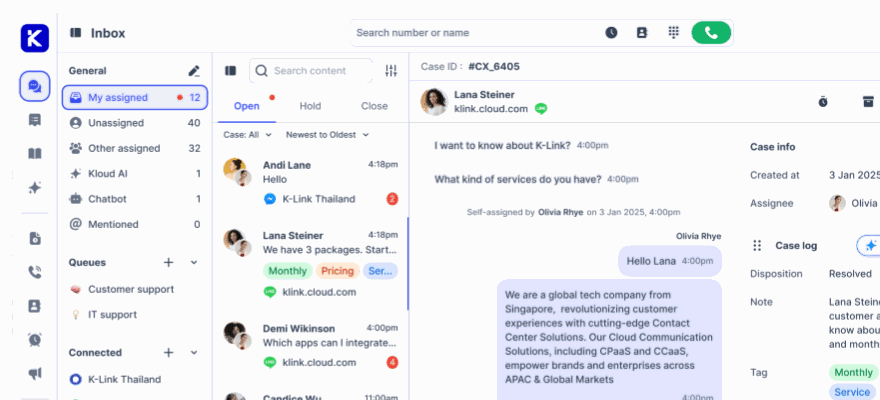
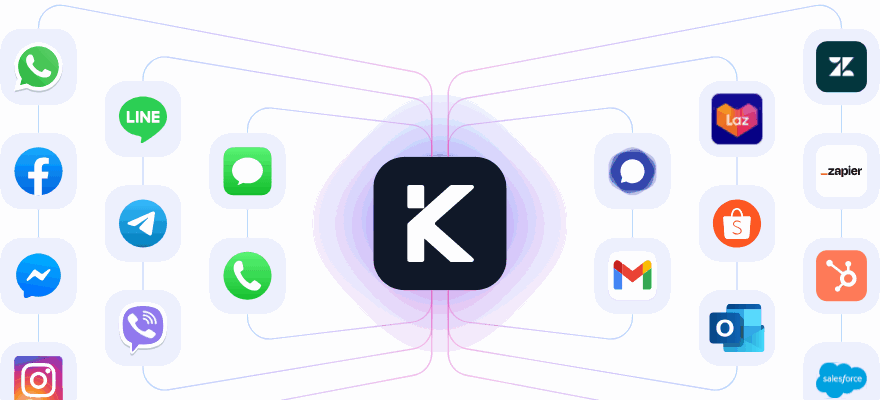
Omnichannel platforms like klink.cloud unify customer data across all sales channels, including your website, email, SMS, and social media. This ensures consistent recommendations, no matter how customers interact with your brand. By designating one system as the "source of truth" for customer data, you can avoid conflicting upsell experiences. Many merchants use klink.cloud to centralize data while integrating other tools for specific tasks.
When choosing upsell apps, make sure they’re compatible with your Shopify plan and tech stack. Look for apps that support U.S. currency formatting - displaying prices in dollars with proper separators - and prioritize tools with high ratings (4.5+ stars) on the Shopify App Store. Merchants often praise these apps for their ease of setup, user-friendly dashboards, and noticeable increases in average order value.
Configure your upsell apps directly through the Shopify App Store. Decide where recommendations will appear, such as on product pages, in cart drawers, or on post-purchase pages. Popular placements include "Frequently Bought Together" or "You May Also Like" sections, which align with natural decision points in the shopping journey.
For U.S.-based stores, localize your upsell content accordingly. Use U.S. English spellings (e.g., "personalize" instead of "personalise") and display prices in U.S. dollars. Consider seasonal events like Black Friday, Cyber Monday, and Memorial Day when creating upsell campaigns. Highlight clear savings, convenience, and simple return policies to meet local customer expectations.
Tracking and Improving AI Performance
Once your upsell tools are live, it’s time to measure their impact. Compare your average order value (AOV) before and after implementing AI recommendations to gauge overall effectiveness. Analyze AOV for sessions with AI-powered offers versus those without to see if the upselling strategy is increasing purchase sizes. Additionally, monitor metrics like upsell take rates and conversion rates to identify areas for improvement.
sbb-itb-204ca50
Using klink.cloud for Omnichannel AI Upselling
Running a Shopify store means your customers interact with your brand through a variety of channels - your website, email, text messages, Instagram DMs, and live chat. Each of these touchpoints generates important data, but if that data isn’t connected, you risk losing the chance to deliver consistent, personalized upsell opportunities. That’s where klink.cloud shines. It brings all your customer data together, giving you a complete view of their purchase history and behavior, so every interaction feels seamless and relevant.
Centralized Customer Data for Better Recommendations
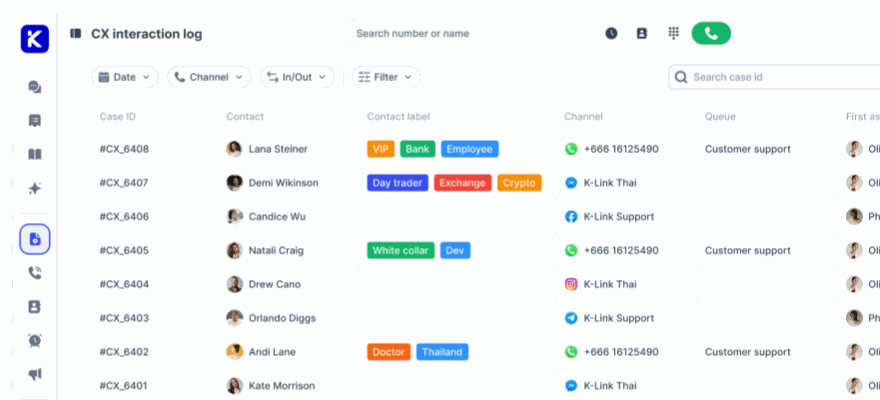
klink.cloud integrates directly with Shopify, syncing everything from customer profiles and order history to product catalogs and cart activity. By consolidating this information, it creates a detailed profile for each customer, including their email, phone number, social media handles, total spend, average order value, and browsing habits.
This unified data allows you to deliver personalized upsells in real time, no matter the channel. For example, if a customer browses running shoes on your site, adds them to their cart, and later messages you on Instagram, klink.cloud ensures they’ll see consistent and relevant recommendations throughout. It even tracks past offers to avoid repeating suggestions or sending conflicting messages.
The platform also connects historical Shopify data with real-time events like cart updates or completed purchases. You can set triggers for upsell flows, such as a reminder 30 days after the last order. Plus, it checks inventory in real time, so you won’t accidentally promote items that are out of stock.
Beyond just purchases, klink.cloud monitors browsing patterns, response to discounts, preferred communication channels, and even shopping times. This lets you group customers into segments like “frequent buyers of low-cost items” or “new customers interested in a specific category.” Each segment gets tailored upsell offers that match their behavior.
Another standout feature is how klink.cloud maintains context across channels. Let’s say a customer receives an email about a bundle deal but doesn’t open it. The platform can follow up with a shorter SMS reminder the next day - provided the customer has opted into text messages. If they then visit your website and open live chat, the AI assistant can reference previous interactions and their current browsing session, creating a consistent and helpful experience. This approach not only simplifies data management but also improves the overall shopping journey.
Real-World AI Upselling in Action
Here’s how klink.cloud works in practice. Imagine a customer at a U.S.-based beauty store who adds a $32 moisturizer to their cart but leaves without checking out. Within two hours, klink.cloud detects the abandoned cart and sends an automated email featuring the moisturizer, its price, and suggestions for complementary products like a cleanser or serum that other customers often buy together. To sweeten the deal, the email might include free shipping for orders over $50. If there’s no response within 24 hours, the platform sends a concise SMS (if the customer has opted in): “Still thinking about that moisturizer? Complete your routine with our top-rated cleanser. Free shipping over $50. Shop now: [link].”
Post-purchase upselling is just as effective. For instance, if a fashion retailer sells a dress for $89, klink.cloud can show a one-click upsell on the thank-you page featuring matching accessories like a $24 belt or $65 shoes that can ship with the original order. If the customer declines, the platform waits until the dress ships before sending an email with styling tips and links to purchase accessories.
Subscription businesses can also benefit. A coffee store, for example, can use klink.cloud to track reorder patterns. If a customer typically buys whole bean coffee every three weeks, the platform can send a reminder on day 20: “Running low on your favorite medium roast? Reorder now and upgrade to our 2 lb. bag - save 15% per ounce.”
Real-time data integration is especially powerful in live chat or social messaging. If a customer asks about jacket sizing on Facebook Messenger, klink.cloud can instantly pull their purchase history. If they’ve previously bought outerwear in size medium, the AI assistant can confidently recommend that size and suggest a matching scarf on sale. It might say, “Based on your last order, I’d recommend a medium. By the way, we have a wool scarf that pairs perfectly with this jacket - customers who bought both saved $15 on average with our bundle discount.”
To avoid overwhelming customers, klink.cloud carefully manages message frequency. If someone converts on an email upsell, they won’t receive the same offer via SMS or chat. You can also set limits, like capping promotional messages to three per week across all channels, ensuring your upselling feels helpful rather than pushy.
Localization is another strength. Prices are displayed in U.S. dollars with proper formatting (e.g., $49.99), messages are timed to match the customer’s time zone, and the tone reflects American language preferences. The platform also helps you stay compliant with regulations like TCPA for SMS and CAN-SPAM for email, managing opt-ins and opt-outs seamlessly.
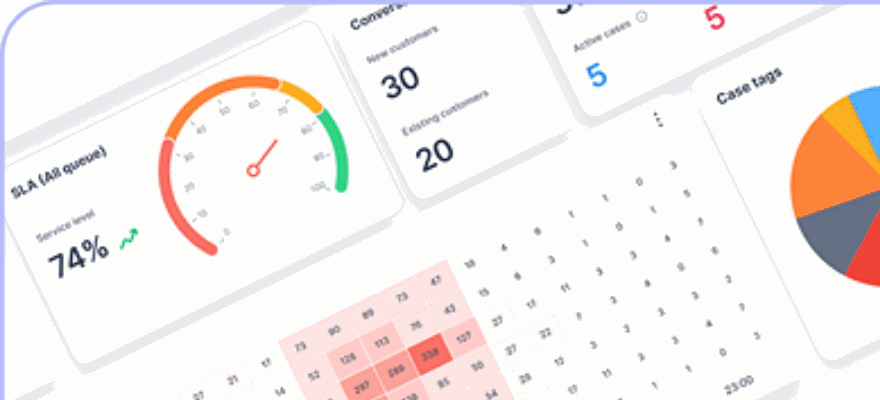
To track performance, klink.cloud provides analytics that show how each channel contributes to upsell revenue. You can measure metrics like the lift in average order value from post-purchase flows, abandoned cart recovery rates, and upsell acceptance rates for different product combinations. This data helps you refine your strategies, identify the most effective channels, and understand which customer segments respond best to your offers.
Getting started is straightforward. Connect your Shopify store, ensure data syncs properly, and identify a few key customer segments, such as VIPs, first-time buyers, or lapsed customers. Then, launch basic flows like an abandoned cart sequence, a post-purchase cross-sell, and AI-driven product suggestions in live chat. Monitor results weekly, fine-tune your offers, and gradually expand into more advanced scenarios like seasonal campaigns or predictive reminders. By leveraging these insights, you can maximize upsell opportunities and drive meaningful growth.
Compliance and Localization for U.S. Customers
Using AI to provide upselling and personalized recommendations comes with responsibilities, especially when it involves collecting customer data. If you’re selling to customers in California, the EU, or other regions with strict privacy laws, you’ll need to stay on top of compliance. With twenty U.S. states now enforcing their own comprehensive data privacy laws, meeting these requirements isn’t optional - it’s essential.
Thankfully, compliance doesn’t have to be overly complicated. It’s about being clear with customers, giving them control over their data, and ensuring your AI tools respect their privacy preferences. In this regulatory environment, transparency and consent are non-negotiable.
Privacy and Customer Consent
Laws like the CCPA and GDPR govern how you can use customer data for AI-driven upselling. While their approaches differ, both demand that you clearly explain what data you’re collecting and how it’s being used.
Under GDPR, which applies to visitors from the EU and European Economic Area, you must get explicit consent before collecting or analyzing personal data for purposes like advertising or personalization. This rule extends to cookies that track browsing behavior, meaning you can’t assume consent - users need to actively opt in. On the other hand, CCPA (and its update, CPRA) focuses on giving California residents the ability to opt out of data sharing or selling. This often involves adding a "Do Not Sell My Personal Information" link to your site.
Many businesses overlook that data can still be considered personal even if it doesn’t include names or email addresses. Tracking cookies, device IDs, and browsing patterns can all be linked back to individuals, making them subject to these laws.
"Just because Shopify offers something by default doesn't mean it's compliant out of the box. You are the controller of your customer's data. That means you're responsible for the way it's collected, disclosed, and processed."
- Dilyana Simeonova, Marketing Specialist, Consentmo
Common pitfalls include starting to track visitors before obtaining consent (especially for EU users) and failing to provide an opt-out option for profiling based on past behavior. Your privacy policy should clearly outline how you use automated tools for recommendations. For instance, you might include:
"We use automated tools to recommend products and improve your shopping experience. These tools may analyze your browsing behavior, cart activity, and previous purchases. You may opt out of personalized recommendations by updating your cookie settings or contacting us."
If you’re using a cookie compliance tool, double-check whether your AI features or Shopify functionalities load tracking cookies. Update your cookie banner to seek consent for non-essential cookies from EU visitors, and consider adding specific categories like "AI Recommendations" to explain their purpose.
Beyond GDPR and CCPA, privacy regulations across multiple states are influencing how businesses operate. In fact, 88% of retail leaders say unified commerce will play a key role in meeting their 2025 goals, partly due to these growing privacy requirements. By prioritizing transparency and robust security measures, you not only meet legal standards but also build customer trust.
Adapting AI for U.S. Shoppers
Legal compliance is just one piece of the puzzle. Localizing your AI messaging can strengthen trust and create a more engaging experience for U.S. customers. To do this effectively, align your pricing, formats, and messaging with local norms.
- Use U.S. dollars for pricing (e.g., $49.99).
- Follow American date formats such as MM/DD/YYYY (e.g., 03/15/2026).
- Apply U.S. measurement units, like inches, feet, pounds, and ounces. For example, a 16 oz. bottle of lotion will resonate more with U.S. shoppers than a 473 ml bottle.
- Reference temperatures in Fahrenheit, especially for temperature-sensitive items like skincare or food.
Your AI messaging should also reflect American spelling and tone. For example, use "color" instead of "colour" and "optimize" rather than "optimise." A conversational and friendly tone works well - phrases like "Check out these items you might love" tend to feel more inviting.
The timing of your automated communications also matters. For instance, sending an abandoned cart email at 2 a.m. probably won’t get much attention. Instead, schedule messages during peak shopping hours to increase their impact.
When crafting personalized recommendations, consider major U.S. shopping events such as Black Friday, Cyber Monday, Prime Day, and back-to-school sales. Tailoring your AI strategies to these seasonal trends can make your recommendations feel more relevant and timely.
An independent study showed that consolidating store and online data into a unified system led to an 8.9% increase in gross merchandise volume (GMV). This approach simplifies localization by centralizing customer data, including location, language preferences, and shopping behavior.
Lastly, work with experienced solution providers to ensure your AI tools stay compliant as regulations change. Regularly review performance metrics to see how well your localized strategies resonate with U.S. shoppers, and fine-tune your approach as needed.
When done right, localization makes your AI recommendations feel intuitive and trustworthy, encouraging customers to complete their purchases.
Conclusion
AI-powered upselling and personalized recommendations have become a standard expectation in U.S. e-commerce. By integrating AI throughout the entire customer journey - from product pages and shopping carts to checkout, post-purchase flows, and campaigns targeting repeat customers - you create a system that continuously learns and adjusts in real time. This holistic approach ensures every touchpoint works together seamlessly, delivering the right products at the right time. Recommendations are tailored using factors like prices in USD, seasonal trends, and each shopper's unique purchase history.
For instance, AI-driven post-purchase funnels can produce a 30% increase in average order value when personalized offers replace generic ones. Think about it: raising your average order value from $55 to $65 might not seem like much, but when you’re processing thousands of orders, that extra $10 per transaction can add up fast. It’s additional revenue that can fuel marketing efforts, optimize inventory, or support team growth - all without needing more traffic to your site. This is why implementing AI isn’t just helpful - it’s essential.
Getting started with AI doesn’t have to be overwhelming. Begin with simple AI recommendations on product pages and in shopping carts. Add a post-purchase offer and set up automated campaigns for repeat customers. Track key metrics like average order value (AOV), revenue per visitor, and repeat purchase rates. A straightforward 30-day experiment can help you compare results before and after enabling AI. Smaller businesses can use plug-and-play apps with minimal setup, while larger teams might benefit from tools like klink.cloud, which centralizes customer data from Shopify, email, SMS, and other channels into one AI-powered system. This unified approach ensures consistent recommendations across every platform and helps maintain compliance with U.S. privacy and consent regulations.
To maximize AI effectiveness, make sure your product tags, collections, and event tracking are accurate. Localize your store for U.S. shoppers by using proper pricing, date formats, and measurement units. Schedule automated messages during peak shopping times and plan your strategies around major U.S. shopping events like Black Friday, Cyber Monday, and back-to-school sales. These practical steps, combined with full-funnel AI strategies, ensure every customer interaction drives measurable growth.
Growth, however, must be balanced with trust. Be transparent about how customer data is used. Clearly outline opt-in and opt-out options for marketing, and stay compliant with regulations like CAN-SPAM and state privacy laws. Many AI tools include features like consent tracking and configurable data retention, which help align your revenue goals with both customer trust and legal requirements.
Postponing your AI adoption could mean missed revenue opportunities and diminished customer loyalty. Take one actionable step this week - whether it’s connecting an AI recommendation engine, testing a post-purchase offer, or exploring klink.cloud for omnichannel personalization. AI isn’t some distant, complex goal; it’s a straightforward way to boost AOV, conversion rates, and customer lifetime value. The sooner you start, the sooner you’ll see results.
FAQs
How does AI make upsell recommendations on Shopify more personalized instead of generic?
AI uses customer data - like browsing habits, purchase history, and preferences - to craft personalized upsell recommendations. By spotting trends and predicting what each shopper might want, it delivers suggestions that feel custom-made.
This strategy enhances the shopping experience, making it more engaging for customers. At the same time, it encourages shoppers to add extra items to their carts, driving higher sales for Shopify store owners.
How can I make sure my Shopify store complies with data privacy laws when using AI for upselling?
To align with data privacy laws while using AI for upselling in your Shopify store, start by familiarizing yourself with key regulations like GDPR (for EU customers) and CCPA (for California residents). Your store's privacy policy should clearly outline how customer data is collected, stored, and used - especially when leveraging AI for personalized recommendations.
It's crucial to get clear, explicit consent from customers before gathering personal data. You should also offer them the option to opt out of data collection or AI-driven recommendations. Stick to using reliable AI tools or integrations that emphasize data security and comply with privacy standards. Lastly, make it a habit to regularly review your data practices to ensure you're keeping up with any changes in the legal landscape.
How can I measure the success of AI-powered upselling in my Shopify store?
To assess how AI-powered upselling influences your business, keep an eye on critical metrics like conversion rates, average order value (AOV), and customer retention rates. Leverage analytics tools or dashboards to track how frequently customers interact with upsell suggestions and whether these interactions translate into completed purchases.
Another effective method is conducting A/B tests to compare various upsell strategies. This helps pinpoint which approaches yield the best outcomes. By consistently analyzing this data, you can fine-tune your tactics, boost revenue, and create a more engaging shopping journey for your customers.