
How to Measure Success of Your AI Agent Deployment

Deploying an AI agent is just the beginning; the real challenge is proving its value. Without tracking the right metrics, you risk wasting time, money, and resources. Here's the bottom line: to see real results, you need a clear measurement framework tied to your business goals.
Key takeaways:
- Companies with proper measurement frameworks report 68% lower costs per interaction and 74% faster response times.
- Focus on four areas: customer experience, efficiency, automation, and financial impact.
- Metrics like CSAT, containment rate, and ROI help you track AI performance and business impact.
- Use platforms like klink.cloud to centralize and analyze data for actionable insights.
Why this matters: Measuring success ensures your AI delivers on its promise - whether that’s saving costs, improving customer satisfaction, or boosting productivity. Start with a baseline, track key metrics, and regularly refine your AI for continuous improvement.
Measuring success of your AI Agent
Key Metrics to Evaluate AI Agent Performance
To truly understand how well your AI agent is performing, you need to measure its impact across four critical areas: customer experience, efficiency, automation, and financial impact. Each of these areas sheds light on different aspects of performance, helping you pinpoint strengths and areas for improvement.
Customer Experience Metrics
These metrics focus on how effectively your AI agent meets customer needs, gauging satisfaction, loyalty, and how easy it is for customers to get the help they need.
-
Customer Satisfaction Score (CSAT): This measures how happy customers are with their interactions. It's calculated as:
CSAT (%) = (# of ratings 4–5 ÷ total responses) × 100.
A score above 80% is considered strong. -
Net Promoter Score (NPS): This measures customer loyalty by asking, "How likely are you to recommend our service to others?"
NPS = %Promoters – %Detractors.
Scores above 30 are solid, while anything over 50 is outstanding. - Customer Effort Score (CES): This tracks how easy it is for customers to resolve their issues on a scale of 1–7. An average score below 3 indicates a smooth, hassle-free experience.
- Sentiment Analysis: By using natural language processing, this metric analyzes the emotional tone of customer interactions. Negative trends can signal areas where your AI might need adjustments.
These metrics serve as a foundation for evaluating the operational and financial aspects of your AI agent’s performance.
Efficiency Metrics
Efficiency metrics reveal how quickly and effectively your AI agent handles inquiries, ensuring smooth operations.
- First Response Time (FRT): This measures how long customers wait for an initial reply. Aim for under 10 seconds for simple queries and under 30 seconds for more complex issues.
- Average Resolution Time (ART): This tracks the total time from when a query starts to when it’s resolved. Routine tasks should take 2–5 minutes, while complex ones might take 10–15 minutes. Breaking this down by query type can help identify bottlenecks.
-
First Contact Resolution (FCR): This measures the percentage of issues resolved in a single interaction.
FCR = (% of inquiries resolved on first contact).
A rate between 70%–85% is a good indicator of high customer satisfaction. - Average Handle Time (AHT): This includes the total time spent on an interaction, including hold time and follow-ups. AI should aim to keep this lower than human agents, while still ensuring accuracy.
Automation and Containment Metrics
These metrics highlight how well your AI agent manages inquiries independently, a key factor in scaling support operations.
- AI Containment Rate: This is the percentage of inquiries resolved entirely by the AI without human intervention. A target range of 60%–75% is ideal for general support.
- Escalation Rate: This tracks how often the AI passes inquiries to human agents. A healthy range is 15%–30%, reflecting a balance between automation and human expertise for complex issues.
- Handoff Rate: This measures how often the AI successfully transfers context and conversation history to a human agent. A seamless transfer rate above 90% ensures customers don’t have to repeat themselves.
- Intent Recognition Accuracy: This evaluates how accurately the AI identifies customer intent on the first try. Accuracy between 85%–95% minimizes the need for customers to rephrase or clarify.
- Self-Service Completion Rate: This tracks the percentage of customers who resolve their issues using AI-powered self-service tools. Rates above 60% suggest the AI is empowering customers effectively.
Fine-tuning these metrics ensures your AI agent can provide scalable, efficient support with minimal human involvement.
Financial Impact Metrics
These metrics tie AI performance directly to your bottom line, showing how it boosts efficiency and delivers financial returns.
-
Cost Per Contact: This is calculated as:
Cost Per Contact = (Total support costs ÷ total inquiries).
AI typically lowers this cost compared to human agents. - Cost Savings from Automation: This quantifies the financial benefits of AI by estimating the annual savings from inquiries handled by AI versus human agents.
-
Revenue Per AI Interaction: This measures revenue generated or protected through AI-assisted interactions, like upsells or faster resolution of billing issues.
Revenue Per AI Interaction = (Total revenue from AI interactions ÷ number of AI interactions). -
Return on Investment (ROI): This tracks the overall financial return from AI deployment:
ROI = ((Total gains – AI investment) ÷ AI investment) × 100.
A positive ROI within 12–18 months is a strong indicator of success. - Labor Cost Reduction: This measures how AI impacts staffing costs. Instead of reducing headcount, many companies redeploy human agents to focus on complex tasks. Compare labor expenses before and after AI deployment to gauge savings, often with improved service quality.
Platforms like klink.cloud provide built-in tools for real-time analytics, helping you monitor these metrics and make data-driven decisions.
Setting Up Data Capture and Analysis
After pinpointing the metrics that matter, the next step is creating a system to gather accurate data and turn it into actionable insights. Without a reliable data collection and analysis framework, even well-defined KPIs can feel like guesswork.
Data Collection Best Practices
Capturing the right data at every customer interaction is the backbone of effective AI agent measurement. Whether it's a phone call, email, chat, or social media message, every interaction should be logged in enough detail to distinguish AI performance from human performance.
At a minimum, your system should record:
- Unique interaction IDs
- Channels (e.g., phone, email, chat, social)
- Timestamps in your local time zone (e.g., ET, PT)
- Agent type (AI-only, human-only, or AI-then-human)
- Customer identifiers
- Intent categories (e.g., billing question, password reset, order status)
- Disposition codes (e.g., resolved, escalated, abandoned)
- Timing metrics like first response time, handle time, and total resolution time
For interactions that escalate from AI to human agents, log both the "entry" and "exit" points of automation. This helps pinpoint where and why escalations occur, enabling you to separate AI performance from human benchmarks and uncover patterns tied to specific query types or customer groups.
Consistency is key. Use standardized values across all channels. For example, agent_type = "AI", "Human", or "Hybrid" should be uniform, and intent tags like "billing question" should appear identical in reports, no matter the channel. Create a data dictionary to document tagging rules, enforce them through software validation, and audit samples regularly to ensure accuracy.
To maintain data quality and compliance, automate data capture whenever possible. Timestamp and agent type information should come directly from your platform to avoid manual errors. Secure customer consent where needed, anonymize sensitive fields like payment details, and apply role-based access controls to ensure analysts can work with metrics without exposing personally identifiable information.
Once you have robust data capture in place, the next step is centralizing and standardizing this information across all customer touchpoints.
Using Omnichannel Platforms Like klink.cloud
One of the biggest hurdles in measuring AI agent performance is fragmented data. When systems like telephony, email, chat, and CRM operate independently, it’s nearly impossible to get a complete view of customer interactions or align metrics across channels.
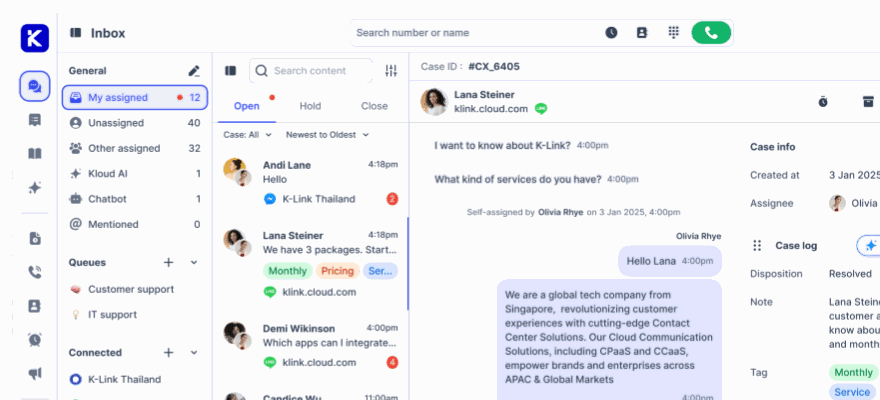
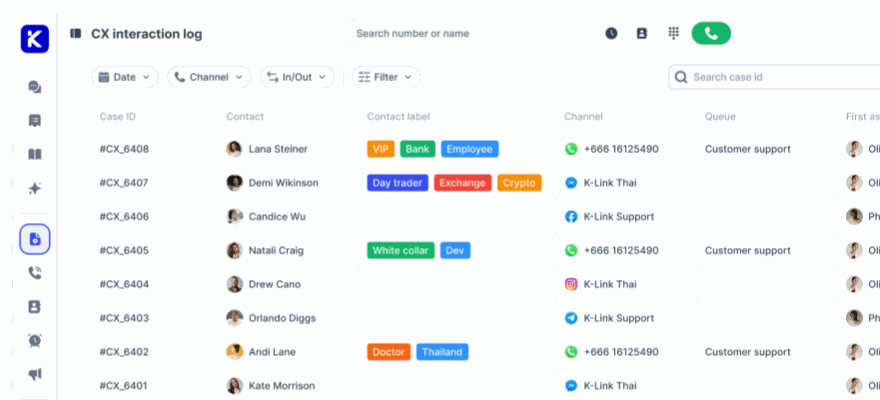
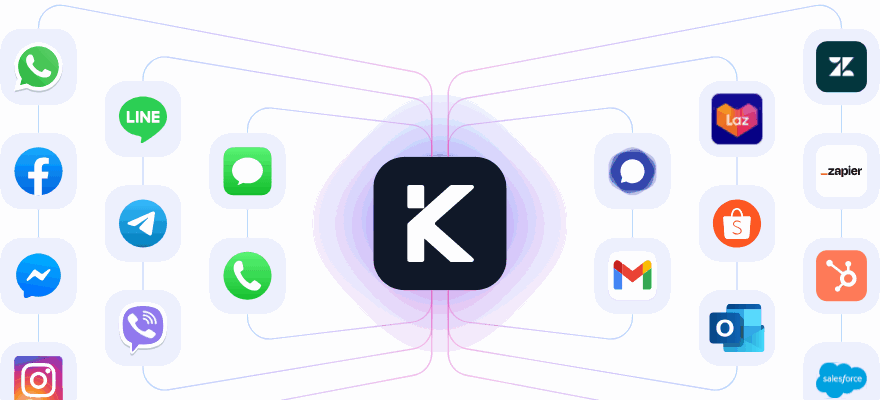
Omnichannel platforms address this challenge by unifying all customer interactions into a single, centralized system. Take klink.cloud as an example - it integrates with telephony providers, email servers, live chat widgets, and CRMs through APIs and native connectors. This allows every interaction to flow into one unified table, where AI transcripts, call logs, and CRM updates are tied to the same customer ID and standardized fields.
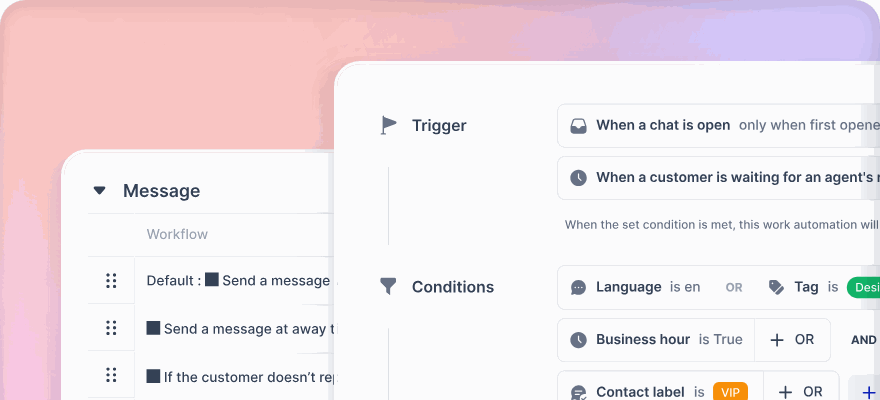
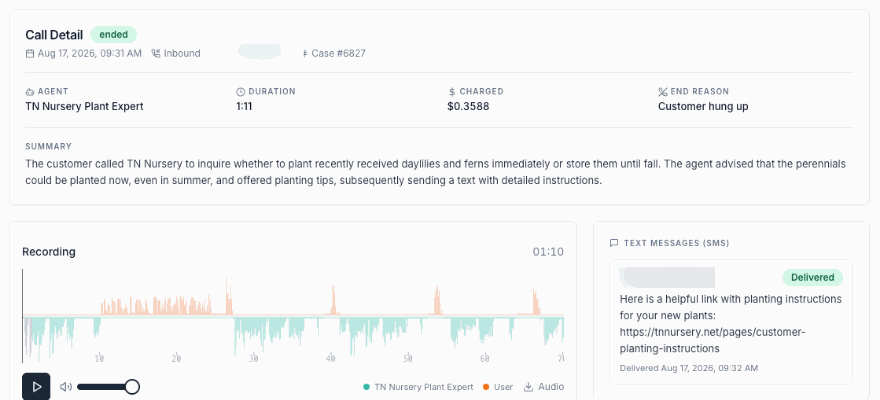
Admins can configure routing rules and data mappings to ensure consistent tagging from the start. klink.cloud’s case management system tracks key metrics for each interaction - such as first response time, SLA status, resolution time, sentiment, and CSAT - while linking them to a single customer profile. The platform even auto-records calls and tags conversations based on keywords, customer type, language, or VIP status.
By integrating with your CRM, helpdesk, and billing systems, platforms like klink.cloud enrich the context of every interaction. This centralized approach not only preserves the full customer journey but also enables precise measurement of AI performance. For example, you can calculate revenue per AI interaction or identify which customer segments benefit most from automation.
Tracking and Visualizing Metrics
With centralized data, the focus shifts to transforming it into actionable insights. Dashboards and reports provide a clear view of AI agent performance, both in real time and over longer periods.
Real-time dashboards are crucial for operations teams that need to address issues as they arise. By streaming event data into a business intelligence tool, you can track metrics like median resolution times, AI vs. human contact volumes, and estimated cost per contact. These dashboards help teams quickly identify performance trends and respond to spikes, outages, or quality dips.
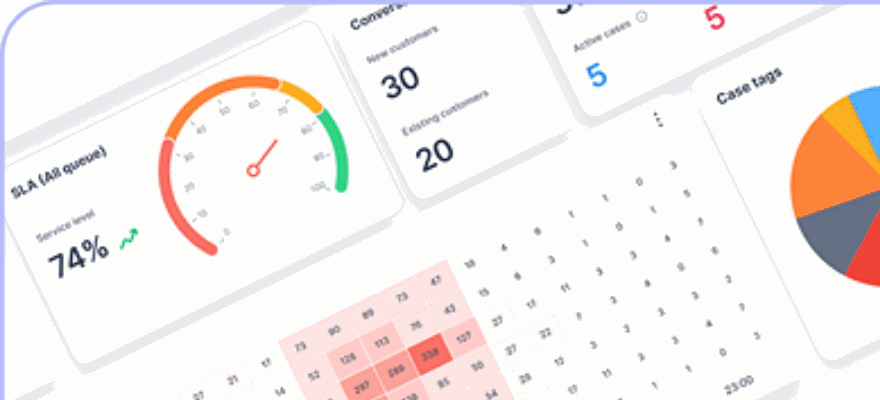
klink.cloud offers built-in real-time analytics dashboards that provide instant insights into customer interactions, agent performance, and operational metrics. Filters for date ranges, customer segments, and intent categories make it easy to drill down into specific patterns.
Historical reports are equally important for strategic planning. Aggregate metrics by week or month, broken down by channel, intent, and agent type, to identify trends - like AI handling simple FAQs more effectively over time but struggling with complex billing issues. Rolling averages and year-over-year comparisons help separate short-term noise from meaningful trends. Cohort analyses, such as looking at interactions within 30 days of a major AI model update, can reveal the impact of changes to prompts, routing, or algorithms.
To avoid overwhelming stakeholders with too much data, build role-specific dashboards. For example:
- Executives focus on high-level trends like cost savings and CSAT improvements.
- Operations leaders monitor queue depth, handle time, and escalation rates.
- AI product teams analyze error types, training data gaps, and bot performance.
For U.S.-based teams, ensure dashboards use local conventions: dollar signs for currency (e.g., $1,250.50), MM/DD/YYYY date formats, and time zones like ET or PT. Align data snapshots with standard business reporting periods, such as calendar months or quarters.
To continuously improve, schedule regular metric reviews - weekly for operational teams and monthly for strategic planning. During these reviews, CX, data, and AI teams can examine dashboards, analyze sample transcripts for outliers, and decide on specific changes. Set clear targets for metrics like containment rates or CSAT, review negative trends, and run controlled experiments to test improvements. Document these learnings to guide future updates to AI models, conversation design, and routing strategies.
sbb-itb-204ca50
Improving AI Agent Performance
Gathering data and tracking metrics is just the beginning. The real value comes from using those insights to refine and enhance your AI agents. Without a structured plan for ongoing improvement, performance can stagnate, leaving customer experiences to suffer.
Continuous Improvement Processes
The key to better AI agent performance lies in constant optimization. Start by establishing a baseline for your key metrics, such as containment rate, average handle time, CSAT (Customer Satisfaction Score), and cost per contact. Use the data you've already collected to set this foundation.
Once you have a baseline, pinpoint areas with the most potential for improvement. Look for trends in your data. For example, if your containment rate is strong for password resets but falters on billing inquiries, that's a clear area to address. Similarly, if escalations spike between 5:00 PM and 7:00 PM ET, it might be time to adjust routing rules or add training data for common after-hours questions.
Experiment with changes in a controlled way. Adjust one factor at a time to see what works. For instance, if your AI struggles to understand variations of "Where's my order?" like "track my package" or "shipment status", update the intent recognition model to include these phrases. Roll out the update to 20% of your traffic for two weeks, while leaving the other 80% unchanged. Then, compare metrics like containment rates, resolution times, and CSAT scores between the two groups.
Document each experiment thoroughly, noting the duration, specific changes made, sample size, and results. If an update improves containment from 68% to 74% without lowering CSAT, roll it out to all users. If CSAT drops, pause and investigate before proceeding further.
Regularly re-measure performance to ensure improvements remain effective. A change that works well in February might not hold up in November when customer behavior shifts during the holiday season. Monthly reviews can help you spot and address performance issues early.
Focus on changes that offer the biggest impact with minimal effort. For example, improving a prompt that handles 15% of your interactions will likely have a greater effect than fine-tuning an edge case that accounts for only 2% of volume. Prioritize based on interaction volume, customer pain points, and business value. If billing inquiries make up 30% of contacts and cost $12.50 per human interaction, improving AI handling here could lead to significant savings compared to optimizing less common scenarios.
Over time, track the cumulative impact of these improvements. If your containment rate starts at 55% in January and climbs to 72% by December, calculate the resulting cost savings and customer satisfaction gains. This data can justify further investment in AI optimization and help secure resources for future projects.
To ensure these gains are sustainable, establish consistent quality checks and governance protocols.
Quality Assurance and Governance
Even the best-trained AI agents can drift over time as customer language evolves, new products are introduced, and policies change. Ongoing quality assurance is critical to maintaining high performance.
Conduct weekly reviews of AI interactions. Randomly select 50 to 100 conversations and evaluate them against clear criteria: Did the AI understand the customer’s intent? Was the response accurate and helpful? Did the tone align with your brand guidelines? Was escalation handled appropriately? Score each interaction as meeting expectations, needing improvement, or failing standards.
For any interactions that fall short, identify the root cause. Common issues might include misunderstood intent, outdated response information, overly generic answers, or missed opportunities to escalate to a human agent. Categorize these issues and monitor trends to address systemic challenges rather than isolated errors.
Define clear escalation thresholds for when an AI agent should hand off to a human. For instance, if the AI’s confidence score falls below 70%, route the interaction to a human. Similarly, if a customer asks the same question multiple times in different ways or sentiment analysis detects frustration, escalate immediately. These safeguards ensure customers receive the help they need without unnecessary delays.
Set up automated alerts to catch potential problems early. For example, configure your system to notify the team if the median resolution time exceeds 8 minutes (up from a baseline of 5 minutes) or if the containment rate drops below 65% for two consecutive hours. These alerts allow you to address issues before they escalate.
Establish governance policies for managing AI configurations. Require all changes to be tested and approved before deployment, and document updates in a version control system. This approach prevents untested modifications from negatively impacting performance and allows for easy rollbacks if needed.
Create a knowledge base review process to keep AI responses accurate and up to date. When product features, pricing, or policies change, update the AI’s training data within 24 hours. Assign specific teams ownership of different knowledge areas - product teams for features, finance for billing policies, and support for troubleshooting guides. Conduct quarterly audits to catch any outdated information that might have been overlooked.
Monitor for bias and fairness issues in AI performance. Analyze metrics across customer segments, languages, and demographics where appropriate. If the AI struggles more with Spanish-speaking customers or takes longer to resolve issues in specific regions, investigate whether gaps in training data or model limitations are contributing to these disparities. Addressing such issues ensures equitable service for all users.
Finally, align AI performance with team incentives and accountability. When operations leaders are measured on metrics like cost per contact and CSAT, they’re more likely to prioritize AI improvements. Ensure incentives are balanced across teams to encourage changes that benefit both the business and the customer experience.
Conclusion
When it comes to measuring AI agent performance, the key is aligning metrics with your business goals. It’s not just about gathering data - it’s about ensuring that your AI’s performance contributes directly to what matters most for your organization. Start by identifying your primary objectives. For instance, if reducing monthly support costs is your aim, focus on metrics like cost per resolution (in USD) and containment rate. On the other hand, if building customer loyalty is your priority, measures like CSAT (Customer Satisfaction Score) and Net Promoter Score (NPS) should take center stage. A great example of this in action is a US-based e-commerce company that cut its average handle time by 25% and deflected 30% of inquiries by refining AI intents and handoff processes, achieving both cost savings and higher customer satisfaction.
To get the full picture, use a mix of metrics. Experience metrics (like CSAT, Customer Effort Score, and sentiment analysis) show how customers feel, while efficiency metrics (such as average handle time and first contact resolution) measure service speed. Add to this automation metrics for AI performance and financial indicators like ROI and cost per contact to see the monetary impact. Focusing on just one category can lead to blind spots. For example, a high containment rate might not mean much if it’s accompanied by falling CSAT scores.
The foundation of reliable metrics is quality data. Consistent logging, clear definitions (e.g., what counts as a "resolved" case), and regular audits ensure the data reflects reality. Tools like klink.cloud simplify this process by centralizing data collection and providing real-time analytics across multiple channels, making it easier to trust and act on your metrics.
But measurement is just the beginning. Customer expectations, products, and policies are always changing, so your KPIs should be treated as a guide for continuous improvement. Regularly reviewing containment failures, low CSAT cases, and edge scenarios can help refine training data, conversation flows, and escalation rules. For example, teams tracking trends like spikes in negative sentiment or increased escalation rates have reported containment improvements from 60% to 75% over several months.
Strong governance and consistent quality assurance are essential for keeping your AI on track. Regular QA checks and automated alerts for issues like extended interactions or dips in containment rates allow for quick action. Pair these efforts with platforms offering real-time dashboards, A/B testing, and workflow integrations, and you can turn one-off experiments into a structured, measurable AI program.
Here’s the game plan: define three to five KPIs that align with your business objectives, benchmark your current performance, and set achievable 90-day targets. For example, track metrics like monthly support costs in USD or average resolution time in minutes. Use a platform like klink.cloud to centralize your data and establish a routine for reviews - weekly operational check-ins and monthly strategic updates work well. With accurate data, a balanced approach to metrics, and a commitment to ongoing refinement, your AI program can evolve from a simple tool into a powerful driver of business success. By taking this approach, you’re not just deploying AI - you’re turning it into a strategic advantage.
FAQs
What metrics should I track to evaluate the success of my AI agent deployment?
To gauge how well your AI agent is performing, it’s essential to track metrics that tie directly to your business objectives and how satisfied your customers are. Key areas to monitor include:
- Efficiency and performance: Keep an eye on metrics like how quickly issues are resolved, response times, deflection rates (how often the AI resolves issues without human help), and overall AI uptime.
- Cost savings and ROI: Evaluate how much you’re saving on operational costs, the amount of employee time freed up, and whether there’s been a boost in sales or lead conversions.
- Customer experience: Pay attention to customer satisfaction (CSAT) scores, customer feedback patterns, how accurately the AI understands user intent, and the rate at which issues are escalated to human agents.
Regularly reviewing these metrics gives you the insights needed to fine-tune your AI agent, ensuring it continues to meet business needs while enhancing the customer experience.
How does klink.cloud help monitor and improve the performance of AI agents?
klink.cloud makes it easier to assess and fine-tune the performance of AI agents by providing real-time analytics and in-depth reporting. It keeps tabs on essential metrics like first response time, resolution time, and customer satisfaction (CSAT), giving you a straightforward view of how well your AI agents are doing.
On top of that, it includes case management tools that let you track and evaluate customer interactions across various channels. This helps ensure your AI solutions stay aligned with business objectives, improve customer experiences, and deliver measurable outcomes.
How can I continuously improve and optimize my AI agents after deployment?
To make sure your AI agents continue to perform effectively after deployment, start by setting clear definitions of success. This includes aligning with business objectives, ensuring user satisfaction, and maintaining strong technical performance. Keep an eye on key performance indicators (KPIs) like resolution time, success rate, and customer satisfaction to measure how well the system is meeting these goals.
Feedback loops play a big role in improving your AI agents over time. This could mean retraining models, adjusting workflows, or adding new features based on what users need. On top of that, using AI observability tools can help you monitor interactions, catch errors, and maintain both compliance and transparency. The process doesn’t stop there - continuous updates and improvements are essential to keep your AI agents aligned with changing business priorities and customer expectations.