Recover Abandoned Carts via WhatsApp Using Kai AI Agent on Shopify
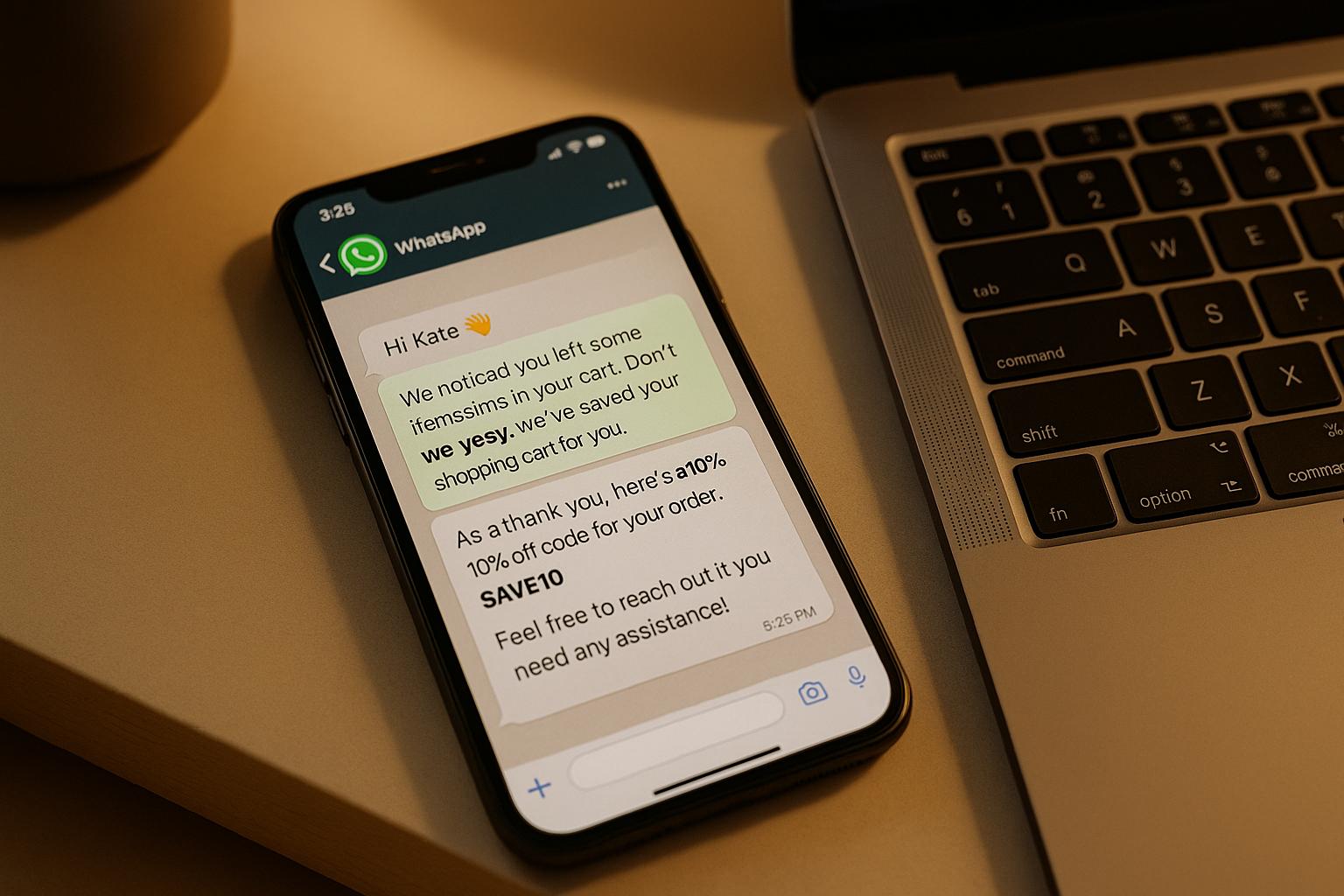
Every abandoned cart is a missed sale, but you can win back those customers with WhatsApp and the Kai AI Agent on Shopify. Here’s why it works and how to set it up:
- Why WhatsApp? Messages sent via WhatsApp have over 90% open rates, far outperforming email. They reach customers instantly and allow for quick responses to questions.
- How Kai AI Agent helps: This tool automates personalized WhatsApp messages to recover abandoned carts. It uses real-time Shopify data to craft tailored reminders, complete with product details, cart totals, and direct checkout links.
- Proven results: Merchants using this system recover 8–15% of lost revenue in the first month, turning abandoned carts into sales without extra effort.
Get started in minutes: Connect your Shopify store, WhatsApp Business account, and klink.cloud. Set up workflows to trigger timely reminders, personalize messages, and even include discounts for added motivation.
If you’re losing sales to abandoned carts, this solution can help you recover revenue while saving time.
How to Set Up the Kai AI Agent for Shopify and WhatsApp
To recover abandoned carts, you'll need to connect your Shopify store, klink.cloud account, and WhatsApp Business. Here's how to get started.
What You Need Before Starting
Before diving into the setup process, make sure you have everything in place. These are the essentials required for the Kai AI Agent to send personalized messages via WhatsApp:
- Shopify Store: Ensure your store supports third-party integrations and that you have admin access to authorize klink.cloud to access customer data, orders, abandoned checkouts, and discounts.
- WhatsApp Business: A verified WhatsApp Business account (via the app or API) is necessary. You'll also need a dedicated U.S. business phone number that isn’t linked to another WhatsApp account for verification.
- klink.cloud Subscription: An active klink.cloud account that includes the Kai AI Agent and WhatsApp channel support. You can start with their free trial to test the integration before committing to a paid plan.
- Meta Business Manager: Admin access to Meta Business Manager is needed to register your WhatsApp Business Account and manage message templates.
- Business Profile Details: Prepare your brand name, logo, description, website URL, support email, and business hours to ensure consistency across Shopify, WhatsApp, and klink.cloud.
- U.S.-Specific Settings: Confirm your Shopify store displays U.S. norms for currency, date, and time formats.
How to Connect Shopify to klink.cloud
Connecting Shopify to klink.cloud sets up the data flow for automated cart recovery. Follow these steps:
- Log into your klink.cloud account. If you're new, sign up at klink.cloud and select a plan that includes the Kai AI Agent.
- Navigate to the integrations section in your klink.cloud dashboard and choose Shopify.
- Enter your Shopify store URL (e.g., mystore.myshopify.com) to authorize the connection. Grant permissions for access to customer data, orders, carts, and discounts.
- Once authorized, you'll be redirected back to klink.cloud. The integration status should show as "Active" or "Connected."
- Test the setup by creating a test abandoned cart in Shopify. Add a product to your cart, proceed to checkout using a test email and phone number, then leave the browser without completing the purchase. Check your klink.cloud dashboard to confirm the abandoned checkout appears.
- Ensure Shopify's checkout settings collect phone numbers, as WhatsApp messages require them. You can enable this in Shopify's checkout settings.
Once Shopify is connected, you're ready to configure WhatsApp for recovery messages.
How to Set Up WhatsApp as a Recovery Channel
To enable the Kai AI Agent to send recovery messages through WhatsApp, follow these steps:
- Log into Meta Business Manager at business.facebook.com. If you don’t have an account, create one.
- Go to Business Settings, then to the "WhatsApp Accounts" section, and add a new WhatsApp Business Account.
- Enter your dedicated U.S. business phone number in international format (e.g., +1 555 123 4567). Verify it using the code sent via SMS or phone call.
- Complete your WhatsApp Business profile by adding your business name, description, website URL, email address, and physical address.
- Create message templates for cart recovery. WhatsApp requires pre-approved templates for outbound messages. For example:
"Hi {{1}}, you left {{2}} in your cart. Complete your order now for ${{3}}: {{4}}."
Use proper U.S. currency formatting (e.g., $1,299.99) for amounts, then submit the template for approval. - Return to your klink.cloud dashboard, go to the channels section, and select the WhatsApp integration. Authenticate with Meta Business Manager and link your verified WhatsApp phone number.
- Test the connection by sending a test message using one of your approved templates.
- Configure compliance settings for U.S. customers. In the klink.cloud workflow builder, set quiet hours to ensure messages are sent during appropriate times.
How to Create AI-Powered WhatsApp Cart Recovery Workflows
By linking Shopify with WhatsApp through the Kai AI Agent, you can set up automated workflows to recover abandoned carts. This tool takes care of sending personalized messages, timing them effectively, and adjusting based on customer behavior, making the process seamless.
Setting Up Trigger-Based Workflows
The backbone of any cart recovery strategy is a trigger - a signal that a customer has left items in their cart without completing checkout. Setting these up ensures your messages reach customers at the right time.
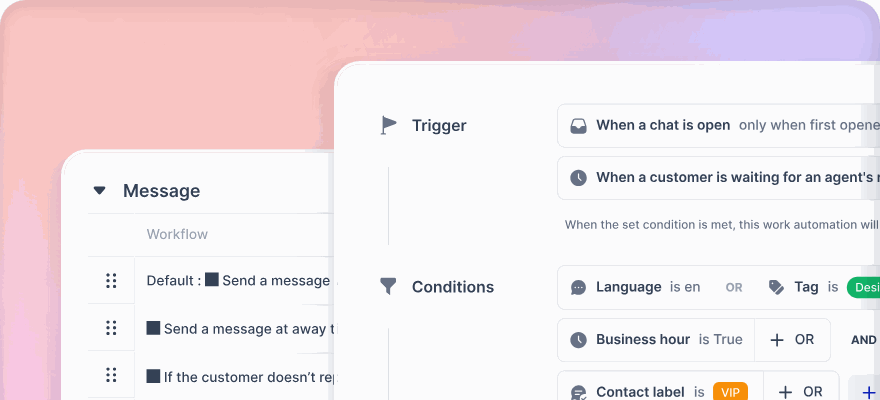
Start by logging into your klink.cloud dashboard and accessing the workflow builder. Create a new workflow and choose "Abandoned Cart" as the trigger event. This ensures the system activates whenever Shopify detects an incomplete checkout.
Next, schedule your messages strategically:
- Send the first message 1 hour after the cart is abandoned.
- Follow up with another message after 24 hours.
- Send a final reminder 72 hours later.
Respect your customers’ time by configuring quiet hours. For U.S. customers, restrict messages to between 9:00 AM and 8:00 PM in their local time zone. This prevents late-night notifications that could annoy customers or harm your reputation.
You can also refine your workflow by adding conditions. For instance, only send WhatsApp messages for carts worth $50.00 or more. Test your setup by simulating an abandoned cart in Shopify to ensure everything works as planned.
Personalizing WhatsApp Messages with AI
Generic messages often go unnoticed, but the Kai AI Agent uses Shopify data to craft messages that feel tailored and relevant. Here's how you can make your messages stand out:
- Use the customer’s first name: Add a personal touch by including the variable {{customer_first_name}} in your greeting.
- Highlight specific cart items: Instead of a vague "You left items in your cart", reference the products directly using {{product_name}}. For example, "You left a Classic Leather Handbag and Bohemian Summer Dress in your cart."
- Show prices clearly: Use {{cart_total}} to display the total cost in U.S. currency. If offering a discount, show both the original and discounted prices, like "Your $129.99 order is now $116.99."
- Include visuals: Add product images using {{product_image_url}}. Visuals can grab attention and remind customers of what they’re missing.
You can also adjust the tone of your messages based on the cart value. High-value carts might warrant a more formal, consultative tone, while lower-value carts could benefit from a casual, friendly approach. For first-time shoppers, include reassurances about shipping and returns, while repeat customers might appreciate references to their past purchases.
Keep your messages short and to the point - two or three sentences are ideal. Focus on reminding the customer what they left behind, offering a clear incentive, and providing a direct checkout link.
Adding Discounts and Incentives to Messages
Personalization is key, but adding discounts or incentives can be the extra nudge a customer needs to complete their purchase.
Incorporate discounts or free shipping offers using a pre-defined template that pulls the {{discount_code}} from Shopify. Highlight urgency by including an expiration date for the offer.
For example:
- After 24 hours, offer a 10% discount: "Complete your order today and save 10% with code WELCOME10."
- Free shipping can also be a strong motivator: "Good news! We're covering shipping on your $89.99 order. No code needed - just complete checkout."
You can tailor incentives based on cart value using conditional logic in the klink.cloud workflow builder:
- Carts over $500.00 could get a 25% discount.
- Carts between $200.00 and $499.99 might receive 15% off.
- Carts under $200.00 could qualify for 10% off or free shipping.
For instance, a fashion retailer might send: "Hi Emma, you left a Bohemian Summer Dress and Classic Leather Handbag in your cart. Complete your order today and get 10% off with code WELCOME10, plus free shipping. Your total drops from $129.99 to $116.99."
If the customer doesn’t respond to the first message, consider increasing the incentive. The initial message could serve as a reminder, the second (after 24 hours) might offer a 10% discount, and the third (after 72 hours) could include 15% off or free shipping.
Adding scarcity messaging can also drive urgency. Phrases like "Only 3 left in stock" or "This style is selling fast" can encourage quicker action.
Before setting up workflows, create your discount codes in Shopify to ensure a smooth checkout experience. When customers click through from WhatsApp, the discount should apply automatically, reducing friction and minimizing the chance of further cart abandonment.
To refine your strategy, test different incentives by running separate workflows. After a few weeks, compare conversion rates and adjust your approach based on what works best for your audience.
sbb-itb-204ca50
How to Track and Improve Cart Recovery Performance
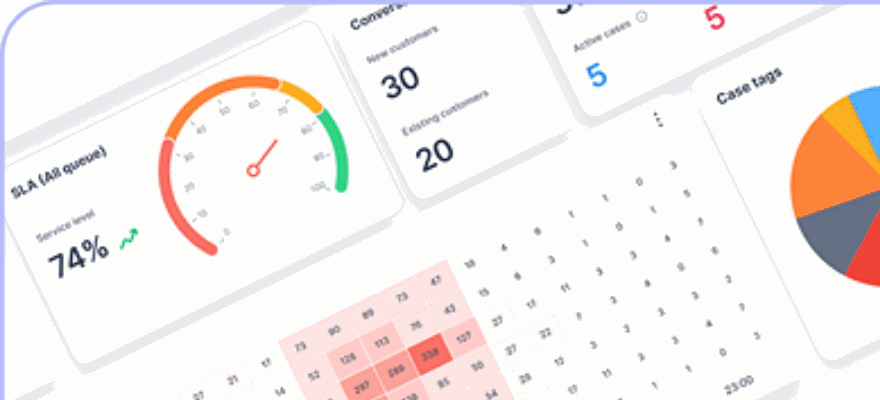
Once you've set up your automated cart recovery process, the next step is to measure its effectiveness and fine-tune it for better results. Tracking performance and adjusting strategies is made easier with tools like the klink.cloud analytics dashboard.
Which Metrics to Monitor
To truly understand the impact of your WhatsApp recovery efforts, focus on metrics that directly tie to revenue. The cart recovery rate is a key metric - it tells you what percentage of abandoned carts are successfully converted into completed orders. To calculate it, divide the number of recovered orders by the total number of abandoned carts over a specific period. For example, if you send 1,000 WhatsApp reminders and 150 customers complete their purchase, your recovery rate would be 15%.
Another vital metric is recovered revenue in U.S. dollars, which reflects the total value of orders completed after a WhatsApp reminder. Pair this with the average recovered order value, calculated by dividing total recovered revenue by the number of recovered orders. For instance, if you recover $15,000 from 150 orders, your average recovered order value would be $100.00.
Other metrics to watch include first response time, message delivery and open rates, CSAT scores, and sentiment analysis. Quick responses often lead to higher conversions, as customers are still engaged. WhatsApp typically boasts open rates above 90%, far surpassing email. If you notice low satisfaction scores or negative sentiment, it could signal that your messages are too pushy, poorly timed, or not addressing customer concerns effectively.
Dive deeper into your analytics by segmenting data based on cart value, time of day, or customer type. For example, you might find that carts worth over $200.00 respond better to a 15% discount, while smaller carts convert more effectively with free shipping. Similarly, first-time customers may need reassurance about returns, while loyal shoppers might be more motivated by rewards or loyalty-focused messaging.
How to Test Different Recovery Strategies
Once you've identified your baseline performance, it's time to experiment with new strategies to improve results. Start by developing a clear hypothesis for each test. For example, you might hypothesize, "Including a product image in the WhatsApp message will increase click-through rates by 20%."
Run A/B tests to compare different message formats, timings, and incentives. For instance, test a short, urgent reminder like "Your cart expires in 2 hours!" against a longer, benefit-driven message such as "Complete your order now and enjoy free returns for 30 days." Experiment with timing by triggering reminders at intervals like 15 minutes, 1 hour, and 24 hours after cart abandonment. You can also test various discounts, such as no discount, 10% off, 15% off, or free shipping.
Track both recovery rate and average recovered order value during these tests. You might find that offering free shipping for orders over $75.00 drives more high-value conversions than a flat 10% discount, helping you maintain better profit margins.
Allow each test to run for at least two weeks to account for fluctuations in shopping behavior. Once you identify the most effective strategy, integrate it into your default workflow and move on to testing the next variable.
How to Combine WhatsApp with Other Channels
Since customers engage with brands across multiple platforms, it's important to coordinate WhatsApp with email and SMS for a seamless experience without overwhelming them.
Create a staggered communication plan that spaces out reminders and leverages the strengths of each channel. Ensure consistency in branding, tone, and messaging across WhatsApp, email, and SMS. Use the same discount codes, product details, and customer personalization. Tools like klink.cloud allow you to create shared templates that pull in variables such as customer name, cart total, and product details, ensuring a cohesive experience across all touchpoints.
Set frequency limits to prevent over-messaging. For instance, cap reminders at three messages across all channels within a 7-day period. Use klink.cloud's case management features to tag customers who have received multiple messages, and pause additional outreach if they opt out or show signs of frustration.
Analyze the performance of each channel using klink.cloud's analytics. Tag messages by channel and sequence position (e.g., "Email-1", "WhatsApp-2", "SMS-3") to identify patterns. You might find, for example, that WhatsApp messages sent as a follow-up to email perform better than standalone WhatsApp reminders.
Experiment with different channel sequences to determine what resonates most with your audience. One workflow might start with a WhatsApp message followed by an email, while another reverses the order. Compare recovery rates, total recovered revenue, and customer feedback for each sequence. Once you find the most effective combination, make it your default and continue testing to refine your approach further. This ensures your strategy evolves alongside your customers' preferences, maximizing both their experience and your sales recovery.
Conclusion
Abandoned carts are a major missed opportunity for online retailers, but they don't have to be. With the Kai AI Agent on klink.cloud and WhatsApp, you can transform those lost sales into recovered revenue - automatically, at scale, and with minimal effort.
Key Takeaways
- WhatsApp drives real results. Unlike manual follow-ups, WhatsApp messages feel like genuine conversations, not generic marketing blasts. This personal touch encourages shoppers to respond, ask questions, and complete their purchases.
- Small recovery gains mean big revenue. If your average order value is $75.00 or $100.00, recovering even a handful of carts each month can add thousands of dollars to your revenue - without increasing ad spend or hiring extra staff.
- Rich content improves engagement. WhatsApp supports product images, quick reply buttons, and direct checkout links, making recovery messages more interactive and addressing common buyer hesitations.
- Unified customer experience with klink.cloud. With all conversations, order histories, and preferences in one platform, both your agents and AI tools have the context needed to provide seamless support - from the first cart reminder to repeat purchases.
- Omnichannel coordination matters. By combining WhatsApp with email and SMS, you create a cohesive experience. Stagger reminders across channels, maintain consistent branding, and avoid overwhelming customers. This approach not only recovers carts but also builds long-term loyalty.
These strategies offer a clear path to boosting revenue and creating meaningful customer connections.
Start Recovering Carts with klink.cloud
If your Shopify store is already connected, you're just a few steps away from automated cart recovery. Sign up or log in to klink.cloud, link your Shopify store, and connect your WhatsApp Business number. From there, activate a prebuilt Kai AI cart recovery workflow, customize your message templates to reflect your brand, and consider adding simple incentives like time-sensitive discount codes in U.S. dollars.
klink.cloud's preconfigured workflows take care of the technical details, giving you control over message timing, frequency, and content while ensuring compliance with WhatsApp and regional regulations. Clear opt-in and opt-out options are built in, so your messages remain timely and customer-friendly.
The best part? klink.cloud offers a free trial with no credit card required. You can see results quickly in your Shopify analytics and klink.cloud dashboards - no major site overhaul needed. Start with your current traffic, and watch as recovered orders roll in without increasing your ad spend or team size. This is your chance to streamline customer engagement, unify your messaging across channels, and turn abandoned carts into lasting customer relationships.
FAQs
How does the Kai AI Agent use WhatsApp to recover abandoned carts on Shopify?
The Kai AI Agent takes customer engagement on WhatsApp to the next level by using advanced personalization. It crafts messages tailored to each customer's browsing habits and purchase history, ensuring the communication feels both relevant and well-timed.
To nudge customers toward completing their purchases, the agent can include enticing perks like discounts or free shipping. Plus, it streamlines the entire checkout process by sharing direct links to their cart and offering real-time assistance - making it effortless for customers to finish their orders.
How can I connect my Shopify store with WhatsApp to recover abandoned carts using the Kai AI Agent?
To connect your Shopify store with WhatsApp for automated cart recovery using the Kai AI Agent, follow these steps:
- Install and configure the Kai AI Agent: Begin by ensuring the Kai AI Agent is properly set up on your Shopify store. This will give it access to customer data and cart details while maintaining security.
- Link your WhatsApp Business account: Connect your business's WhatsApp account to the Kai AI Agent. This process usually includes verifying your WhatsApp Business API and syncing it with your Shopify store.
- Create personalized messages: Use the Kai AI Agent to design engaging, tailored messages for customers who leave items in their cart. These messages can include details like the products left behind, any available discounts, and a direct link to complete the purchase.
Once everything is in place, the Kai AI Agent will handle the rest - sending customized WhatsApp messages to encourage customers to finalize their purchases. This approach can help recover abandoned carts and boost your store's sales.
How can I monitor the success of my cart recovery efforts using klink.cloud?
With klink.cloud's real-time analytics dashboard, keeping tabs on your cart recovery strategy is a breeze. It delivers instant insights into essential metrics like customer engagement, recovery rates, and agent performance across every channel.
This all-in-one dashboard lets you spot trends, evaluate how personalized messages are performing, and fine-tune your approach to increase sales. Armed with clear, actionable data, you can adjust your strategy to enhance the customer experience and achieve stronger results.