Shopify + WhatsApp AI Agent: 24/7 Support and Sales Automation Made Easy
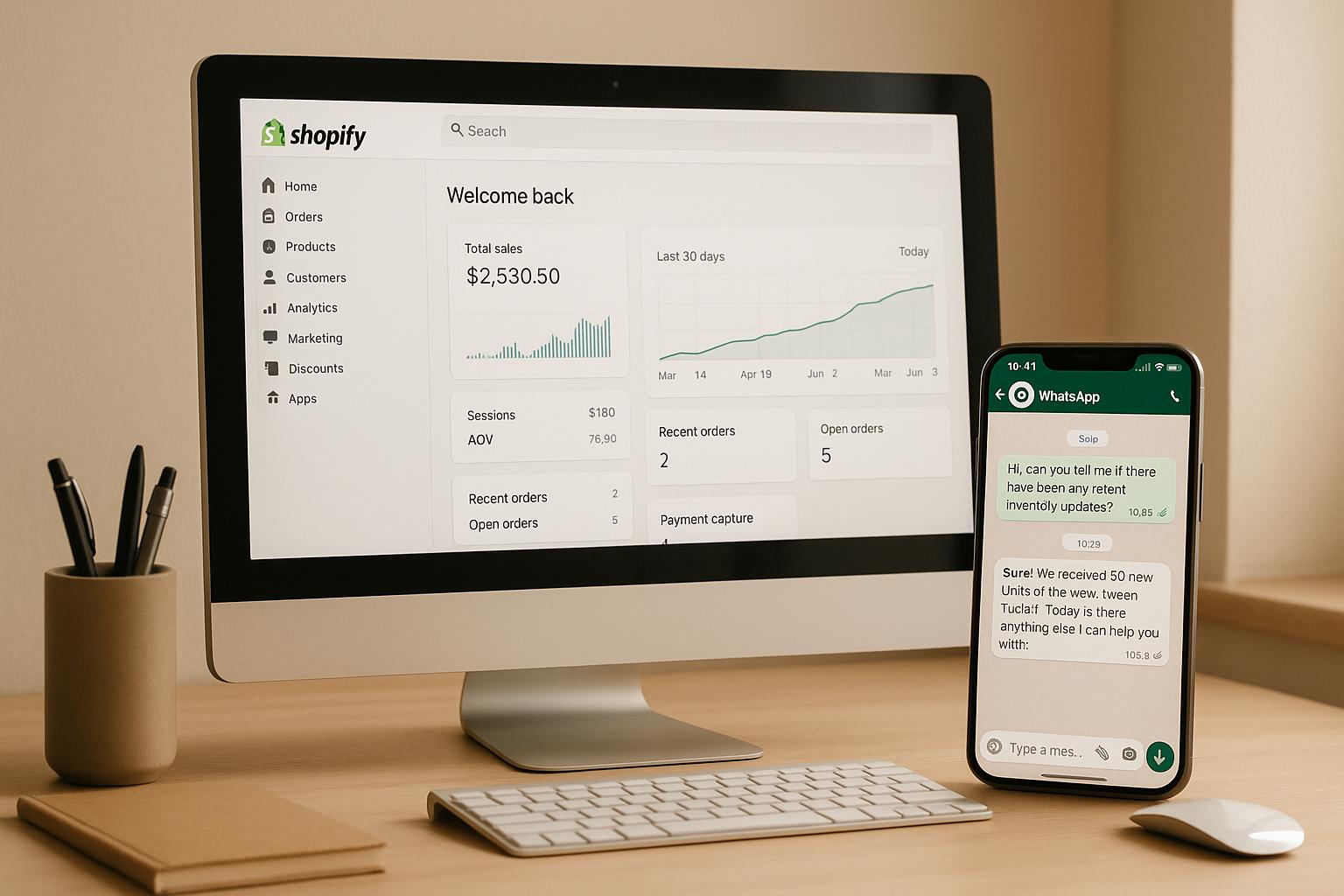
Your Shopify store can now offer 24/7 customer support and sales automation with a WhatsApp AI agent. This integration ensures instant responses, handles common tasks like order tracking and product recommendations, and even recovers abandoned carts - all within WhatsApp. Here's what you need to know:
- 24/7 Availability: The AI agent provides round-the-clock assistance, improving customer satisfaction and reducing wait times.
- Cost Efficiency: Automates repetitive tasks, freeing up your team for complex issues.
- Sales Boost: Features like cart recovery and personalized recommendations drive revenue.
- Seamless Integration: Syncs Shopify data (inventory, orders, customer profiles) with WhatsApp for real-time responses.
- Unified Management: Platforms like klink.cloud centralize customer interactions across WhatsApp, email, and more.
U.S. businesses can benefit from WhatsApp's high open rates (90%) and mobile-friendly nature, making it an essential tool for modern e-commerce. Whether it's answering FAQs, processing returns, or sending targeted promotions, this integration streamlines operations and enhances the shopping experience.
Use WhatsApp for Support, Marketing & Automation in Shopify
What is Shopify and WhatsApp AI Automation?
Shopify and WhatsApp AI automation brings together your Shopify store's data with an intelligent assistant that operates directly within WhatsApp. This setup allows for continuous sales and customer support through WhatsApp, handling tasks like answering product questions, tracking orders, and guiding purchases - all without the need for human involvement. Here's a closer look at how this integration works and the advantages it offers for Shopify businesses.
What is a WhatsApp AI Agent for Shopify?
A WhatsApp AI agent is a virtual assistant that connects to WhatsApp via the WhatsApp Business API and uses artificial intelligence to manage customer interactions. When linked to your Shopify store, this agent gains real-time access to your store's product catalog, inventory, pricing, and order details.
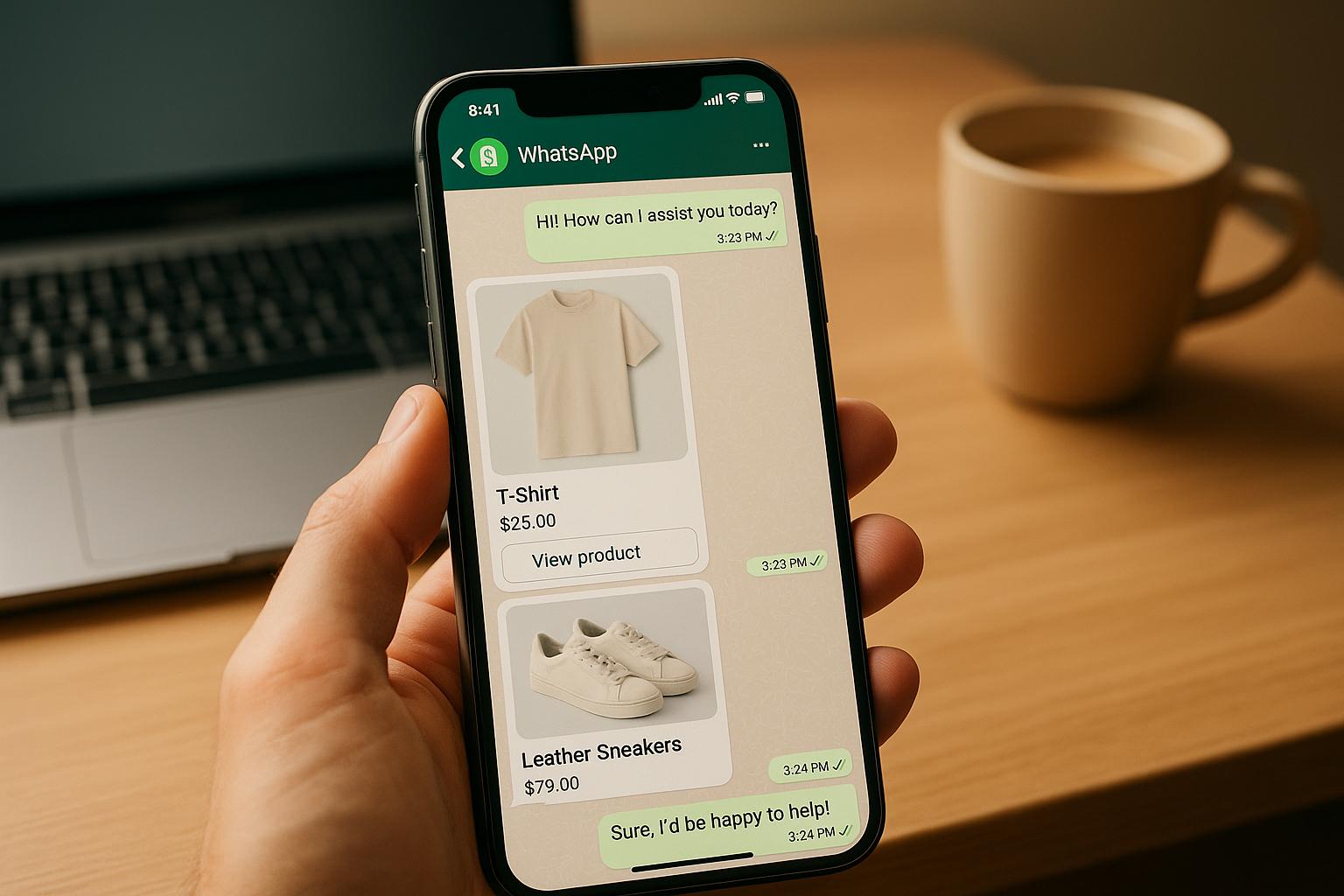
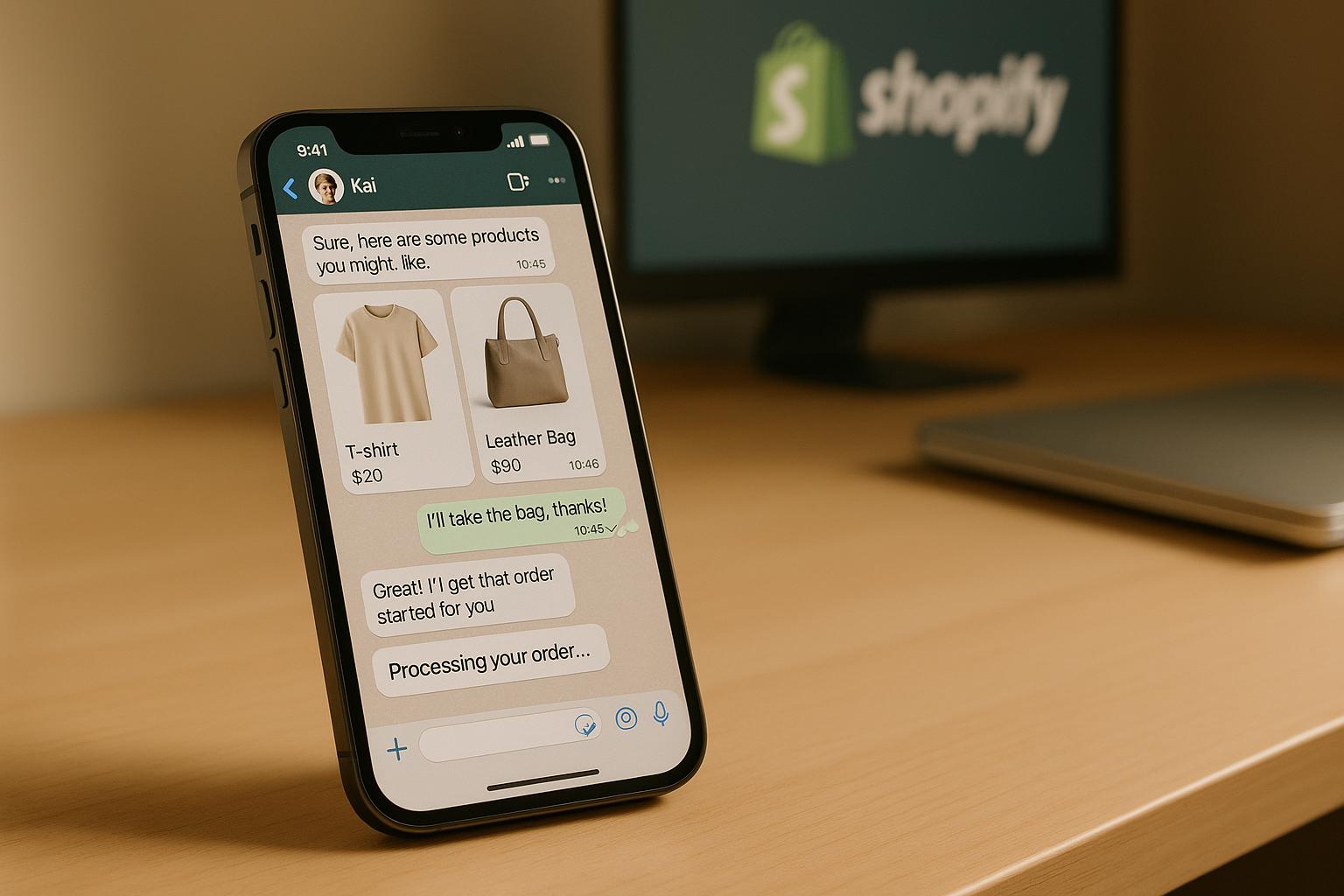
This means the AI can check stock availability, recommend products based on browsing behavior, retrieve order history using a customer’s phone number, and even create new orders - all through a simple chat. For instance, if a customer asks, "Do you have women’s running shoes under $100?", the agent searches your Shopify catalog, finds matching items, and sends back product cards with images, prices, and purchase links - all in a matter of seconds.
The AI handles tasks like product discovery, order tracking, and post-purchase support on its own. After a customer makes a purchase, it can answer questions about returns, exchanges, warranties, or care instructions. Some systems even allow the agent to generate secure payment links and collect customer details, making it possible to complete the checkout process entirely within WhatsApp - streamlining the buying experience.
Why WhatsApp Works for U.S. Businesses
WhatsApp stands out as a powerful communication tool, with message open rates reaching around 90%, compared to the 20–30% open rates typical for email. This makes it especially effective for time-sensitive support and engaging mobile-first customers. Many shoppers browse and buy on their smartphones, often during evenings or weekends when traditional support teams might not be available. A WhatsApp AI agent ensures your business is always accessible, leading to fewer abandoned carts and missed sales opportunities.
For example, a fashion brand using a WhatsApp AI assistant reduced its average response time from 12 hours to under 2 minutes and saw an 18% increase in cart recovery over just 30 days.
WhatsApp also aligns with how people naturally communicate. Instead of dealing with web forms or waiting on hold, customers can simply send a message, just like texting a friend. This conversational style feels more personal, fostering stronger customer relationships. For U.S. businesses, WhatsApp automation fits seamlessly into an omnichannel strategy, complementing email, SMS, and website chat to meet customers where they prefer to connect. Next, let’s explore how klink.cloud simplifies this integration for maximum efficiency.
How klink.cloud Connects Shopify and WhatsApp
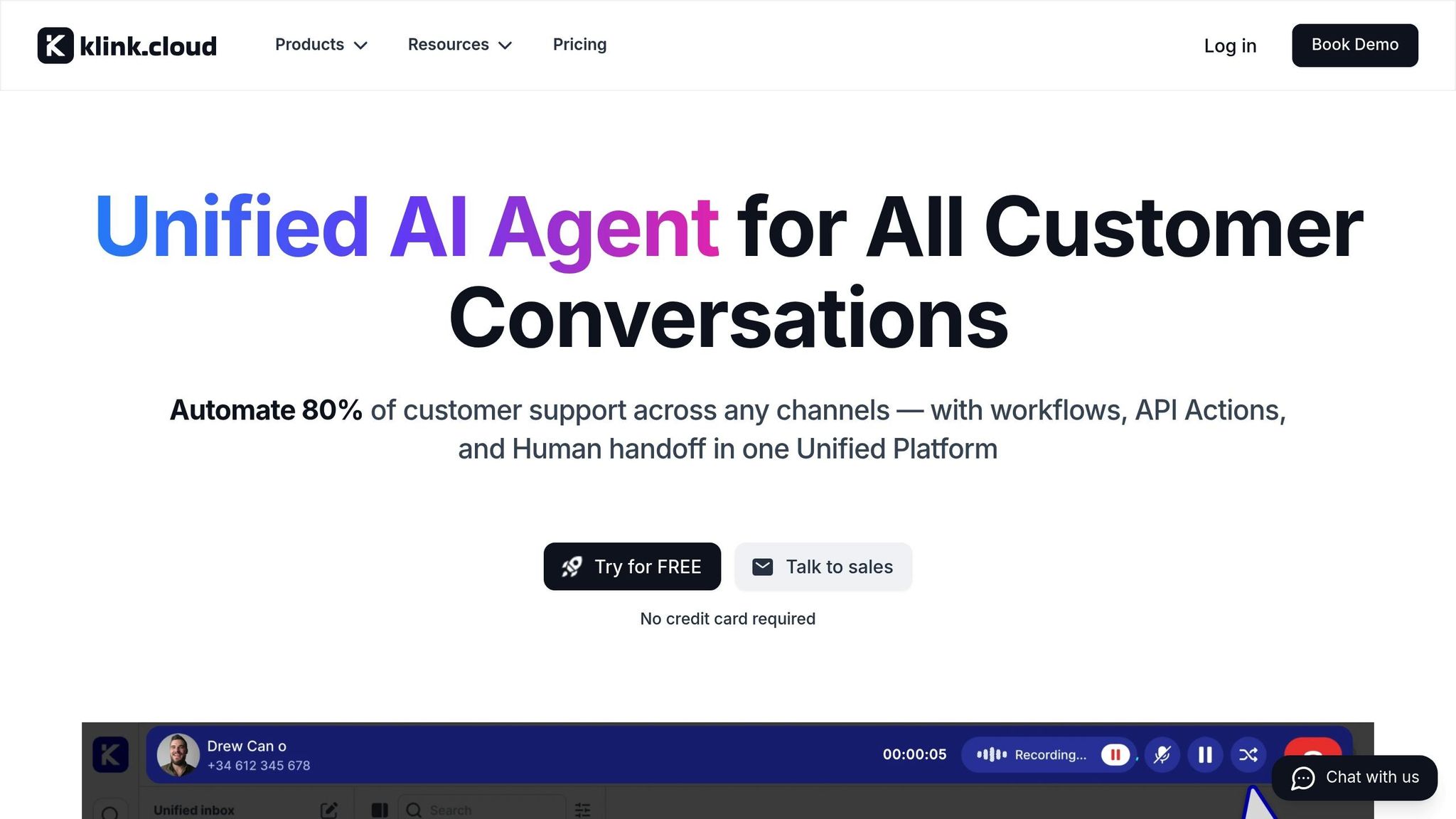
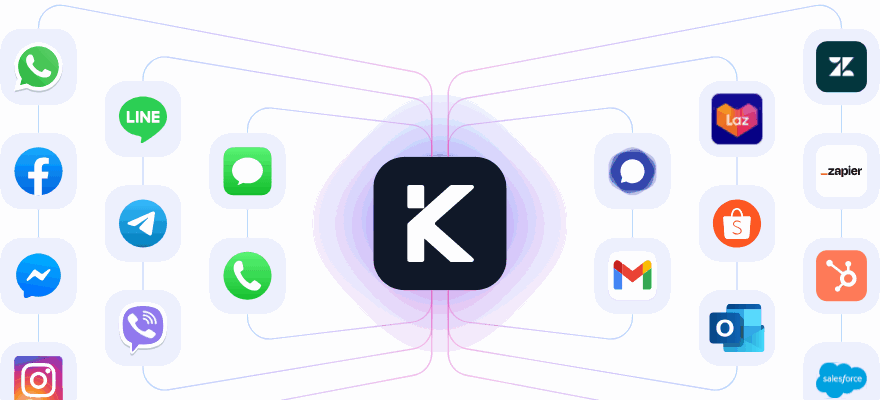
To deliver 24/7 support and seamless customer experiences, klink.cloud acts as the bridge between Shopify and WhatsApp, integrating customer data, ticket management, and conversations into a single platform. By connecting Shopify and WhatsApp to klink.cloud, you can manage everything from one central dashboard instead of juggling multiple systems.
The platform synchronizes vital data from both sides - Shopify provides customer profiles, order history, product catalogs, pricing, and inventory, while WhatsApp contributes phone numbers, opt-in statuses, and message history. This unified data allows the AI agent to provide accurate, real-time responses to customer inquiries. For example, if a customer asks about their order status, the agent can immediately pull up their purchase history and provide an update - no need to switch between systems.
This integration isn’t just for automation; it also supports your human team. When the AI encounters a complex issue, like a high-value order or a sensitive complaint, it can escalate the case to a human agent. The agent will have full context, including past WhatsApp conversations, Shopify orders, customer tags, and notes from previous interactions. This ensures customers don’t have to repeat themselves, even when transitioning from AI to human support.
klink.cloud also handles localization for U.S. businesses, automatically formatting prices in USD (e.g., $49.99), using familiar date formats (01/15/2026), and aligning communication with your store's time zone.
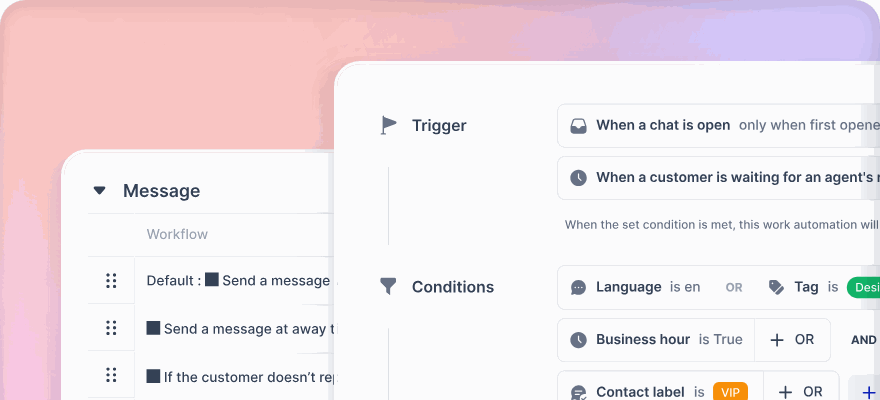
Beyond basic responses, klink.cloud enables advanced automation. For example, you can set up workflows triggered by Shopify events, such as sending a WhatsApp reminder for an abandoned cart or notifying customers when an out-of-stock product becomes available again. These automated processes run in the background, helping you recover revenue and keep customers engaged without adding to your team’s workload.
What a WhatsApp AI Agent Can Do for Shopify
Integrating a WhatsApp AI agent with your Shopify store opens up a world of possibilities, handling tasks that typically require human intervention. From answering common questions to boosting sales through tailored campaigns, this tool can transform how you interact with customers.
Basic Features: FAQs, Order Status, and Product Suggestions
A WhatsApp AI agent starts by addressing everyday customer inquiries, easing your team's workload and speeding up response times. It’s all about providing the instant answers customers expect.
Answering FAQs is one of the quickest wins. The AI agent pulls data directly from your Shopify settings, policy pages, and product catalog to address questions about shipping costs, delivery times, return policies, and sizing. For example, if someone asks, "How long does shipping take?", the agent can reply with your standard timeframe - like 3–5 business days for U.S. orders - without any human input.
Real-time order tracking is another standout feature. Instead of searching through emails or logging into accounts, customers can simply ask, "Where’s my order?" The AI agent retrieves the latest shipping status using an email or order number and provides a tracking link. This level of responsiveness mirrors the convenience that shoppers have come to expect from platforms like Amazon.
Product discovery and recommendations turn the AI into a virtual shopping assistant. If a customer asks, "Do you have running shoes under $100?", the agent searches your Shopify catalog, filters by price, checks inventory, and sends back product cards with images, prices, and purchase links. It can even suggest complementary items, like phone cases for a smartphone purchase. These recommendations are always accurate, as they pull directly from your Shopify data, ensuring no out-of-stock items are shown.
The AI can also streamline returns and exchanges by gathering order numbers and return reasons, processing straightforward requests automatically, or escalating complex cases to a human agent. This feature alone can free up significant time for your support team.
With these basics in place, advanced features take customer engagement and sales to the next level.
Advanced Features: Cart Recovery and Custom Messages
Beyond basic support, a WhatsApp AI agent can actively drive revenue through advanced capabilities.
Abandoned cart recovery is a game-changer for reclaiming lost sales. When customers leave items in their cart without checking out, the AI sends a WhatsApp reminder after a set time - typically 1–3 hours. This message includes the items left behind, current prices, and often a limited-time incentive, like free shipping or a small discount, to encourage completion. With WhatsApp's high open rates (around 90%), these reminders are highly effective. Many merchants report recovering 10–20% of abandoned carts, sometimes within weeks of implementing this feature.
Back-in-stock notifications keep customers engaged even when their desired product is unavailable. Shoppers can opt in to receive alerts via WhatsApp when an item is restocked. The AI monitors inventory levels and sends a personalized message as soon as the product is available again, often with a direct purchase link. This ensures you capture demand before customers turn to competitors.
Custom campaigns and targeted promotions let you use Shopify’s customer data to send offers that feel relevant, not spammy. For instance, if a customer previously bought skincare products, the AI might send them a WhatsApp message about a new moisturizer or a bundle deal. To maintain a positive experience, these campaigns should be sent sparingly, during appropriate hours, and always with a clear value - like a time-sensitive deal or a personalized recommendation.
During major shopping events like Black Friday or Cyber Monday, the AI can handle high volumes by sending pre-built templates for order updates, shipping delays, or flash sales. These updates are triggered by real-time Shopify events, keeping customers informed without overwhelming your human team.
Personalization is key. By using Shopify attributes like first names, purchase history, and browsing habits, the AI can create messages that feel tailored while respecting opt-in preferences. When executed well, these personalized interactions can significantly boost conversions, turning WhatsApp into a revenue-driving channel rather than just a support tool.
Multi-Channel Sync with klink.cloud
One of the biggest advantages of using klink.cloud to connect Shopify and WhatsApp is its ability to create a unified customer profile across all communication channels. Rather than treating WhatsApp, email, and SMS as separate silos, klink.cloud syncs every interaction - messages, opt-ins, opt-outs, and key events like abandoned carts or completed orders - under a single profile.
This means that if a customer switches from WhatsApp to email, the context follows them. For example, if someone abandons their cart during a WhatsApp chat but later responds to an email, both the AI agent and your support team can see the full history, including the current cart status. This avoids duplicate messages and ensures smooth, context-aware follow-ups, so customers don’t need to repeat themselves.
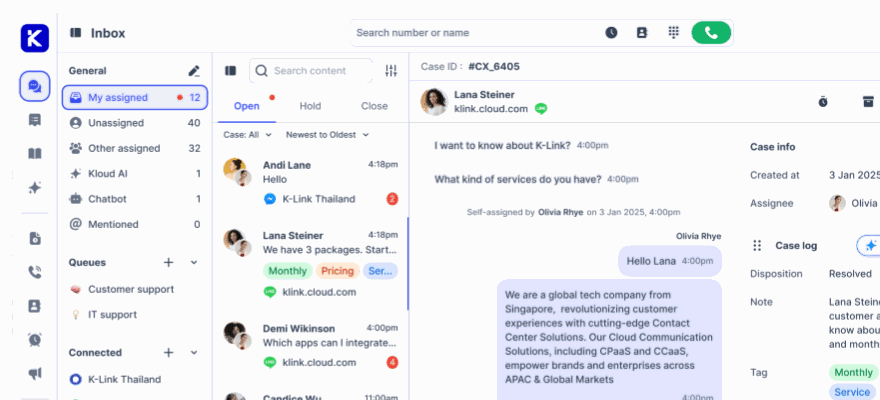
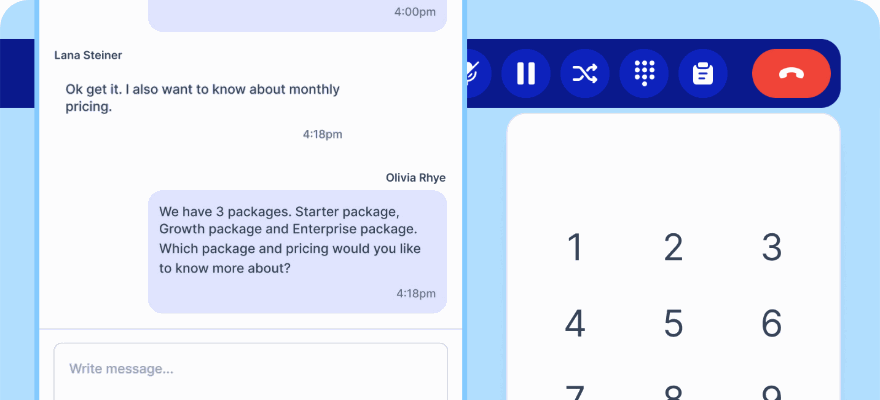
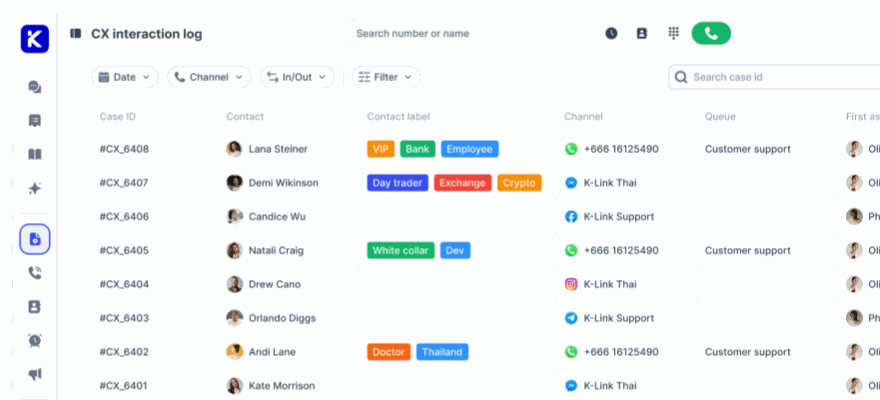
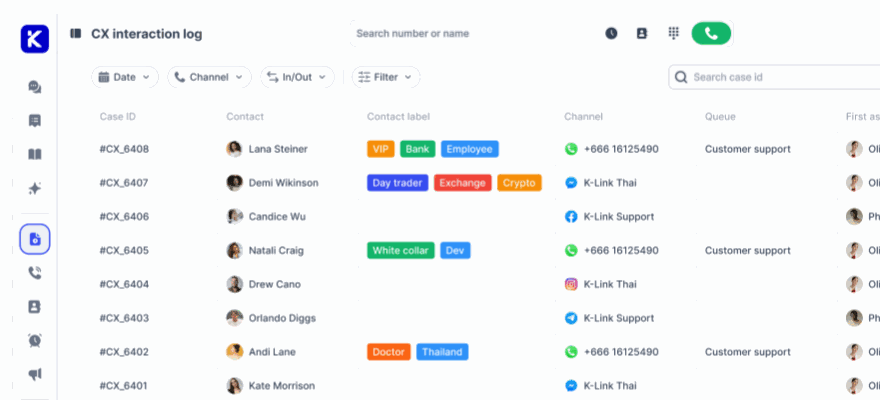
klink.cloud’s Unified Inbox consolidates all customer conversations - whether they come from WhatsApp, email, Facebook Messenger, Telegram, or live chat - into one dashboard. Your team can manage and respond to all messages from this single interface, improving response times and efficiency. Features like Case Management track every interaction, attaching metrics like response time, resolution time, and sentiment analysis to each customer profile.
For example, a fashion retailer might use WhatsApp for real-time sizing advice and order tracking, follow up via email with styling guides based on recent purchases, and reserve SMS for urgent alerts like delivery issues or flash sales. Similarly, a specialty food store could answer ingredient questions on WhatsApp, save preferences in the customer profile, and use that data to send targeted holiday bundle offers across channels. Each interaction feels seamless and informed, creating a smooth omnichannel experience.
The platform also ensures automatic escalation to human agents when needed. For instance, if the AI encounters complex issues like billing problems or high-value orders, it passes the conversation to a human agent, complete with the full chat history, Shopify order details, and past interactions. This ensures a smooth handoff and avoids frustrating the customer by asking them to repeat their issue.
How to Set Up Shopify and WhatsApp AI in klink.cloud
Connecting Shopify and WhatsApp through klink.cloud is simpler than it sounds, especially with a bit of preparation. By linking your Shopify store, WhatsApp Business account, and klink.cloud workspace, you can ensure seamless data sharing. Once set up, your AI agent will have instant access to product catalogs, customer profiles, and order details, allowing it to provide accurate and timely responses to customer inquiries.
What You Need Before Starting
Before diving into the setup, make sure you have all the necessary accounts and permissions ready to avoid unnecessary delays.
First, you’ll need an active Shopify store on a paid plan with admin-level access. Admin rights are essential for installing apps, generating API credentials, and managing settings that control data sharing between platforms. If you’re using a trial or development store, some features might be limited, so confirm your plan is active before proceeding.
Next, ensure you have a verified WhatsApp Business number through the WhatsApp Business Platform. This is different from the standard WhatsApp Business app on your phone. The platform version is API-based and built for automation and integrations. Use Facebook Business Manager to verify your number. For U.S. merchants, it’s best to use a dedicated business line instead of a personal number to maintain professionalism and comply with WhatsApp policies.
You’ll also need a klink.cloud workspace with the right permissions to manage integrations. If you’re using klink.cloud’s Free plan, check if it supports Shopify and WhatsApp connectors, as some integrations might only be available on higher-tier plans like Starter, Growth, or Enterprise. Confirm that your workspace admin has granted you the necessary rights to add channels and set up automations.
Prepare your Shopify data for syncing. Make sure your product catalog is clean and accurate - titles, SKUs, prices, and inventory levels should all be up to date. Customer profiles must include valid phone numbers in E.164 format (e.g., +1 for U.S. numbers) and correct email addresses. This ensures klink.cloud can match WhatsApp conversations with the right Shopify customer profiles.
Lastly, have your business email ready for account verifications, and ensure you can access DNS settings or Facebook Business Manager for sender verification during the WhatsApp setup. A stable internet connection is also crucial for smooth API authentication.
Steps to Connect in klink.cloud
Once your prerequisites are in place, you can connect Shopify and WhatsApp to klink.cloud by following these steps:
-
Authenticate Your Shopify Store
Log in to klink.cloud, navigate to the integrations or data sources section, and select Shopify. Authenticate your store using OAuth (recommended) or by entering a custom API key and access token. -
Add Your WhatsApp Business Number
In klink.cloud, go to the channels section and choose WhatsApp. Enter your WhatsApp Business Account ID and phone number ID, which you can find in Facebook Business Manager under the WhatsApp section. Verify the number by sending a test message or entering a confirmation code. Once verified, grant klink.cloud permission to send and receive messages on your behalf. -
Set Up Data Syncing
In klink.cloud’s integration settings, enable automatic catalog syncing so updates to prices, inventory, or product variants in Shopify are reflected in klink.cloud. Choose a sync interval - real-time or every 15 minutes works well for most merchants. For order data, enable near-real-time syncing to ensure the AI agent can handle customer inquiries about order statuses, shipping, or new purchases without delay. -
Map Customer Data Fields
Align customer data between Shopify and klink.cloud by selecting a primary identifier, such as the phone number, to link WhatsApp conversations with the correct Shopify profiles. Map secondary fields like email, customer ID, and name for a richer profile. If you use Shopify tags (like "VIP" or "Repeat Buyer") or custom attributes (like loyalty points), map those to klink.cloud fields so the AI can offer personalized responses. For example, the AI could prioritize requests from VIP customers or offer exclusive perks. -
Test the Integration
Place a test order in Shopify and confirm it appears in klink.cloud’s order dashboard. Send a WhatsApp message to your business number and check if it shows up in klink.cloud’s Unified Inbox with the correct customer profile. Ask the AI agent for a product recommendation and verify that prices, availability, and other details are accurate. If something doesn’t sync, revisit your API credentials and field mappings - most problems stem from mismatched identifiers or incomplete permissions. -
Activate the Unified Workflow
Turn on the unified workflow in klink.cloud to link WhatsApp conversations with Shopify data. This enables the AI agent to answer questions like "Where’s my order?" or "Do you have this in a size 10?" with precise, real-time information. Once activated, the integration runs automatically, syncing new orders, inventory updates, and customer interactions without further input.
U.S. Settings and Compliance Requirements
To ensure your system communicates effectively with U.S. customers, adjust localization and compliance settings.
- Currency Format: Set the default currency to USD, using the dollar sign ($) before amounts and two decimal places - for example, $49.99. Adjust these settings in klink.cloud’s workspace preferences or within the Shopify integration.
- Date and Time Format: Use the U.S. standard of MM/DD/YYYY for dates (e.g., 12/31/2025) and 12-hour time with AM/PM indicators (e.g., 3:30 PM). Incorrect formats can confuse customers and hurt your credibility.
- Measurement Units: Use imperial units like pounds, ounces, inches, and feet. For clothing, reference U.S. sizes (e.g., size 8 shoes) instead of European equivalents. For temperature-related products, use Fahrenheit (e.g., "Keeps items cold up to 40°F").
- Number Formatting: Use a period as the decimal separator and a comma for thousands - for example, 1,000 items or $1,234.56. Incorrect formatting can make your business appear unprofessional or foreign.
On the compliance side, U.S. merchants must adhere to opt-in and consent rules. Before sending promotional or automated messages via WhatsApp, obtain explicit permission from customers. This aligns with regulations like the Telephone Consumer Protection Act (TCPA) and CAN-SPAM guidelines. In klink.cloud, configure workflows to store consent status for each customer. Use forms, checkout opt-ins, or SMS/email confirmations to collect permissions, and clearly state the types of messages customers will receive (e.g., order updates, promotions, or back-in-stock alerts).
sbb-itb-204ca50
Building Support and Sales Workflows
With Shopify and WhatsApp connected through klink.cloud, you can create workflows that simplify customer support and boost sales. These workflows help guide customers through common interactions like browsing, tracking orders, managing returns, and more.
Customer Workflows for Common Scenarios
Start by identifying the most frequent interactions your customers have with your store. For U.S.-based businesses, these often involve a few key scenarios that are easy to automate.
Greeting New Visitors is your chance to make a great first impression. When someone messages your WhatsApp Business number for the first time, the AI should respond quickly with a friendly welcome and clear options:
"Hi! Welcome to [Your Store Name]. How can I help you today? (Options: Browse Products, Track Order, Talk to Agent)."
Adding quick-reply buttons makes it easier for customers to find what they need.
Helping with Product Selection: When customers ask about sizes or deals, the AI can pull real-time inventory and pricing data, showing images, prices, and direct links. It can also handle size conversions (like European to U.S. sizes) and offer filters for price, color, or category through simple button clicks.
Handling Order Tracking is one of the most common requests. The workflow should recognize questions like "Where's my package?" or "When will order #1234 arrive?" The AI can pull Shopify order data to give updates, tracking numbers, and delivery estimates (e.g., arriving by 12/15/2025). If there’s a delay, it can notify customers proactively and offer solutions like expedited shipping or discounts. For customers with multiple orders, the AI can list all active orders and allow them to select one for detailed tracking.
Processing Returns and Exchanges: For returns or exchanges, the AI collects the order number, reason (via quick-reply options), and preference for a refund or exchange. It can process the request or escalate it if needed. The system can also generate return labels, provide packaging instructions, and set expectations for refund timelines, such as "Refunds typically process within 5-7 business days after we receive your return."
Recovering Abandoned Carts taps into WhatsApp’s sales potential. If a customer adds items to their Shopify cart but doesn’t check out, klink.cloud can send a follow-up message after a short delay (usually 1–3 hours). The message should feel personal and helpful, such as:
"Hi [Customer Name], I noticed you left some items in your cart. Still interested? Here's a quick link to complete your order: [Cart Link]. Need help deciding?"
You can also include a time-sensitive discount (e.g., SAVE10 for 10% off within 24 hours) to encourage action.
Handling Back-in-Stock Alerts: If an item is out of stock, the AI can offer to send a back-in-stock notification with updated details and a direct purchase link.
Once these workflows are in place, fine-tune them by setting clear escalation points and personalizing responses through AI settings.
AI Settings and When to Transfer to Agents
To ensure smooth operations, configure your AI to know when to hand off to a human agent. Striking the right balance between automation and live support is key to creating workflows that are both efficient and satisfying.
The AI should recognize when it can’t provide a clear answer. In these cases, it should immediately offer to connect the customer with a live agent instead of giving incomplete or vague information.
Escalation Triggers should be clear and easy for customers to use. Allow them to request human help at any time by typing phrases like "speak to a person" or "talk to agent." Best practices suggest that AI should escalate when customers explicitly ask for human assistance or when queries go beyond the AI’s knowledge base. You can also configure automatic escalation for more complex issues that require human judgment.
Business Hours and After-Hours Handling should also be set up thoughtfully. During business hours (e.g., 9:00 AM to 6:00 PM EST), the AI should transfer unresolved queries to a live agent within a couple of exchanges. Outside of these hours, the AI can handle basic requests but should inform customers when live support will be available:
"Our support team is available Monday-Friday, 9:00 AM to 6:00 PM EST. I can help with order tracking, product questions, and returns right now, or you can leave a message for follow-up when we open."
Keeping Pricing and Inventory Accurate is crucial. Ensure that the Shopify–klink.cloud sync updates in real-time or at least every 15 minutes to avoid quoting outdated prices or showing out-of-stock items as available. During high-traffic times like Cyber Monday, consider syncing every 5 minutes to maintain accuracy.
Response Tone and Language should align with your brand’s personality - professional but approachable. Use contractions for a conversational tone and make sure measurements (inches, pounds), currency (formatted as $XX.XX), and dates (MM/DD/YYYY) match U.S. conventions.
For escalated cases, integrate AI chatbots with live chat and WhatsApp to route queries to the right team. In klink.cloud, you can configure rules so that product questions go to sales specialists, technical issues to support engineers, and billing queries to the finance team. You can also set priorities for urgent issues, ensuring that critical concerns are addressed promptly.
Finally, test your workflows regularly. Have team members simulate customer scenarios - such as product inquiries, return requests, or complaints - to ensure everything runs smoothly. These refinements help deliver consistent, high-quality support and sales automation through WhatsApp.
Tracking and Improving Performance
Once your WhatsApp AI agent is live, keeping an eye on its performance is crucial. By tracking the right metrics, you can identify areas for improvement, ensuring your system not only drives sales but also keeps customers happy.
Key Metrics to Monitor
To gauge both support efficiency and sales impact, focus on these essential metrics:
- First Response Time: How quickly does the AI respond? WhatsApp users expect replies within seconds, so your AI must deliver instant responses to set a positive tone and enhance satisfaction.
- Resolution Rate: This measures the percentage of conversations the AI resolves without needing human help. A high rate means the AI is handling common issues like order tracking or product questions effectively. If the rate is low, consider tweaking workflows or expanding the AI's training data.
- Ticket Deflection Rate: This reflects the proportion of support requests resolved entirely by the AI. A higher rate allows your team to focus on more complex problems.
- Customer Satisfaction (CSAT): Collect direct feedback by asking customers to rate their experience on a 1–5 scale after interacting with the AI. These scores can reveal trends and highlight areas needing improvement.
- Revenue from WhatsApp: Track sales initiated, influenced, or completed through WhatsApp conversations. Reporting this revenue in U.S. dollars makes it easier to compare against platform costs and the savings from automation.
- Recovered Cart Revenue: Measure how much revenue is generated from automated abandoned cart messages. Many businesses report recovering 10–20% of sales that might otherwise have been lost. One case study even showed a 22% increase in recovered sales within just three weeks of implementation.
- Conversation-to-Order Conversion Rate: This metric shows how many WhatsApp conversations lead to a purchase, helping you evaluate how well the AI guides customers through the buying process.
- Opt-Out Rate: Keep an eye on customers unsubscribing from your WhatsApp messages. A rise in opt-outs might mean your messages are too frequent or not relevant enough.
It’s worth mentioning that WhatsApp messages typically enjoy open rates of nearly 90% - far surpassing email open rates of around 20–30%.
Leveraging klink.cloud Dashboards
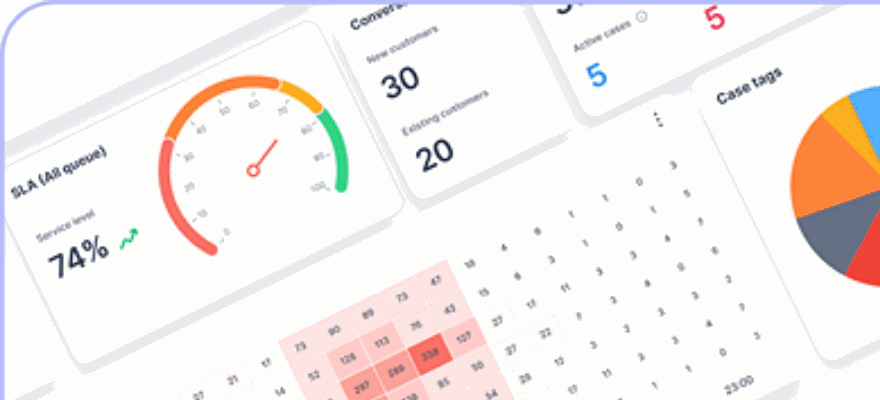
klink.cloud simplifies performance tracking by integrating WhatsApp and Shopify data into a single, real-time dashboard, formatted to U.S. standards.
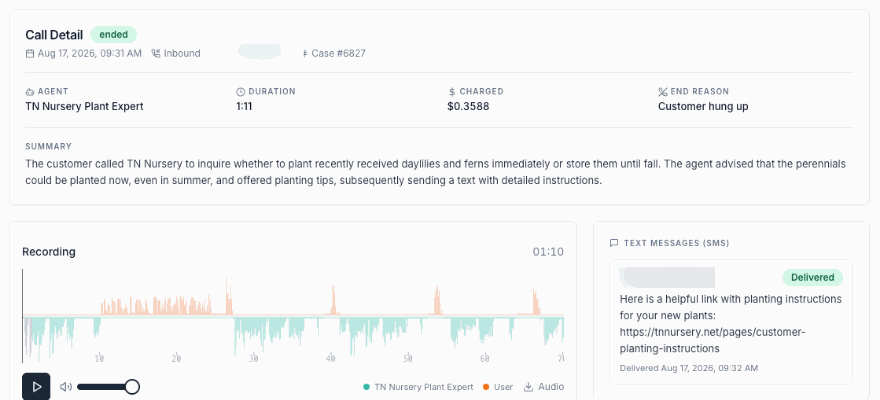
The Case Management feature consolidates customer interactions under one profile, showing key metrics like response times, resolution rates, sentiment analysis, CSAT scores, and more - all in one place. This setup makes it easy to spot trends, such as which product categories generate the most inquiries or which customer segments report higher satisfaction levels.
"Track everything in one place with klink.cloud's real-time analytics dashboard - giving you instant insights into customer interactions, agent performance, and operational metrics across all channels."
Customizing your dashboard ensures you focus on what matters most to your business. For example, if cart recovery is a priority, you can track recovered revenue, conversion rates tied to promotions, and product category performance over time.
Segmenting your data provides even deeper insights. You can analyze how the AI performs with new visitors, returning customers, or VIPs. This segmentation helps pinpoint where the AI excels and where it might need adjustments. klink.cloud also allows filtering by tags, custom fields, and customer attributes.
For conversations escalated to human agents, the platform records details like response times, conversation durations, and customer feedback. For executive summaries, consolidating key metrics into weekly or monthly reports can clearly highlight the value of your automation. One business, for instance, saw productivity double and customer satisfaction rise significantly after adopting klink.cloud.
Maximizing Performance During U.S. Holiday Shopping Seasons
The holiday shopping season brings a surge in inquiries and sales opportunities. To make the most of this period, fine-tune your tracking and automation strategies:
- Frequent Monitoring: During peak times like Black Friday or Christmas, check dashboards more often - ideally in real time. Set alerts for critical issues like delayed responses or drops in conversion rates.
- Holiday-Specific Automation: Adjust your cart recovery timing and test seasonal messages early. Update product recommendations to feature holiday items and prepare responses for common questions about gift wrapping, expedited shipping, or return policies.
- A/B Testing: Experiment with variations in automated messages, such as different incentives for abandoned cart recovery. Testing over several days can reveal which approach works best.
- Prepare for Escalations: Expect more complex inquiries during the holidays. Ensure your team is well-staffed and that escalation protocols are clear. With klink.cloud, you can assign priority levels to urgent holiday issues to ensure they’re addressed promptly.
- Hourly Performance Tracking: Monitor performance by the hour on busy shopping days to identify customer behavior patterns and adjust messaging strategies accordingly.
- Daily Log Reviews: Regularly review conversation logs to spot recurring issues or new concerns. Use these insights to update the AI’s training data and improve its responses.
After the holidays, conduct a detailed performance review. Compare metrics like revenue, support load, and ROI with previous periods to fine-tune your strategy for future high-demand seasons. Consistent reviews help sharpen your AI’s performance and maximize conversions.
Conclusion
Connecting Shopify with a WhatsApp AI agent through klink.cloud can elevate customer service, simplify operations, and drive measurable revenue growth.
With this integration, shoppers can quickly access product details, check shipping statuses, and learn about promotions directly on WhatsApp. This kind of instant, mobile-friendly interaction is especially valuable during high-pressure shopping events like Black Friday or last-minute holiday purchases, where fast responses are critical.
The AI agent takes care of repetitive tasks like order tracking, return policies, product availability, and basic troubleshooting. Since klink.cloud syncs live data from Shopify, your team can avoid the hassle of switching between systems or managing follow-ups. Instead, they can focus on more complex customer needs, VIP support, and strategic planning.
The financial benefits are clear. Automated cart recovery can reclaim 10–20% of abandoned sales, while personalized product recommendations help boost conversion rates. Over time, the AI agent also gathers valuable insights from customer interactions, such as common questions, objections, and buying patterns. These insights can help you fine-tune product pages, FAQs, and marketing strategies.
You don’t need to implement everything at once. Start with essentials like 24/7 FAQs, order tracking, and basic product suggestions. As your business grows, you can add advanced features like cart recovery, targeted campaigns, and custom workflows. klink.cloud allows you to scale your automation efforts at your own pace, transforming WhatsApp from a support tool into a revenue-driving asset.
For U.S. merchants, klink.cloud ensures seamless localization. Prices are shown in U.S. dollars with familiar formatting, messages respect local time zones, and communication is delivered in clear, brand-aligned American English. Plus, the platform helps you stay compliant with opt-in rules, WhatsApp Business policies, and U.S. privacy standards, so you can grow responsibly without compromising customer trust.
As more U.S. shoppers expect fast, conversational service on mobile, adopting a WhatsApp AI agent is a smart way to future-proof your sales and support operations. klink.cloud brings together channels, data, and automation, positioning your business for trends like personalized messaging, AI-driven recommendations, and seamless omnichannel experiences - all while addressing today’s challenges in customer support.
FAQs
How can a WhatsApp AI agent enhance customer satisfaction and drive sales for Shopify stores?
A WhatsApp AI agent transforms customer service by delivering real-time, round-the-clock support, ensuring customers receive quick and tailored assistance whenever they reach out. This kind of instant communication not only enhances the shopping experience but also strengthens customer trust.
On the sales side, the AI agent takes over time-consuming tasks such as suggesting products, tracking orders, and responding to inquiries. By handling these efficiently, businesses can shift their focus to scaling operations. This streamlined approach not only saves time but also turns more customer interactions into sales, driving revenue growth.
How can I integrate Shopify with WhatsApp using klink.cloud?
To connect Shopify with WhatsApp using klink.cloud, here's what you need to do:
- Create a klink.cloud account: Make sure you have an active klink.cloud account with access to the WhatsApp AI Agent feature. This is the foundation for the integration.
- Link your Shopify store: Head to your Shopify admin panel and connect it to klink.cloud by following the integration instructions provided on the platform.
- Set up automation workflows: Customize workflows to handle tasks like order tracking, sending product suggestions, and replying to customer queries directly on WhatsApp.
- Test the setup: Conduct thorough tests to confirm everything runs smoothly, ensuring communication and automation between Shopify and WhatsApp work as intended.
By integrating these tools, you can offer round-the-clock support, streamline repetitive processes, and enhance customer satisfaction with ease.
How can businesses stay compliant with U.S. regulations when using WhatsApp for customer interactions?
To stay within U.S. regulations while using WhatsApp for customer communication, businesses need to follow a few essential steps. First, make sure you have clear and explicit consent from customers before reaching out to them. This is a requirement under laws like the Telephone Consumer Protection Act (TCPA). Without this, you risk violating federal regulations.
Next, prioritize the secure handling of sensitive customer information. Compliance with data privacy laws, such as the California Consumer Privacy Act (CCPA), is crucial to protect customer trust and avoid legal issues.
It's also important to stick to WhatsApp's official Business API. This ensures you're adhering to the platform's policies and steering clear of any unauthorized activities that could lead to penalties. To be on the safe side, consider consulting a legal professional familiar with U.S. laws to ensure your communication strategy checks all the boxes.