
How Shopify Merchants Use AI Agents to Scale Without Hiring
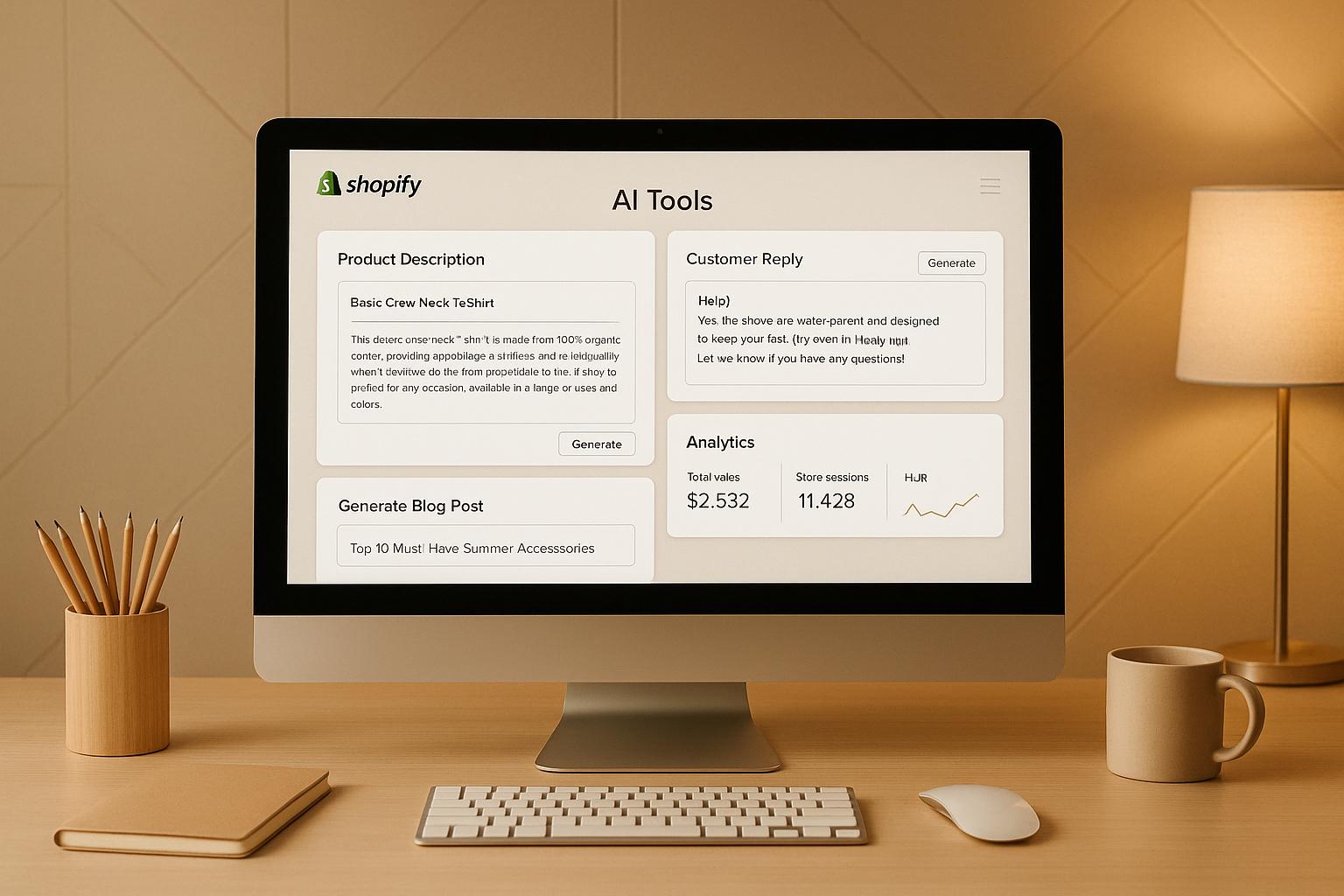
Shopify merchants are leveraging AI agents to handle repetitive customer service tasks, such as tracking orders, processing returns, and recommending products, without the need to hire additional staff. These AI agents integrate directly with Shopify, accessing real-time data to provide fast, accurate responses across multiple channels like live chat, email, and social media.
Key Benefits:
- Automates common tasks: Handles FAQs, order updates, returns, and more.
- Works 24/7: Provides instant support across time zones without added payroll costs.
- Personalized assistance: Recommends products based on customer preferences.
- Scales during peak seasons: Manages high-volume inquiries during busy periods like Black Friday.
How to Automate Shopify Customer Service with AI (No Coding!)

What Are AI Agents for Shopify?
AI agents are powerful tools that integrate directly with your Shopify store, managing customer interactions without constant human involvement. By connecting to your store's data via APIs, these agents access real-time information to answer questions and perform tasks immediately.
Think of them as digital team members working around the clock, handling countless interactions at once. But they're not just replying to messages - they're actively doing things like checking order details, processing refunds, updating shipping addresses, and helping customers navigate your product catalog.
What sets them apart is their autonomy. Once configured with appropriate permissions and guidelines, they make decisions based on the context of each interaction. For example, if a customer asks about an order placed on 11/28/2025, the AI agent can pull up the order, check its status with the shipping carrier, and provide an update - all in seconds.
For U.S. merchants, these agents adapt to local formats and integrate seamlessly with carriers like USPS, UPS, and FedEx. This capability highlights how they go beyond basic chatbots, which we'll explore next.
How AI Agents Differ from Basic Chatbots
Traditional chatbots rely on pre-set scripts. You've probably encountered them - they offer a list of options, and if your question doesn't fit, you're stuck. They can't adapt to unexpected queries, access live data, or complete transactions efficiently.
AI agents, on the other hand, use natural language processing to understand what customers mean, even if they phrase things differently. Whether someone types "Where's my stuff?" or "I haven’t received my package", the agent recognizes this as a request for shipping information.
But the real game-changer is their ability to take action. For instance, if a customer reports a damaged package, the agent verifies the order, applies your refund policy, initiates the refund, and generates a return label - all without human intervention.
The difference lies in their deeper integration and intelligence. AI agents connect directly to your Shopify backend, shipping providers, inventory systems, and customer database. They don’t just provide generic answers - they pull live data and perform specific tasks based on customer needs. For common inquiries like order tracking, returns, or product questions, customers get instant, accurate responses pulled directly from your systems.
What AI Agents Can Do for Shopify Stores
AI agents are particularly effective at handling repetitive, time-consuming tasks, especially the high-volume, low-complexity questions that dominate customer service.
For example, they can look up orders using an order number, email address, or customer name, providing detailed updates, including tracking information. If a customer needs to update their shipping address before an order ships, the agent can make the change instantly. For delayed packages, the agent can proactively notify customers with updated delivery estimates.
Returns and refunds are simplified, too. The agent can check if an item qualifies for a return based on your policies, generate a return label, and process the refund once the return is confirmed. This automation is especially helpful during busy post-holiday periods when return requests spike.
Product recommendations also get a boost. Instead of just showing "customers also bought" suggestions, AI agents engage customers in a conversation to understand their preferences. They can filter your catalog by size, color, price, or features and explain why certain products might be a better fit. This personalized approach often encourages higher-value purchases by making customers feel guided, not pushed.
Inventory inquiries are handled in real time. If a customer asks whether a specific size or color is in stock, the agent checks inventory levels instantly. They can even notify customers when an item is restocked - ideal for stores managing multiple warehouses or fulfillment centers.
Pre-sale support is another area where AI agents shine. They can explain product details, compare items, clarify shipping costs, and address return policy questions. By providing this information upfront, they help reduce cart abandonment and improve conversion rates.
Routine account management tasks are also covered. Customers can update email addresses, reset passwords, change subscription preferences, or review order histories - all through a simple chat.
One of the biggest advantages is that AI agents handle all these tasks simultaneously across multiple platforms. Whether customers reach out via your website chat, Facebook Messenger, Instagram DMs, or email, the same agent delivers consistent, accurate responses. This unified approach eliminates the need for separate systems for each channel.
Ultimately, AI agents enable your support operation to scale with your sales volume without adding extra staff. During peak times like Black Friday or Cyber Monday, when orders skyrocket, these agents manage the surge effortlessly, freeing your team to focus on complex issues. This efficiency demonstrates how AI agents can transform your Shopify store's customer service.
Getting Ready to Deploy AI Agents
Before rolling out AI agents, it's crucial to lay a solid foundation. Proper preparation helps eliminate confusion, avoid inconsistent responses, and keep customers satisfied, ensuring your AI runs smoothly from day one.
Think of it like onboarding a new employee - your AI needs to understand your company’s policies and processes to perform effectively. Once your operations are ready, shift your focus to tailoring the AI to meet the expectations of U.S. customers.
Setting Up Your Operations for AI
Start by defining clear customer service policies. For example, you might specify: "Items can be returned within 30 days of delivery if unworn and in their original packaging. Swimwear and intimate apparel are final sale. Customers are responsible for return shipping unless the item is damaged."
Next, ensure your product catalog is complete and standardized. Include key details like dimensions (in inches), weight (in pounds), care instructions, and accurate tags. Consistent tagging and categorization help AI agents recommend and filter products effectively.
Prepare conversational response templates for common customer inquiries and set clear escalation rules for issues requiring human support. For instance, establish when a human should step in - like handling high-value refunds, urgent quality complaints, or custom order requests.
Build a comprehensive knowledge base with frequently asked questions and answers. Cover topics such as shipping costs, processing times (e.g., orders placed before a cutoff time ship the same day), and accepted payment methods. This resource equips your AI with the information it needs to perform well.
Take time to review recent support tickets to spot recurring customer questions and ensure your systems can provide the necessary data. Before going live, test API connections thoroughly to ensure reliable access to order details, inventory levels, and customer data.
Once you've standardized your internal processes, configure your AI to align with U.S. formats and practices.
Configuring AI for U.S. Merchants
To meet U.S. customer expectations, your AI must handle specific formats and conventions seamlessly.
- Set pricing in USD (e.g., $49.99).
- Use the MM/DD/YYYY date format and the 12-hour clock with AM/PM (e.g., "Your order shipped at 3:45 PM EST").
- Display measurements in imperial units (inches, pounds) and use Fahrenheit for temperature-sensitive products (e.g., "store below 75°F").
Integrate with major U.S. carriers and set business hours according to local time zones. Ensure the AI recognizes state abbreviations (e.g., "CA" for California) and ZIP codes (e.g., 90210). Validate addresses using USPS formats to catch errors before processing changes.
Account for U.S. federal holidays, like Thanksgiving and Christmas, which may impact operations. Configure the AI to inform customers about potential shipping delays during these times.
Adjust the AI’s language settings to reflect American spelling and phrasing. For example, use "color" instead of "colour" and "canceled" rather than "cancelled." This ensures interactions feel natural to U.S. shoppers.
Lastly, set up sales tax handling based on your nexus states. The AI should explain tax charges clearly, referencing applicable state rates.
Connecting All Channels with klink.cloud
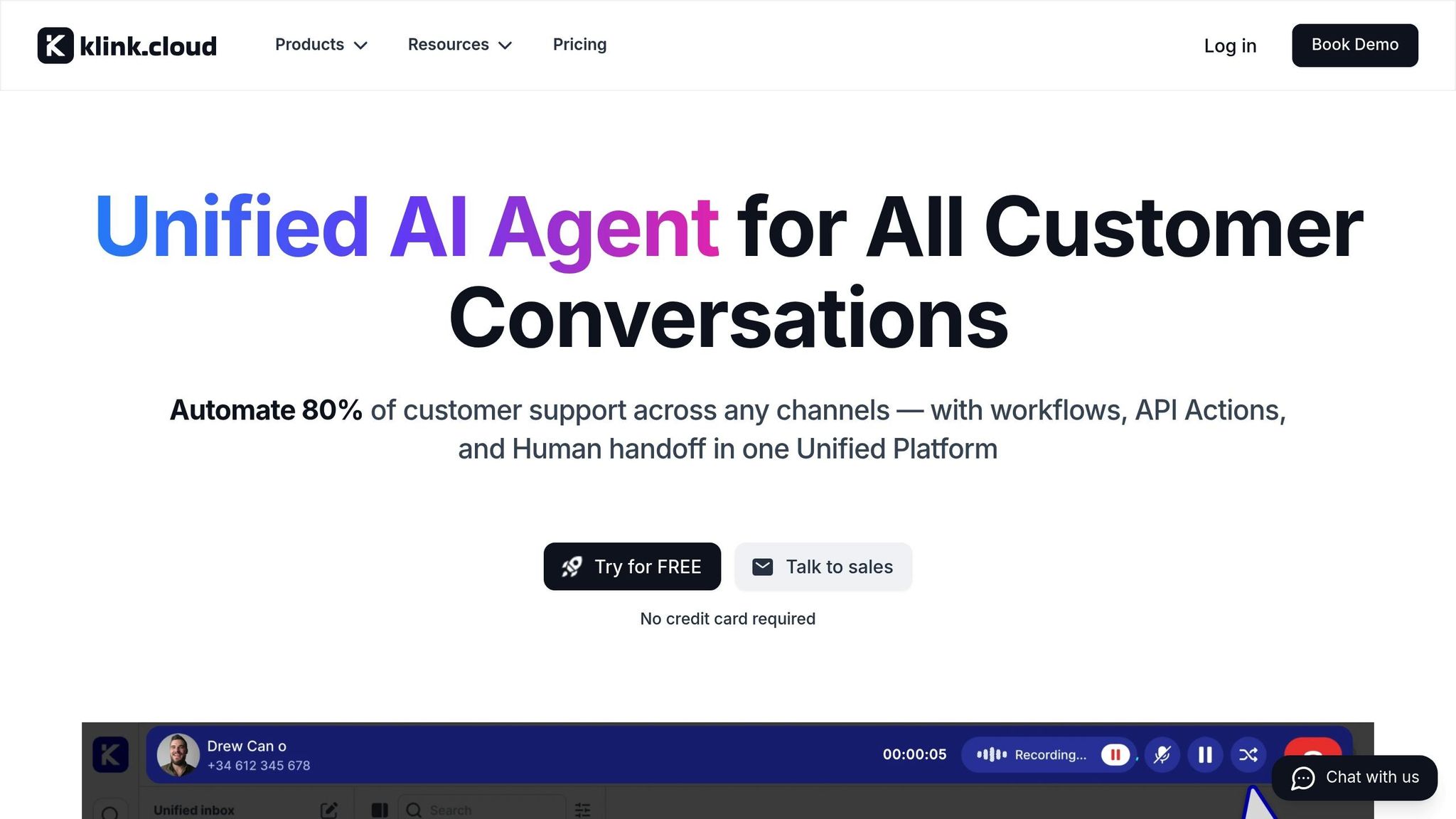
Once your operational framework is set, the next step is integrating all customer communication channels through klink.cloud. Today’s customers expect consistent, accurate answers whether they reach out via email, Instagram DMs, live chat, or phone. But when your tools are scattered, response times slow down, and even AI tools struggle to provide accurate support. klink.cloud solves this by bringing all customer interactions into one workspace, giving both AI and human agents a complete view of every conversation.
This unified setup means your AI agents have instant access to customer histories, order details, and past interactions in a single dashboard. The result? Faster responses, smoother workflows for your team, and a seamless experience for your customers - exactly what modern ecommerce brands aim to deliver.
Connecting Shopify to klink.cloud
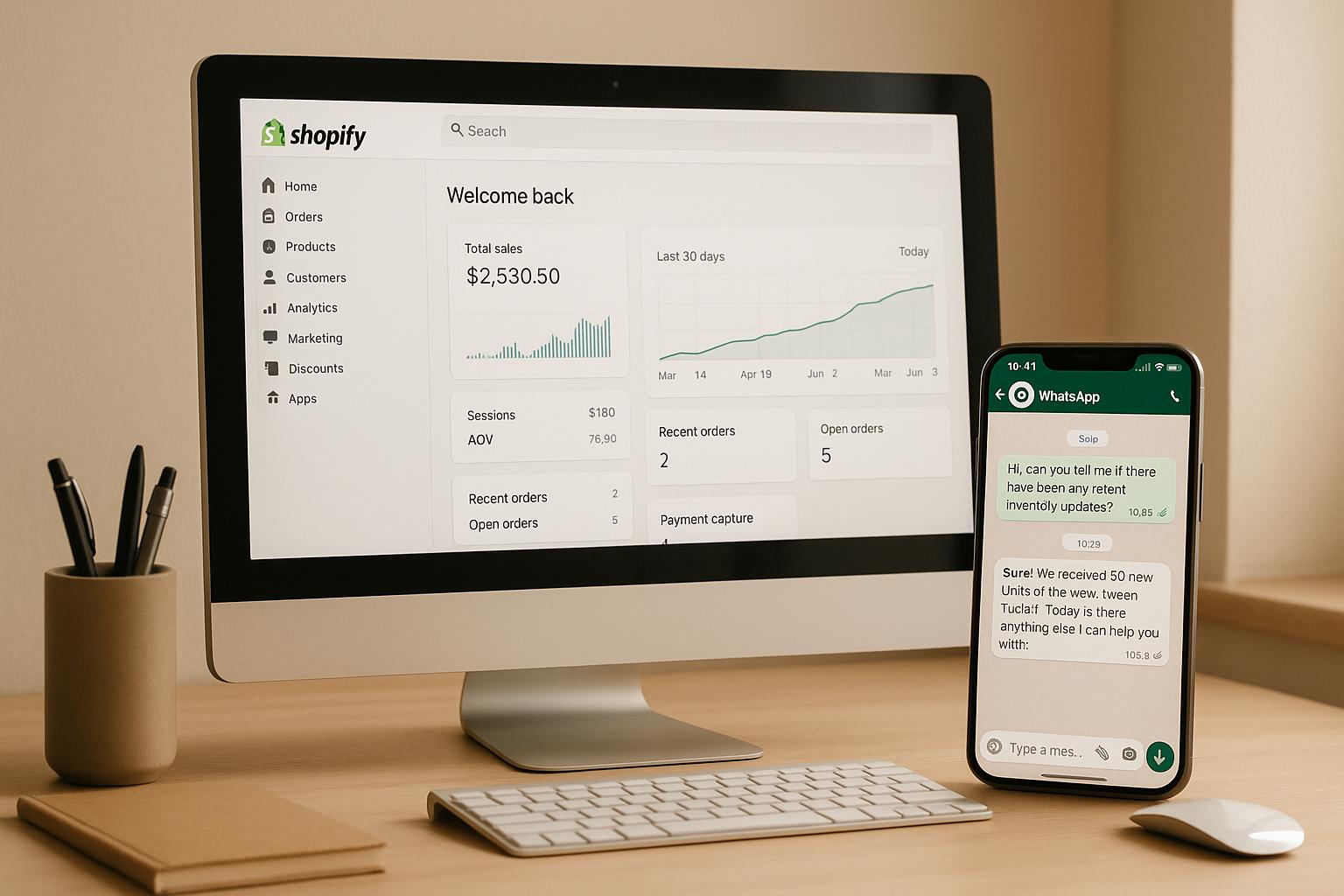
The first step to unlocking this potential is connecting your Shopify store to klink.cloud. This integration allows customer data, order details, and product information to flow directly into your support workspace, giving your AI agents the context they need to answer questions like, “Where’s my order?” or “Do you have this in size 10?” with precision.
To get started, install the klink.cloud app from the Shopify App Store. During setup, you’ll grant permissions for klink.cloud to access key data like customer profiles, order histories, shipping updates, and your product catalog. If you manage multiple Shopify stores or locations, you can choose which ones to connect - a helpful feature for merchants with different storefronts for various product lines or regions.
Next, map Shopify fields to klink.cloud objects. For example, align order status labels, customer tags, and internal notes so information is displayed consistently across both platforms. This ensures that when an AI agent views a customer profile, they see complete, well-organized data formatted in USD, MM/DD/YYYY, and with imperial measurements.
After mapping, run an initial data sync to import historical orders and customer contacts into klink.cloud. This gives your AI agents immediate access to past interactions and buying patterns, improving the quality of their responses from day one. Once the sync is complete, new orders, customer updates, and inventory changes will flow automatically, keeping everything up-to-date without manual effort.
With Shopify connected, your AI agents can pull live order details, recommend products based on browsing history, and even handle tasks like updating shipping addresses or processing returns - all within a single conversation thread.
Using klink.cloud Features for AI Support
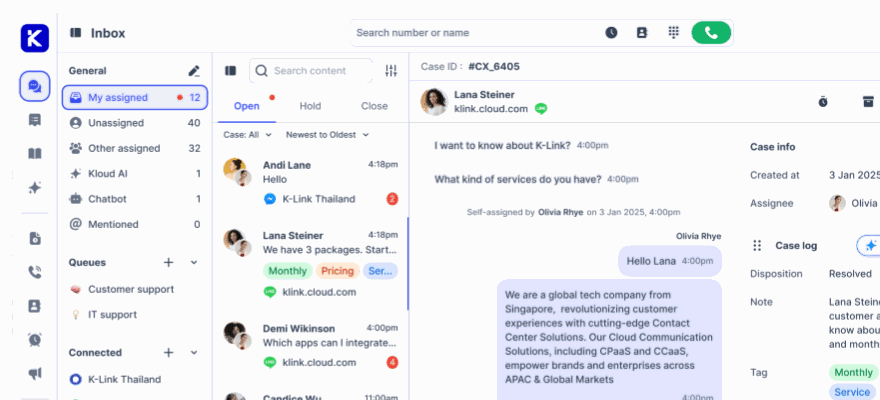
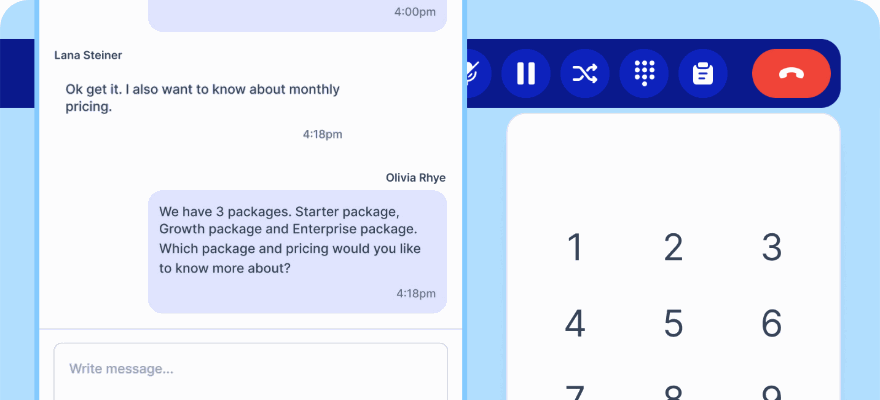
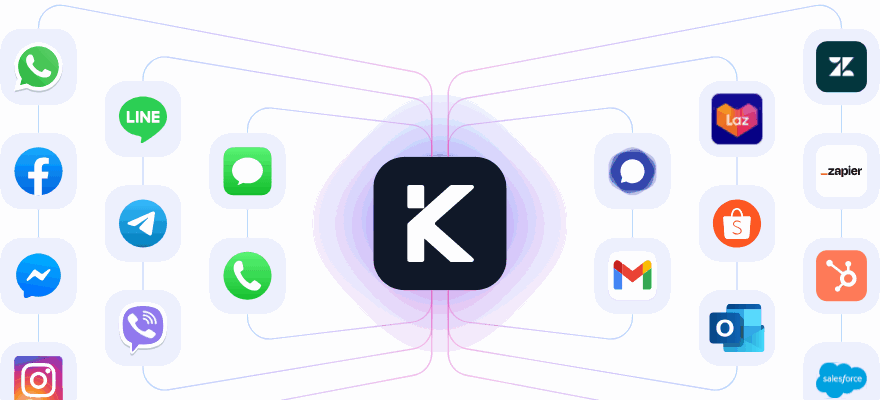
With Shopify integration in place, klink.cloud’s features take customer support to the next level. The Unified Inbox consolidates messages from email, WhatsApp, Facebook Messenger, Instagram, Telegram, and live chat into one dashboard. Each conversation is paired with Shopify details like order totals, tracking links, and previous tickets, allowing AI agents to craft responses tailored to each customer’s situation.
"klink.cloud has made a huge difference for our contact center! Our agents can easily manage conversations across different channels, helping us respond faster and keep our clients happy. We've seen big improvements in both productivity and customer satisfaction since we started using it." - James Carter, Operations Manager, MPG BPO
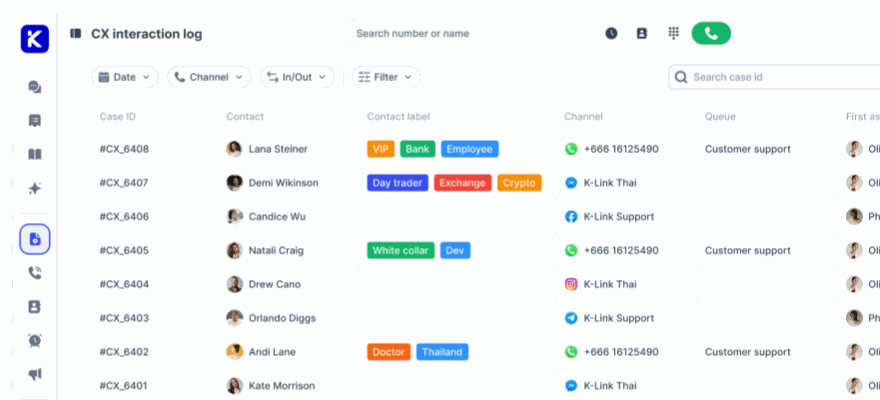
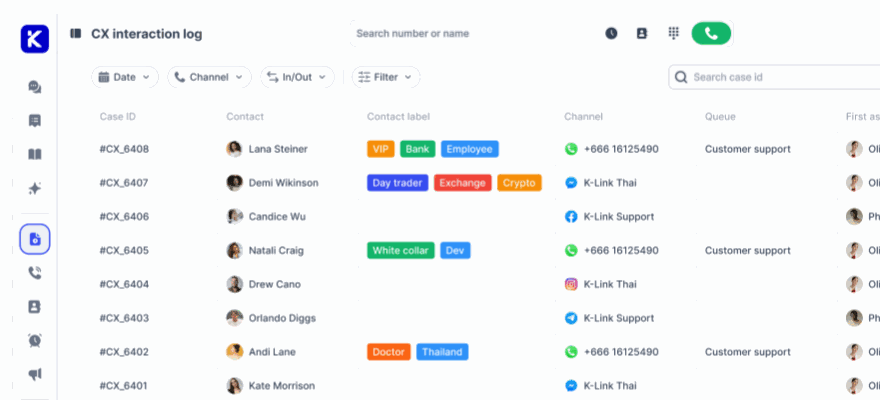
The Case Management feature tracks every customer interaction across all channels and organizes them under a single profile. Metrics like first response time, resolution time, sentiment analysis, and CSAT scores are readily available. This means when an AI agent picks up a conversation, they have the full history at their fingertips - whether the customer emailed last week or messaged on Instagram yesterday. This eliminates redundant questions and speeds up resolutions.
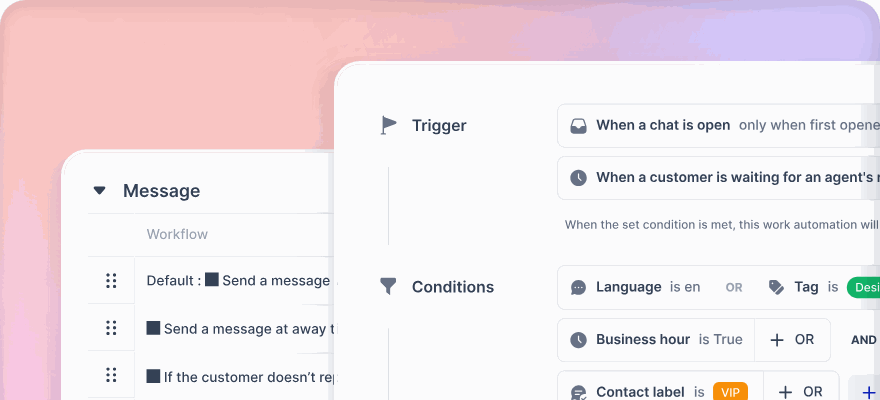
Smart routing and automation features let you control how conversations are handled. You can set certain messages - like “Cancel my order” - to trigger AI-first responses where the AI checks the order status and either processes the cancellation or escalates the issue if the order has already shipped. For more complex issues, AI can assist human agents by drafting responses for review.
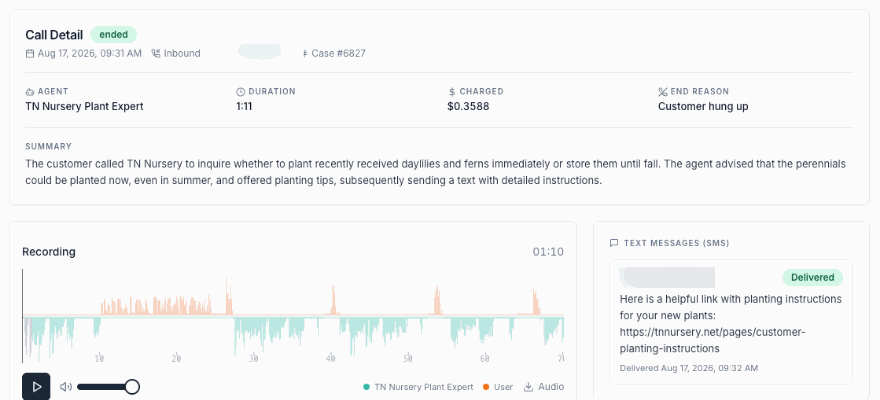
klink.cloud even integrates phone calls, matching caller IDs to Shopify records and recent orders. AI tools can summarize calls, suggest next steps, or send follow-up messages via SMS or email. For simple inquiries like “What are your store hours?” or “Where’s my order?”, an AI voice assistant can handle the call entirely. More complex issues are routed to human agents with a pre-written AI summary, saving time and improving accuracy.
Workflow automation is another standout feature, cutting down repetitive tasks. You can create rules to auto-tag tickets by topic - like shipping, returns, or payment issues - and trigger AI responses for common questions. For instance, if a customer submits a return request, klink.cloud detects the intent and responds according to your store’s return policies.
To ease into the system, start small. Connect one or two channels - like email and website chat - and limit AI to basic tasks such as answering order status questions or handling simple product inquiries. During this pilot phase, review AI conversations daily, gather feedback from your support team, and fine-tune the system. Gradually expand to more channels and complex use cases as your team becomes more comfortable. This step-by-step approach ensures consistent, high-quality support as you scale.
sbb-itb-204ca50
AI Workflows That Save Time for Shopify Merchants
Once your AI agents are set up and ready to go, the real magic happens when they tackle tasks that would otherwise eat up hours of your team's time every week. By automating repetitive tasks - like order tracking, returns, and product discovery - you free up your team to focus on more complex customer issues. With klink.cloud as your foundation, these workflows make customer interactions smoother and more efficient.
Automating Order Status, Returns, and Shipping Questions
Questions about order status, returns, and shipping updates are some of the most common customer inquiries. AI agents can handle these efficiently by pulling order details, tracking numbers, and shipping statuses directly from Shopify and carrier systems, delivering quick and accurate responses.
For example, when a customer asks, "Where's my order?" via email, chat, social media, or phone, the AI agent retrieves the order history, finds the tracking number, and shares the shipping status. If the order hasn’t shipped yet, the AI explains the processing timeline based on your store’s fulfillment schedule. For orders already in transit, it provides the carrier’s tracking link and an estimated delivery date in the MM/DD/YYYY format.
When it comes to returns, the AI checks if the order meets your return policy, generates a return label, emails it to the customer, and logs the case in klink.cloud. For shipping updates, such as address changes, the AI can handle simple updates directly in Shopify if the order hasn’t shipped yet. More complex requests are flagged for human agents.
These workflows are powered by automation rules in klink.cloud, triggered by keywords or customer intent. For instance, phrases like "track my order" or "where is my package" automatically route the inquiry to the AI agent. The AI follows a script tailored to your brand, retrieving the necessary details and responding with relevant information. You can even customize these scripts to include details like customer service hours (9:00 AM to 6:00 PM EST) or holiday shipping deadlines.
Next, let’s explore how AI agents don’t just solve problems - they can also help grow your sales.
Helping Customers Find Products and Increase Sales
AI agents aren’t just about answering questions - they can also boost your sales by giving personalized product recommendations. Using the unified customer data in klink.cloud, these agents suggest items tailored to each shopper’s browsing and purchase history.
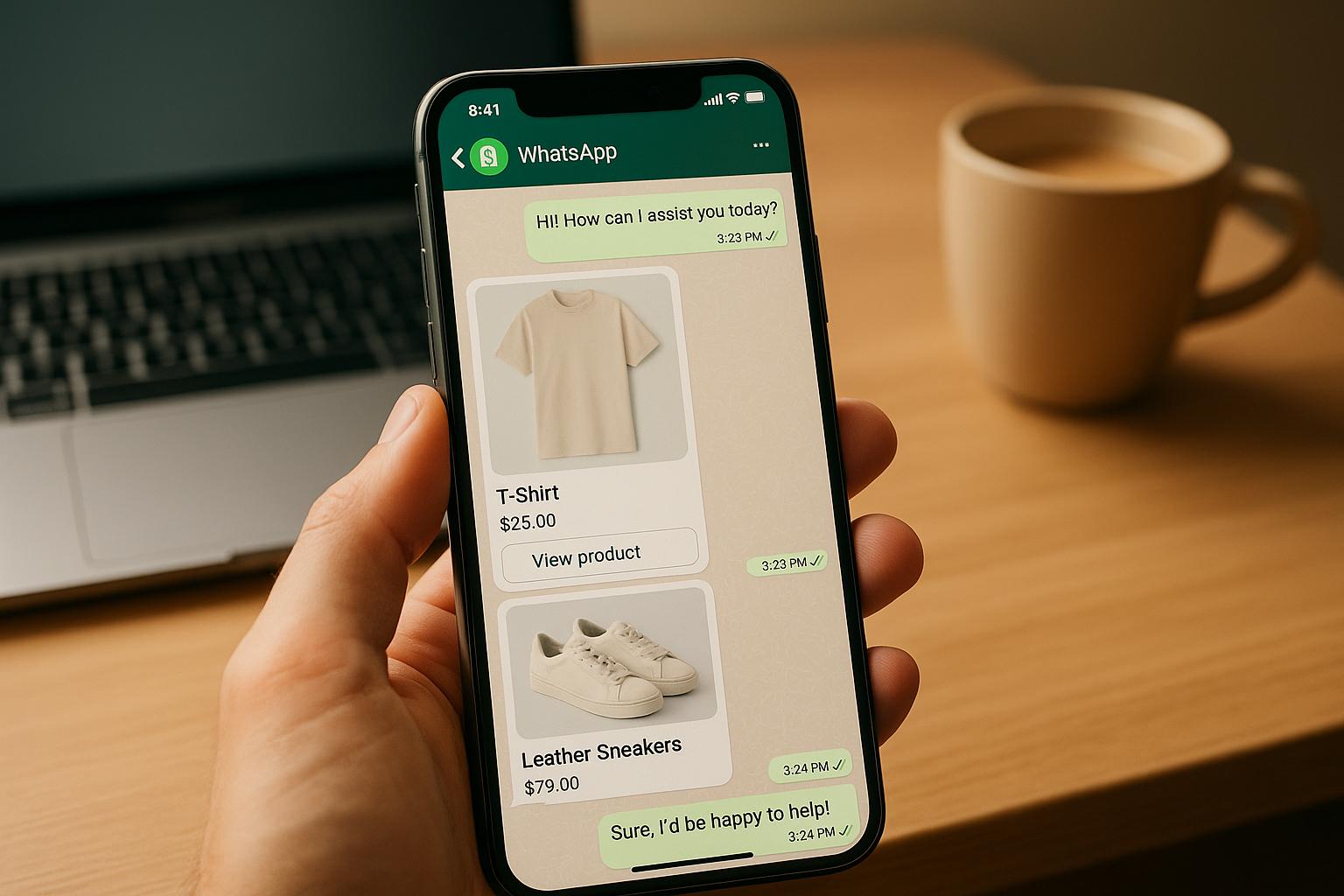
For instance, if a customer asks, "Do you have running shoes for flat feet?" the AI agent can search your product catalog, filter for relevant options, and suggest choices complete with links and images. These recommendations are powered by machine learning, which analyzes factors like demographics, user behavior (reviews, ratings, search history, past purchases), and product details to offer the most relevant suggestions.
Personalized recommendations make shopping more engaging. Nearly 49% of consumers have purchased items they hadn’t planned to after receiving tailored suggestions. AI agents can also upsell by recommending premium or complementary products. For example, if a customer adds a basic yoga mat to their cart, the AI might suggest a higher-end version or matching accessories. This "Frequently Bought Together" approach uses purchasing patterns to offer complementary items at just the right moment.
Another advantage is real-time adaptability. As the AI learns from customer behavior, its recommendations stay fresh and relevant. For stores with large inventories, this feature helps customers discover products they might not have found on their own - a huge advantage during busy shopping seasons when human assistance is stretched thin.
The numbers back this up: 80% of shoppers prefer brands that offer personalized experiences, and Shopify stores using AI upsell tools have seen a 20% increase in order value. McKinsey research also shows AI can improve eCommerce conversions by 20% to 30%, while brands using recommendation algorithms report a 22% boost in customer lifetime value.
When to Transfer Cases to Human Agents
Even the smartest AI has its limits. Knowing when to escalate an issue to a human agent is key to maintaining excellent customer service. The goal isn’t to replace human interaction completely - it’s to let AI handle routine tasks while human agents focus on more complex or sensitive situations.
In klink.cloud, you can set escalation rules based on factors like conversation complexity, customer sentiment, or transaction value. For example, if a customer uses words like "frustrated", "angry", or "refund", the AI flags the case as high priority and transfers it to an experienced support agent. The AI also provides a summary of the conversation so the customer doesn’t have to repeat themselves.
Certain cases, like high-value orders, custom requests, or technical issues, require a human touch. While the AI can gather initial details, a human agent steps in to provide personalized service. For example, if a customer reports a payment issue, the AI collects the necessary information before passing the case to someone who can troubleshoot further.
The handoff from AI to a human should feel seamless. Instead of an abrupt switch, the AI might say, "I’ve gathered the details about your order issue. Let me connect you with Sarah from our support team, who can help resolve this right away." This ensures the customer feels supported throughout the process.
As with other workflows, klink.cloud makes these transitions smooth by allowing you to set automatic transfer rules based on keywords, sentiment scores, or conversation length. Customers can also request a human agent anytime by typing "speak to a person" or clicking a designated button in the chat. Monitoring escalation rates and customer satisfaction helps you strike the right balance, letting AI handle routine inquiries while human agents tackle the more challenging ones.
Tracking and Improving AI Agent Results
Once your AI agents are up and running, it’s crucial to keep a close eye on their performance and make adjustments as needed. Tracking their results helps you understand if they’re saving time, improving customer experiences, or creating unexpected challenges. Platforms like klink.cloud offer built-in analytics, making it easier to monitor performance and pinpoint areas for improvement. By regularly reviewing key performance metrics, you can validate how well your AI is meeting its intended goals.
Metrics to Track for AI Agents
Focusing on the right metrics is essential to gauge the impact of AI on your operations and customer satisfaction. Here are some key indicators to monitor:
- Ticket deflection rate: This shows the percentage of customer inquiries that the AI resolves without needing human assistance. A high deflection rate means the AI is effectively handling routine questions, freeing up your support team to focus on more complex issues.
- First-contact resolution rate: This metric measures how often the AI fully resolves a customer’s issue during the first interaction. A strong rate suggests the AI understands customer needs and has access to the right information.
- Average handle time: This tracks how long it takes to resolve an inquiry from start to finish. Monitoring this can help identify delays caused by specific challenges, like gaps in the AI’s knowledge or difficulties accessing data.
- Customer satisfaction scores (CSAT): These scores reflect how customers feel about their interactions with the AI. With klink.cloud, you can automatically send surveys after conversations to capture feedback on whether the AI is meeting expectations.
- Escalation rate: This measures how often the AI hands off conversations to human agents. If this rate is consistently high, it may indicate the AI needs better training to handle common scenarios.
- Response accuracy: Reviewing a sample of AI interactions ensures the information provided is correct. For example, verifying details like order tracking or return policies helps maintain customer trust and reduces the workload on your team.
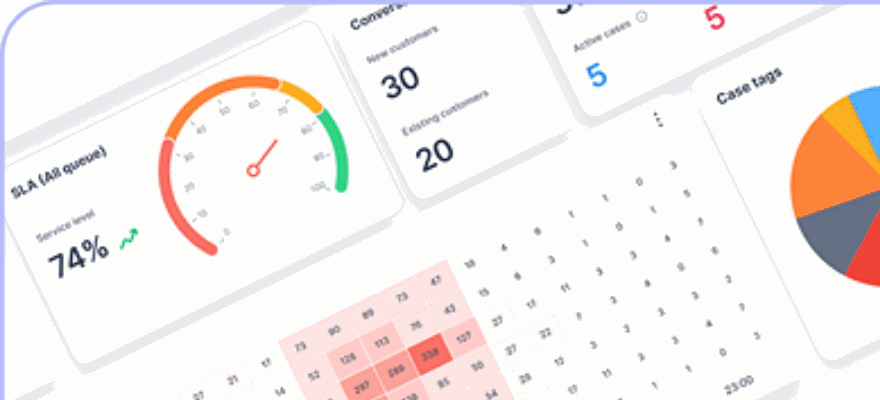
Using klink.cloud’s dashboard, you can review these metrics in real time and schedule regular reports to track trends. Improving these metrics directly supports your goal of scaling operations without adding headcount.
Continuously Improving AI Performance
Metrics are only useful if they drive action. Use the insights you gather to refine and improve your AI’s performance over time. Here’s how:
- Analyze conversation logs and refine workflows: Look for patterns in escalated interactions or low satisfaction scores. For instance, if customers frequently ask about return policies for sale items, create a dedicated workflow to address those questions.
- Keep your knowledge base updated: Regularly add new product details, shipping updates, and seasonal promotions. An AI that’s up-to-date with the latest information is better equipped to assist customers.
- Test new scenarios before going live: Simulate a variety of customer inquiries - both formal and casual - to ensure the AI responds appropriately. This helps you catch potential issues before they impact real customers.
- Adjust for seasonal trends: During busy periods, tweak AI processes to handle increased demand. Afterward, review what worked and what didn’t to prepare for future peak seasons.
- Gather feedback from your support team: Your team’s firsthand experience with escalated cases can highlight areas where the AI is falling short. Regular check-ins with the team can uncover practical ideas for improvement.
- Compare current performance to past data: Benchmarking helps you see if your adjustments are working and identifies areas that still need attention.
Maintaining Customer Trust and Meeting Compliance Standards
AI agents can boost service efficiency, but transparency and strong data protection are essential for building trust. This isn't just about avoiding legal risks - it's about forming long-term relationships that encourage loyalty and growth. When customers trust how you use AI, they’re more likely to engage with your store and recommend it to others.
Being Clear About AI Interactions
Transparency begins with making sure customers know when they’re interacting with an AI agent instead of a human. Many Shopify merchants handle this by including a straightforward message at the beginning of a chat session, such as: "Hi! I'm an AI assistant here to help with your order. If you’d prefer to speak with a person, I can connect you anytime." This sets clear expectations and gives customers control over their experience.
It’s equally important that the AI communicates in an honest manner. Avoid programming your AI to mimic human behavior, like referencing fictional personal activities. These attempts to "humanize" the AI can backfire if customers feel deceived, damaging their trust in your brand. Instead, focus on making the AI efficient and helpful while being upfront about its limitations.
When the AI encounters a situation it can’t handle, it should acknowledge this openly. For example, if a customer asks a detailed question about modifying a custom order, the AI could respond with: "This is a bit beyond my expertise, but I can connect you with someone on my team who can assist you right away." This kind of honesty shows customers that their needs come first, even if it means escalating to a human agent.
Tools like klink.cloud let you customize how your AI introduces itself and define when it should escalate issues to a human. These features help you strike the right balance between automation and transparency, ensuring customers always know what to expect.
Clear communication is just one part of the equation - protecting customer data is equally critical.
Protecting Customer Data and Controlling Access
AI agents often need access to customer information, such as order history, shipping details, or payment status, to resolve inquiries effectively. However, this access must be carefully managed to safeguard sensitive data and comply with privacy laws like the California Consumer Privacy Act (CCPA) and other state regulations.
Start by restricting the data your AI can access. For example, an AI that handles order status inquiries doesn’t need access to full credit card numbers or social security information. Limit its access to essential details, such as the last four digits of a payment method. This "least privilege" approach minimizes data exposure.
Keep a detailed log of all AI interactions to ensure accountability. These logs should record what data the AI accessed, when it accessed it, and what actions it performed. If a customer raises a concern or you need to investigate an issue, these logs provide a reliable record. Platforms like klink.cloud automatically log conversations and actions, making it easier to address audits or compliance requests.
Encryption is a must for all customer data. Ensure that data transmitted between your Shopify store, klink.cloud, and other integrated systems is encrypted both in transit and at rest. This prevents unauthorized access or interception. While many platforms handle encryption by default, it’s worth double-checking that your setup meets current security standards.
Set clear data retention policies, such as keeping chat logs for 12 months before automatic deletion. Communicate these policies in your privacy policy or terms of service to show customers that you take their data seriously.
Lastly, train your team on data protection practices. Even if AI handles most interactions, human agents need to know how to securely handle sensitive information during escalations. Regular training and clear documentation ensure your team is prepared to protect customer privacy and respond appropriately to potential security issues.
Conclusion
Growing a Shopify store used to mean hiring more staff, increasing payroll, and managing multiple tools to meet customer demand. But AI agents have completely changed the game. They handle high-volume, repetitive tasks - like order status updates, return requests, shipping inquiries, and product recommendations - 24/7. This gives your team the freedom to focus on more complex challenges, strategic initiatives like marketing and merchandising, and building meaningful relationships with top-tier customers.
The workflows we’ve explored - automated order updates, simplified returns, guided product discovery, and seamless escalation to human agents - aren’t just ideas. These are practical solutions you can set up in klink.cloud today. Start small: connect your Shopify store, enable AI for basic FAQs and order tracking, and test it on one channel (like website chat). Once you see quicker response times, reduced ticket backlogs, and happier customers, you can expand to other channels like SMS, Instagram, and email - meeting your U.S. customers where they expect instant answers. This kind of integration lays the groundwork for long-term growth and loyalty.
AI agents don’t just save time; they make your team more effective. Imagine an AI instantly pulling real-time order updates from Shopify or suggesting in-stock alternatives when a product is unavailable. These small but impactful actions reduce friction during checkout, lower cart abandonment rates, and create a smoother customer journey - boosting repeat purchases, lifetime value, and loyalty.
Of course, efficiency isn’t everything. Trust is key. Customers should always know when they’re interacting with an AI and have the option to connect with a human when needed. klink.cloud supports strong security measures and controlled data access to safeguard sensitive information like order details and payment data. Treat compliance, privacy policies, and opt-in consent as ongoing commitments that adapt alongside your AI strategy, not just one-time tasks to check off a list.
These workflows are a game-changer for customer interactions. In today’s competitive U.S. ecommerce market, where shoppers expect instant updates, clear return policies, and fast responses across channels, combining Shopify with AI agents through klink.cloud offers a smart way to scale. The platform gives you the flexibility to add new AI capabilities, fine-tune automations as your business evolves, and track performance using real metrics like response times and customer satisfaction scores. Early adopters can refine their processes over time, creating a lasting advantage that grows stronger with every interaction.
This shift doesn’t just improve customer experience - it drives sustainable growth. The same small team that once struggled to manage a few hundred orders a month can now handle thousands across multiple channels, delivering faster and more consistent service. With klink.cloud, scaling your Shopify store becomes not only achievable but practical, empowering your business to thrive in today’s fast-paced ecommerce landscape.
FAQs
How do AI agents manage complex customer service issues that need a personal touch?
AI agents are built to tackle a variety of customer service tasks. However, when a situation calls for human judgment or a touch of empathy, they smoothly hand over the conversation to a human agent. This approach ensures customers receive the right level of care without any compromise.
By taking care of straightforward tasks and passing complex issues to humans, AI agents allow businesses to deliver excellent service while giving human agents the bandwidth to handle more intricate or sensitive interactions.
How can I seamlessly integrate AI agents with my Shopify store and klink.cloud?
To connect AI agents with your Shopify store and klink.cloud effectively, start by making sure your Shopify store is ready to support AI functionalities. Double-check that your store’s API settings are activated and meet the integration requirements for klink.cloud.
Once that’s done, configure your AI agents based on your specific business needs. This could involve setting up automated responses, training the AI with relevant data, and tailoring workflows to manage tasks like answering customer questions, tracking orders, or suggesting products. Be sure to test the integration thoroughly to catch and resolve any issues before launching it live.
After implementation, keep a close eye on how your AI agents are performing. Leverage analytics to measure key metrics such as response times, customer satisfaction levels, and overall efficiency. Regular monitoring will help you fine-tune the system and ensure it keeps up with your business goals as you grow.
How can I make sure my AI agents follow privacy laws and keep customer data secure?
To keep your AI agents in line with privacy regulations and safeguard customer data, start with data encryption for all sensitive information. Pair this with strict access controls to ensure only authorized personnel can handle such data. It's also crucial to routinely review your AI tools to verify they meet the requirements of laws like the GDPR or CCPA, depending on where your business operates and who your customers are.
Partnering with AI providers that emphasize security and compliance is another smart move. Make sure to create clear, transparent privacy policies so customers know exactly how their data is being used. Regular audits and consistent staff training can further reinforce your data protection and compliance efforts.