How AI Agents Improve Post-Purchase Customer Experience
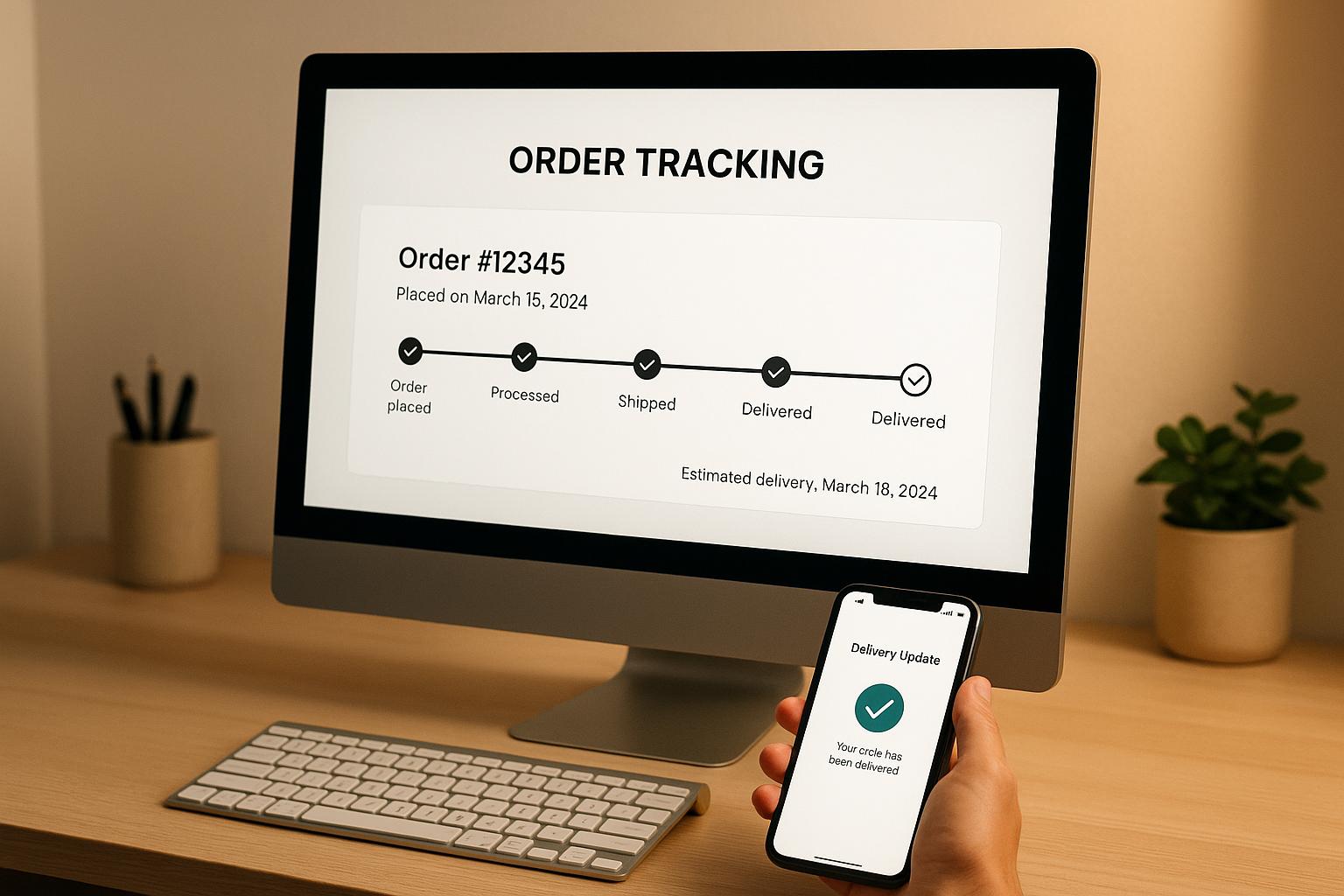
AI agents are transforming how businesses handle post-purchase customer support. They streamline repetitive tasks, provide real-time updates, and proactively address potential issues, ensuring customers feel supported after buying. From tracking orders to managing returns, these systems operate across multiple channels like SMS, email, and chat, maintaining quality 24/7. By integrating with tools like CRMs, shipping systems, and payment platforms, AI agents deliver accurate, personalized assistance while freeing human agents to focus on complex problems. This guide explores how to implement AI for smoother post-purchase workflows, improve customer satisfaction, and track success effectively.
How AI Turns Post-Purchase Into Profit
What AI Agents Do in Post-Purchase CX
AI agents manage customer interactions across various channels like email, SMS, chat, social media, and phone, ensuring consistent service no matter where customers reach out. Unlike basic chatbots that stick to rigid scripts, these agents can grasp context, learn from past interactions, and adapt their responses based on the situation.
One of their key strengths is interpreting intent. For example, when a customer asks, "Where's my order?" the AI agent retrieves tracking details, checks the shipping status, and provides a complete response. If there’s a delay, it might even apologize or suggest a discount. This ability to understand and respond appropriately creates a more personalized experience.
AI agents work around the clock, managing thousands of conversations simultaneously. Whether someone checks their order status at 2:00 AM or during regular business hours, the quality of support remains the same. Plus, they maintain conversation history across channels. If a customer starts a chat on your website and follows up via email the next day, the agent seamlessly continues from where the conversation left off.
These agents don’t just react - they act proactively. They monitor order data to send updates, like notifying customers about package delays or confirming subscription renewals. By addressing potential issues early, they help prevent problems from escalating.
Common Post-Purchase Tasks for AI Agents
AI agents excel at repetitive tasks, saving time for both customers and businesses. Here’s how they simplify post-purchase experiences:
- Order status updates: Instead of making customers dig through emails or websites, AI agents instantly retrieve tracking details from shipping systems.
- Returns and exchanges: They verify purchase dates, check eligibility, generate return labels, and send instructions. If a customer requests an exchange, the agent processes it, arranges a new shipment, and schedules a pickup for the original item - all in one smooth interaction.
- Subscription management: Customers can pause, adjust delivery schedules, update payment methods, or modify product selections through simple conversations. The agent handles backend updates and confirms changes in real time, reducing the friction that often leads to cancellations.
- Automated notifications: From shipping confirmations to delivery alerts, AI agents keep customers informed. They can also send reminders, like when a product warranty is about to expire or it’s time to reorder consumables.
- Troubleshooting: AI agents guide customers through setup processes, suggest solutions for common problems, and share help articles or video tutorials. If an issue requires human expertise, the agent gathers all necessary details before escalating, so customers don’t have to repeat themselves.
- Feedback collection: After delivery, AI agents naturally ask about product satisfaction, shipping experiences, and service quality. Responses feed directly into analytics tools, providing immediate insights without needing separate surveys.
Required Data and System Connections
To function effectively, AI agents rely on robust data connections. Here are the key systems they integrate with:
- Order management systems: These supply essential details like order status, payment history, and shipping updates. Without this connection, agents can’t verify purchases or provide accurate support.
- Shipping and logistics systems: Integrations with carriers like UPS, FedEx, USPS, and DHL allow agents to track packages, identify delays, and provide accurate delivery dates. Continuous updates from these systems ensure customers always get the latest information.
- Customer relationship management (CRM) platforms: CRMs store customer profiles, purchase history, and preferences. This data helps agents personalize interactions, such as offering loyalty perks to frequent buyers or prioritizing their requests.
- Inventory management systems: These systems inform agents about stock availability, backorders, and restocking timelines. Real-time inventory data is crucial for processing exchanges or modifying orders before shipment.
- Payment processing systems: Secure integrations enable agents to handle refunds, process exchanges, and update billing details while complying with industry standards to protect financial data.
- Product catalogs and knowledge bases: Detailed and up-to-date product information allows agents to answer questions, explain features, and troubleshoot effectively, minimizing the need for human intervention.
- Analytics and reporting tools: These track metrics like response times, resolution rates, customer satisfaction, and recurring issues. Regular performance reviews help identify areas for improvement and ensure agents continue delivering high-quality support.
The effectiveness of AI agents hinges on the quality of these integrations. Gaps or outdated data can lead to incomplete answers, forcing customers to seek human assistance. Regular audits of these connections ensure AI agents have the tools they need to provide seamless and proactive support.
Analyzing Post-Purchase Journeys and Finding Problems
Before introducing AI agents into your operations, it’s crucial to understand exactly what happens during the post-purchase process. Many businesses think they know where the issues lie, but a closer look often uncovers hidden friction points that can negatively affect customer satisfaction.
The objective here is to map out every customer interaction after they hit "buy" and pinpoint where things go wrong. This process helps identify gaps in communication, inconsistent messaging, and delays that leave customers frustrated. Without this groundwork, deploying AI agents may miss the mark and fail to address the most pressing challenges.
Map Every Post-Purchase Interaction
Start by documenting every touchpoint a customer encounters after making a purchase. This includes listing all the channels involved and the key moments of interaction.
A typical touchpoint map might cover order confirmations, shipping notifications, delivery updates, product setup instructions, warranty details, review requests, and customer support interactions. It should also include less obvious moments, like when customers check their order status online or look up help articles.
One effective way to build this map is by conducting test purchases yourself. Go through the process exactly as a customer would: note when you receive communications, evaluate if the information is clear, and check how easily common questions can be answered. This hands-on approach often reveals issues that analytics alone might miss.
Also, pay attention to the timing of each touchpoint. For example, how quickly are shipping confirmations sent? How long does it take to get a response from customer support? These details can highlight delays that might be frustrating for customers.
Consistency across communication channels is another critical factor. If your order confirmation emails are formal but SMS updates are casual - or if your chatbot uses different terminology than your phone support team - customers will notice. Inconsistent messaging can make your brand seem disorganized and erode trust.
Identify Problems Across Channels
Once you’ve mapped out all the touchpoints, the next step is to figure out where things are breaking down. Look for patterns in customer behavior and feedback that point to dissatisfaction or confusion.
High volumes of customer inquiries often signal problem areas. For instance, if your support team frequently fields questions like "Where’s my order?" or "How do I return this?", it could indicate that your tracking updates or return policy explanations need improvement.
Delays in response times are another red flag. Review metrics like average wait times for phone support, email response rates, and chat queue lengths. These numbers can reveal where customers are left waiting and where faster assistance is needed.
Customer surveys are a goldmine for actionable feedback. Ask targeted questions about the post-purchase experience: Was the shipping information clear? Were updates timely? How easy was it to get help? Open-ended responses can uncover the root causes behind issues that might not show up in performance metrics.
Customer reviews are another valuable resource. Don’t just focus on star ratings - dig deeper into the comments. Feedback like "I had to contact support multiple times" or "The tracking link didn’t work" points to specific problems that need fixing.
AI-powered sentiment analysis tools can also help by processing large volumes of unstructured data. These tools can analyze customer language to detect patterns of frustration, confusion, or satisfaction, helping you zero in on the most common pain points.
Common issues include vague shipping updates, overly complicated return policies, impersonal automated messages, and reactive support that only addresses problems after they arise. Each of these is an opportunity to use AI to improve the customer experience.
Focus on High-Impact Use Cases
Once you’ve identified problem areas, the next step is to prioritize use cases that will have the biggest impact. Look for opportunities to improve both customer satisfaction and operational efficiency.
Start with high-volume, repetitive inquiries that consume a lot of support resources. Questions like "Where’s my order?", "How do I get a return label?", or "When will my package arrive?" are ideal for automation. Freeing up human agents from these routine tasks allows them to focus on more complex issues.
Consider the customer impact of each use case. If unclear return policies or delayed updates frequently frustrate customers - or even lead to abandoned purchases - these should be addressed first through smarter automation.
Proactive communication is another area where AI can shine. For example, if shipping delays often lead to support inquiries, an AI agent that tracks carrier updates and notifies customers about delays before they reach out can prevent frustration and reduce contact volume.
Balance quick wins with long-term improvements. Automating simple tasks like order status updates can deliver immediate results and demonstrate the potential of AI. At the same time, it lays the groundwork for more advanced applications in the future.
The goal is to use AI where it adds the most value - speed, consistency, and 24/7 availability - while leaving tasks requiring empathy and judgment to human agents. This ensures the best possible experience for your customers while optimizing your operations.
Building AI Workflows on an Omnichannel Platform
After identifying post-purchase friction points, the next step is to create workflows that tackle these issues head-on. The aim? To translate these pain points into automated, seamless processes that work across all customer interaction channels.
The idea is to ensure a consistent experience, whether a customer reaches out via email, SMS, live chat, or social media. Using klink.cloud, you can design workflows once and deploy them across all channels, guaranteeing uniform service quality no matter how customers choose to get in touch. Let’s dive into how to build and integrate these workflows effectively.
Create Workflows for Each Channel
Each communication channel has its strengths, so tailor workflows accordingly. Start by identifying your most frequent post-purchase requests - like order tracking, returns, cancellations, billing issues, warranty claims, or product usage help. Then, design a core workflow for each scenario that outlines the necessary steps and expected outcomes. For instance, a "check order status" workflow might include verifying the customer’s identity, retrieving tracking details, and providing an estimated delivery date.
Once you have the basics down, adjust the workflows to fit each channel:
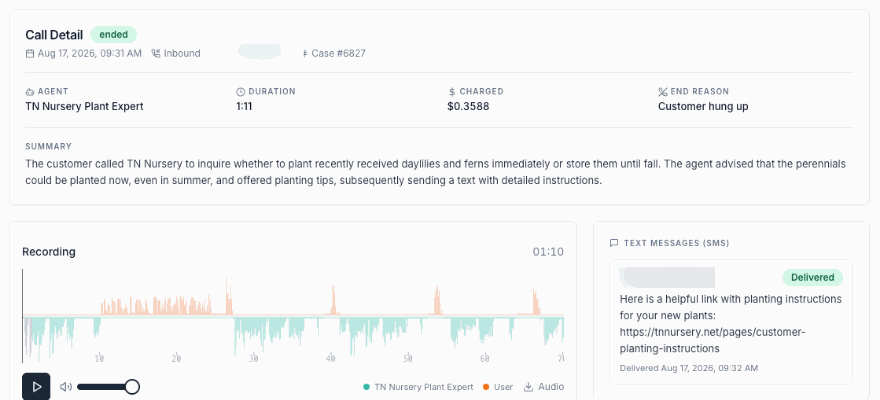
- SMS workflows should be concise and action-driven. For example, if a customer texts "TRACK 123456", the system could respond with: "Your order is out for delivery via UPS. Expected arrival: 12/06/2025. Track here: [link]."
- Email workflows can include more detailed responses. If a customer emails about a return, the AI could reply with step-by-step instructions, attach a prepaid return label, explain the refund timeline, and link to the return policy.
- Live chat workflows work best when interactive. The AI might ask clarifying questions like, "Which item from order #78234 would you like to return?" Once the customer responds, the system checks eligibility, explains the process, and provides a return label. For complex issues, the conversation can escalate to a human agent, complete with full context.
- Social messaging workflows (e.g., Facebook Messenger, Instagram DM, or WhatsApp) should leverage quick replies and buttons. For instance, if a customer messages, "I need to change my delivery address", the AI could offer options like "Update address" or "Reschedule delivery."
Decide which tasks can be fully automated, which require AI assistance, and which need a human touch. Straightforward requests like order tracking might be fully automated, while sensitive or complex issues - such as repeated complaints or high-value orders - should involve human agents, with the AI providing context and recommendations.
Set Up Intents, Entities, and Rules
To handle post-purchase conversations effectively, AI agents need to understand customer needs, extract relevant details, and follow your business policies. This requires defining intents, entities, and rules.
- Intents reflect specific customer requests. Key examples include "check order status", "start a return", "cancel an order", "report a damaged item", or "ask about billing." Train each intent with common phrases customers use. For instance, the "check order status" intent might respond to phrases like "Where’s my order?" or "Track package #12345."
- Entities are the details AI extracts from messages, such as order numbers, email addresses, product SKUs, or return reasons. Accurate entity extraction minimizes back-and-forth communication. If key details are missing, the AI can prompt the customer with questions like, "What’s your order number? You can find it in your confirmation email."
- Business rules guide how intents and entities interact. For example, if a customer asks to check an order status and provides a valid order number, the AI might automatically respond with the carrier, a tracking link, and an estimated delivery date. For returns within a 30-day window, the AI could issue a return label and confirm the refund amount. Complex cases, like repeated complaints or high-value orders, might be escalated to human agents. Rules should also respect your business hours and priorities - urgent issues like lost packages might require immediate attention, while less critical ones can be scheduled for follow-up.
Make sure your workflows are backed by real-time data to ensure accuracy in every interaction.
Connect Data Sources to the Platform
AI workflows are only as effective as the data they access. To provide accurate, personalized responses, your AI agents need real-time information from your core systems.
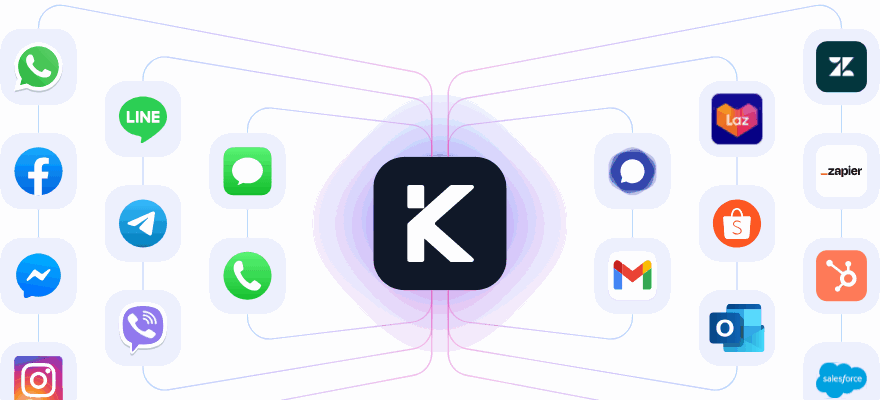
Integrate essential tools like CRMs for customer profiles, eCommerce platforms (e.g., Shopify) for order and product data, shipping systems for tracking updates, and billing systems for transaction details. These integrations allow workflows to handle tasks like looking up orders, processing refunds, and updating records automatically.
For example, klink.cloud simplifies integrations by connecting with CRMs, eCommerce platforms, helpdesks, and billing systems. Its case management feature consolidates customer interactions - such as sentiment, CSAT scores, and custom fields - into a unified profile, giving AI the context it needs to make informed decisions.
Most integrations use APIs or native connectors, secured with methods like API keys or OAuth. To keep things efficient, design workflows that call lightweight endpoints like "getOrderById" or "calculateRefund." This approach simplifies security and error handling.
Handling data delays or outages is also crucial. If an external system is slow or unavailable, the workflow should notify the customer with a message like, "We’re having trouble accessing your order details right now. We’ll update you via email within the next hour." Logging these incidents ensures they can be investigated later.
For instance, if a customer asks, "Where’s my order?" in a live chat, the AI retrieves the order details using the customer’s email and queries the shipping system for tracking updates. If the order is out for delivery via USPS, the AI responds with the order number, shipping status, and a tracking link - ensuring the customer gets accurate, timely information.
sbb-itb-204ca50
Setting Up AI Agents with klink.cloud
Deploying AI agents on klink.cloud involves activating customer communication channels, setting up AI and human routing, and configuring SLAs alongside business hours. Here's how to get started.
Activate Omnichannel Communication in klink.cloud
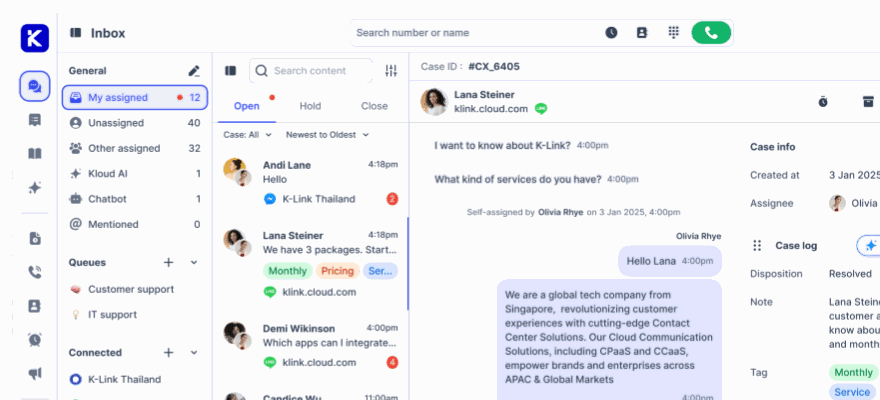
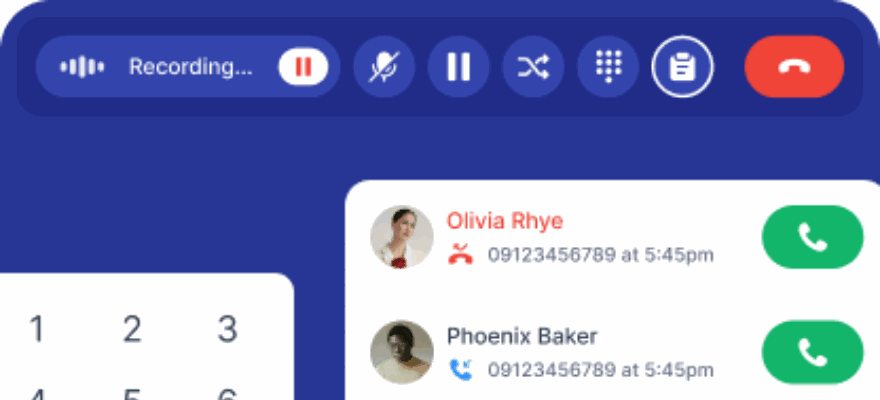
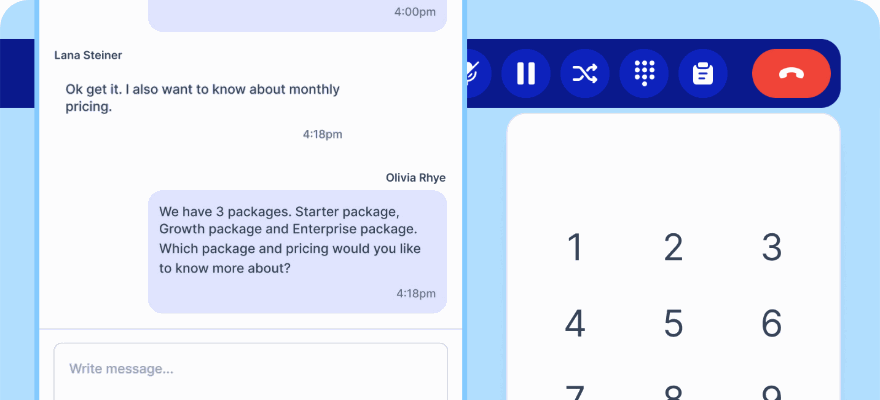
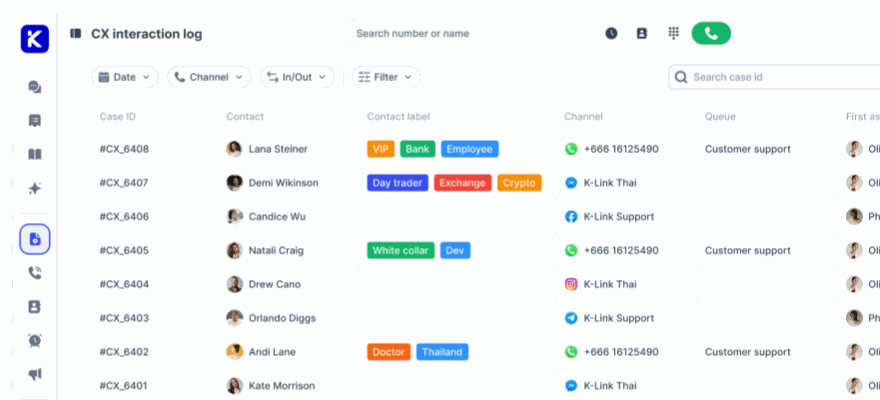
Begin by enabling the key post-purchase channels your customers use most frequently. klink.cloud brings together communication tools like phone calls, SMS, email, live chat, WhatsApp, Facebook Messenger, Instagram DM, Telegram, and more into a single Unified Inbox. This lets your team manage all conversations from one central dashboard.
Set up virtual phone numbers directly through klink.cloud. You can acquire local or toll-free numbers, which is especially useful if you're serving customers across the U.S. For example, provisioning numbers with the +1 country code in specific regions can help establish trust and make it easier for customers to reach you. Already have phone numbers or a SIP trunk? Use klink.cloud's Bring Your Own Carrier (BYOC) feature to integrate your existing setup. Don’t forget to configure caller ID and compliance settings before launching support workflows.
Enable SMS and messaging channels by linking your SMS number and social messaging accounts. For SMS, ensure compliance with U.S. carrier rules, such as obtaining proper opt-in consent and offering clear unsubscribe options. Integrate social messaging platforms so all conversations flow into the Unified Inbox. Focus on the channels your customers use most - SMS and web chat are great for quick updates, while social DMs and voice calls are better suited for escalations or complex issues.
Add live chat to important pages on your website, such as order tracking, returns, and account dashboards. Placing a live chat widget on these pages allows customers to get help immediately without having to leave the page or hunt for contact details. Make sure the widget matches your website’s branding and clearly displays your business hours.
Integrate core systems to ensure a complete interaction history. After activating your channels, test each one by sending messages or making calls to confirm they appear in the Unified Inbox. This ensures your AI agents have the data they need to respond effectively.
With your communication channels ready, the next step is to establish how AI will route and respond to customer inquiries.
Configure AI Routing and Automated Responses
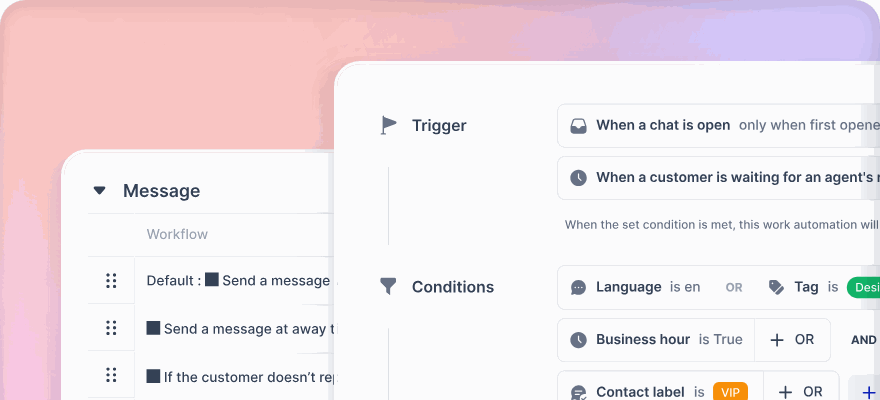
Set up routing rules to decide which inquiries AI handles and which are passed to human agents. klink.cloud uses automation to assign conversations based on keywords, customer profiles, and intent, ensuring messages are directed to the right place.
Define routing rules to match common post-purchase questions with the appropriate workflows. For example, if a customer asks, "Where is my order?" via SMS or chat, the system can trigger an order-tracking response that includes the carrier, tracking link, and delivery date. Automate routine tasks like order tracking, address updates, and return instructions, while routing sensitive or complex issues - such as billing disputes or high-value orders - directly to human agents.
Set confidence thresholds to determine when AI should handle a case versus when it should escalate to a human. For instance, if a customer writes, "This is my third message about a refund", the system should detect frustration and escalate the conversation to a supervisor or billing specialist, including the full interaction history for context.
Tag high-priority conversations for special handling. Automatically flag messages from VIPs, business accounts, or high-value orders so they are routed to senior agents or given priority. This ensures your most important customers receive personalized and timely service.
Craft automated responses that sound natural and helpful. Use concise, clear language in American English, and include personal touches like the customer’s name and order details where relevant. For example, instead of saying, "Your request has been processed", try, "Hi Sarah, your return label for order #78234 is ready. We’ll email it to you shortly." Test these messages across devices to ensure clarity and include transparent explanations when AI makes decisions, such as, "Based on our 30-day return policy, your item qualifies for a full refund."
Always offer the option to speak to a human. Include phrases like "Speak to an agent" or "Transfer to support" in your automated responses. When a handoff occurs, ensure the AI passes along the full conversation history, detected intent, and customer profile so the human agent can seamlessly take over without requiring the customer to repeat themselves.
Once routing and automation are set, the final step is to ensure your support team meets timely service standards by configuring SLAs and business hours.
Configure SLAs and Business Hours
Service-level agreements (SLAs) and business hours help maintain consistent and timely support. klink.cloud’s Case Management feature tracks metrics like first response time, resolution time, and CSAT, consolidating them under a single customer profile.
Set response-time targets for each channel based on typical U.S. customer expectations. For live chat and SMS, aim for near-instant responses - customers expect replies within seconds or minutes. For social channels like Facebook Messenger or Instagram DM, aim for responses within an hour. Email and voice callbacks can have slightly longer SLAs, but make sure these timelines are clearly defined. For high-value or business customers, consider stricter SLAs to ensure they receive priority attention.
Define business hours based on your team’s availability and your customers’ time zones. If your support team operates on Eastern Time (ET) or Pacific Time (PT), set your hours accordingly. Create separate schedules for weekdays and weekends. During business hours, route inquiries to both AI agents and human staff. After hours, let AI agents handle triage, FAQs, and data collection, while clearly communicating when a human will follow up. For example, an automated message might say, "Thanks for reaching out! Our team is available Monday–Friday, 9:00 AM–6:00 PM ET. We’ll respond by 10:00 AM ET tomorrow."
Establish escalation paths for exceptions and high-risk scenarios. Use triggers like keywords ("fraud", "chargeback", or "legal"), repeated contact attempts, or negative sentiment to escalate cases. For example, if a customer sends multiple unresolved messages, the AI should automatically route the conversation to a human agent and notify a supervisor.
Use timezone-aware timestamps in all automated responses and SLA notifications. For example, say, "We’ll follow up by 12/06/2025 at 3:00 PM ET", to set clear expectations and avoid confusion.
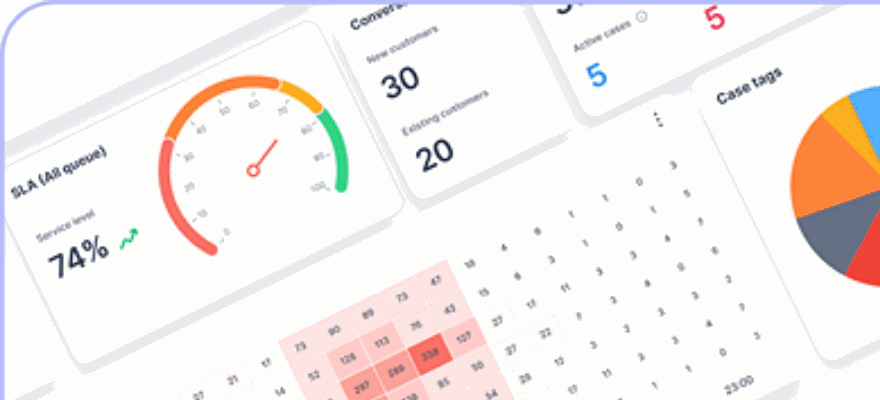
Monitor SLA performance in real time using klink.cloud’s dashboards. Set up alerts to notify supervisors when conversations are close to missing their SLA deadlines. Configure automatic escalations to reroute cases to backup queues or senior agents, ensuring no customer is left waiting - even during peak times or staff shortages.
Tracking Performance and Improving AI Agents
Once your AI agents are live, the next step is to measure their performance, identify any issues, and fine-tune workflows. Without clear metrics and regular evaluations, it’s impossible to know if the AI is genuinely enhancing the customer experience or just masking problems. Let’s break down how to set up KPIs, monitor performance, and implement quality controls to optimize your post-purchase processes.
Set Post-Purchase KPIs and Starting Values
To improve your AI’s performance, you first need a clear starting point. Begin by collecting 4–12 weeks of data from your current support system, whether it’s fully human or partially automated. Pull this data from tools like your help desk, CRM, order management system, and payment platform. Break it down by communication channel (email, web chat, SMS, social DMs, voice) and by key post-purchase use cases such as order tracking, returns, warranty inquiries, and subscription changes.
Here are the key KPIs to track:
- Average resolution time: Measure the time from first contact to resolution. Start with a baseline of 8 minutes and aim to reduce it to 3–4 minutes.
- AI containment rate: This is the percentage of interactions the AI handles from start to finish without human involvement. Successful AI setups can manage a significant portion of routine queries, cutting costs and improving response times.
- Customer satisfaction (CSAT): Specifically track CSAT for AI-only interactions. If your baseline is 82%, aim to maintain or improve this score.
- First-contact resolution (FCR): This shows whether issues are resolved in a single interaction without follow-ups. A high FCR indicates the AI has the right tools and permissions to complete tasks on the first try.
- Repeat purchase rate and revenue: Monitor the percentage of customers making another purchase within 30, 60, or 90 days after an AI-assisted interaction, and track the extra revenue generated.
- Escalation rate: This measures how often the AI hands off tasks to human agents. A high rate on routine queries may suggest the AI needs better training or improved conversation flows.
Log all dollar amounts in US format (e.g., $1,250.50) and use the MM/DD/YYYY format for dates. Segment these KPIs by channel, intent, and customer type to uncover trends and pinpoint areas for improvement. Set achievable goals over a 90–180 day period, such as cutting average resolution time by 30–50%, increasing AI containment to 50–70% for specific intents, boosting CSAT by 5–10 points, and driving a 3–10% rise in repeat purchase revenue with personalized follow-ups.
Monitor Performance with Dashboards and Reports
Real-time analytics dashboards, such as those offered by klink.cloud, provide instant insights into your AI agents’ performance across all channels. These dashboards can quickly highlight trends, bottlenecks, and emerging issues.
Set up role-specific dashboards to ensure each stakeholder sees the metrics most relevant to their role. For example:
- Customer experience leaders might focus on overall interaction volume, AI vs. human handling, CSAT, and Net Promoter Score (NPS).
- Operations managers may monitor queue backlogs, average handling time, containment rates, and escalation volumes.
- Data teams can drill down into intent distributions, error rates, and training data gaps.
With filters for channel, time frame (using MM/DD/YYYY), and agent type, you can easily identify anomalies - like a surge in escalations from a particular region - and take immediate action.
Visual tools like time-series charts can track ticket volume by intent over the past 7 or 30 days. For instance, a spike in “delayed shipment” tickets might point to a carrier issue, fulfillment delay, or product defect. Funnel views can show where AI interactions are being escalated to human agents, helping you refine conversation flows. Similarly, breaking down CSAT scores by channel and intent can guide targeted improvements.
Set up automated alerts for critical thresholds. For example, configure notifications if:
- AI containment drops below 50%.
- CSAT falls below 80%.
- “Where is my order?” inquiries increase by more than 20% in a day.
These alerts allow your team to address problems quickly, whether that means revising dialogue flows or temporarily routing more interactions to human agents.
klink.cloud’s Case Management feature consolidates key metrics - like first response time, resolution time, sentiment, and CSAT - into a single customer profile. This unified view helps you analyze the entire customer journey across channels. Combining sentiment analysis with CSAT and resolution data can reveal cases where customers received a technical solution but were still dissatisfied, prompting adjustments to messaging or tone.
Set Up Quality Controls and Escalation Procedures
Using insights from performance monitoring, implement quality controls to maintain accuracy and compliance. Regular checks, sentiment analysis, and clear escalation procedures are essential to ensure your AI remains effective and aligned with US regulations.
Conduct weekly quality reviews of AI-handled conversations across all channels. Have QA specialists evaluate them based on criteria like accuracy, empathy, compliance, and adherence to your brand’s tone. Reviewing a sample of 50 conversations per week can help confirm that the AI:
- Provides correct policy information.
- Uses customer names appropriately.
- Directs customers to human agents when necessary.
Flag issues such as incorrect refunds, misleading statements, or missing disclosures. Use these findings to update training data and improve workflows. This consistent refinement ensures your AI continues to provide reliable and customer-friendly support.
Conclusion
AI agents are reshaping post-purchase customer experiences by managing routine questions, tailoring interactions, and allowing human agents to focus on more intricate issues. The result? Quicker resolutions, happier customers, and increased chances of repeat business.
Start small by tackling straightforward, high-impact tasks. For example, focus on areas like order tracking, handling returns, or managing subscriptions. Once you’ve successfully implemented and fine-tuned these workflows, you can gradually take on more complex challenges, such as processing warranty claims. This step-by-step approach ensures smoother integration and sets the foundation for ongoing improvements.
The key to success lies in integrating essential data sources, continuously monitoring performance, and refining workflows. Poor integration can lead to customer frustration rather than satisfaction. Regular performance reviews - like analyzing weekly conversations and conducting sentiment analysis - help ensure your AI aligns with your brand’s voice and meets compliance standards.
A balanced approach that combines AI and human support works best. While AI efficiently handles routine tasks, human agents can step in for complex or sensitive issues. This blend ensures customers receive the right level of care with both speed and quality.
Whether you're just starting or refining your existing processes, an omnichannel platform equips you with the tools, automation, and analytics needed to create seamless post-purchase experiences. Focus on addressing genuine customer pain points, track your results, and adapt based on the insights you gather. With this strategy, you’ll build AI solutions that truly enhance customer satisfaction and foster long-term loyalty.
FAQs
What makes AI agents better than traditional chatbots for post-purchase customer interactions?
AI agents surpass the capabilities of traditional chatbots by enabling dynamic, real-time interactions. While rule-based chatbots stick to pre-programmed scripts, AI agents rely on advanced models to interpret customer intent, assess behavior, and deliver tailored responses. This means they can tackle more complex issues and adjust to the unique needs of each customer.
What sets AI agents apart even further is their ability to proactively address problems. They can anticipate potential customer concerns and take action, whereas traditional chatbots are typically confined to handling straightforward queries. This proactive approach not only enhances customer satisfaction but also helps foster lasting loyalty.
What types of data integrations do AI agents need to enhance post-purchase customer experiences?
AI agents depend on a few critical data integrations to streamline post-purchase workflows. These include CRM systems, which provide access to customer profiles and purchase histories, order management systems for keeping tabs on shipping and delivery updates, and ticketing platforms to handle support requests efficiently. Additionally, integrating with sentiment analysis tools allows AI agents to assess customer emotions and tailor their responses accordingly.
By pulling insights from these data sources, AI agents can deliver personalized communication, address issues before they escalate, and maintain smooth interactions across various channels. This approach not only enhances the customer experience but also helps strengthen loyalty and retention.
How can businesses evaluate the impact of AI agents on the post-purchase customer experience?
Businesses can gauge how AI agents are shaping the post-purchase customer experience by keeping a close eye on specific performance metrics. For instance, Customer Satisfaction Score (CSAT), Net Promoter Score (NPS), and Customer Effort Score (CES) are excellent indicators of how happy and loyal customers feel after engaging with AI-driven tools. Beyond these, tracking Customer Lifetime Value (CLV) sheds light on the long-term financial benefits tied to improved customer interactions.
On the operational side, metrics like Automated Resolution Rate (ARR), First Contact Resolution (FCR), and Average Handling Time (AHT) reveal how efficiently and effectively issues are being resolved. By diving into this data, businesses can pinpoint areas needing attention and confirm that their AI tools are delivering meaningful improvements in customer satisfaction and loyalty.