
How Shopify AI Agents Reduce Support Tickets by 60%
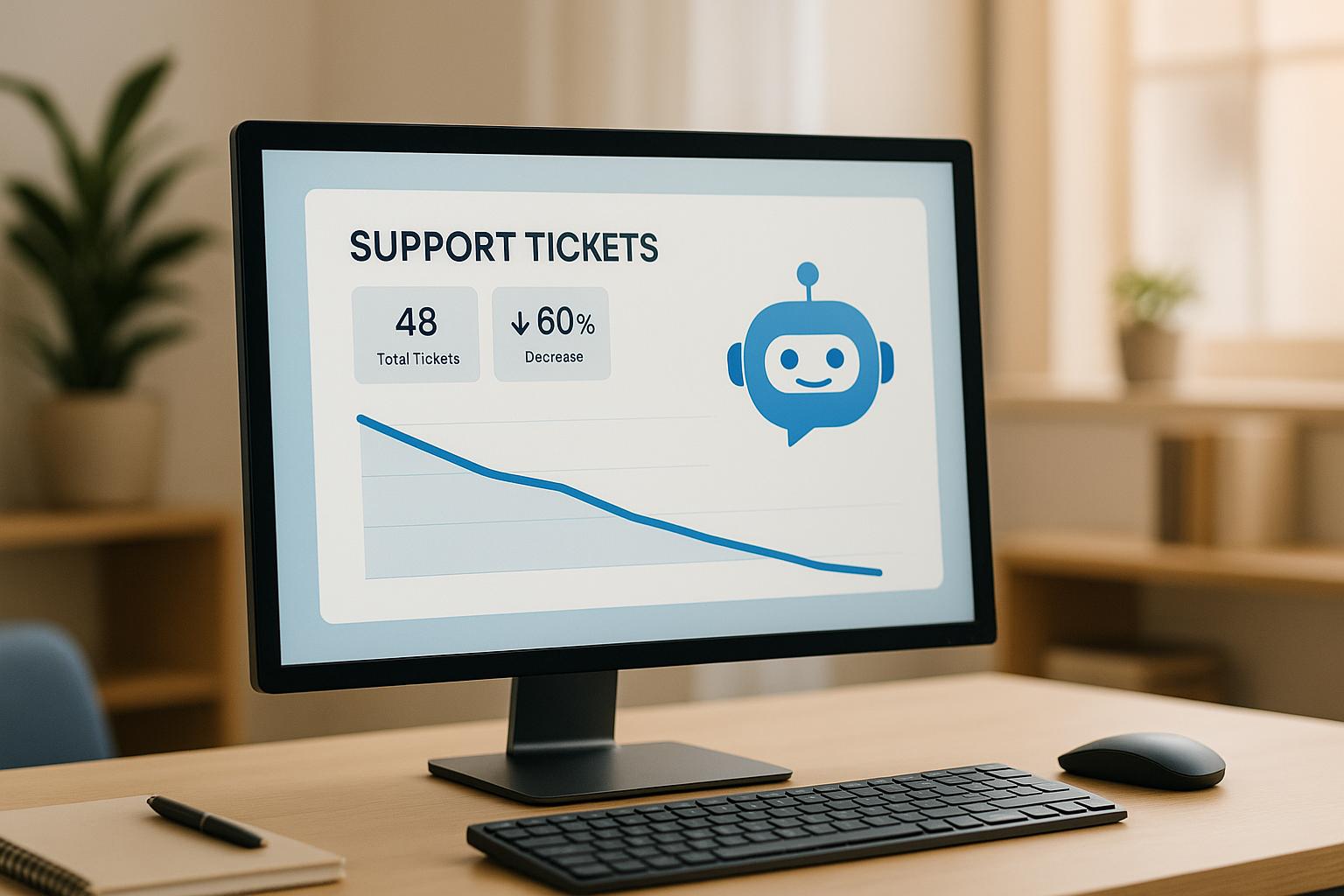
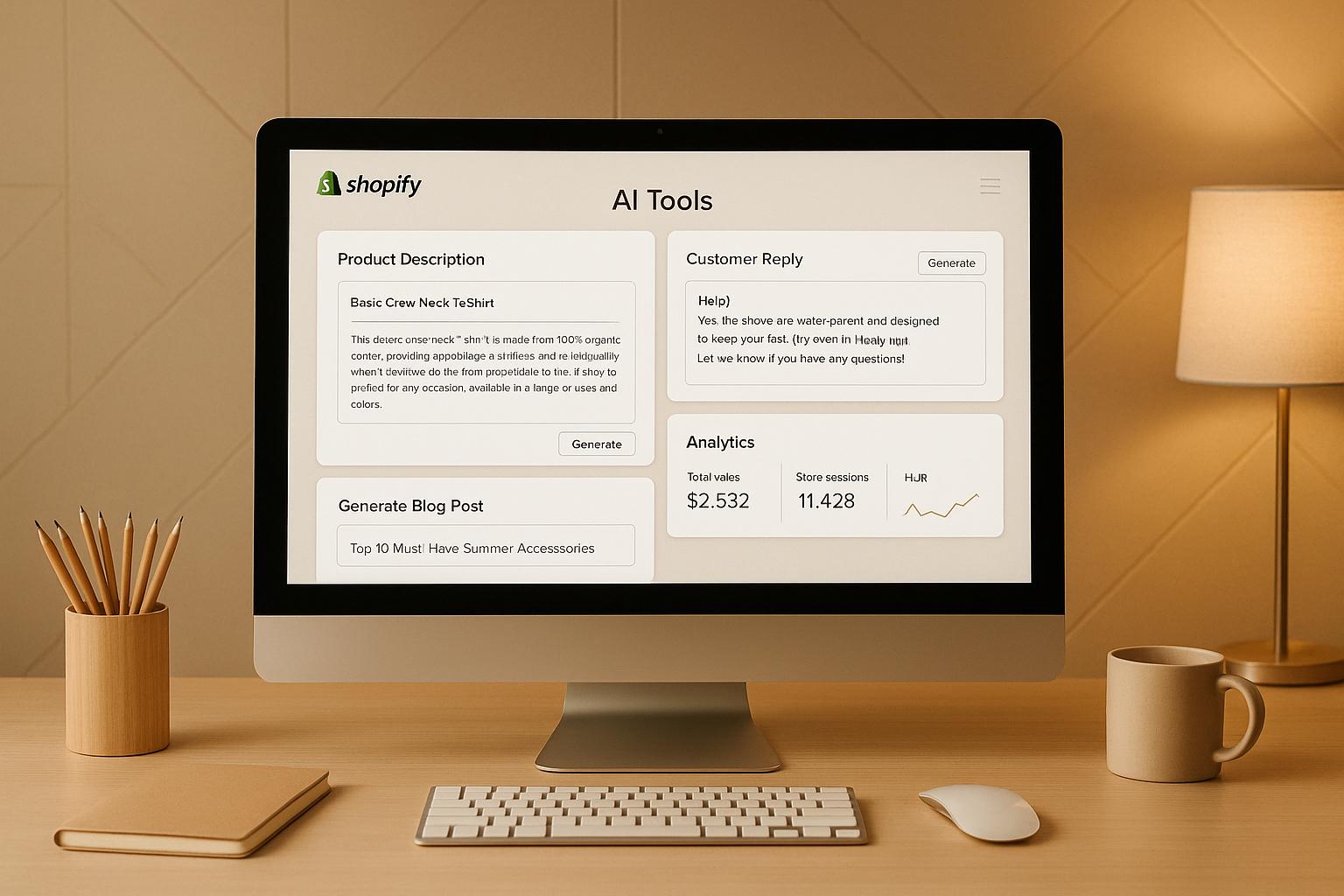
Shopify AI agents cut support tickets by 60% by automating repetitive customer queries like "Where’s my order?" and simplifying processes such as returns and order tracking. These AI tools use store data to provide instant, accurate responses across multiple channels like chat, email, and social media, ensuring 24/7 availability. Customers resolve issues faster, while human agents focus on complex cases. Key benefits include:
- Instant Responses: AI handles FAQs (e.g., shipping details, return policies) in seconds.
- Self-Service Tools: Customers manage tasks like tracking orders and initiating returns without agent involvement.
- Proactive Notifications: Updates on shipping, delays, and restocks reduce inquiries.
- Multi-Channel Support: Consistent help across chat, email, and social platforms.
- Cost Savings: Fewer tickets mean lower operational costs.
With tools like Shopify Inbox, third-party apps, and custom integrations, businesses can implement these solutions effectively. Metrics like ticket deflection rates, response times, and customer satisfaction highlight the success of AI in improving support efficiency and customer experience.
How to Automate Shopify Customer Service with AI (No Coding!)

How Shopify AI Agents Work
Shopify AI agents function as virtual assistants, seamlessly managing customer inquiries by leveraging real-time store data. They tap into your store's backend - product catalogs, order histories, shipping details, and return policies - to offer accurate, immediate responses. Instead of customers waiting in long queues or support staff manually searching for information, these AI agents deliver instant, channel-specific answers.
The technology driving these agents combines machine learning with direct access to your Shopify store's systems. When a customer asks a question, the AI doesn’t simply match keywords - it interprets the context, understands the intent, and provides an appropriate response. This ensures that no matter how a question is phrased, the customer receives the same helpful answer. Over time, the agent learns and refines its responses through repeated interactions.
What sets Shopify AI agents apart is their integration with your store’s infrastructure. This direct connection ensures that customers receive accurate, up-to-date information tailored to their specific needs, rather than generic replies that might miss the mark.
Natural Language Processing for Understanding Customer Requests
The magic behind these smart responses lies in Natural Language Processing (NLP). This technology enables the AI to understand human language and interpret a variety of customer queries. For example, whether someone types "Where's my stuff?" or "I haven’t received my package yet", the AI recognizes both as requests for tracking information. Customers don’t need to use specific keywords or navigate complicated menus - NLP handles the complexity for them.
Here’s how it works: the NLP system breaks down each message into components, identifying the intent (what the customer wants), entities (details like order numbers or product names), and sentiment (whether they’re frustrated, confused, or just curious). For instance, if someone says, "I ordered the blue sneakers last week but got the wrong size", the system identifies the key issues - order details, product specifics, and timing. From there, the AI can retrieve the relevant order, confirm the details, and offer solutions like initiating a return or exchange.
This capability extends across multiple channels, whether customers reach out via live chat, Facebook, or email. The AI maintains context throughout the conversation, so if someone starts by asking about shipping times and then shifts to return policies, the agent understands the connection between these queries and responds accordingly.
Automating Routine Tasks
One of the biggest strengths of AI agents is their ability to handle repetitive tasks that often bog down support teams. Take order tracking, for example: if a customer asks, "Where is my order?" the AI instantly pulls tracking details from the Shopify database and delivers them in seconds. No human involvement is needed, and the customer gets immediate answers without waiting for an email reply.
Beyond answering questions, these agents can also take action. If a customer wants to return an item, the AI can verify eligibility, generate a return authorization, send shipping labels, and update the order status - all through a straightforward conversation. Similarly, the AI can assist with tasks like updating shipping addresses for unshipped orders, applying discount codes, or providing product details directly from your listings.
The automation doesn’t stop there. These agents can troubleshoot common issues, such as declined payments, by guiding customers through verification steps or suggesting alternative payment methods. For inventory-related questions, the AI checks stock levels in real-time and can even notify customers when out-of-stock items are restocked. By automating these workflows, Shopify AI agents significantly reduce the workload for support teams, contributing to the reported 60% drop in support tickets.
Multi-Channel Support and 24/7 Availability
Shopify AI agents offer consistent support across all channels, ensuring a seamless experience no matter how customers choose to interact. Whether someone messages you on Instagram, uses the website chat widget, or emails your support team, the AI provides the same accurate and timely responses. This eliminates the frustration of inconsistent answers depending on the platform or the agent handling the inquiry.
Another major advantage is 24/7 availability. Customers in different time zones or those shopping late at night don’t have to wait for business hours to get help. For example, someone browsing your store at 11:00 PM Pacific time will receive the same instant support as a shopper at 9:00 AM Eastern time. This around-the-clock service is especially valuable during high-traffic periods like Black Friday or holiday sales, where quick answers can prevent cart abandonment and keep purchases moving forward.
Additionally, the multi-channel approach ensures that conversation history follows the customer. If someone starts a chat on your website and later follows up via email, the AI retains the context of the earlier interaction. This means customers don’t have to repeat their issue or provide their order number multiple times, creating a smoother, more personalized experience. It feels less like interacting with a machine and more like talking to someone who truly remembers their needs.
How AI Agents Reduce Support Tickets by 60%
A 60% reduction in support tickets comes from three transformative strategies that reshape customer interactions. Instead of contacting support for every issue, customers are empowered to find answers and complete tasks on their own. At the same time, proactive systems prevent many questions from arising in the first place.
These strategies combine to create a streamlined support system where human agents focus on complex or sensitive issues, while AI handles everything else. This allows your team to dedicate their energy to situations that truly need human judgment and empathy. Let’s break down how instant responses, self-service tools, and proactive notifications work together to slash ticket volumes.
Instant Responses to Common Questions
A large chunk of support tickets stems from recurring questions - think return policies, shipping details, delivery times, and payment methods. When customers wait hours or even days for answers to these basic inquiries, frustration builds, often leading to abandoned carts.
AI agents eliminate this waiting game entirely. The moment a customer asks a question, the AI pulls accurate information from your policies and delivers a response in seconds. For example, if someone asks about return windows, the AI references your specific return policy - whether it’s 30, 60 days, or another timeframe - and explains the process step by step. For shipping inquiries, it provides delivery estimates tailored to the customer’s location and your shipping zones.
What sets this apart is the AI’s ability to handle variations of the same question. Whether a customer asks, “Can I return this?” or “How do I send this back?” the AI delivers the same clear, helpful information about eligibility, the return process, and next steps.
During busy shopping seasons, this instant response capability becomes even more critical. While hundreds or thousands of customers browse at the same time, the AI handles the surge effortlessly - no queues, no hold times, and no overwhelmed support staff. Every customer gets immediate attention, which helps reduce abandoned carts and boost overall sales.
Beyond policy questions, AI agents can also tackle product-specific inquiries. If a customer wants to know whether a jacket is available in size XL or what materials a product contains, the AI pulls this data directly from your product catalog. This eliminates the need for customers to dig through multiple pages or reach out to support for details that should be easy to access.
Self-Service Tools for Quick Resolutions
Building on instant responses, AI empowers customers to resolve their own issues without needing human assistance. This self-service approach changes the way support functions. Instead of submitting a ticket and waiting for a reply, customers can complete tasks through a simple conversation with the AI.
For example, when a customer wants to check their order status, the AI provides full tracking details instantly - current package location, expected delivery date, and any delays. This transparency reduces follow-up inquiries and eases customer concerns about order progress.
Returns are another area where self-service shines. Customers can initiate returns directly through the AI, which verifies eligibility, generates authorization numbers, and sends shipping labels. The order status updates automatically in your Shopify admin, and customers receive confirmation at each step. What once required multiple back-and-forth emails with support can now be resolved in under two minutes.
Address changes are handled just as efficiently. If a customer realizes they entered the wrong shipping address, they can update it through the AI - provided the order hasn’t shipped yet. The AI confirms the new address, updates the record, and reassures the customer that their package will arrive at the correct location.
Even payment issues are simplified. If a payment fails, the AI walks customers through troubleshooting - verifying card details, trying alternative methods, or contacting their bank. For subscription or pre-order payments, the AI provides secure links and clear instructions for updating payment information.
This self-service model respects customers’ time and independence. Many people prefer solving problems themselves rather than explaining their situation to a support agent. The AI enables this autonomy while ensuring accuracy and security, so customers can only access and modify their own orders.
Proactive Notifications to Prevent Issues
The best way to reduce support tickets is to stop them from being created in the first place. Proactive notifications achieve this by keeping customers informed before they feel the need to reach out. When customers know what’s happening with their orders, they don’t need to ask.
Shipping updates form the backbone of proactive communication. The AI sends notifications when an order ships, including tracking details and estimated delivery dates. This steady flow of information reassures customers and eliminates one of the most common reasons people contact support.
Delay notifications go a step further. If a shipment is delayed - due to weather, carrier issues, or customs holds - the AI notifies affected customers immediately. These messages explain the delay, provide a new delivery estimate, and often include an apology or goodwill gesture. This level of transparency turns a potentially negative experience into one where customers feel valued and informed.
Inventory alerts also play a key role. When a customer views an out-of-stock product, the AI offers to notify them when it’s back. Once restocked, the system sends an alert with a direct purchase link. This proactive approach not only saves sales but also reduces questions like “When will this be available again?”
Even order confirmation issues benefit from proactive monitoring. If a customer completes a purchase but doesn’t receive a confirmation email, the AI sends a follow-up message - via SMS or chat - confirming the order went through. This prevents panicked inquiries from customers worried about failed transactions.
Finally, delivery confirmations close the loop. When a package is delivered, the AI sends a notification confirming arrival and inviting the customer to reach out if there’s an issue. This message reassures customers and offers a chance to request feedback or reviews while the experience is still fresh.
Shopify AI Tools and Integration Options
You can set up Shopify AI agents by using a mix of built-in tools, third-party apps, and custom APIs that integrate seamlessly with your systems. Each option plays a role in achieving the goal of cutting support tickets by 60%.
Shopify merchants have three main ways to deploy AI agents: native features, apps from the Shopify App Store, or custom API solutions. Each method caters to different technical needs and levels of customization. Let’s explore how these approaches work to reduce customer service demands.
Built-In AI Features
Shopify’s native tools are designed to simplify customer service without requiring extra apps or technical expertise. These built-in features offer an easy way for merchants to automate routine tasks.
Shopify Inbox is a key tool that centralizes messages from multiple channels and automates responses using store data. It can instantly retrieve order details, tracking numbers, and delivery updates, which helps reduce the flood of “Where’s my order?” inquiries - especially for busy stores.
Another helpful feature is AI-driven product recommendations. These allow customers to quickly find what they’re looking for by scanning your catalog for product details, availability, or suitable alternatives. This streamlines the shopping experience while reducing repetitive questions.
Third-Party AI Add-Ons
The Shopify App Store offers a variety of AI tools that expand on Shopify’s native capabilities. These apps are perfect for merchants who need more advanced automation or tailored solutions.
Popular tools like Tidio, Gorgias, and Zendesk integrate directly with Shopify to provide conversational AI and advanced natural language processing. They often include visual flow builders, letting you design custom conversation paths - no coding required. This means you can create workflows for returns, exchanges, or product inquiries based on customer behavior and order history.
Other apps, such as AI-powered FAQ tools, analyze common customer questions to automatically build and update a self-service knowledge base. Sentiment analysis features can flag potentially negative interactions, ensuring a human team member steps in when necessary.
These apps can also handle tasks like processing returns. For example, they can update order statuses in Shopify, send return labels, and log interactions - all without manual input. If your needs go beyond what apps can handle, custom API integrations offer even greater flexibility.
Custom Configurations and API Integrations
For merchants with complex workflows or enterprise-level demands, custom API integrations provide full control over AI functionality. Shopify’s Admin API allows you to access order management, inventory, customer data, and product catalogs. This means your AI system can do more than just answer questions - it can process refunds, update shipping addresses, or apply discounts based on customer requests.
Webhooks play a critical role in keeping everything updated in real time. For instance, when an order is placed, shipped, or delivered, Shopify can send notifications to your AI system, which can then send updates to customers, modify records, or trigger follow-up actions.
Custom integrations also let you connect Shopify AI agents to external systems like CRM, inventory, or shipping software. This ensures your AI can provide accurate stock availability across multiple locations, keeping customers informed.
If managing multiple integrations feels overwhelming, tools like klink.cloud can simplify the process. Through a single dashboard, klink.cloud lets you connect Shopify to various communication channels - such as email, social media, and live chat - while maintaining a unified view of customer interactions. For merchants operating across multiple marketplaces, klink.cloud’s Enterprise plan supports Shopify alongside platforms like Shopee and Lazada, ensuring consistent AI-driven support. Additionally, their webhook APIs allow you to create highly tailored automation that aligns with your specific tech setup.
While building custom integrations requires technical know-how, the benefits are clear. For stores processing thousands of orders each month, these solutions can streamline operations and significantly lower support costs.
sbb-itb-204ca50
Measuring the Impact of AI Agents
Once you've deployed Shopify AI agents, it's crucial to track specific metrics to determine their effectiveness in reducing support tickets and improving efficiency.
The goal is clear: focus on measurable business outcomes like cutting support costs, enhancing customer satisfaction, and streamlining team performance. By identifying the right metrics and consistently monitoring them, you can make informed decisions to refine your support operations.
Key Performance Metrics
To evaluate how well AI agents are working, focus on metrics that directly impact efficiency and customer experience. Start by establishing a baseline using 30–90 days of data on ticket volume, response times, resolution times, and customer satisfaction. This sets the stage for a clear comparison after implementing AI.
- Ticket Volume and Deflection Rate: These are primary indicators of success. Automation often reduces ticket volume by 30–50%, as repetitive inquiries are resolved without human intervention. The deflection rate - calculated by dividing AI-resolved inquiries by total inquiries - shows how many customer issues are handled entirely by AI. Self-service portals powered by AI typically deflect 40–70% of tickets, especially for common queries like order tracking, shipping details, and return requests.
- Speed Metrics: AI significantly improves response times. First response time - the average time from customer contact to the initial reply - can drop to under a minute for routine questions. Average handle time, which includes both AI and human involvement, often decreases by up to 50% when AI efficiently manages simple tasks and routes complex ones to agents with full context.
- Customer Satisfaction (CSAT): Faster service often leads to happier customers, but it's important to confirm this with data. Use brief surveys during or after interactions to collect 1–5 ratings. Many e-commerce teams aim for a CSAT score between 4.3 and 4.7 out of 5 for AI-managed interactions. If scores dip compared to human-only baselines, it might be time to refine training data or adjust conversation flows.
- Agent Workload and Productivity: AI changes how your team operates. Compare metrics like tickets handled per agent, time spent per ticket, and the percentage of time agents spend on complex versus repetitive tasks. With AI handling simpler inquiries, agents can focus on more intricate issues, often requiring fewer hires and allowing the team to prioritize high-value activities like improving customer retention or generating sales.
- Cost Per Ticket: This metric translates efficiency into financial terms. Divide total support costs by the number of tickets resolved to find the average cost per interaction. As AI handles more tickets, this number should drop. Compare these savings to the cost of hiring additional full-time agents (typically $35,000–$50,000 per year) to see the financial impact.
| Metric Category | What to Measure | How AI Agents Affect It |
|---|---|---|
| Ticket volume & deflection | Total tickets, deflection rate, self-service usage | 30–50% fewer tickets; 40–70% deflected via automation |
| Speed & efficiency | First-response time, resolution time, handle time | Responses in seconds; up to 50% faster resolution times |
| Customer experience | CSAT, repeat contact rate | Higher satisfaction; fewer repeat inquiries |
| Revenue impact | Conversion rate, revenue from AI-led sessions | 10–25% conversion uplift; measurable revenue influence |
| Operational workload | Tickets per agent, time per ticket, staffing needs | Same team handles more volume; focus on complex tasks |
Beyond support metrics, consider how AI affects revenue. Many Shopify merchants using AI-driven tools like chat assistants or product search report a 10–25% boost in conversion rates due to faster responses and better product recommendations. Some tools even track revenue per visit and revenue influenced by AI, giving you a clear picture of the sales impact.
To keep these metrics actionable, set clear goals tied to your business objectives. For example, aim to reduce ticket volume by 40%, cut first-response time to under a minute, or boost CSAT by 10 points. Use your helpdesk or analytics tool to monitor progress weekly and segment results by channel, topic, and season. This ensures reductions in ticket volume are consistent and AI-driven, not just temporary anomalies.
Centralized Management with klink.cloud
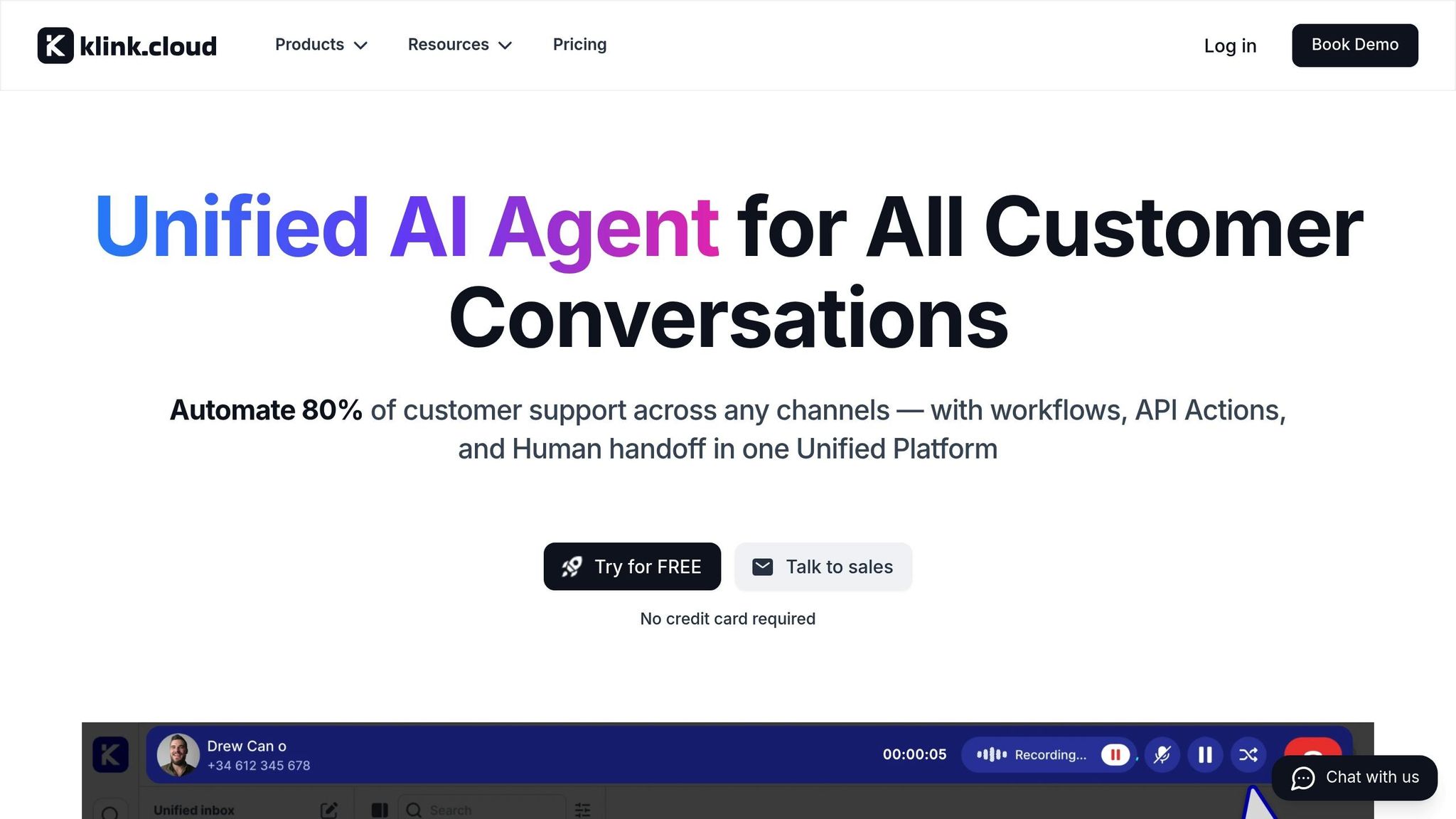
Tracking these metrics is much easier when all your communication channels are managed in one place. If each channel - email, chat, social media, or marketplaces - is tracked separately, managing AI performance can quickly become overwhelming. Centralized platforms solve this by combining customer conversations, automation workflows, and performance data into one unified workspace.
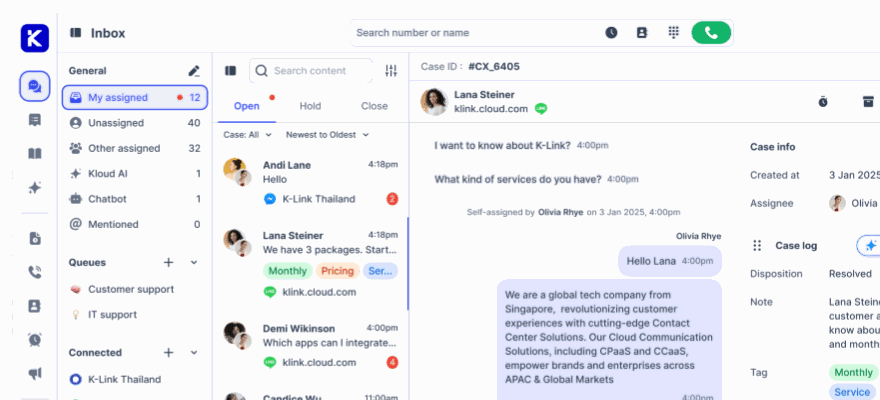
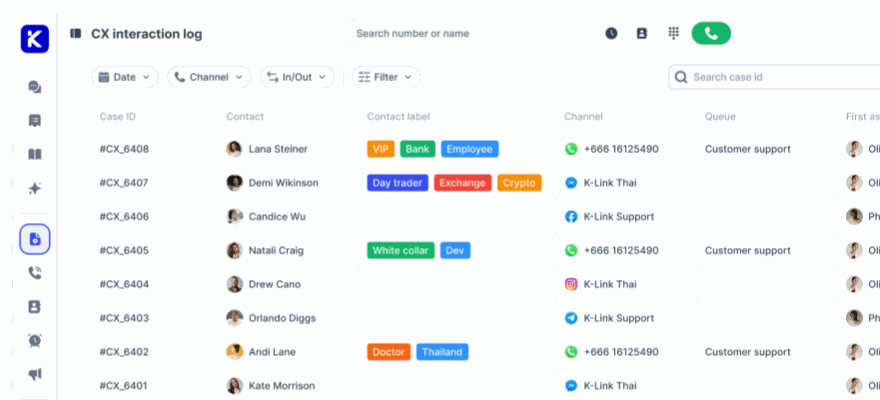
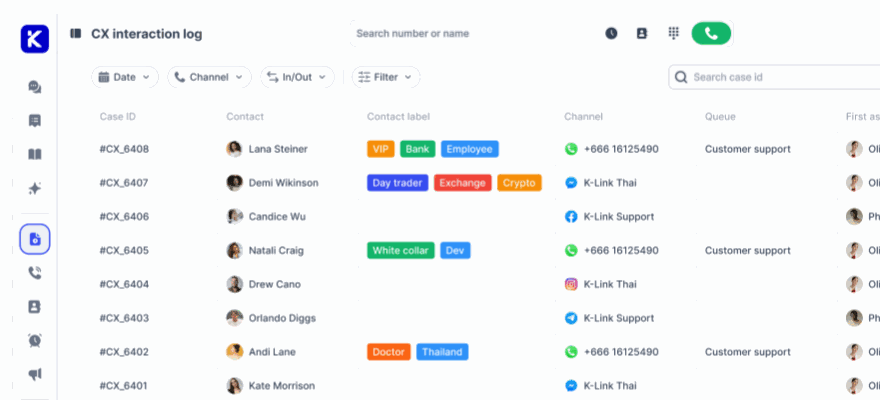
klink.cloud integrates Shopify, WhatsApp, Messenger, Gmail, live chat, and more into a single Unified Inbox. This allows all conversations - whether handled by AI or human agents - to flow through one interface with shared tags, statuses, and automation rules. The result? Consistent reporting on metrics like deflection rate, SLA adherence, and revenue influence across all channels. This centralized view helps identify where AI is excelling or where adjustments are needed.
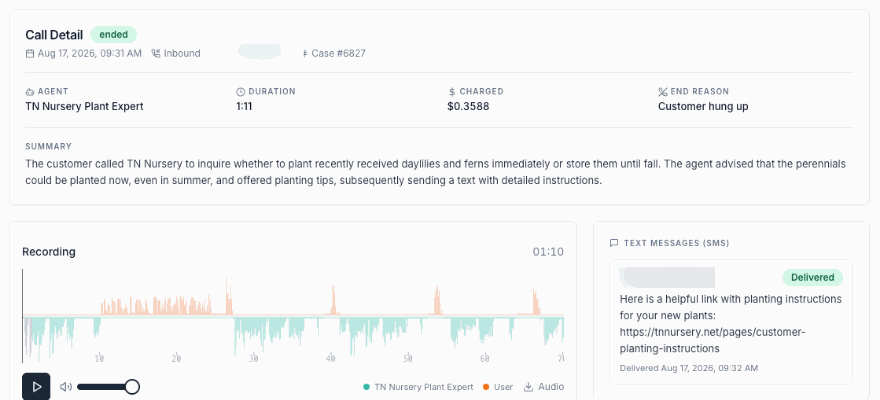
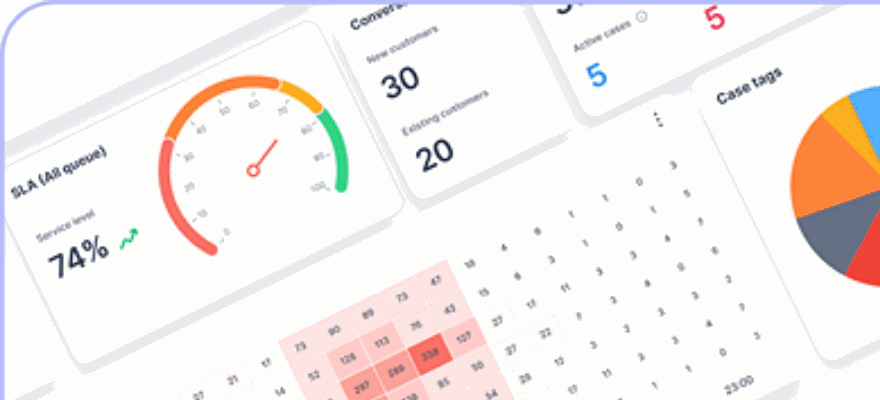
The platform's analytics tools provide instant insights into customer interactions, agent performance, and operational metrics. Instead of juggling data from multiple sources, dashboards highlight trends in ticket reasons, automation rates, and escalation frequency all in one place. This comprehensive view is essential for evaluating whether your AI agents are delivering the expected results.
klink.cloud also offers features like Case Management, which tracks every customer interaction and records metrics such as first response time, SLA adherence, resolution time, and CSAT scores. All this data is unified under a single customer profile, making it easier to analyze AI's impact on your overall performance.
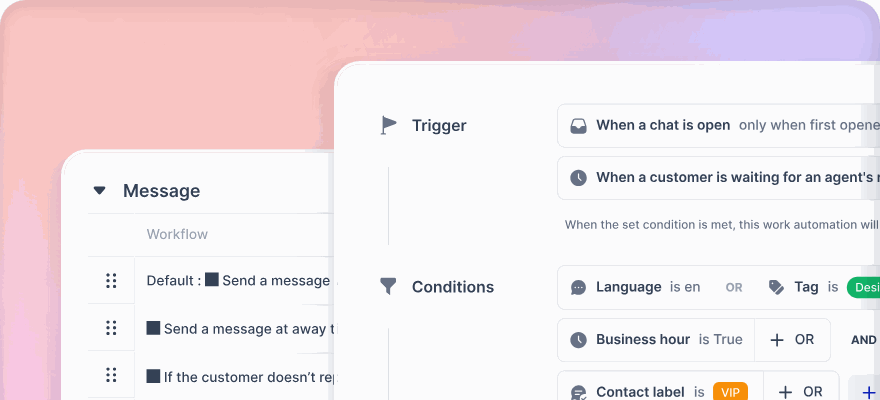
Workflow automations in klink.cloud further streamline operations. Rule-based routing sends complex or high-value conversations directly to human agents, while automated tagging tracks AI-resolved topics. You can even set triggers based on keywords, customer type, language, or VIP status. These tools not only improve response times but also generate valuable data to measure efficiency. For instance, you can track how many customers resolve issues like checking order status or initiating returns through self-service and compare these figures to historical ticket counts.
Merchants using klink.cloud report impressive results. Sarah Lee, Head of Contact Center at Horizon Solutions, shares:
"Since adopting klink.cloud, we've seen a massive improvement in our response times. Our customers are happier, and our agents are more efficient than ever."
James Carter, Operations Manager at MPG BPO, adds:
"klink.cloud has made a huge difference for our contact center! Our agents can easily manage conversations across different channels, helping us respond faster and keep our clients happy. We've seen big improvements in both productivity and customer satisfaction since we started using it."
For Shopify merchants operating across multiple marketplaces, the platform's Enterprise plan supports integrations with Shopee, Lazada, and Shopify, ensuring consistent AI-driven support across all sales channels. With webhook APIs, you can create tailored automations that connect Shopify order data, helpdesk logs, conversation transcripts, and survey tools into a unified analytics layer.
To maintain long-term value from your AI agents, set up a regular review process using klink.cloud data. Biweekly or monthly reviews allow support leaders to examine key metrics, identify top AI topics, and refine workflows. This iterative approach helps update FAQs, test new prompts, and adjust escalation thresholds, ensuring your AI agents adapt as your business evolves. By taking this unified and consistent approach, you can streamline performance tracking and continuously improve your AI-driven support.
Best Practices for Implementing Shopify AI Agents
Rolling out AI agents isn’t just about flipping a switch and hoping for the best. A rushed implementation can lead to poor adoption and frustrated customers. Instead, it’s essential to approach this as a structured project. Think of it as a way to enhance your team, not replace it. By preparing your data, rolling out features step-by-step, and keeping human oversight in the loop, AI agents can seamlessly integrate into your support system without causing disruptions.
Preparing Data and Service Policies
AI agents are only as effective as the data they’re trained on. If your customer information, product details, or service policies are outdated or inaccurate, the AI will end up giving incorrect answers, frustrating customers, and creating extra work for your team.
Start by auditing your knowledge base and service policies. This includes FAQs, help articles, and product details. Many Shopify merchants realize their documentation hasn’t been updated in months - or even years. If your AI agent relies on this outdated content, it will give obsolete answers. Clean up and remove any conflicting or irrelevant information.
Next, ensure your product catalog is in top shape. AI agents need accurate data to answer questions about product specs, availability, sizing, or compatibility. For example, if your store has 500 products but only 200 have detailed descriptions, the AI won’t be able to help customers with the remaining 300 items. Make sure descriptions are complete, images are up-to-date, and inventory levels are accurate.
Your service policies also need to be crystal clear. Vague statements like "returns accepted within a reasonable timeframe" can confuse both customers and AI. Replace these with specific terms, such as "returns accepted within 30 days of delivery." AI excels at applying clear, consistent rules.
Organize all this information in a structured format that’s easy for the AI to process. Use consistent terminology across your documentation. For example, avoid using "refund" in one place and "reimbursement" in another - this can confuse the system.
Your CRM data deserves attention, too. Merge duplicate customer records, standardize address formats, and ensure order histories are complete. When AI agents access customer profiles, they should see a unified view of past purchases, support interactions, and account details. Fragmented data leads to fragmented service.
Lastly, configure your Shopify store to support automation. Enable features like order tracking and automated shipping notifications. The more self-service options customers have, the fewer repetitive questions your AI agents need to handle. To keep everything running smoothly, assign someone on your team to regularly review and update your knowledge base, monitor AI responses, and flag outdated information. Quarterly audits of your product catalog, policies, and FAQs will keep your data fresh and reliable.
Phased Rollout and Ongoing Optimization
Once your data is in order, take a phased approach to rolling out AI agents. Launching across all channels at once can lead to chaos. A step-by-step rollout allows you to test, gather feedback, and fine-tune performance before scaling up.
Start with a pilot phase focused on a single use case or channel. For example, many Shopify merchants begin by automating order tracking inquiries through live chat. These questions are repetitive and straightforward, making them a great starting point. Run the pilot for two to four weeks and monitor performance closely.
During the pilot, keep automation thresholds low. Let the AI handle only the simplest inquiries and escalate anything more complex to human agents. It’s better to start small and build confidence than to overreach and frustrate customers. Analyze conversation transcripts to identify common issues. If customers frequently ask follow-up questions, it’s a sign the AI’s initial responses need improvement.
Once the pilot delivers positive results, expand gradually to other use cases, such as return requests or product availability inquiries. Test each new feature thoroughly before scaling up. Different customer segments - like first-time buyers or VIPs - may have unique needs, so adjust your approach accordingly.
Refine the AI’s training based on real-world interactions. Update response templates, add new FAQs, and tweak conversation flows to address recurring issues. Set benchmarks for each phase, like achieving 85% customer satisfaction or keeping escalation rates below 15%, before moving on to the next step.
Plan for seasonal spikes in support volume, such as during holidays or product launches. Test how the AI handles higher traffic and adjust as needed. For example, you might add temporary FAQs about gift wrapping or expedited shipping during the holiday season.
Document what works and what doesn’t. A playbook of successful strategies will be invaluable as you scale AI to more channels and use cases.
Setting Up Escalation Rules and Human Oversight
Even the best AI won’t handle every situation perfectly. The key to a successful implementation is knowing when to let humans step in. Clear escalation rules ensure complex issues are quickly routed to the right people, maintaining customer trust while maximizing automation.
Set specific triggers for escalation. For instance, if customers use frustrated language like "I want to speak to a real person", the AI should immediately transfer the conversation. Similarly, issues involving damaged products, billing disputes, or custom orders should go straight to human agents.
Establish value-based thresholds. High-value customers or large orders deserve personal attention. For example, automatically escalate conversations involving orders over $500 or customers with a lifetime spend above $2,000.
Time-based rules are also helpful. If an AI conversation drags on without resolution, transfer it to a human agent. Long back-and-forth exchanges usually mean the issue is too complex for automation.
When escalating, ensure the human agent receives the full chat history, customer profile, and order details. This prevents customers from having to repeat themselves. Tools like klink.cloud maintain this context across channels, ensuring smooth transitions whether the conversation started on live chat, email, or social media.
Finally, route escalations to the right team members based on expertise. Product questions should go to product specialists, technical issues to tech support, and so on. Sensitive cases - like complaints about product quality or mentions of legal action - should be flagged for immediate review.
Conclusion
Shopify AI agents bring measurable benefits to the table. A 60% reduction in support tickets means quicker response times, happier customers, and support teams that can dedicate their energy to solving more complex problems that require human insight. By cutting down repetitive inquiries, your team has the bandwidth to focus on meaningful customer engagement.
This shift toward AI-driven support isn't about replacing human agents - it’s about enhancing their capabilities. With AI instantly handling routine questions, customers get immediate answers, while your team can tackle more nuanced issues during business hours. The result? A smoother, more satisfying experience for everyone involved.
To make AI work effectively, clean data, a phased rollout, and well-thought-out escalation rules are key. Rushing the process often leads to underwhelming results, while a deliberate, step-by-step approach ensures a steady drop in ticket volumes and better outcomes.
While the cost savings are impressive, the real advantage lies in scalability. As your Shopify store grows, AI agents can handle increasing ticket volumes without a corresponding increase in support costs. Whether your store processes 100 orders per day or 1,000, AI adapts seamlessly to meet the demand.
For merchants managing customer support across multiple channels, platforms like klink.cloud simplify the process by centralizing AI agent performance alongside human interactions. Whether the conversation happens via live chat, email, or social media, this unified view helps you identify trends and fine-tune AI responses for better results.
The 60% reduction in tickets is just the beginning. Think of AI as a continuous investment. Regularly updating your knowledge base ensures your automation stays sharp and effective. Over time, AI can transform your support operation into one that’s not only efficient but also deeply customer-focused.
FAQs
How do Shopify AI agents use store data to deliver accurate customer support?
Shopify AI agents work effortlessly with your store's data by tapping into the Shopify Catalog. This connection enables them to deliver accurate, real-time answers to customer questions about product availability, pricing, and shipping details.
By using up-to-the-minute data from your store, these AI agents ensure customers get reliable and consistent information, cutting down on the need for your support team to step in manually.
How do Shopify AI agents help reduce the workload for support teams?
Shopify's AI agents are transforming customer support by taking care of routine tasks like answering frequently asked questions, offering real-time order tracking updates, and helping with returns or account-related issues.
By managing these repetitive inquiries, the AI tools allow human agents to dedicate their time and energy to resolving more complex concerns. This approach boosts efficiency and enhances the overall customer experience. Plus, automation helps cut down ticket volumes while improving the self-service options available to customers.
How can businesses evaluate the impact of Shopify AI agents on customer support and ticket reduction?
To gauge how Shopify AI agents are performing, businesses can dive into essential customer support metrics like automation rate, customer satisfaction scores (CSAT), and average response times. These numbers give a clear picture of how well the AI is simplifying processes and improving the overall customer experience.
It’s also helpful to monitor the kinds of inquiries the AI handles and their resolution rates. This can reveal how efficiently the system operates. By keeping a close eye on these data points, businesses can assess success and pinpoint opportunities to fine-tune the system for even better results.