The Ultimate Guide to Using WhatsApp AI Agent with Shopify
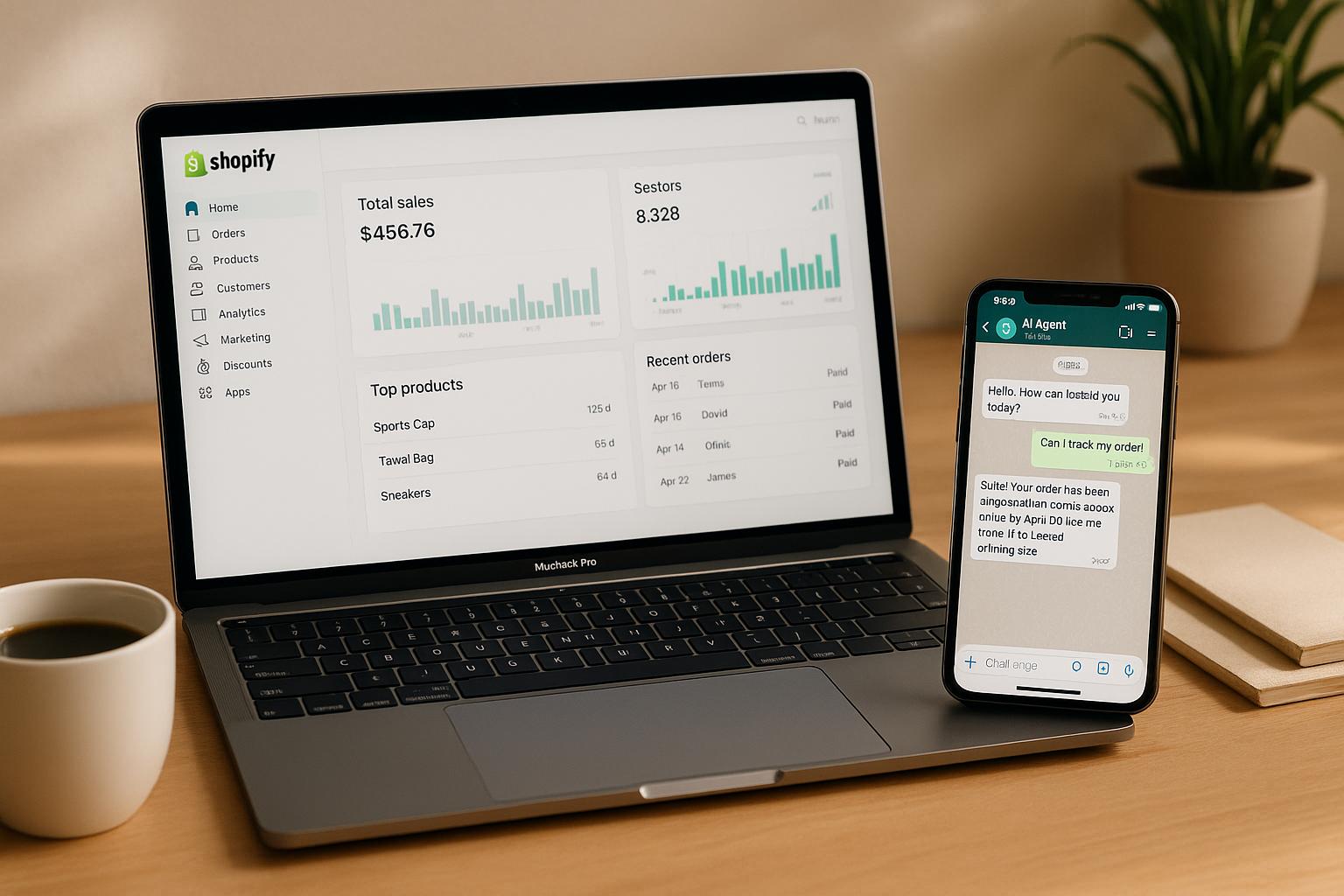
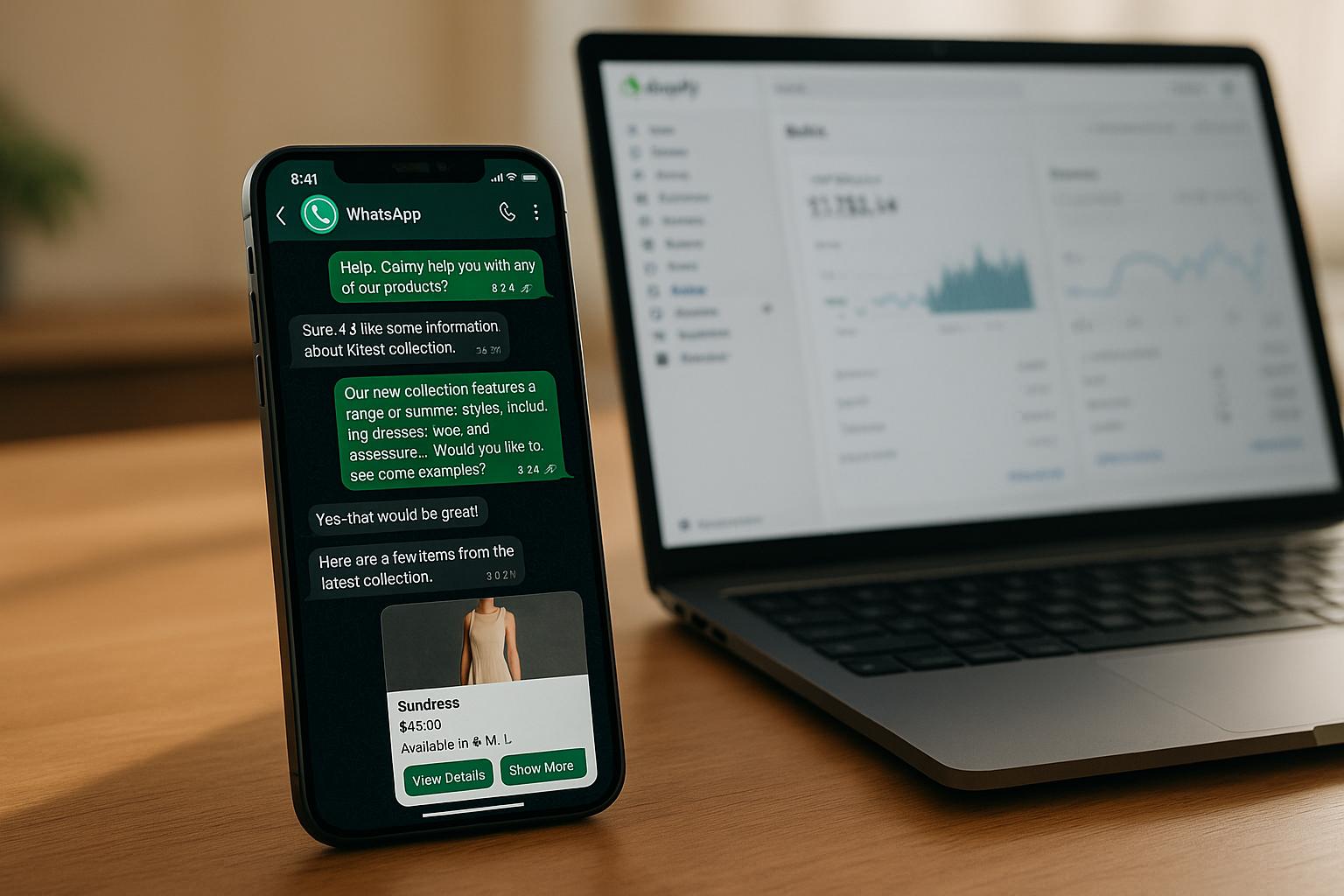
Looking for a way to handle customer questions, boost sales, and save time? A WhatsApp AI agent integrated with Shopify can do all that - and more. It automates customer messages, provides instant answers, and even helps recover abandoned carts. Here’s what you’ll learn in this guide:
- Why WhatsApp matters for e-commerce: With 2.95 billion active users and 98% message open rates, it’s the perfect channel for customer communication.
- How a WhatsApp AI agent works: Automates responses, recommends products, tracks orders, and processes payments using Shopify data.
- Benefits for Shopify merchants: Improve customer experience, increase sales, and reduce manual tasks.
- Step-by-step setup: Create a WhatsApp Business account, sync Shopify with klink.cloud, and configure AI workflows.
- Personalization and compliance: Use Shopify data to tailor messages while meeting privacy laws like GDPR and CCPA.
This guide breaks down everything you need to know to start using WhatsApp AI with Shopify, so you can simplify operations and deliver a better customer experience.
Preparing for Integration
Before linking WhatsApp AI with your Shopify store, it's crucial to get your accounts and data in order. This means ensuring everything is set up correctly, your store information is accurate, and you're following best practices. Proper preparation helps avoid integration hiccups and compliance issues. Start by setting up your WhatsApp Business account with these straightforward steps.
Setting Up Your WhatsApp Business Account
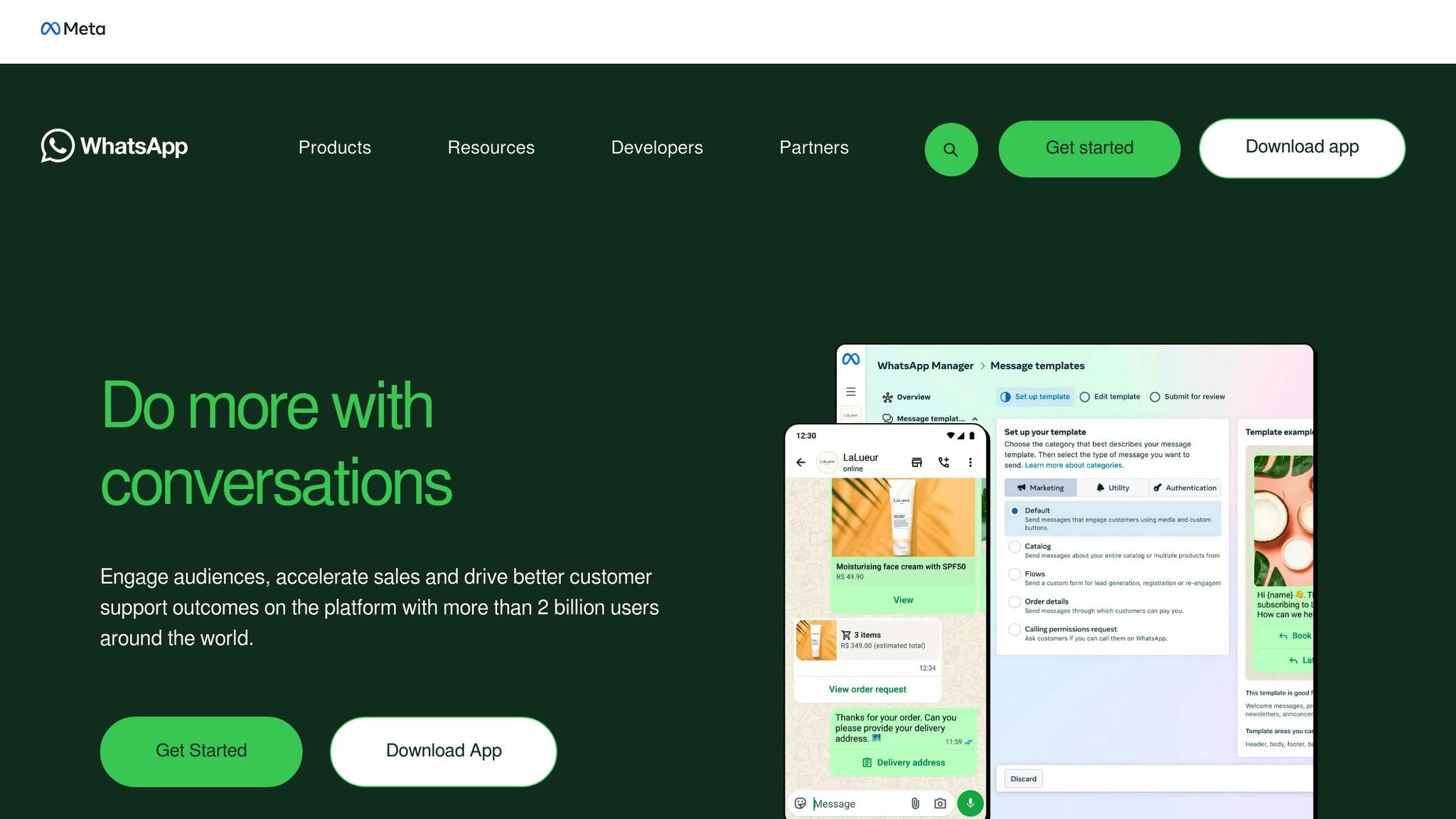
The first step is creating a WhatsApp Business account. Unlike the standard WhatsApp app, this version is tailored for businesses, offering features like automated messages, business profiles, and analytics.
To get started, download the WhatsApp Business app or sign up through the WhatsApp Business Platform (formerly WhatsApp Business API). Shopify merchants often prefer the Business Platform since it supports multiple users, integrates with other tools, and handles large message volumes.
You'll need a dedicated phone number for your business account - this number cannot already be linked to a personal WhatsApp account. Many U.S. merchants use a separate business line or a VoIP number from providers like Twilio or Vonage. Make sure the number can receive SMS or voice calls for verification.
Next, create your business profile. Add details like your store name, a brief description, business hours (using U.S. time zones such as EST, CST, MST, or PST), website URL, and business category. Choosing "E-commerce" or "Retail" as your category helps customers understand your business at a glance. If your business operates entirely online, you can include a headquarters address or leave it blank.
Verification is a key step. WhatsApp requires businesses to verify their accounts to prevent spam and establish trust. This process involves confirming your phone number and submitting business documentation, such as your EIN, business registration papers, or proof of domain ownership. Once verified, your account will display a green checkmark next to your business name, which reassures customers.
Take time to review WhatsApp’s Commerce Policy and Business Policy. These guidelines outline acceptable practices, such as only messaging customers who have opted in and responding to inquiries promptly to avoid restrictions or account suspension.
Configuring Your Shopify Store

Once your WhatsApp Business account is ready, shift your focus to preparing your Shopify store for seamless integration with your AI assistant.
Start by ensuring your product listings and inventory levels are accurate. Double-check titles, descriptions, prices, and images to ensure everything is up-to-date. The AI agent relies on this information to answer customer questions effectively. Enable inventory tracking in Shopify under Settings > Products to keep everything in sync.
Set up your customer notification preferences by navigating to Settings > Notifications in your Shopify admin panel. While WhatsApp will handle many customer interactions, keeping email notifications as a backup is a smart move. Configure order confirmations, shipping updates, and delivery notifications to ensure no communication is missed.
If you sell on multiple platforms like Instagram or Facebook, make sure these channels are properly connected and that product availability is consistent across them. This ensures a unified shopping experience for your customers.
Check your shipping zones and rates under Settings > Shipping and Delivery. Confirm that your shipping rates are accurate for different U.S. regions. If you offer free shipping above a certain amount (e.g., $75), ensure this is clearly set up so your AI agent can provide accurate information to customers.
Lastly, review your customer segmentation settings. This allows your AI agent to tailor interactions based on customer preferences and behaviors.
Data Privacy and Compliance Requirements
Handling customer data responsibly is essential - not just for legal reasons but also for maintaining trust. When integrating WhatsApp with Shopify, you'll be managing sensitive information like phone numbers, purchase history, and payment details. Mishandling this data can lead to legal penalties and damage to your reputation.
Make sure you obtain explicit opt-in consent before messaging customers. This can be collected through website pop-ups, checkout forms, or in-store sign-ups. A simple checkbox like “Yes, I’d like to receive updates and special offers on WhatsApp” works well. Record and store this consent securely in Shopify using customer tags or custom fields.
In the U.S., regulations like the Telephone Consumer Protection Act (TCPA) and the CAN-SPAM Act require written consent for marketing messages and clear opt-out options. If you serve customers outside the U.S., you'll also need to comply with laws like GDPR and the California Consumer Privacy Act (CCPA), which impose stricter rules on data handling and access.
Update your Shopify store’s privacy policy to include details about WhatsApp communications. Explain how customer data is collected, used, and protected, and mention any automated messaging. Make this policy easily accessible by linking it in your website footer and WhatsApp business profile.
Set data retention policies for both Shopify and WhatsApp. Decide how long you’ll keep conversation logs - many businesses retain messages for customer service purposes for a set period before deleting them unless required for legal reasons.
When processing payments through WhatsApp, use secure, PCI-compliant methods. Avoid saving sensitive payment details in plain text to minimize risks.
For U.S.-specific settings, ensure your Shopify store displays prices in U.S. dollars ($), uses the MM/DD/YYYY date format, and applies imperial measurements (inches, pounds, ounces) for product dimensions and weights. Under Settings > General, select "United States" as your store location and set the appropriate time zone. This ensures order dates, shipping estimates, and sales periods align with customer expectations.
Enable automatic tax calculation under Settings > Taxes and Duties for the states where you have nexus. Make sure your AI agent can reference these tax settings to provide accurate total costs when customers ask.
Finally, establish a data breach response plan to ensure you can quickly notify and address any issues if they arise.
Once your Shopify store and compliance settings are ready, you can confidently connect WhatsApp AI to your store and start enhancing customer interactions.
Connecting WhatsApp AI Agent with Shopify Using klink.cloud
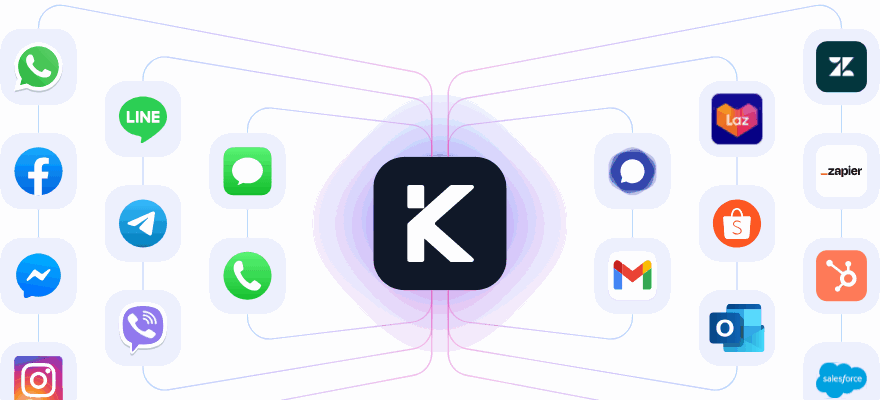
Once your WhatsApp Business account is verified and your Shopify store is set up, it's time to bring them together using klink.cloud. This platform acts as the link between your Shopify store and WhatsApp, giving you real-time access to Shopify data for seamless customer interactions. The process involves three key steps: connecting your Shopify store, integrating WhatsApp, and creating AI workflows to manage interactions.
Linking Shopify to klink.cloud
To start, connect your Shopify store to klink.cloud. This step allows the platform to access your product catalog, inventory, customer data, and order details. With this connection, the AI agent can provide accurate answers to questions about product availability, order tracking, and shipping.
Log into your klink.cloud account and head to the integrations section. Locate the Shopify connector and begin the setup. You'll be redirected to Shopify for authorization - log in as the store admin to approve the connection.
During this process, Shopify will outline the permissions klink.cloud needs, such as read access to products, orders, customers, and inventory, as well as write access to orders (to update order notes or create draft orders). Only grant the permissions necessary for your workflows to limit data exposure.
Once authorized, klink.cloud will sync your store's data, including your product catalog, inventory levels, customer list, and recent orders. This initial sync usually takes just a few minutes, depending on the size of your store.
After the sync, check that the data appears in the correct format. Be mindful of who on your team has access to klink.cloud and what information they can view. Since customer data - like names, addresses, and order histories - is now stored on the platform, limit access to authorized personnel only. Assign roles carefully, such as read-only access for customer service agents and broader permissions for managers, and enable audit logs to track data usage.
Document any new data flows, then proceed to integrate your WhatsApp Business account through klink.cloud.
Adding WhatsApp to klink.cloud
With your Shopify data synced, the next step is to connect your verified WhatsApp Business account. This integration allows klink.cloud to send and receive WhatsApp messages on your behalf, directing conversations to either the AI agent or your team as needed.
Within klink.cloud, go to the messaging channels section and select WhatsApp. You'll need to connect your WhatsApp Business number via Meta Business Manager. If your WhatsApp Business account isn't verified yet, complete that step first, as Meta requires verification to use the WhatsApp Business Platform API.
Select a dedicated business number (not tied to a personal WhatsApp account) and follow the prompts to authenticate your account. Log in through Meta Business Manager, choose your verified business, and authorize klink.cloud to manage messages, templates, and analytics. Approve the necessary permissions to finalize the connection.
Afterward, update your WhatsApp business profile in klink.cloud. Add your business name, logo, description, and website URL to match your Shopify store's branding. Set business hours based on your local U.S. time zone (e.g., Monday to Friday, 9:00 AM to 6:00 PM Eastern Time) so customers know when live support is available. Outside these hours, your AI agent can handle inquiries, but complex issues may be escalated to human agents during business hours.
Create a welcoming greeting message for first-time customers, such as: "Hi! Thanks for contacting [Your Store Name]. Our AI assistant is here to help with order tracking, product questions, and more. How can we assist you today?" Additionally, set an away message for when your business is closed, like: "Thanks for reaching out! We're currently closed but will respond when we reopen. In the meantime, our AI assistant can help with basic inquiries."
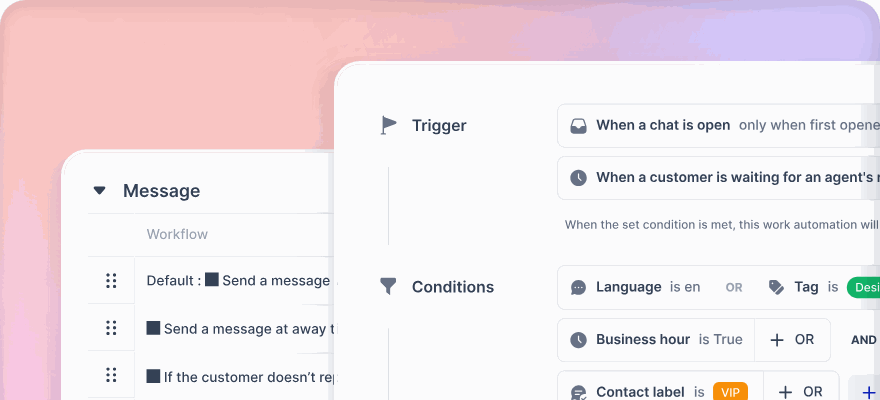
Next, configure routing rules to manage how conversations are handled. For example, routine questions like "Where is my order?" can be managed by the AI, while more sensitive issues like refunds can be escalated to a human agent. You can also set up keyword triggers for terms like "refund" or "cancel" to prioritize those messages. For U.S. customers, consider time-based routing - forward urgent inquiries to human agents during business hours, and let the AI collect details for follow-up after hours.
Finally, test your WhatsApp connection by sending a message from a personal phone to your business number. Confirm that the message appears in klink.cloud's inbox, the greeting displays correctly, and the AI agent responds appropriately. Also, check that your business profile details - logo, description, and hours - look professional and align with your Shopify branding.
Building AI Workflows
With Shopify and WhatsApp connected, the final step is to design workflows that enhance customer interactions. These workflows dictate how the AI agent responds in different scenarios, retrieves data, and escalates issues to human agents when necessary.
For example, create a workflow for order status inquiries. Program the AI to recognize phrases like "track my order" or "order status." When such phrases are detected, the AI should ask for identifying details, such as an order number or email address. It can then use the klink.cloud integration to query Shopify and find the matching order.
The AI can respond with details like the order status (e.g., processing, shipped, delivered), the carrier (e.g., USPS, UPS, FedEx), and a tracking link. For instance: "Your order #1234 shipped on 12/03/2025 via USPS and is currently out for delivery. Track it here: [link]. Expected delivery is today by 8:00 PM EST." The workflow can also offer follow-up options, such as receiving delivery updates, modifying shipping details, or connecting to a human agent for further assistance.
These workflows ensure that your AI agent provides quick, accurate responses while seamlessly escalating more complex issues to your team when needed.
Improving Customer Journeys with WhatsApp AI
Your WhatsApp AI agent plays a key role in guiding customers through their shopping experience by anticipating their needs and delivering timely, tailored updates. These carefully crafted touchpoints build on earlier workflows to create a smooth and engaging journey.
Automating Key Customer Touchpoints
Focusing on key moments in the shopping process can make a big difference. Automating these interactions not only saves your team time but also ensures consistent communication.
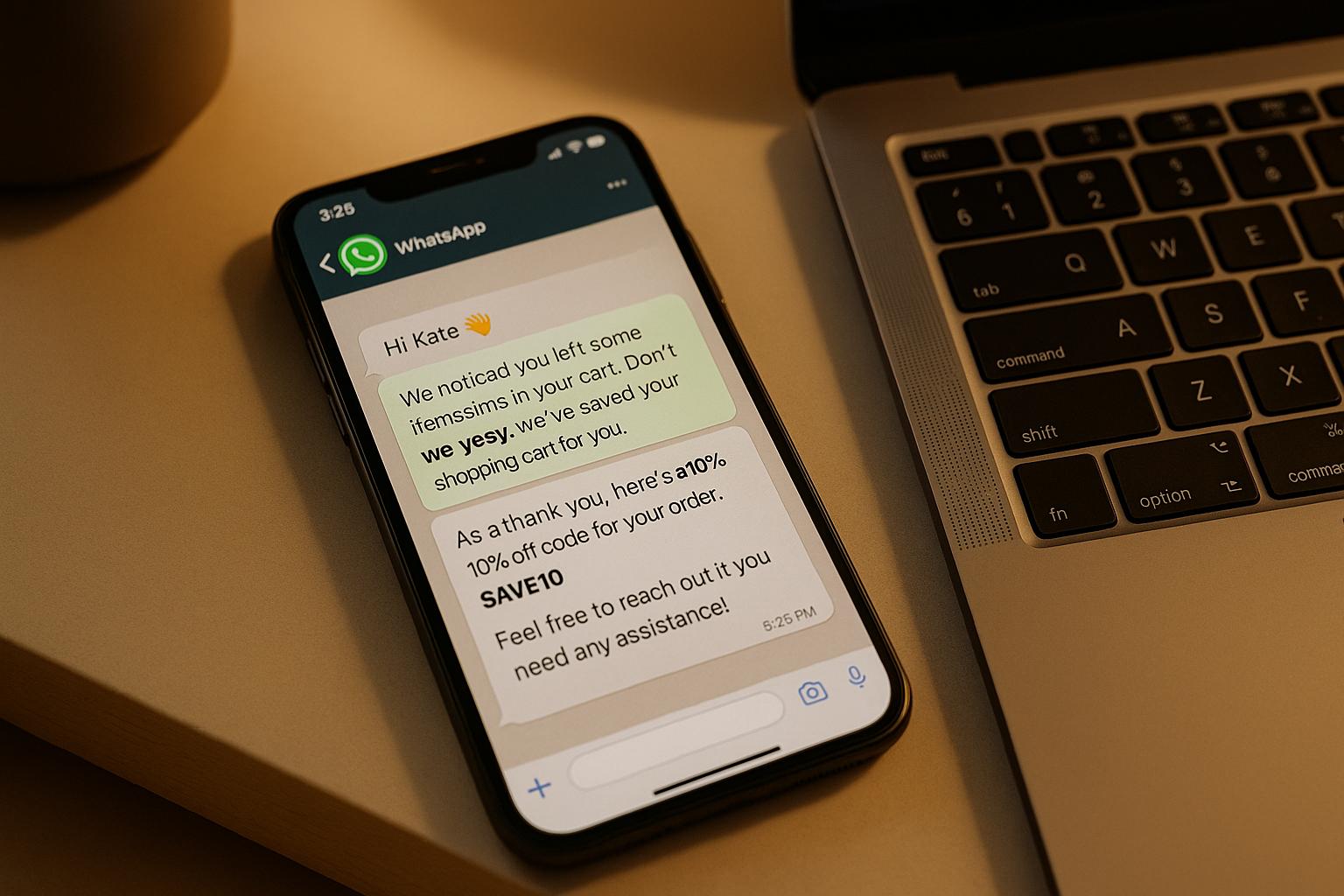
Take abandoned cart recovery, for example. When a customer leaves items in their cart without checking out, your AI can send a friendly reminder within hours. Something like: "Hi Sarah! You left a Blue Cotton Tee (Size M) in your cart. Complete your order here: [checkout link]." If the cart remains unpurchased, follow up 24 hours later with an incentive, such as free shipping or a 10% discount. The AI should monitor purchases to avoid unnecessary reminders.
Another critical touchpoint is order confirmation and updates. Right after a customer places an order, send a confirmation via WhatsApp with details and tracking links. Keep them informed as their order progresses - when it’s packed, shipped, and out for delivery. For instance: "Great news! Your order #5678 has shipped via FedEx and will arrive by Friday, 12/08/2025, at 5:00 PM EST. Track it here: [link]." These updates reduce routine inquiries, allowing your team to focus on more complex issues.
Post-purchase follow-ups are great for keeping customers engaged. A few days after delivery, the AI can check in with a message like: "Hi Mark! Your order arrived on 12/05/2025. How’s everything? We’d love to hear your feedback!" You can also encourage reviews or suggest complementary items. If any issues arise, the AI can escalate them to a human agent.
For consumable products, reorder reminders can drive repeat purchases. For example, if a customer buys coffee beans, the AI might send: "Running low on your favorite coffee? Reorder your Colombian Roast here: [product link]. Use code REORDER10 for 10% off." These timely nudges feel helpful rather than intrusive.
Adding a personal touch with birthday and anniversary messages can also build loyalty. Using data from Shopify, the AI can send special offers, like: "Happy Birthday, Jessica! 🎉 Enjoy 15% off your next purchase with code BDAY15. Valid through 12/12/2025." These small gestures encourage customers to return.
Using Shopify Data for Personalization
With Shopify data, your AI agent can tailor interactions to match customer behavior and preferences. Generic messages no longer work - customers expect brands to know what they like and communicate accordingly.
Start by leveraging customer tags to segment your audience. Shopify allows you to tag customers as "VIP", "first-time buyer", or "frequent shopper." Your AI can use these tags to adjust messaging. For example, VIP customers might get early access to new products: "Hi David! As one of our VIP customers, you’re getting exclusive early access to our Winter Collection - 24 hours before everyone else. Shop now: [link]." First-time buyers, on the other hand, might receive a welcome series introducing your brand and offering helpful tips.
Purchase history is another goldmine for personalization. If a customer bought running shoes, the AI could recommend related items like moisture-wicking socks: "Hi Emily! Since you loved the Trail Runner Pro, you might like our new Performance Socks - designed for long-distance comfort. Check them out: [product link]." These suggestions feel thoughtful and relevant.
You can also use browsing behavior to guide follow-ups. If a customer repeatedly views a product without purchasing, the AI might say: "Still thinking about the Leather Messenger Bag? It’s back in stock in Brown (your preferred color). Grab it before it sells out again: [link]." This shows customers you’re paying attention to their interests.
For high-value customers, order value can shape the level of service they receive. For instance, the AI might offer personalized shopping assistance: "Hi Michael! We see you’re interested in our Premium Watch Collection. Would you like to schedule a 15-minute video call with our product specialist to discuss features and sizing? Reply YES to book a time." This extra care makes customers feel valued.
Finally, personalization can extend to language and tone. If your store serves customers across different U.S. regions, the AI can adjust its style to match regional preferences, creating a more natural connection.
Managing Payments, Shipping, and Discounts
Accurate handling of transactional details is crucial for building trust. Your WhatsApp AI agent should present pricing, shipping, and discounts clearly and in line with U.S. standards.
Display all pricing in U.S. dollars with proper formatting, like "$49.99" or "$1,250.00" for higher-priced items. If an item is on sale, show both the original and discounted price: "~$79.99~ $59.99 (Save $20.00)." Transparency here helps customers see the value in their purchase.
For shipping, provide details in imperial units and reference U.S. time zones using the 12-hour clock format (e.g., "Arrives by Thursday, 12/07/2025, at 3:00 PM PST"). If a customer inquires, the AI can reference Shopify’s settings to provide precise costs: "Shipping to Austin, TX will cost $8.50 via USPS Priority Mail (2-3 business days) or $15.00 via FedEx Express (1-2 business days). Which would you prefer?"
When it comes to discount codes, ensure they are valid and apply to items in the customer’s cart. The AI can also automatically apply discounts during checkout to streamline the process.
For returns and exchanges, the AI should explain policies clearly. For example: "We accept returns within 30 days of delivery. Items must be unworn and in original packaging. To start a return, reply with your order number and reason for return, and we’ll send you a prepaid return label via email within 24 hours." This straightforward approach reduces misunderstandings and unnecessary back-and-forth communication.
sbb-itb-204ca50
Tracking Performance and Scaling Your Strategy
To scale your WhatsApp AI effectively, it’s essential to monitor key metrics, refine workflows based on real data, and ensure compliance with regulations.
Metrics to Track
Start by defining clear KPIs that connect your WhatsApp AI efforts to measurable business outcomes. Focus on three main areas: customer service efficiency, sales impact, and engagement quality.
Customer Service Efficiency:
- First response time: Aim for under 30 seconds during business hours (e.g., 9:00 AM to 5:00 PM Eastern Time).
- Average resolution time: Track how long it takes to fully resolve customer inquiries.
- Automated resolution rate: Set a goal for 60–70% of common questions (like order status, shipping details, or product queries) to be handled without human intervention.
Sales Impact:
- Orders and revenue from WhatsApp: Use klink.cloud dashboards to monitor Shopify orders and total revenue (in USD) generated through WhatsApp chats.
- Conversation-to-order conversion rate: Measure how many WhatsApp conversations lead to completed purchases.
- Average order value (AOV): Evaluate whether personalized AI recommendations are increasing order amounts.
Engagement Quality:
- Delivery, read, and reply rates: Track performance for each message template or campaign, noting that WhatsApp often achieves over 90% read rates.
- Customer satisfaction score (CSAT): Include a quick one-tap survey at the end of conversations (e.g., "How was your experience today? 😊 👍 or 👎"). Aim for a score of 4.5 out of 5 or higher.
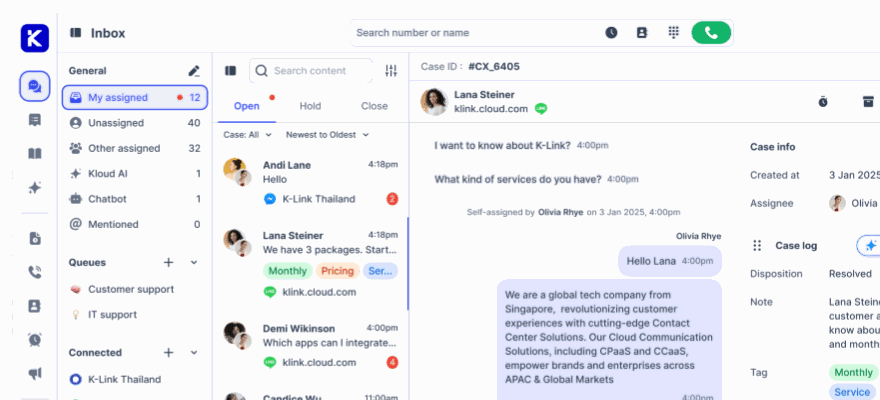
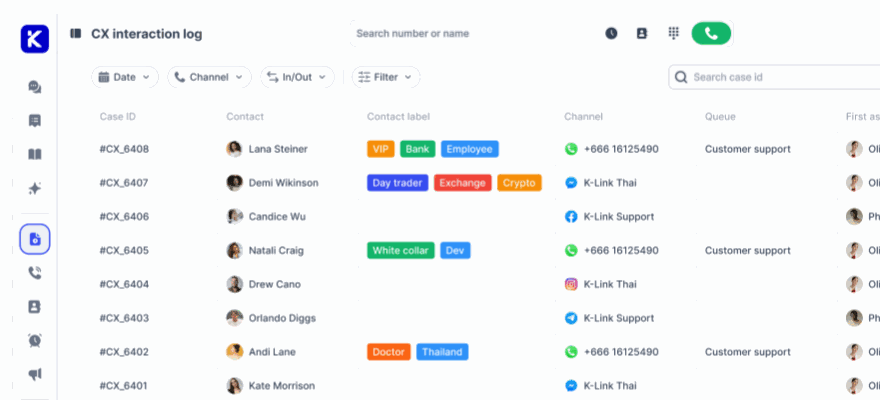
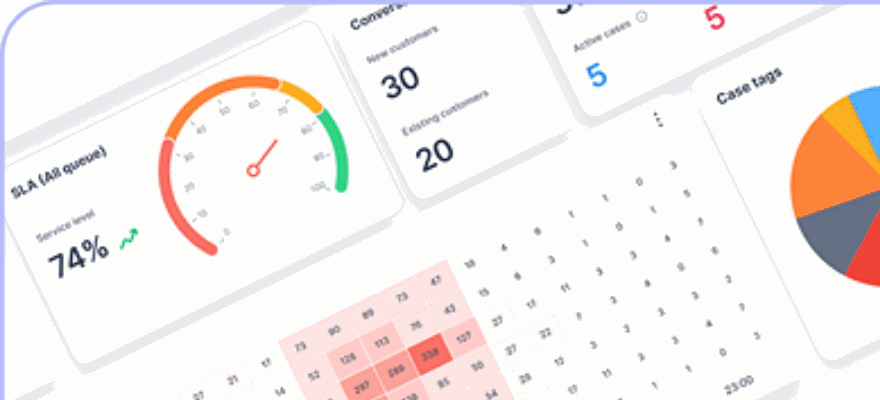
Klink.cloud’s dashboards make it easy to consolidate these metrics, showing details like first response time, resolution time, SLA adherence, sentiment analysis, and CSAT scores for each customer. Additionally, the platform tracks agent performance for escalations, helping you identify trends and plan improvements. Establish a routine for reporting: daily operational checks, weekly performance reviews, and monthly strategic summaries. Use clear naming conventions (e.g., "WA-AI-AbandonedCart-Q1-2026") with matching UTM parameters or custom sales channels in Shopify to tie revenue directly to specific WhatsApp interactions.
These insights will help you fine-tune your AI workflows for better results.
Refining AI Workflows
Improving your AI workflows requires regular analysis of tracked metrics and feedback to enhance both efficiency and customer satisfaction. Continuous updates based on real conversations are key to making your AI smarter.
Review conversation transcripts weekly, focusing on negative outcomes like low CSAT scores, escalations to human agents, or abandoned chats. Identify recurring issues. For instance, if many customers ask, "When’s my stuff getting here?" and the AI doesn’t recognize it as an order status inquiry, refine its training with phrases such as "my stuff", "my package", or "my order."
Address problems based on their frequency and impact. For example, if 20% of escalations are due to the AI lacking return policy details, create a workflow that explains your 30-day return policy, provides instructions for prepaid labels, and collects order numbers. Test these updates against existing workflows to measure improvements in resolution times and CSAT scores.
Collect feedback beyond CSAT ratings. When customers leave low scores, ask for more details: "We’re sorry to hear that. Can you tell us what went wrong?" Categorize responses by themes like speed, clarity, politeness, accuracy, or missing features, and tackle the most common issues first.
Pay special attention to seasonal patterns. High-traffic periods like Black Friday/Cyber Monday, the December holidays, and back-to-school season often bring a surge in messages. Prepare by creating seasonal workflows that prioritize stock availability, shipping deadlines, and time-sensitive discounts. Adjust escalation rules to ensure high-value or complex orders are quickly routed to human agents during these busy times.
Document everything in a playbook - successful training phrases, high-performing message templates, and effective escalation triggers. This resource will be a lifesaver when expanding to new product lines or onboarding team members.
Maintaining Compliance and Quality
As your WhatsApp AI scales, maintaining compliance and quality control becomes increasingly important, especially with higher conversation volumes and stricter regulations.
To ensure compliance, enforce clear opt-in and opt-out rules as your audience grows. Every promotional message should include a simple opt-out option, like "Reply STOP to unsubscribe." Platforms like klink.cloud can automate this by updating customer tags in Shopify and excluding opted-out customers from future campaigns.
Get pre-approval from WhatsApp for all message templates used for proactive outreach, such as abandoned cart reminders or promotional broadcasts. Stick to approved categories like utility notifications (e.g., shipping updates) and marketing messages (e.g., sales or new product launches). Your AI should also avoid unverifiable claims or misleading pricing.
For data privacy, sync only the essential customer information - names, order history, contact details, and relevant tags - between Shopify and klink.cloud. Store this data securely, and ensure your privacy policy clearly explains how WhatsApp is used for communication.
Implement strong quality assurance (QA) measures to catch issues early. Set up automated alerts in klink.cloud for risky signals like repeated negative feedback, unusual discount offers, or off-policy responses. Review a sample of conversations weekly - 5% of all chats or all those with CSAT scores below 3 - to identify training gaps and refine the AI’s responses.
Define clear escalation rules for sensitive topics such as payment disputes, chargebacks, product damage complaints, or medical advice requests. Train your team to take over flagged conversations promptly and use these cases to improve your AI’s handling of similar situations in the future.
Finally, stay up-to-date with platform changes. Subscribe to updates from WhatsApp, Shopify, and klink.cloud to ensure your workflows remain compliant and to take advantage of new features as they’re released.
Conclusion
Bringing a WhatsApp AI agent into your Shopify store using klink.cloud can completely change the way you interact with customers and handle daily tasks. With this integration, you can provide instant, 24/7 responses, tailor conversations using your store’s data, and automate repetitive support tasks like answering FAQs, confirming orders, and tracking shipments.
Some of the standout benefits include faster response times, recovering abandoned carts, and reducing the manual workload for your team. By leveraging your store’s data, the AI agent delivers a personalized experience that resonates with customers.
Set up essential workflows like order confirmations, shipping notifications, abandoned cart reminders, and instant replies to common questions. For example, proactive updates on WhatsApp can reduce inquiries about order statuses. Abandoned cart reminders help re-engage shoppers, while instant answers to questions about product details, sizing, or returns can guide purchase decisions at just the right moment. These automations streamline the customer journey and remove obstacles that might otherwise lead to lost sales.
When your Shopify catalog, order history, and customer profiles are synced with klink.cloud, the WhatsApp AI can provide timely recommendations and reminders. This type of personalization - driven by real store data - sets your brand apart while keeping everything automated and efficient.
To get the most out of these workflows, keep an eye on your results and make adjustments as needed. This isn’t a “set it and forget it” solution. Regularly review metrics like response times, resolution rates, customer satisfaction scores, and revenue linked to WhatsApp interactions. Use these insights to tweak your greetings, recommendations, and FAQs, ensuring your AI agent stays in sync with your store’s evolving catalog and customer needs.
At the same time, compliance is key. Make sure you’re following consent and messaging rules by securing opt-ins, respecting opt-outs, and sticking to approved message templates. Klink.cloud simplifies data management, helping you uphold privacy policies and maintain transparency for your U.S.-based customers.
When integrated into your broader omnichannel strategy, WhatsApp AI through klink.cloud unifies messaging and store data, creating a seamless, modern customer experience. By meeting shoppers on a platform they already use and trust, you position your brand as quick, accurate, and in tune with their needs.
Get started today by connecting your Shopify store to klink.cloud, testing one core workflow, and expanding as you see results. The sooner you begin, the sooner you’ll notice improvements in customer satisfaction and your overall efficiency.
FAQs
How can a WhatsApp AI agent boost customer engagement and increase sales for my Shopify store?
A WhatsApp AI agent can revolutionize the way your Shopify store connects with customers by delivering tailored shopping experiences and real-time communication. It can suggest products that align with individual preferences, quickly address questions, and send updates about promotions, order tracking, or restocks right when customers need them.
With automated responses and customized interactions, the AI agent helps customers feel appreciated and engaged, which often translates into better satisfaction and more sales. Plus, its capacity to manage multiple conversations simultaneously simplifies your operations, saving you time while maintaining top-notch service.
How can I integrate a WhatsApp AI agent with my Shopify store using klink.cloud?
To connect a WhatsApp AI agent to your Shopify store using klink.cloud, here’s how you can do it:
- Sign up for klink.cloud: Start by creating an account on klink.cloud and set up your WhatsApp AI agent.
- Link your Shopify store: Head to your Shopify admin panel and use the klink.cloud integration option to connect your store.
- Set up the AI agent: Adjust the AI agent settings to manage customer inquiries, automate replies, and offer personalized shopping assistance.
- Test the setup: Conduct tests to confirm the AI agent is functioning smoothly with your Shopify store.
Once everything is in place, your WhatsApp AI agent can offer instant support, suggest relevant products, and simplify the shopping experience for your customers. Keep an eye on its performance and tweak its settings periodically to ensure it meets your business needs effectively.
What compliance and data privacy factors should I consider when using a WhatsApp AI agent for customer interactions?
When using a WhatsApp AI agent to handle customer interactions, keeping compliance and data privacy front and center is non-negotiable. Protecting your customers' information and your business's reputation means following WhatsApp's Business Policy and adhering to relevant regulations like GDPR or CCPA, depending on where your customers are located.
Only gather and use customer data that’s absolutely necessary to provide your services, and make sure to get their consent when required. Strengthen your defenses with robust encryption and other security measures to keep sensitive data safe. Being upfront with customers about how their information is stored and used not only helps you stay compliant but also builds trust - a cornerstone of any successful business.