
The Ultimate Guide to AI Agents for Customer Support & Sales
AI agents are transforming customer support and sales by automating tasks, improving efficiency, and enhancing customer experiences. Unlike traditional chatbots, these systems use technologies like natural language processing (NLP) and machine learning (ML) to handle inquiries, resolve issues, and even drive sales - all with minimal human involvement. Here's what AI agents bring to the table:
- 24/7 Support: AI agents provide instant, round-the-clock assistance, reducing wait times and improving customer satisfaction.
- Streamlined Ticket Management: They categorize, prioritize, and route tickets to the right teams, ensuring faster resolutions.
- Omnichannel Consistency: AI agents maintain conversation context across platforms like chat, email, voice, and social media.
- Sales Growth: They qualify leads, recommend products, recover abandoned carts, and assist with upselling and cross-selling.
- Actionable Insights: Businesses can track key metrics like ticket deflection, resolution rates, and sales conversions to measure impact.
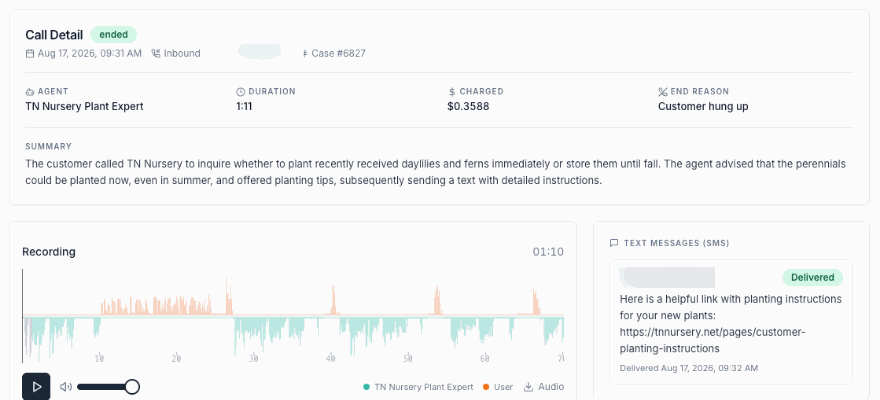
Build an AI Phone Agent for Customer Support (Full Demo)
How AI Agents Transform Customer Support
Customer support has always been a demanding area for businesses. Managing high ticket volumes, addressing repetitive queries, and ensuring 24/7 availability can stretch resources thin. AI agents are reshaping this landscape by taking on routine tasks and delivering consistent service across all customer touchpoints.
But it’s not just about speed. AI agents help create a support system that scales without compromising quality. They work alongside human teams, handling predictable tasks and freeing up staff to focus on complex issues. Let’s dive into how these agents simplify self-service, improve ticket management, and unify support across channels.
Automating Customer Self-Service
AI agents are particularly adept at handling straightforward inquiries - things like order tracking, password resets, business hours, return policies, and basic troubleshooting - without needing human involvement.
Take order inquiries, for example. An AI agent can instantly access order systems, retrieve tracking details, and provide real-time updates. No need to transfer the customer or put them on hold. Similarly, for appointment scheduling, AI agents can check availability, book slots, and send confirmations in just moments.
Troubleshooting is another area where AI agents shine. Instead of offering generic advice, they use account history and product data to provide tailored solutions. For instance, if a customer reports a connectivity issue, the AI agent might check device settings, verify service status in their area, and guide them through specific fixes.
The 24/7 availability of AI agents is a game-changer too. Customers now expect help whenever they need it - whether it’s 2:00 a.m. or 2:00 p.m. AI agents meet this demand with consistent accuracy, eliminating the need for multiple human shifts.
By providing immediate answers without the hassle of navigating phone menus or waiting in long queues, AI-powered self-service significantly reduces friction for customers.
Improving Ticket Management and Escalation
Not all issues can be resolved through self-service. Complex problems, sensitive matters, and unique situations still require human expertise. AI agents enhance this process by efficiently triaging, categorizing, and routing tickets.
When a ticket is submitted, an AI agent analyzes its content, determines the issue type and urgency, and assigns it to the right team or specialist. For example, a billing issue goes directly to the finance team, while a technical bug lands with engineering. If a customer is frustrated after multiple failed attempts, the ticket is prioritized and sent to a senior agent.
This precision in routing prevents tickets from bouncing between departments. The right person gets the ticket from the start, complete with all the context the AI agent has gathered.
AI agents also know when to escalate. If a conversation becomes heated, if a supervisor is requested, or if the issue exceeds their capabilities, the handoff to a human agent is seamless. The new agent receives a full history of the interaction, so the customer doesn’t have to repeat themselves.
This smarter routing reduces response times and improves resolution rates. Human agents can focus on solving problems instead of sorting through queues.
For managers, AI agents offer valuable insights into ticket trends. They can identify recurring issues that might signal product flaws, uncover training needs for the team, and allocate resources based on real-time demand rather than guesswork.
Delivering Omnichannel Support
Today’s customers don’t stick to one communication channel. They might start a conversation on social media, follow up via email, and wrap things up on live chat. Traditional support systems often struggle to keep up, forcing customers to repeat themselves at every step.
AI agents solve this by ensuring seamless interaction across channels. Whether a customer starts on Facebook Messenger, emails later, or calls afterward, the AI agent retains the context. It remembers what was discussed, what information was shared, and where the conversation left off. This creates a smooth, continuous experience rather than a series of disconnected exchanges.
What’s more, the AI agent delivers the same level of service across every channel. Its knowledge and capabilities don’t vary depending on the platform - it’s the same intelligence working consistently everywhere.
This omnichannel functionality addresses a major challenge for businesses managing multiple support platforms. Instead of training staff on different systems and juggling separate workflows, everything is streamlined through one unified system. Support teams can view the entire customer journey, no matter which channels were used.
The efficiency gains are substantial. Businesses no longer need separate teams monitoring each platform. AI agents handle the initial responses across all channels, escalating to human agents only when necessary. This reduces staffing needs while improving coverage and response times across the board.
Using AI Agents to Increase Sales
After improving customer support, AI agents take things a step further by enhancing sales efficiency. These tools don't just solve problems - they actively contribute to revenue growth. By interacting with prospects at the right time, understanding their needs, and following up on missed opportunities, AI agents turn casual conversations into actual sales.
Unlike humans, AI agents are tireless, handle multiple interactions at once, and maintain a consistent tone. They don’t forget to follow up or miss subtle buying signals. Instead, they seize every opportunity and pass along qualified leads to your sales team, complete with all the context needed to close the deal.
Let’s explore how AI agents transform engagement into measurable sales results.
Lead Generation and Qualification
Every visitor to your website is a potential lead, but not everyone is ready to buy. AI agents excel at identifying who’s worth pursuing by starting conversations, gathering details, and qualifying prospects for your sales team.
When someone lands on your site, an AI agent initiates a conversation instead of waiting for a contact form submission. For instance, if a visitor is browsing pricing pages, the agent might ask about their specific needs. If they’re reading case studies, it could offer a demo or consultation.
The real magic lies in qualification. Through natural, adaptive conversations, the AI agent gathers key details like budget, timeline, decision-making authority, and pain points. It’s not a rigid survey - it’s a dynamic exchange tailored to the prospect’s responses. For example, if someone mentions they’re comparing options, the agent can highlight what sets your product apart. If implementation time is a concern, it can address that directly.
Once qualified, leads are routed to the sales team with all relevant context. Meanwhile, less urgent prospects receive automated follow-ups to keep them engaged. This ensures your sales team focuses on high-value conversations instead of wasting time on cold leads or repetitive follow-ups. By the time the sales rep steps in, they’re ready to dive into specifics and close the deal.
What’s more, AI agents work in real-time, handling hundreds of interactions simultaneously. They ensure no lead slips through the cracks, even during peak times or off-hours.
Personalized Product Recommendations
AI agents don’t just bring in new leads - they also enhance the buying experience with tailored suggestions. By analyzing customer data like browsing history, past purchases, and ongoing conversations, they provide relevant product recommendations that feel helpful, not pushy.
For example, imagine a customer shopping for software. Instead of listing every plan, the AI agent asks about team size, required features, and budget. Based on their answers, it recommends the best option and explains why it’s a good fit. If integrations with specific tools are mentioned, the agent confirms compatibility and highlights those features.
Upselling and cross-selling become seamless. If a customer is considering a basic plan but mentions plans for growth, the agent might suggest a higher-tier option that supports future needs. Similarly, if someone buys a product that pairs well with accessories or services, the agent offers those at the right moment, like during checkout or after expressing satisfaction with their purchase.
Returning customers benefit too. AI agents use purchase history to make smarter recommendations. For instance, if someone bought a product six months ago that needs renewal, the agent can remind them and simplify reordering. If their usage suggests they’ve outgrown their current plan, the agent can initiate a conversation about upgrading.
This personalized approach not only increases average order value but also leaves customers feeling understood and valued. Instead of being bombarded with irrelevant options, they get recommendations that genuinely make sense for their needs.
Recovering Abandoned Carts and Lost Sales
Cart abandonment is a major challenge for online businesses. Customers add items to their carts but often leave without completing the purchase. AI agents tackle this issue head-on with timely follow-ups and tailored incentives to recover lost sales.
When a cart is abandoned, the AI agent quickly reaches out - via email, SMS, or even a site notification. The message isn’t just a generic reminder; it’s personalized. The agent might ask if there was an issue, offer help, or address common concerns like shipping costs or return policies.
If the customer responds, the AI agent engages in real-time to address their hesitation. Maybe they couldn’t find a discount code, had questions about sizing, or were comparing options. The agent resolves these concerns on the spot, making it easier for the customer to complete their purchase.
For those who don’t respond right away, AI agents send strategic follow-ups. These might include limited-time discounts, customer testimonials, or additional product details tailored to their browsing behavior. The automation feels personal because it’s based on the specific items in their cart.
AI agents also re-engage customers who expressed interest but didn’t follow through. For example, if someone requested a quote or attended a demo but went silent, the agent can share more information, answer new questions, or offer an incentive to move forward.
These recovery efforts can significantly boost conversions. Many customers abandon carts due to minor distractions or easily resolved concerns. Proactive outreach ensures these sales aren’t lost.
Additionally, these interactions provide valuable insights. If multiple customers abandon carts at the same stage or cite similar concerns, it highlights areas for improvement - whether it’s simplifying checkout, clarifying fees, or adding missing details. AI agents don’t just recover lost sales; they help businesses identify and fix recurring issues, reducing abandonment rates over time.
Measuring AI Agent Performance and Business Impact
Deploying AI agents is just the beginning. To truly understand their effectiveness, it's essential to measure their impact through the right metrics. Are customer tickets being resolved quicker? Are more visitors converting into customers? Are teams spending less time on repetitive tasks? These are the kinds of questions that help you gauge the value of your AI investment and connect the dots between daily AI operations and tangible business outcomes.
By focusing on both customer support efficiency and sales impact, you can identify strengths, address weak spots, and clearly document your return on investment (ROI).
Customer Support Metrics
AI agents in customer support aren't just about speed - they need to provide effective, appreciated solutions. Here are some key metrics to track:
- Ticket Deflection Rate: This measures how many inquiries are resolved by the AI without human involvement. It's calculated by dividing the number of AI-resolved tickets by the total incoming tickets. Industry data shows that mature AI systems can handle 50–70% of routine queries on their own.
- First Response Time (FRT): FRT tracks how quickly customers receive an initial reply. AI agents often respond within seconds on channels like chat and email, significantly outperforming humans. Breaking down FRT for AI-only, AI-assisted, and human-only interactions can reveal where automation delivers the greatest speed gains.
- Resolution Rate: This metric shows the percentage of issues fully resolved rather than just acknowledged. Comparing resolution rates for AI and human agents can highlight areas where the AI might need a broader knowledge base or adjustments to escalation rules.
- Average Handle Time (AHT): AHT measures the time it takes to resolve an issue. AI tools often reduce AHT significantly, with AI-driven teams reporting productivity boosts of 20–45%, saving roughly 1.2 hours daily on routine tasks.
- Customer Satisfaction (CSAT) and Net Promoter Score (NPS): These scores help assess whether faster, automated support actually improves the customer experience. Post-interaction surveys can highlight differences in satisfaction across AI-only, hybrid, and human-only engagements.
"Since adopting klink.cloud, we've seen a massive improvement in our response times. Our customers are happier, and our agents are more efficient than ever." - Sarah Lee, Head of Contact Center, Horizon Solutions
In addition to these metrics, analyzing qualitative data from AI conversation transcripts can uncover common points of confusion or areas where the AI’s tone could be refined.
Sales and Revenue Metrics
When it comes to sales, metrics should demonstrate how AI contributes to revenue growth. Here are some important ones to monitor:
- Conversion Rate: This tracks the percentage of prospects who make a purchase after interacting with your AI. Following the conversion journey - from initial conversation to qualified lead to closed deal - can reveal the AI's incremental impact.
- Pipeline Velocity: This measures how quickly deals move through the sales funnel. AI agents can speed up the process by qualifying leads, answering common questions, and scheduling appointments or demos.
- Average Order Value (AOV): AOV reflects the effectiveness of AI-driven upselling and cross-selling. Comparing AI-influenced transactions to your baseline can uncover even small revenue increases.
- Revenue per Interaction: This metric links specific AI touchpoints - like cart recovery messages or in-app nudges - to completed purchases. Attribution models in your CRM can pinpoint the revenue directly tied to AI initiatives.
- Lead Qualification Rate: This tracks the percentage of AI-engaged visitors who meet your qualification criteria and are passed to the sales team, verifying the AI's ability to pre-screen prospects effectively.
- Cart Recovery Rate: For ecommerce, this measures how many abandoned carts are converted after AI-driven follow-ups, such as personalized reminders or targeted discounts.
Using Analytics to Improve Performance
Metrics are only as valuable as the insights they provide. Analytics platforms can transform raw data into actionable information, helping you refine workflows, update training data, and address recurring challenges.
Modern tools like klink.cloud offer unified dashboards that compare AI and human performance across support and sales channels. These dashboards provide detailed metrics and trends over time, offering a clear view of customer interactions across chat, mobile, email, and voice channels.
- Intent-Level Reporting: This feature allows you to evaluate performance on specific types of requests, such as billing inquiries or product recommendations, enabling adjustments to training data or escalation triggers.
- Funnel and Drop-Off Analysis: By analyzing where prospects drop off, you can refine conversation flows and improve conversions.
- Cohort Comparisons: Comparing metrics from before and after AI deployment provides clear evidence of impact. For U.S.-based teams, expressing cost savings and revenue gains in USD and aligning reporting with broader business reviews can make the results even more compelling.
Establishing a feedback loop is essential. Regularly reviewing analytics and involving support and sales managers in flagging recurring issues ensures continuous improvements to the AI’s workflows and training data.
"klink.cloud has transformed how we manage customer interactions. Our productivity has doubled, and downtime is a thing of the past." - Michael Tan, Operations Manager, AlphaConnect
Blended metrics, like AI-assisted resolution rates and time-to-escalate, can further illustrate how AI supports human agents in a hybrid model. Connecting these results to financial KPIs - such as support cost per contact and revenue per interaction - clearly demonstrates the overall business impact of your AI initiatives.
These insights enable ongoing refinements, ensuring your AI strategy stays aligned with your growth objectives.
sbb-itb-204ca50
How to Deploy AI Agents on Omnichannel Platforms
Once you’ve decided to implement AI agents, the next step is deploying them across all your platforms without disrupting operations or confusing customers. This requires strategic planning, proper integration, and continuous updates. The goal? A seamless experience where AI agents handle interactions across chat, email, voice, social media, and mobile apps as if they were part of one cohesive system.
To get it right, you need to understand the full customer journey, pinpoint where AI adds the most value, and design workflows that feel smooth and natural. It’s also essential to ensure your AI agents have access to the right information and can transition conversations to human agents when necessary. Let’s break down how to design workflows, integrate systems, and maintain these AI agents for peak performance.
Identifying Use Cases and Designing Workflows
Start by identifying tasks where AI can make the biggest impact. Analyze your support and sales data to find areas with frequent inquiries, long wait times, or repetitive tasks. Common use cases include:
- Order inquiries
- Password resets
- Scheduling
- Basic troubleshooting
- Lead qualification
- Personalized recommendations
- Cart recovery
These scenarios usually have clear inputs and outputs, making them ideal for automation.
Once you’ve pinpointed these tasks, map out conversation flows for each one. A well-designed workflow anticipates the different directions a conversation might take. For example, if a customer asks about a refund, the AI should be able to check the order status, confirm return eligibility, explain the process, and even initiate the return.
Escalation paths are a key part of workflow design. Define clear triggers for when the AI should hand things over to a human agent. This could happen if the AI detects frustration, encounters a question outside its knowledge base, or if the customer explicitly requests a human. When this happens, the AI should provide the human agent with all the context - what the customer asked, what the AI did, and any relevant account details - so the customer doesn’t have to repeat themselves.
Your workflows should also account for multiple conversation paths. For instance, if a customer says their product isn’t working, the AI should ask clarifying questions like: “Is this a hardware or software issue?” or “Have you tried basic troubleshooting?” Each answer should guide the AI toward a solution, and the conversation should flow naturally without losing track of the context.
Before going live, test these workflows with your team to spot edge cases and areas of confusion. This testing phase often reveals gaps in your knowledge base or areas where the flow can be improved.
Integrating AI Agents with Your Existing Systems
For AI agents to provide accurate and personalized responses, they need access to your existing systems. The most important integration is with your CRM platform. This allows AI agents to pull customer history, order details, support tickets, and account information. For example, when a customer asks about their recent order, the AI can immediately provide the order number, shipping status, and delivery date - no need to ask for information you already have.
Telephony integration is essential for handling voice interactions. Whether through voice-enabled chatbots or interactive voice response (IVR) systems, modern voice AI can manage natural speech, accents, and background noise. For U.S.-based companies, this means customers can call and get quick answers to routine questions while more complex issues are routed to human agents.
Social media integrations are equally important. Platforms like Facebook Messenger, Instagram, and WhatsApp are where many customers prefer to connect. Your AI agents should deliver consistent responses across these channels, even maintaining conversation history if a customer switches from Instagram to your website chat.
Email integration streamlines your support inbox by categorizing messages and preparing responses for agent review. This can drastically cut down response times and ensure urgent messages are prioritized.
For ecommerce businesses, shopping cart and inventory system integration is crucial. AI agents need real-time access to product availability, pricing, and cart contents to assist customers with purchases or recover abandoned carts.
Payment processing integration allows AI agents to securely handle transactions, process refunds, or update billing details. This requires strict attention to security and compliance, especially with PCI DSS standards for payment data.
Depending on your systems, integration can be straightforward or more complex. Many platforms like Salesforce, Shopify, and Zendesk offer pre-built connectors that simplify the process. For proprietary tools, you may need API integration, where developers build custom connections between your AI and internal systems.
Single sign-on (SSO) integration is another important step. It ensures your team can access the AI management platform using their existing company credentials, making access easier to manage and more secure.
Finally, ensure data synchronization happens in real time. If a customer updates their shipping address during a chat, that change should immediately reflect in your order management system. Delays or sync issues can confuse customers and erode trust.
With integrations in place, focus on regular updates and performance monitoring to keep your AI agents running smoothly.
Maintaining and Updating AI Agents
AI agents are not a set-it-and-forget-it solution. They need regular updates to stay effective as your business evolves. This includes keeping their knowledge base current, reviewing performance metrics, and refining workflows based on customer interactions.
Knowledge base updates are crucial. When you launch new products, update policies, or change pricing, make sure your AI reflects these changes immediately. Create a system where product, support, and marketing teams can flag updates quickly. Many businesses assign a dedicated team to manage AI content and ensure updates happen without delay.
Reviewing conversation logs can help you spot gaps in your AI’s knowledge. If customers frequently ask questions the AI can’t answer, that’s a clear sign the knowledge base needs expansion. Similarly, look for patterns in escalations - if the AI often hands off certain types of queries, it may need additional training or workflow adjustments.
Performance monitoring should be an ongoing effort. Track metrics like ticket deflection rates, resolution rates, and customer satisfaction scores. If you notice a drop in performance, investigate whether it’s due to technical issues, changing customer behavior, or gaps in the AI’s capabilities.
A/B testing can help refine your AI’s interactions. Experiment with how the AI phrases questions, the order of information it provides, or when it offers to escalate. Even small tweaks can make a big difference in customer satisfaction.
For businesses with seasonal fluctuations, seasonal updates are essential. Before peak periods, update your AI with relevant details like extended return policies, shipping deadlines, or promotional offers.
Feedback from human agents is invaluable. They can provide insights into where the AI excels and where it struggles. Make it easy for agents to flag problematic responses or suggest improvements during their day-to-day work.
Lastly, don’t overlook security and compliance updates. Regulations like CCPA and GDPR evolve over time, and your AI must stay compliant to avoid legal risks. Regular audits can help catch potential issues early.
To manage updates effectively, use version control for your workflows. Document all changes, test them in a staging environment, and maintain rollback options in case something doesn’t work as expected.
The frequency of updates will depend on your business. A stable B2B service might only need monthly reviews, while a fast-paced ecommerce company may require weekly updates. Plan for this maintenance from the start, allocating resources to keep your AI agents running smoothly and delivering a consistent omnichannel experience.
Using klink.cloud for AI-Powered Customer Support and Sales
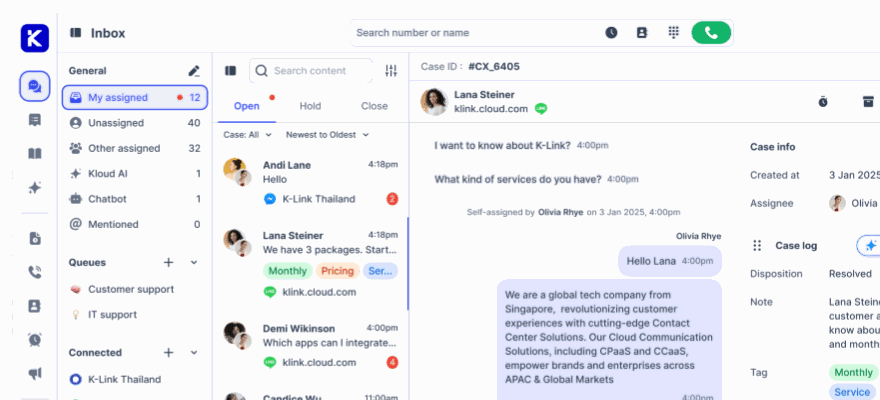
Once your systems are integrated, the next step is choosing a platform that combines AI and human agents effectively. This is where klink.cloud shines. It centralizes all customer interactions, tasks, and workflows into one shared inbox. The AI handles routine queries, freeing human agents to focus on more complex, high-value conversations. This setup builds on the integration and workflow designs discussed earlier.
Instead of juggling multiple tools for chat, email, social messaging, and voice, klink.cloud lets teams manage everything from a single dashboard. This eliminates the need to switch between tools, speeds up response times, and makes it easier to monitor performance for both AI and human agents. Teams can track metrics in USD, manage conversations across time zones, and ensure customers receive a consistent experience - whether they’re reaching out via Instagram DM, live chat, or phone.
Key Features
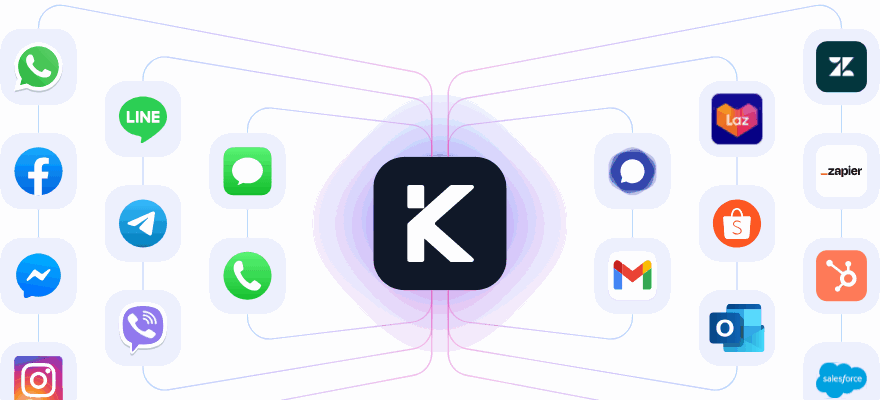
klink.cloud’s omnichannel inbox brings all communications into one place. It consolidates conversations from phone calls, WhatsApp, Facebook Messenger, Instagram, Telegram, email, and live chat into a single view. The AI tackles routine inquiries while passing more complex issues to human agents, keeping the full conversation history intact.
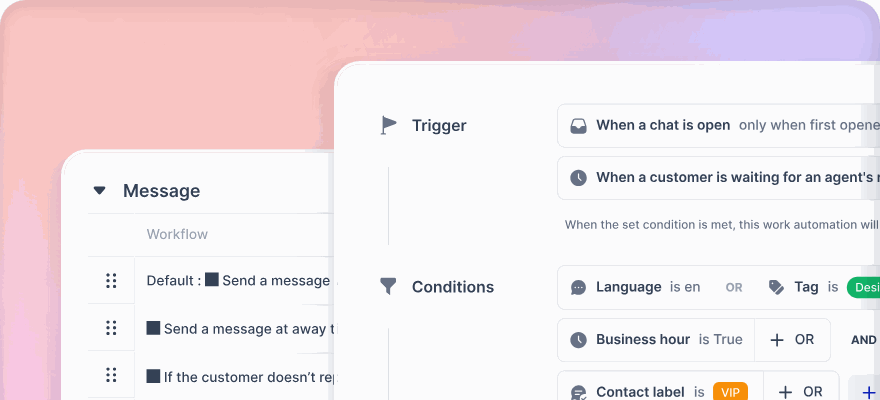
The platform uses intelligent routing to decide whether the AI should respond, suggest replies for human agents, or escalate the issue to a specialist. Custom rules can be set based on customer attributes like spending history, VIP status, language, or intent. For instance, if a billing inquiry exceeds $100, the AI can create a priority ticket and assign it to Level 2 support. Similarly, if a prospect asks for pricing details, the AI can log the opportunity with an estimated value in USD and notify the sales team immediately.
Workflow automation allows you to design customer journeys that seamlessly blend AI and human input. For example, an AI agent might greet a website visitor, collect their email and budget range, detect purchase intent, and schedule a product demo with a sales rep. It can also send confirmation emails in the correct local time format and add the contact to a "high-intent leads" list in the CRM. For support, the AI can verify identities, gather details, attempt troubleshooting, and escalate unresolved cases - complete with transcripts and logs - to a specialist.
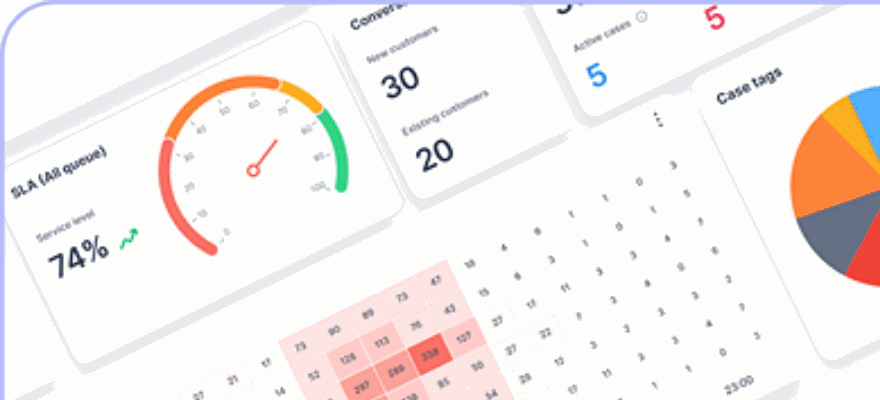
Real-time dashboards and analytics provide insights into key metrics like deflection rates, average handle time, first response time, escalation rates, and customer satisfaction scores. On the sales side, you can track AI-influenced revenue, the number of qualified leads generated, and conversion rates from AI-driven chats or campaigns. Breaking these metrics down by channel or customer segment helps evaluate whether AI is reducing costs and accelerating sales cycles effectively.
Integration capabilities further enhance the platform’s functionality. klink.cloud connects with CRMs, helpdesks, billing systems, and ecommerce platforms like Shopify. This allows AI agents to access customer history, order details in dollars, and account information to deliver personalized responses. For added security, higher-tier plans support SSO authentication, enabling distributed teams to log in securely with existing company credentials.
Pricing Plans for Teams of All Sizes
klink.cloud offers flexible pricing to suit businesses of varying needs:
- Free plan: Includes a unified inbox, support for up to 100 CRM contacts, limited outbound calling, and integration with channels like Facebook Messenger, Instagram DM, Telegram, and live chat. Perfect for testing AI’s ability to handle common inquiries before scaling up.
- Starter plan at $23 per user per month: Expands CRM contacts to 10,000, adds one virtual phone number, and includes full outbound/inbound calling, SMS, call recordings, and custom case tracking. Ideal for teams managing higher volumes of routine inquiries or testing AI-led support and lead qualification.
- Growth plan at $69 per user per month: Offers unlimited CRM contacts, unlimited call recordings, advanced workflow automation, multi-level SLA tracking, IVR with rules-based routing, and real-time dashboards. Perfect for advanced use cases like segment-based routing and personalized interactions based on purchase history or loyalty status.
- Enterprise plan with custom pricing: Includes custom API integrations, Salesforce and HubSpot CRM integrations, advanced telephony features (like queue management and dedicated telephony panels), ecommerce integrations with platforms like Shopify, SSO authentication, webhook APIs, and dedicated account support.
klink.cloud is trusted by over 200 global brands. Users report a 5x productivity boost, a 2x increase in customer satisfaction, and stronger customer relationships. With 99% uptime, the platform ensures reliable performance day and night.
Building Complete Support and Sales Workflows
klink.cloud makes it easy to combine AI-driven tasks with human expertise for a seamless customer experience. The AI handles repetitive tasks like answering FAQs, tracking orders, basic troubleshooting, and collecting data. Human agents step in for more nuanced issues that require empathy, negotiation, or advanced problem-solving.
For example, an ecommerce brand might use AI to assist with refund inquiries. The AI can check order statuses, confirm return eligibility, explain the process, and even initiate the return. If the issue involves a damaged item, the conversation is escalated to a human agent with all relevant details preserved.
In sales workflows, a SaaS company could use AI to onboard new users, guide them through feature setup, handle billing inquiries, and qualify trial users by gathering details about team size, use cases, and budget. High-intent leads are routed to sales reps, who join the conversation with full context. The AI can also book meetings, send confirmation emails, and trigger nurture campaigns based on user behavior.
Assistive workflows are another popular use case. Here, AI provides suggested replies, summarizes conversation history, surfaces relevant knowledge, and flags upsell opportunities. This allows human agents to respond quickly while maintaining control over final responses. When the AI encounters limitations - like customer frustration, a question outside its knowledge base, or a direct request for human support - it gracefully hands off the conversation, ensuring trust is maintained.
"klink.cloud has made a huge difference for our contact center! Our agents can easily manage conversations across different channels, helping us respond faster and keep our clients happy. We've seen big improvements in both productivity and customer satisfaction since we started using it." - James Carter, Operations Manager, MPG BPO
"We moved from Zendesk, and it's the best decision we've made. The migration was smooth, and the Unified Inbox is so much easier to use than Zendesk tickets." - Samantha Lee, Head of Customer Support
Conclusion: Growing Your Business with AI Agents
AI agents have become a powerful tool for businesses aiming to scale operations efficiently while staying competitive. By automating repetitive tasks - like answering FAQs, tracking orders, or qualifying leads - these tools free up human teams to focus on more complex, relationship-driven conversations. The result? Around-the-clock coverage without increasing headcount, a 25–30% reduction in support costs, and an average 17% boost in customer satisfaction for businesses that have embraced this technology. This efficiency benefits every customer interaction, strengthening both support and sales efforts.
What makes AI agents stand out is their ability to unify customer support and sales into a seamless journey. They share context across channels like web chat, email, SMS, social media, and voice, making every interaction more personalized and informed. This personalization drives higher conversion rates, better retention, and increased customer lifetime value.
For mature deployments, AI agents can resolve 60–80% of routine support tickets, reduce queue times, and improve satisfaction scores. On the sales side, they qualify leads, identify upsell opportunities instantly, and ensure no potential customer is overlooked - directly contributing to pipeline growth and revenue. Unsurprisingly, over 80% of service leaders plan to pilot or expand their use of conversational AI by 2025.
To get started, focus on one or two impactful use cases - like automating order-status inquiries or qualifying inbound leads. Define clear success metrics, such as target deflection rates or additional monthly revenue. Bring together a cross-functional team from support, sales, operations, and IT to integrate AI agents with your existing CRM or helpdesk. Establish a feedback loop to refine and improve the system continuously.
Platforms like klink.cloud simplify this process by offering centralized orchestration, no-code workflow creation, and real-time analytics. With omnichannel deployment and integrations that update customer data in real time, businesses gain valuable insights through dashboards that track how AI agents influence key performance indicators in both support and sales.
AI agents should be treated as evolving tools. Regularly review conversation logs, training data, and performance metrics to fine-tune workflows and responses based on actual customer behavior. Use A/B testing for prompts and flows to improve metrics like ticket deflection, satisfaction scores, and revenue without requiring significant new investments. Ensure your AI agents reflect your brand's tone, sound natural, and handle limitations gracefully - passing complex queries to human agents to maintain trust.
Integrated with leading CRMs and ecommerce platforms, AI agents also provide localized experiences for U.S. audiences. From using USD pricing to aligning with American time zones, they deliver clear, timely communication that meets customer expectations while adhering to relevant standards.
FAQs
What makes AI agents different from traditional chatbots in customer support and sales?
AI agents stand out from traditional chatbots due to their ability to grasp context, think through problems, and deliver responses rooted in relevant information. While chatbots typically follow rigid scripts or rule-based programming, AI agents adjust to the flow of a conversation, tackle intricate questions, and deliver tailored solutions.
This flexibility makes AI agents a powerful tool for improving customer interactions and boosting sales. They can respond dynamically, handle a variety of tasks, and seamlessly operate across multiple channels, all with a level of efficiency that chatbots simply can’t match.
What metrics should businesses track to evaluate how well AI agents support customers?
To gauge how well AI agents perform in customer support, businesses should keep an eye on a few important metrics that capture both the quality of customer interactions and operational performance:
- Customer Satisfaction (CSAT): This metric reflects how pleased customers are with their overall experience.
- Customer Effort Score (CES): Tracks how simple and hassle-free it is for customers to resolve their issues.
- Sentiment Analysis: Examines customer emotions and feedback during their interactions, offering insights into their experience.
- Automation Rate: Shows the percentage of queries handled successfully without involving human agents.
- Average Handle Time (AHT): Measures how quickly customer issues are resolved, highlighting efficiency gains.
Regularly reviewing these metrics helps businesses fine-tune their AI systems, ensuring they provide smoother service while delivering clear, measurable outcomes.
How can AI agents be seamlessly integrated into current systems to enhance omnichannel customer support and sales?
Integrating AI agents into your current systems can be done by connecting them with tools like your CRM and ensuring they work seamlessly with platforms that provide strong API support. This setup enables the AI to tap into your existing data, delivering a cohesive and consistent customer experience across all communication channels.
For a successful integration, prioritize solutions that are adaptable to your needs and can scale alongside your business. This approach helps simplify workflows, cut down on repetitive manual tasks, and boost efficiency in both customer support and sales processes.