
AI Agent for Customer Support
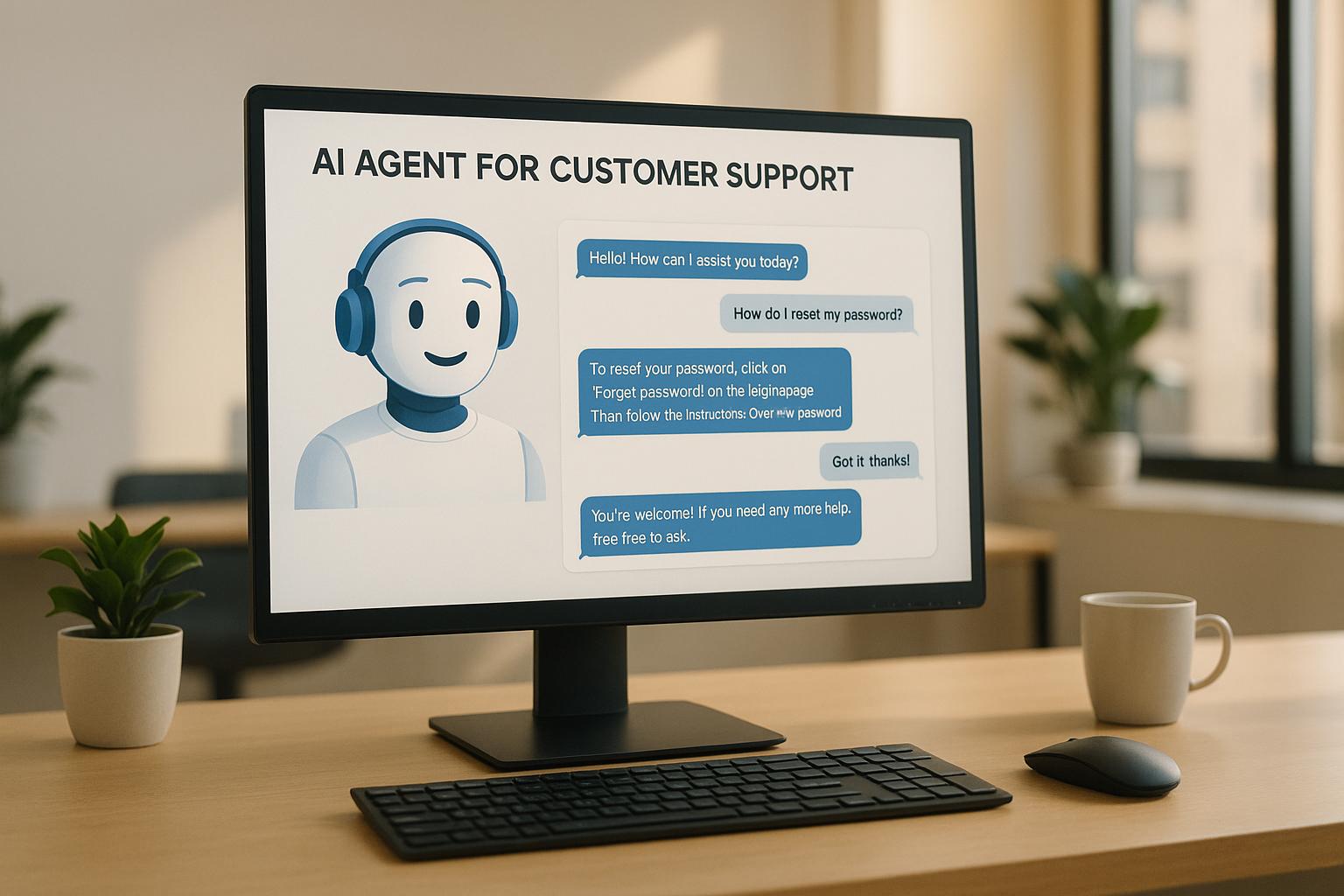
AI agents are transforming customer support by automating tasks, improving efficiency, and enhancing customer satisfaction. Businesses save money, reduce wait times, and provide 24/7 service with AI-powered tools. Here’s what you need to know:
-
Key Benefits:
- Handle thousands of queries at once.
- Offer personalized responses using customer data.
- Reduce operational costs by up to 85%.
- Escalate complex issues to human agents seamlessly.
- Real-World Results:
-
Core Features:
- Automates tasks like password resets and order tracking.
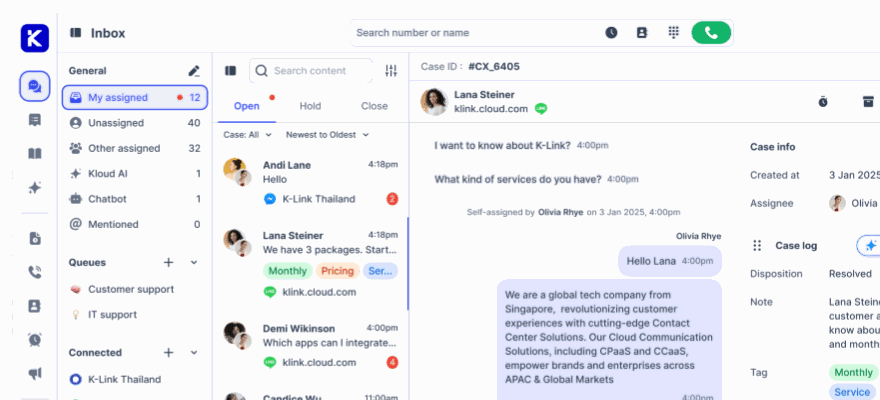
- Provides consistent service across email, chat, and social media.
- Integrates with CRM to track customer history and satisfaction.
AI customer support systems are a game-changer for businesses, helping them cut costs, improve service quality, and scale operations effectively.
How MasterCard Improved Customer Support Time with AI-Powered Automation

Core AI Support System Functions
Modern AI support systems are transforming customer service by automating processes, connecting across multiple channels, and integrating with CRM tools. These features not only make operations smoother but also improve the overall customer experience.
Task Automation
AI systems handle a range of repetitive tasks, such as:
- Resetting passwords
- Tracking orders in real-time
- Answering FAQs with natural language processing
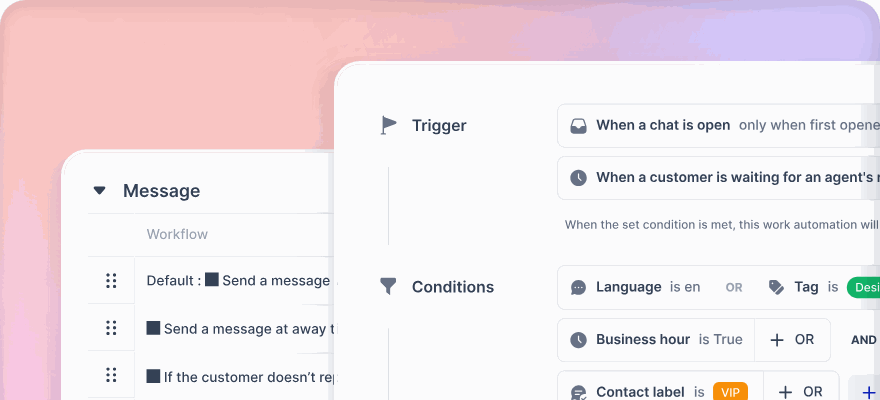
- Routing tickets based on content analysis
- Scheduling follow-up communications
By taking care of these tasks, AI allows support teams to respond faster and focus on more complex issues. This kind of automation ensures smoother interactions at every stage of the customer journey.
Multi-Channel Support
AI-powered agents deliver consistent service across all communication platforms, including:
- Live chat
- Social media
- Phone
- Mobile messaging
By keeping track of conversations across these channels, AI eliminates the need for customers to repeat themselves. This creates a more cohesive and frustration-free support experience.
CRM Connection
AI doesn’t stop at task management or channel support. When integrated with CRM systems, it adds even more value:
| Capability | Benefit |
|---|---|
| Retrieve History | Delivers responses based on previous interactions for better context |
| Update Records | Keeps customer profiles accurate and up-to-date in real time |
| Track Metrics | Monitors the success of interactions and overall customer satisfaction |
| Manage Tickets | Automatically creates and updates support tickets |
These integrations simplify workflows by logging interactions, updating customer records, and even identifying new opportunities - all in real time. This ensures that support teams can work more efficiently while keeping the customer at the center of every process.
AI Support System Results
AI support systems bring measurable improvements in service quality, efficiency, and resource management.
Better Customer Service
AI-powered systems significantly enhance customer experiences by delivering faster, more consistent responses. For instance, Bank of America's virtual assistant, Erica, provides instant solutions for account inquiries, budgeting guidance, and fraud alerts. This reduces wait times and ensures accurate, reliable assistance.
Similarly, Vodafone's AI agent, TOBi, handles complex tasks like billing inquiries and service disruptions with speed and precision. This ensures customers receive prompt and consistent support across a range of issues.
Higher Agent Output
AI tools also play a key role in increasing agent productivity by automating repetitive tasks and offering intelligent support. Features like real-time suggestions, auto-filled forms, and response templates allow agents to handle more interactions efficiently, cutting down the time spent on routine activities.
In addition to enhancing productivity, these tools help streamline operational costs, making them an invaluable asset for businesses.
Resource Optimization
Traditional call centers come with hefty labor costs - about $31,200 per agent annually, not including infrastructure and compliance expenses.
"AI agents in customer support are more than a trend - they are a transformative force that is redefining how businesses interact with their customers. By reducing wait times, providing 24/7 assistance, and offering personalized responses, AI agents enable businesses to deliver superior customer experiences efficiently." - Duanex
AI systems excel at optimizing resources across various support operations. For example, H&M's AI chatbots handle order tracking and product inquiries, managing thousands of interactions simultaneously. These systems operate 24/7, eliminating the need for additional staffing during peak times.
Moreover, AI-powered call centers can slash operational costs by 50–85% compared to traditional setups. Consider a mid-sized business managing 50,000 calls monthly: AI implementation can cut monthly expenses from approximately $58,000 to $22,500, all while improving service quality and reducing response times.
AI Support Implementation Guide
Requirements Analysis
The first step in adopting AI for customer support is to thoroughly assess your current operations. This process involves examining three critical areas:
-
Customer Interaction Review
Dive into your support data to pinpoint:
- The most common customer questions and concerns
- Patterns in peak support hours and seasonal trends
- Average response and resolution times
- Customer satisfaction levels for different issue types
-
Technical Infrastructure Assessment
Evaluate your existing systems to ensure they can handle AI integration. Key considerations include:
- The structure and accessibility of your CRM data
- The quality and relevance of your knowledge base
- Compatibility with existing tools and integration capabilities
- Data security measures and compliance requirements
-
Resource Allocation Analysis
Gather key metrics to understand your resource usage, such as:
- Productivity rates of your support agents
- Costs associated with each customer interaction
- Workload distribution across different support channels
- Time and resources spent on training and onboarding
These insights will provide a solid foundation for setting up your AI system.
System Setup
A well-executed setup phase is essential for improving customer interactions and ensuring smooth AI operation. Here's a breakdown of key components and their priorities:
| Component | Purpose | Implementation Priority |
|---|---|---|
| Data Integration | Link customer history and interaction data seamlessly | High |
| Knowledge Base | Structure support content for effective AI usage | High |
| Channel Configuration | Set up preferred communication platforms | Medium |
| Analytics Tools | Enable tracking and measuring performance | Medium |
| Security Protocols | Ensure strong data protection measures | High |
Performance Tuning
Once the system is up and running, the next step is to refine and optimize its performance. This ongoing process is crucial to maintaining effective AI-driven support.
"Successfully implementing AI in customer service requires thoughtful planning and strategic execution." – Nooshin Alibhai, Founder and CEO of Supportbench
Focus on these areas to ensure continuous improvement:
-
Training Data Quality
Keep your AI model sharp by:
- Regularly updating the knowledge base with fresh and relevant information
- Refining AI-generated responses based on real-world usage
- Incorporating new scenarios and addressing edge cases
- Using customer feedback to enhance the system
-
Response Accuracy
Boost the accuracy of AI responses by:
- Conducting frequent reviews of AI outputs
- Validating responses to ensure they align with customer needs
- Analyzing performance metrics and gathering feedback from support agents to make adjustments
-
System Optimization
Fine-tune your AI system for peak efficiency by:
- Tweaking routing rules to improve response times
- Updating response templates for clarity and relevance
- Streamlining automation workflows
- Enhancing integration with other tools and platforms
sbb-itb-204ca50
AI Support Use Cases
Once an AI system is set up and fine-tuned, it can tackle support challenges head-on through several practical applications.
Support Ticket Processing
AI simplifies ticket management by automating tasks like categorization, routing, and prioritization. Here's how it works:
- Smart Routing: Automatically directs tickets to the right agents based on content and expertise.
- Sentiment Analysis: Flags urgent issues by analyzing the tone and language of customer messages.
- Escalation Tracking: Monitors unresolved tickets and ensures they are escalated as needed.
"AI ticketing is an automated system that uses artificial intelligence (AI) to manage and resolve customer support tickets efficiently. It can significantly reduce response times, improve accuracy, and boost overall customer satisfaction." - Salesforce US
These features not only streamline ticket handling but also lay the groundwork for more effective customer communication strategies.
Customer Outreach
AI isn't just reactive - it can also take a proactive approach to customer engagement. By analyzing customer behavior, AI tools can initiate timely and relevant interactions. Examples include:
- Sending reminders for subscription renewals.
- Notifying customers about scheduled maintenance or potential service disruptions.
- Following up with customers to gather feedback and measure satisfaction.
This proactive engagement can lead to substantial savings, with businesses reporting up to a 30% reduction in support costs after adopting AI virtual agents.
Peak Volume Management
Handling a surge in customer inquiries is one of the toughest challenges for support teams. AI steps in as a game-changer during high-demand periods:
| Peak Period Type | AI Solution | Impact |
|---|---|---|
| Seasonal Surges | Automated response handling | 24/7 coverage |
| Product Launches | Smart ticket routing | Shorter wait times |
| Special Events | Self-service assistance | Reduced agent workload |
By 2025, 85% of customer service leaders plan to invest in conversational AI. Here’s why:
- Scaling Operations: AI can handle thousands of inquiries simultaneously, providing instant answers to common questions and routing complex issues to human agents.
- Consistent Quality: Ensures uniform responses, maintains response time standards, offers multilingual support, and operates around the clock.
- Efficient Resource Use: Dynamically adjusts to workload spikes, prioritizes urgent cases, manages queues effectively, and supports agents with suggested responses.
AI's ability to adapt during peak times ensures that businesses maintain high service standards while managing resources effectively.
Performance Tracking
Keeping tabs on AI performance is crucial for maintaining and improving customer support systems. By analyzing data consistently, organizations can ensure their AI tools meet both operational goals and customer needs.
Success Metrics
To gauge how well your AI support system is working, focus on these key metrics:
- Response Efficiency: Measure how quickly the AI provides first responses and resolves issues.
- Quality Assurance: Track accuracy rates and customer satisfaction scores to ensure the AI meets service expectations.
- Volume Management: Assess the number of tickets the AI handles and the percentage of tasks automated.
- Cost Efficiency: Evaluate cost per resolution and the productivity gains for human agents.
Set realistic targets for these metrics based on your business model and customer expectations. The goal is to strike a balance between speed and quality of service.
AI Model Updates
To keep your AI system accurate and effective, regular updates are essential. Here’s how to do it:
-
Data Collection
Continuously feed the AI with fresh data from customer interactions, feedback, and resolutions. Update the knowledge base with the latest product details, FAQs, and policy changes. -
Performance Analysis
Analyze how the AI is performing. Look for patterns in successful interactions and pinpoint areas where it struggles. Use this information to guide updates. -
Model Refinement
Regularly refine the AI by adding:- Updated product information and support materials.
- Solutions to frequently asked questions.
- Changes in company policies or procedures.
- Feedback from support agents about AI accuracy and gaps.
"Testing your AI agent is a very important step in your onboarding journey to ensure your AI agent is ready to graduate and become a fully functioning member of your customer support team." - Zendesk Team
Testing Methods
Testing ensures your AI performs at a high standard. A/B testing is a reliable way to evaluate performance. Here’s how to approach it:
- Test Environment Setup: Use a sandbox environment for controlled testing.
- Control Group: Establish a baseline for comparison by keeping a group with no changes.
- Variable Testing: Experiment with different response patterns and routing logic.
For thorough testing, involve key stakeholders in the process. Testers should:
- Submit diverse questions to evaluate the AI’s understanding.
- Go through complete dialog flows to check if routing works as expected.
- Capture issues with screenshots and document them.
- Share observations in a central file for easy collaboration.
This structured testing method helps uncover gaps in AI comprehension and highlights areas for improvement. Use these findings to guide the next steps in refining your AI system.
Next Steps
As AI transforms customer support, businesses need to take deliberate steps to harness its potential. Research shows that AI-driven support can slash operational costs by 30% while increasing case resolution rates by 14%.
To begin, consider launching a 6–8 week pilot program focused on high-traffic channels. This approach allows for a smoother transition, enabling teams to adapt without compromising service quality. The pilot phase serves as a foundation for broader integration and fine-tuning.
Here’s what companies implementing AI support systems are experiencing:
- $4.50 saved per resolved ticket
- 150% annual ROI due to lower staffing requirements
- 40% reduction in customer churn
Once the pilot concludes, focus on training your team and integrating AI tools into daily workflows. Many modern AI platforms come with advanced features, including:
- Real-time sentiment analysis to enhance customer interactions
- Predictive issue resolution, preventing 40% of problems from escalating
- Multilingual support, covering 95% of global languages
Sustained success depends on continuous improvement. Companies that regularly update training programs and review performance metrics report a 92% customer satisfaction rate.
Ready to take the leap? Start by evaluating your current support processes, pinpointing areas where automation can make the biggest impact. Choose a platform that matches your goals and growth plans. Many options are available, with pricing starting at $14.99 per user per month.
FAQs
How do AI agents provide personalized customer support while keeping data secure?
AI agents improve customer support by analyzing data such as purchase history and individual preferences to deliver customized experiences. This enables them to provide recommendations and responses that feel more relevant and meaningful to each customer, enhancing the overall interaction.
When it comes to data privacy, businesses need to prioritize practices like anonymizing sensitive details, enforcing strong security measures, and being upfront about how customer data is handled. Striking the right balance between personalization and privacy not only strengthens trust but also ensures high-quality support without sacrificing security.
What are the first steps for a business to start using AI in customer support?
To start incorporating AI into your customer support, begin by taking a close look at your current operations. Identify repetitive tasks that could be automated - things like addressing common questions or sorting support tickets. At the same time, review your service performance metrics to find areas where improvements are needed.
Once you've pinpointed these opportunities, set clear and specific goals for using AI. These might include speeding up response times, improving the overall customer experience, or boosting your team's productivity. With these objectives in mind, select AI tools that align with your needs and can seamlessly integrate with your existing systems, such as your CRM or communication platforms.
Following this approach lays the groundwork for using AI to streamline your customer support, making it more efficient and effective for both your team and your customers.
How does AI ensure a consistent customer experience across different communication channels?
AI helps deliver a consistent customer experience across all communication channels by maintaining a unified brand voice and providing accurate, standardized responses. Whether customers reach out via email, chat, social media, or phone, they can expect the same level of service and information.
Using advanced algorithms, AI can adjust its responses to fit the unique context of each channel while staying true to your company’s standards. This approach ensures a smooth and reliable experience, fostering trust and improving customer satisfaction.