AI Agents for Flash Sales & Peak Season Support

AI agents are transforming customer service during flash sales and peak shopping seasons like Black Friday and Cyber Monday. Unlike basic chatbots, these tools handle complex queries, make decisions, and even take action independently. This makes them ideal for managing the surge in customer inquiries about orders, shipping, and promotions without overwhelming human teams.
Key Takeaways:
- AI vs. Chatbots: AI agents process nuanced requests, while chatbots rely on rigid scripts.
- Customer Expectations: 81% of customers expect faster service; AI meets this demand by resolving up to 80% of routine inquiries.
- Business Benefits: Companies save up to $40 million annually and improve customer satisfaction by 120% with AI agents.
- Proactive Features: AI handles stock alerts, discount reminders, and delivery updates, keeping customers informed.
- Human-AI Collaboration: Complex issues are seamlessly escalated to human agents with full context provided.
AI agents streamline customer support, ensuring speed, accuracy, and personalized service during high-demand periods, helping businesses boost efficiency and customer satisfaction.
I Built an AI Agent That Handles ALL Customer Support 24/7 (No Code)
Key Use Cases of AI Agents for Flash Sales and Peak Seasons
AI agents excel at managing inquiries, providing timely updates, and routing complex issues to human agents when needed. This ensures customers receive prompt assistance, even during the busiest shopping periods. Here's how these capabilities shine during flash sales and peak seasons.
Automating Common Customer Queries
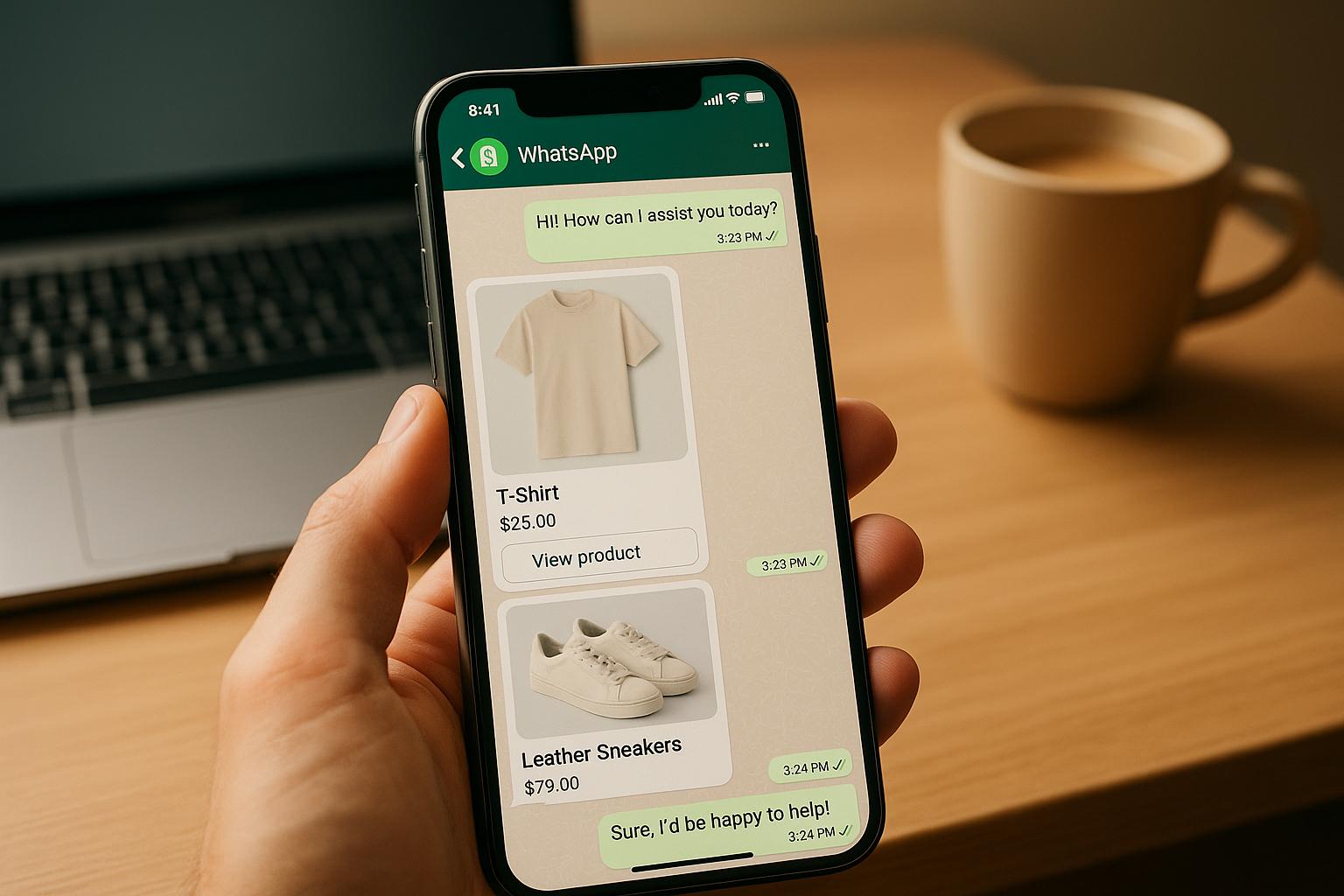
During flash sales, customer questions tend to focus on a few key areas: order status, product availability, shipping details, and promotional terms. AI agents can handle these inquiries instantly, without requiring human intervention.
For example, if a customer asks, "Is the red sweater in size medium still available?" the AI agent checks live inventory data and provides an immediate answer. If the item is unavailable, it can suggest similar products or notify the customer when it’s restocked. For order tracking, the AI retrieves and shares details like current status, estimated delivery, and carrier information. Promotional questions? The AI parses the query, applies business rules, and delivers a clear response - such as confirming if a 20% off code applies to electronics and outlining any restrictions.
By automating these routine tasks, AI agents not only speed up response times but also ensure every customer gets accurate and consistent information, no matter the channel or time of day. This allows human agents to focus on more nuanced issues, delivering a balanced and efficient customer support system.
But AI agents don’t just respond to questions - they also take the lead in keeping customers informed.
Sending Proactive Notifications and Updates
AI agents don't wait for customers to reach out; they actively communicate to keep customers engaged and informed, reducing the need for incoming inquiries during high-demand periods.
- Stock alerts: If a customer browses an out-of-stock item, the AI can notify them as soon as it’s available again. This timely nudge can turn interest into a purchase.
- Discount reminders: As a flash sale nears its end, AI agents can send reminders to customers with abandoned carts. A message like, "Your cart is waiting! Complete your purchase in the next two hours to save 30%", can help recover potential lost sales.
- Delivery updates: Customers want to know exactly when their orders will arrive, especially during busy seasons when delays are common. AI agents provide real-time updates as packages move through the shipping process. If there’s a delay, they notify the customer immediately with a revised delivery estimate, building trust through transparency.
AI agents also enhance the post-purchase experience. After an order is placed, they can send confirmation messages followed by updates on processing, shipping, and delivery. If changes are needed - like updating a shipping address - the AI can guide the customer or escalate the request to a human agent if necessary.
This proactive approach shifts the experience from reactive to anticipatory, ensuring customers feel informed and valued throughout their journey.
Escalating Complex Issues to Human Agents
Not all customer issues can be resolved automatically. Some require human judgment, empathy, or access to information beyond the AI’s capabilities. That’s where AI agents and human agents work together seamlessly.
Intelligent escalation happens when the AI recognizes it can’t resolve an issue. For instance, if a customer expresses frustration or raises a question that requires policy interpretation, the AI escalates the case. But it doesn’t stop there - it passes along the entire conversation history, customer details, and relevant context so the human agent can pick up without missing a beat.
Take this example: A customer says, "I ordered a gift for my daughter’s birthday, and it’s late. This is unacceptable." The AI detects the urgency and emotional tone, immediately routing the case to a human agent with all the necessary details to address the situation empathetically and efficiently.
Priority routing ensures that urgent or high-value issues are addressed first. For instance, during a flash sale, customers facing payment failures or those with questions about expensive orders can be prioritized. This dynamic system prevents bottlenecks and ensures critical issues are resolved quickly.
AI agents also handle partial resolutions before escalation. For example, if a customer asks about their order status and also wants to change their shipping address, the AI provides the tracking update and escalates the address change to a human agent. This reduces the workload for human agents while ensuring a smooth experience for the customer.
This hybrid approach combines the efficiency of AI with the empathy and expertise of human agents. AI handles high volumes and routine tasks, while humans tackle complex or sensitive situations. Together, they deliver a balanced, responsive, and customer-focused support system.
Integrating AI Agents into an Omnichannel CX Platform
AI agents are most effective when they’re part of an omnichannel customer experience platform. This setup ensures customers receive consistent, personalized support no matter how they reach out - whether it’s through email, live chat, social media, SMS, or phone. By connecting interactions across all channels, businesses can maintain seamless communication. This is especially critical during flash sales or peak seasons when managing high volumes of customer inquiries requires both speed and accuracy.
Picture this: during a flash sale, a customer starts by asking a question on Instagram, follows up via email, and then calls for urgent assistance. Without proper integration, these touchpoints become fragmented, forcing the customer to repeat themselves. Frustrating, right? An omnichannel approach eliminates this disconnect. AI agents, equipped with a complete view of the customer journey, can provide smooth and connected support across channels.
Maintaining Unified Context Across Channels
The key to effective omnichannel support lies in unified context - tracking and accessing every customer interaction across all channels in a single system. With this shared history, AI agents can seamlessly continue conversations, no matter where the customer reaches out next.
For example, say a customer adds items to their cart on your website and later messages you on Facebook. The AI can instantly access their cart and browsing history to offer a personalized response. This continuity becomes even more important when customers switch channels mid-conversation. If they start chatting on your website but need to leave, they might pick up the discussion later via email or WhatsApp. The AI recognizes them, retrieves the conversation history, and continues without missing a beat. No need for the customer to re-explain. Just a smooth, uninterrupted experience.
Threaded conversations tie all interactions - whether through chat, email, social media, or phone - into a single conversation thread linked to the customer’s profile. This ensures the AI has the full context before responding.
The system also adapts to channel preferences. If a customer usually turns to WhatsApp for quick updates but prefers email for detailed order information, the AI learns this pattern and tailors its communication. During a flash sale, for instance, the AI might send a quick WhatsApp notification about a restocked item, knowing that’s the customer’s preferred channel for urgent updates.
Real-time data synchronization is another critical piece. If a customer updates their shipping address via the mobile app, that change is immediately reflected across all channels. If they complete a purchase while chatting with the AI, the agent instantly shifts gears, moving from sales assistance to order confirmation and tracking.
This unified approach transforms scattered interactions into cohesive conversations. Customers feel understood and valued because they never have to repeat themselves. And it’s all powered by a robust backend, which we’ll explore next.
Core Components of an Omnichannel CX Architecture
Behind every effective AI agent is a technical framework that integrates multiple systems and data sources. These components work together to provide the AI with the tools and information it needs to handle customer interactions, even during the busiest times.
Customer Relationship Management (CRM) systems act as the central hub for customer data. They store details like contact information, purchase history, preferences, and communication logs. When an AI agent interacts with a customer, it queries the CRM to understand who they’re speaking with and craft a tailored response. For instance, during a flash sale, if a VIP customer with a history of large purchases reaches out, the AI can prioritize their request and provide personalized recommendations.
Knowledge bases are the AI’s go-to resource for product information, policies, troubleshooting guides, and FAQs. They allow the AI to quickly answer questions like “What’s your return policy for sale items?” or “Does this product come in different sizes?” To stay effective, these knowledge bases must be updated regularly, especially before major sales events, to reflect new products and promotions.
Ticketing systems help track and manage customer issues from start to finish. When an AI agent escalates a complex issue to a human agent, it creates a ticket containing the full conversation history, customer details, and priority level. The AI can also check the ticket’s status and provide updates, like: “Your refund request from December 1st has been processed. You should receive $45.50 back to your original payment method within 3–5 business days.”
Inventory management systems give AI agents real-time visibility into product availability. This is crucial during flash sales when stock levels can change rapidly. The AI can inform customers about stock status, how many units remain, or when an item is expected to be restocked. If something sells out while a customer is browsing, the AI can proactively notify them and suggest alternatives.
Order management and fulfillment systems track orders from placement to delivery. AI agents use these systems to provide accurate shipping estimates, tracking numbers, and delivery updates. During peak seasons, when shipping delays are more common, this real-time visibility helps the AI manage customer expectations by keeping them informed.
Analytics and reporting platforms gather data on AI performance, customer interactions, and service trends. Metrics like resolution rates, response times, customer satisfaction scores, and escalation rates provide insights into how well the AI is performing. After a major sales event, this data is invaluable for fine-tuning the system to handle future demand more effectively.
Communication channel APIs connect the AI to platforms like email, SMS, WhatsApp, Facebook Messenger, Instagram, live chat, and phone systems. These APIs enable two-way communication, allowing the AI to both receive messages and send notifications. For example, during a flash sale, the AI could send thousands of personalized cart abandonment reminders via SMS or notify customers about restocked items through WhatsApp.
Authentication and security systems ensure customer data is handled responsibly. These systems verify identities before sharing sensitive information, such as order details or account balances. The AI might ask for an order number or email address as a verification step before proceeding.
All these components are tied together through integration layers and APIs, enabling seamless data flow between systems. This unified setup allows AI agents to operate efficiently without jumping between disconnected tools. Even during peak demand, the system maintains performance and consistency, handling thousands of conversations simultaneously.
With this architecture in place, AI agents can provide fast, personalized, and accurate support, creating experiences that turn one-time shoppers into loyal customers - even during the busiest sales events of the year.
Designing AI Workflows for High-Demand Scenarios
Flash sales and peak seasons can push customer support systems to their limits. A workflow that handles normal business hours without a hitch might crumble under the pressure of surging inquiries when customers flood your channels all at once. The key to navigating these high-demand scenarios lies in preparing your AI workflows to make swift, effective decisions under stress.
AI workflows play a critical role in guiding how customer interactions are managed. They determine which questions are answered first, when to escalate issues, and how to keep conversations flowing smoothly - even when support channels are overwhelmed. The goal? To deliver quality service while efficiently managing high volumes, ensuring urgent matters are addressed immediately while routine inquiries are handled automatically. A crucial step in this process is defining and prioritizing customer intents to streamline responses.
Building Intent Taxonomies and Priority Queues
For AI to effectively manage customer interactions, it first needs to understand what customers are asking for. This is where intent taxonomies come into play - structured classifications that help the AI recognize and sort customer requests. During high-demand times, a well-thought-out taxonomy becomes your first line of defense against overwhelming your support team.
Start by identifying all possible customer intents that might arise during a flash sale or busy season. Common examples include checking order status, asking about product availability, requesting shipping details, inquiring about return policies, reporting payment issues, and seeking information about promotions. Each intent should be clearly defined, with multiple variations of how customers might phrase the same question. For instance, "Where’s my order?", "Track my package", and "I haven’t received my shipment" all point to the same intent.
Next, assign priority levels to these intents. Not every inquiry carries the same urgency. For example, payment failures during a flash sale demand immediate attention since delays could lead to lost sales. On the other hand, questions about product recommendations or style advice, while important, can wait a bit longer.
Here’s how you might categorize priorities:
- Critical: Payment issues, checkout errors, order cancellations, or technical problems that prevent purchases.
- High: Stock availability, shipping costs, or promotional code problems.
- Medium: Order tracking, product comparisons, or account access issues.
- Low: General browsing questions or non-urgent account updates.
Your AI should automatically route inquiries based on these priorities. For example, during a flash sale, customers experiencing checkout issues should be prioritized for immediate assistance, while routine questions are handled through automated responses.
Dynamic priority adjustments can further enhance responsiveness. If a specific product sells out and inquiries spike, the AI can automatically prioritize those questions. Similarly, if a payment processor has a temporary outage, related issues can be escalated to critical status until resolved.
Additionally, prioritization can be tailored to specific customer groups. For instance, VIP or high-value customers could receive faster service. The system must also recognize and manage compound intents - messages that include multiple requests - ensuring all needs are addressed efficiently.
Setting Up Dynamic Routing and Automation Triggers
Once your AI understands customer intents and their priorities, it needs clear rules for routing each inquiry to the right destination - whether that’s an automated response, a specialized workflow, or a human agent. Dynamic routing ensures that every inquiry is directed to the most efficient resolution path.
Here’s how to implement effective routing:
- Use simple triggers, like order numbers, to activate order tracking workflows.
- Route payment issues directly to resolution processes.
- If the AI isn’t confident in its response, escalate the inquiry to a human agent.
During high-demand periods, routing must adapt to changing conditions. For instance, volume-based triggers can adjust the AI’s behavior when inquiries exceed certain thresholds. While normal volumes might allow ambiguous queries to be escalated to human agents, surges may require the AI to handle borderline cases independently, reserving human support for only the most complex problems.
Time-based routing can also be useful during flash sales. Early in the sale, when demand peaks and inventory moves quickly, stock availability questions might follow an express workflow for instant answers. As the sale progresses, inquiries could shift to standard channels.
Additionally, channel-specific routing tailors responses based on the communication method. Social media inquiries during a flash sale, for example, often require quick answers about product availability or promotions and can be routed to fast-response workflows. Email inquiries, on the other hand, may allow for slightly longer response times, while phone calls are prioritized for urgent concerns.
Real-time inventory integration is another game-changer. When a popular item nears low stock, the AI can proactively notify customers. If an item sells out, responses are updated immediately to reflect unavailability and suggest alternatives. Once restocked, customers who previously inquired can be notified, reducing frustration over unavailable products.
Behavioral triggers further personalize the experience. For example, if a customer abandons their cart during a flash sale, the AI can send a follow-up message offering assistance. Similarly, if a customer repeatedly visits a product page without purchasing, the AI might provide additional support or information to help them make a decision.
Queue management can also be automated to keep customers engaged. For instance, when wait times increase, the AI could send a message like, "We’re experiencing high volume right now - how can I assist you?" This approach can resolve issues before human intervention becomes necessary.
Sentiment-based routing adds another layer of sophistication. During stressful events like flash sales, messages that convey frustration or urgency can be flagged for human support, while neutral inquiries continue through automated workflows. This ensures customers needing a personal touch receive it promptly.
Creating Fallback and Handoff Strategies
Even the most advanced AI will encounter situations it can’t resolve on its own. What sets a great customer experience apart is how smoothly the system transitions to human support when needed. Fallback strategies ensure seamless escalation when the AI reaches its limits.
The first layer of fallback logic involves seeking clarification. If the AI doesn’t fully understand a question, it should ask for more details, such as: "Are you asking about shipping times for your recent order, or looking to place a new order?" This extra step often resolves confusion without involving a human agent.
If clarification doesn’t work, offer self-service options like links to order status, return policies, or flash sale items. This keeps the conversation productive while giving the AI another chance to assist.
When escalation is unavoidable, ensure the handoff to human support is seamless. The AI should transfer the entire conversation history, along with relevant customer details and a summary of the issue and attempted solutions. This comprehensive context allows the human agent to quickly understand the situation and provide a resolution tailored to the customer’s needs.
sbb-itb-204ca50
Monitoring Performance and Continuous Optimization
Once your AI workflow is up and running, keeping a close eye on its performance is essential - especially during high-demand periods. Effective AI systems aren't a "set it and forget it" solution; they need regular monitoring and tweaks to stay efficient. Without this, you might miss bottlenecks or areas where improvements could make a big difference.
Tracking performance and acting on the data is the backbone of a successful AI implementation. Even small gains, like faster response times or quicker resolutions, can significantly enhance customer satisfaction and boost revenue. To achieve this, focus on identifying the right metrics, setting regular evaluation intervals, and refining workflows based on what the data reveals.
Key Metrics for Evaluating AI Agent Performance
Measuring how well your AI agents perform requires a detailed approach. It’s not just about how many conversations they handle - it’s about how effectively they resolve issues and satisfy customers. Here are some critical metrics to consider:
- First response time: This measures how quickly the AI responds to customer inquiries. During peak times, like flash sales, customers expect almost instant replies. Track this metric for each platform (e.g., live chat, email, social media) since expectations can vary.
- Resolution time: Analyze how long it takes to fully resolve an issue from the first interaction to the final solution. If certain types of inquiries consistently take longer, it might signal a need to adjust or optimize those workflows.
- Containment rate: This shows the percentage of conversations resolved without human intervention. While a high containment rate is a good sign of efficiency, it’s important to balance it with quality. Pair this metric with customer satisfaction scores (CSAT) to ensure the AI isn’t sacrificing service quality for speed.
- Escalation rate: Understand how often and why conversations are passed to human agents. Are escalations caused by complex issues, or is the AI misinterpreting customer intent? This data can guide workflow adjustments.
- Intent recognition accuracy: This metric tracks how well the AI identifies customer needs. If accuracy is lower than expected, it might mean the intent taxonomy needs an update or refinement.
- Fallback rate: Look at how often the AI falls back to generic responses due to uncertainty or unrecognized queries. High fallback rates could point to gaps in training data or areas requiring additional AI training.
It’s also helpful to compare performance across different channels. For instance, the AI might excel in live chat but struggle on social media. Using real-time dashboards during high-demand events allows you to monitor performance closely and make quick adjustments if something isn’t working as expected.
Using A/B Testing and Post-Event Analysis
While metrics give you a snapshot of how things are running, deeper insights come from testing and reviewing performance after the fact.
- A/B testing: This method helps you compare different approaches to see what works best. For example, you could test two response styles for common inquiries - like stock availability - and measure their impact on customer satisfaction. Change one variable at a time and collect enough data to make informed decisions.
- Post-event analysis: After a major sales event or busy period, dive into the data from escalated or unresolved cases. Review conversation transcripts to identify patterns, like recurring misunderstandings or confusion over product names. Create a report categorizing these issues by type and frequency to guide future improvements.
You can also analyze performance over time to see if certain phases of the event presented more challenges. Comparing actual performance to your forecasts can help fine-tune your preparation for future events.
Customer feedback - especially open-ended comments - can provide insights that raw metrics might miss. Use this feedback to refine how the AI recognizes intent, adjusts responses, and routes issues.
Turning Insights Into Action
The data and insights you gather should directly inform how you improve your AI system. Update your intent taxonomy to better reflect real-world customer phrasing, refine response templates, and tweak routing rules to prioritize the most pressing issues.
Document what worked well and what didn’t, and create a playbook for future high-demand periods. Over time, these events become valuable testing grounds for your AI, helping it adapt and improve to meet customer needs more effectively. By continuously refining your workflows, you’ll ensure your AI integrates seamlessly into your broader omnichannel strategy.
Implementing AI Agents with klink.cloud
When flash sales bring a surge in customer inquiries, having the right tools in place can make all the difference. klink.cloud offers a platform designed to help businesses deploy AI agents quickly and efficiently, ensuring they can handle peak-season traffic without the hassle of managing multiple systems.
This platform combines everything needed for AI-driven customer support at scale. From unified dashboards that centralize all communication channels to automation tools that take care of routine inquiries, klink.cloud helps businesses maintain top-notch service quality - even during the busiest sales events.
Unified Dashboard for Omnichannel Communication
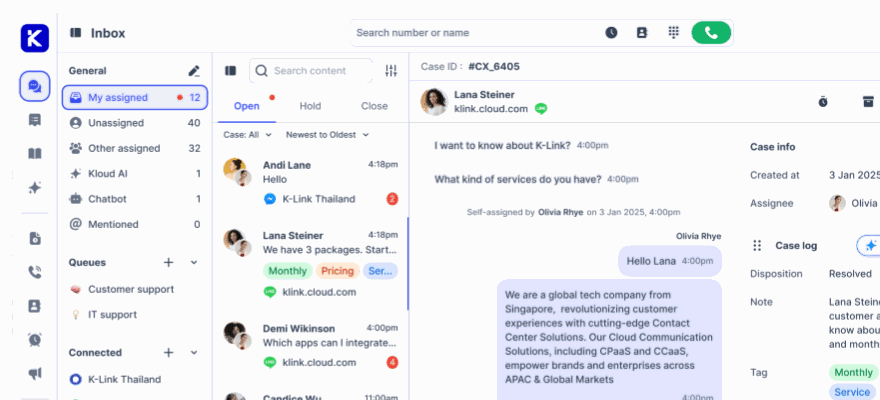
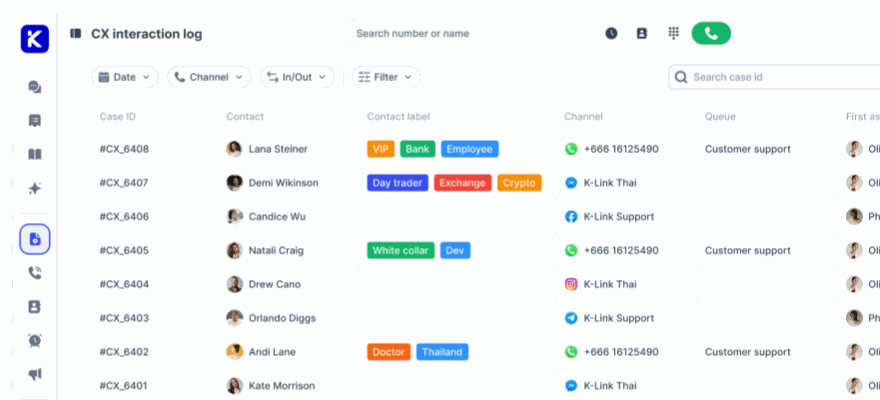
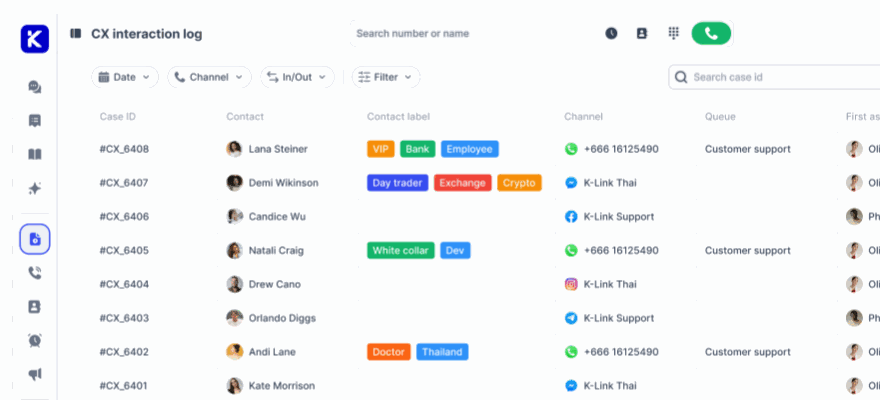
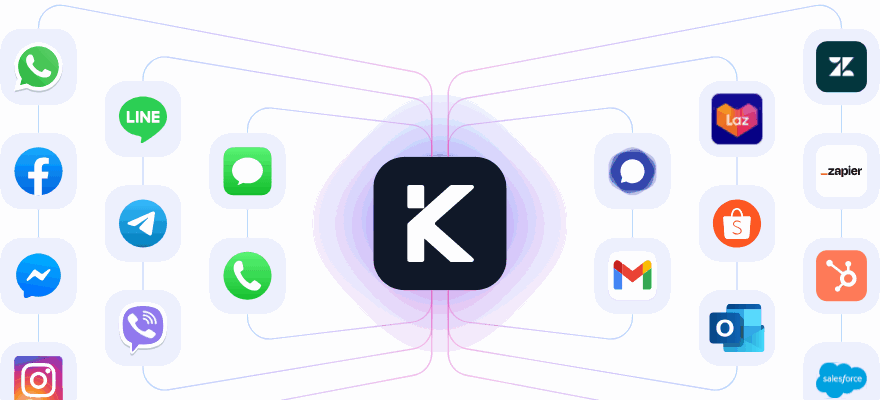
Handling flash sales becomes much simpler when all customer interactions are managed in one place. klink.cloud's Unified Inbox brings together telephony, live chat, email, WhatsApp, Facebook Messenger, Instagram DMs, Telegram, and LINE OA into a single interface. This means AI agents and supervisors can oversee all messages from one dashboard - a huge advantage when every second counts during events like Black Friday.
The platform keeps customer interactions across all channels in a single timeline, giving agents full context for every conversation. This eliminates the dreaded "Can you repeat that?" moments, which are especially common during hectic sales periods.
"Since adopting klink.cloud, we've seen a massive improvement in our response times. Our customers are happier, and our agents are more efficient than ever." – Sarah Lee, Head of Contact Center, Horizon Solutions
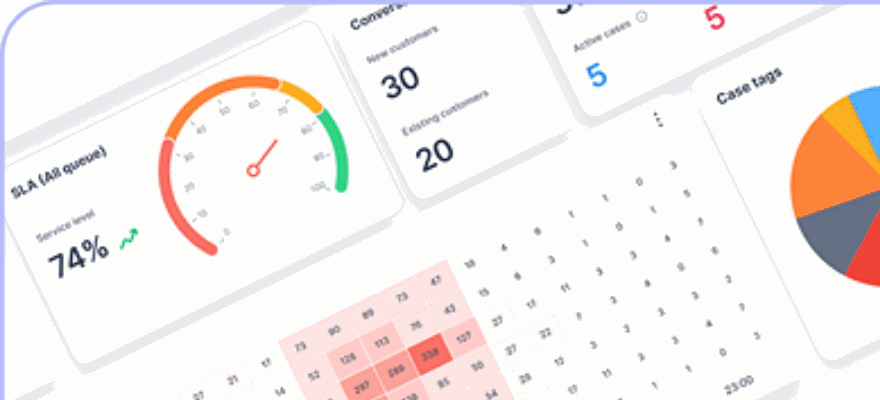
Another key benefit is real-time visibility. Supervisors can monitor queue lengths, conversation statuses, and SLA metrics across all channels simultaneously. For instance, if the live chat queue spikes during a flash sale while phone volume remains steady, managers can reassign tasks or adjust AI routing rules to balance the load. This ensures no high-priority inquiry goes unanswered.
Additionally, klink.cloud integrates seamlessly with tools like Gmail and Shopify, keeping workflows smooth even when AI agents need to retrieve order details or update customer records. For businesses running nationwide campaigns across multiple time zones, this unified approach ensures no customer is left behind, no matter the channel they use.
Features for Flash Sales and Peak Seasons
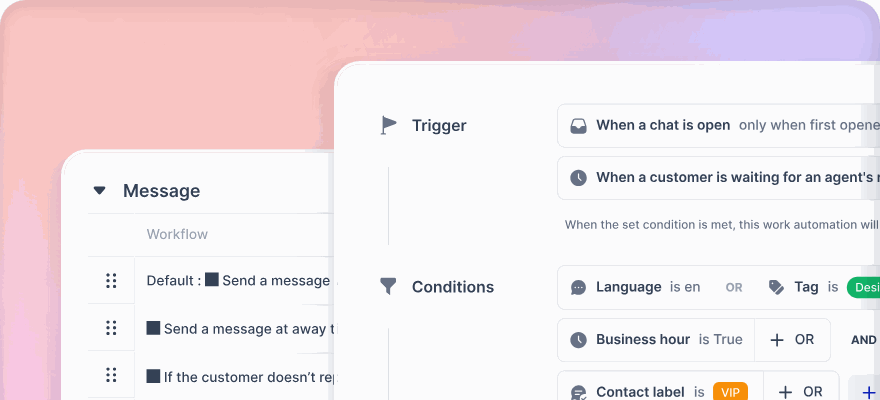
The platform includes features specifically designed to tackle the challenges of high-demand periods. Smart workflow automation, for example, tags and routes tickets based on keywords, customer type, language, or VIP status. Businesses can set rules so that common questions - like order status, payment issues, or discount codes - are handled by AI agents, while more complex cases, such as VIP concerns or chargeback disputes, are escalated to specialized teams.
The IVR (Interactive Voice Response) system uses natural language processing, allowing customers to state their issues directly - like "check my order status" - instead of navigating complex menus. For example, an e-commerce company can set up IVR flows to automatically provide tracking details, resolving thousands of inquiries without human involvement.
Dashboards offer live metrics such as concurrent conversations, first-response times, resolution rates, and AI deflection rates. During a 24-hour flash sale, managers can monitor these stats in real time, identify bottlenecks, and tweak workflows as needed - whether that’s refining response templates or adjusting escalation thresholds.
The Case Management system tracks every interaction with detailed metrics, including SLA compliance, resolution times, sentiment analysis, and CSAT scores. This unified tracking ensures that critical cases, like payment disputes or frequent customer follow-ups, are routed to senior agents with all the necessary context.
Proactive communication tools help businesses reduce inquiry volume before it becomes overwhelming. Automated triggers can send order confirmations, shipping updates, or "sale ending soon" reminders via SMS, email, or messaging apps. For instance, during Cyber Monday, sending delivery ETAs in advance can prevent hundreds of "Where’s my order?" messages from clogging the queue.
AI-powered agent assist tools further improve efficiency by offering suggested replies, conversation summaries, and relevant knowledge articles. These tools are especially helpful for seasonal hires during busy periods, enabling them to ramp up quickly while maintaining service quality. Research shows that such assistance can cut average handle times by 15–25%.
Scalable Solutions for Businesses of All Sizes
klink.cloud’s tiered pricing structure makes it accessible for businesses at various stages of growth:
- Free Plan: Ideal for trying out omnichannel support, offering the Unified Inbox, CRM contacts (up to 100), and basic channels like Facebook Messenger, Instagram DM, Telegram, and live chat.
- Starter Plan ($23 per user/month): Adds telephony features, including one virtual phone number, SMS channels, and expanded CRM contacts (up to 10,000). This plan is great for small retailers preparing for seasonal spikes.
- Growth Plan ($69 per user/month): Unlocks advanced features like unlimited CRM contacts, multi-level SLA management, workflow automations, IVR routing, and detailed dashboards. Perfect for mid-sized e-commerce brands handling high volumes during large campaigns.
- Enterprise Plan (custom pricing): Includes everything from the Growth plan, plus integrations with tools like Salesforce and HubSpot, advanced telephony panels, e-commerce platform integrations, SSO authentication, and dedicated account support. This tier is designed for large-scale retailers managing nationwide campaigns.
With a 99% uptime guarantee, klink.cloud ensures reliability during critical sales windows. Businesses have reported significant improvements, including a fivefold boost in productivity, doubled customer satisfaction, and stronger customer relationships. These benefits are especially impactful during peak seasons when efficiency directly affects revenue.
For businesses new to AI, starting with clearly defined intents and testing workflows during quieter periods is key. klink.cloud’s flexibility allows teams to rehearse and refine processes before major events. Post-event analytics provide valuable insights into areas like low AI resolution rates and overloaded channels, helping teams make improvements for future campaigns.
With pricing that scales based on usage and seasonal needs, businesses can avoid overpaying for capacity they only require during peak times. This combination of flexibility, transparent pricing in USD, and usage-based fees for telephony and SMS makes it easier to plan budgets and measure ROI during high-demand periods.
Conclusion
Flash sales and peak seasons can be incredibly tough on customer service teams. When traffic skyrockets within minutes and every interaction has the potential to drive revenue, the line between a seamless experience and a chaotic breakdown often depends on how effectively businesses can scale their support. AI agents have emerged as a practical solution to this challenge, providing instant, 24/7 responses while managing thousands of simultaneous conversations - without the delays or costs associated with temporary hires.
Why AI Agents Make Sense
AI agents excel during traffic surges by maintaining service quality. They handle routine inquiries independently, freeing human agents to focus on more complex issues like payment disputes or VIP requests. Instead of answering the same question hundreds of times during a 24-hour sale, your team can concentrate on tasks that require a personal touch.
In time-sensitive situations, like flash sales, speed is everything. When customers are racing against the clock to grab limited-time offers, AI agents ensure response times stay low - even as incoming messages spike. Faster responses and quicker resolutions directly impact customer satisfaction. By providing near-instant answers during these surges, AI agents help minimize frustration, reduce cart abandonment, and avoid negative reviews.
Beyond efficiency, AI agents provide a safety net for your business. They prevent service disruptions when traffic exceeds expectations, helping you avoid the fallout of long wait times, social media complaints, and customer churn. They also stabilize service quality during staffing fluctuations caused by sick days, seasonal turnover, or hiring challenges. Operating around the clock, AI agents make it possible for U.S.-based businesses to support global flash sales without building expensive follow-the-sun teams.
This isn’t just a short-term solution for Black Friday or Cyber Monday. AI agents can smooth demand spikes year-round, whether it’s a product launch, marketing blitz, or holiday rush. Over time, each event sharpens the system, improving automation accuracy and routing logic. And the same AI foundation can evolve to support advanced features like personalized recommendations, post-purchase follow-ups, and retention campaigns - extending its value far beyond customer support.
Getting Started with AI Agents
If you're preparing for your next flash sale or peak season, start by identifying your most common customer questions. Focus on automating high-volume queries like shipping times, discounts, returns, and order tracking. This approach ensures your AI deployment targets the areas that matter most to your customers and your business.
Consider running a pilot program with AI agents on a few key channels before your next big campaign. This allows you to test performance, fine-tune responses, and optimize handoff rules without the pressure of a live event. Set clear metrics - like response times, containment rates, and customer satisfaction improvements - to measure success and guide future scaling.
Platforms like klink.cloud make this process easier. With a unified dashboard, proactive alerts, and a scalable design, their omnichannel platform integrates seamlessly across web chat, email, SMS, social messaging, and voice. This ensures AI agents can operate with a complete view of the customer, even during sudden spikes in demand. Support leaders can rely on klink.cloud to handle national holidays, major promotions, and flash sales without needing to reconfigure their systems.
Whether you’re a startup managing your first big sale or a large retailer running nationwide campaigns, klink.cloud adapts to your needs. Smaller businesses can start with a simple setup - an AI agent managing FAQs and order tracking across a couple of channels - and expand as they grow. Larger enterprises can leverage the platform’s ability to handle high volumes and complex routing for multi-brand campaigns. Its cloud-based, modular design ensures you only pay for what you use, while still accessing advanced AI capabilities.
Schedule a demo or trial ahead of your next flash sale to see how AI agents can perform under your specific conditions. Bring data like ticket volume, response times, and abandonment rates to the conversation. This helps klink.cloud’s team craft a tailored AI rollout plan and estimate its potential impact. Start with one key automated process to secure early wins and build confidence in AI-driven support.
With tools like klink.cloud, your support team can turn the pressure of peak seasons into a chance to shine. Businesses that succeed during flash sales are the ones that plan early, test thoroughly, and scale smartly. AI agents provide the resources to do all three, transforming high-demand periods into opportunities to deliver standout customer experiences and drive revenue growth.
FAQs
How are AI agents better than traditional chatbots for managing customer inquiries during busy shopping seasons?
AI agents stand out from traditional chatbots by managing more intricate and dynamic customer interactions. While chatbots are usually built to handle straightforward FAQs and simple questions, AI agents leverage advanced algorithms and natural language processing to grasp context, deliver tailored responses, and even navigate multi-step workflows.
This capability makes AI agents especially useful during high-traffic times like flash sales or busy shopping seasons. They can manage a high volume of inquiries, resolve issues on the spot, and ensure a smooth customer experience across multiple channels. By taking on these tasks, AI agents lighten the load for human support teams, helping businesses maintain quick response times and keep customers happy when it matters most.
What are the main advantages of using AI agents during flash sales and peak seasons?
AI agents shine during high-demand periods like flash sales or peak seasons by managing a high volume of customer inquiries at once. This capability means faster responses and shorter wait times, which can make a big difference in keeping customers happy.
They also excel at maintaining smooth communication across various platforms - whether it's email, live chat, or social media. This ensures a consistent experience for customers while easing the pressure on human agents. As a result, businesses can uphold excellent service quality even when demand spikes.
How can businesses prepare their AI systems to handle high-demand events like Black Friday or Cyber Monday?
To get your AI systems ready for high-demand events like Black Friday or Cyber Monday, start by diving into past data. Look at trends to predict customer needs and identify peak interaction times. This insight helps you adjust your AI workflows to manage the increased volume while maintaining quick and accurate responses.
Consider using scalable AI tools like chatbots or virtual assistants that can juggle multiple queries at once. When these tools are integrated with your existing systems, they ensure smooth communication across all customer touchpoints. Make it a habit to test and tweak your AI models regularly so they stay sharp and perform well under pressure.
Planning ahead allows you to cut response times, ease the load on your human support team, and deliver a standout customer experience during these busy shopping events.