
Automating Order Tracking & Refund Requests Using AI
AI is transforming customer service by automating repetitive tasks like order tracking and refund requests. This technology enables businesses to handle inquiries faster, reduce errors, and improve customer satisfaction without overburdening support teams. Here's how AI achieves this:
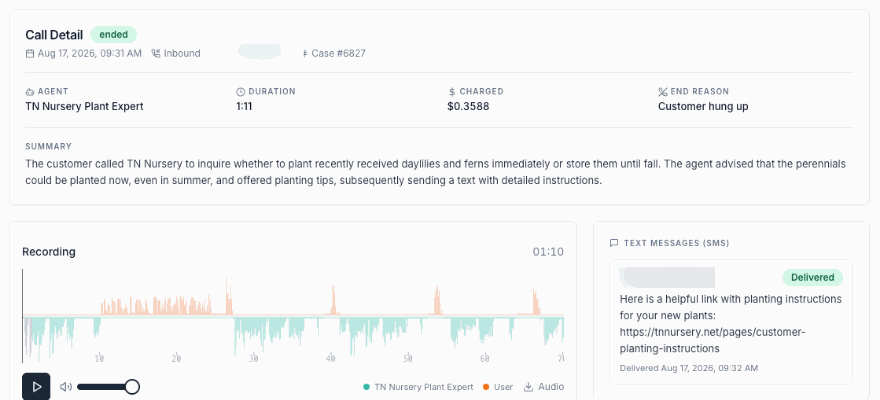
- Instant Order Tracking: AI retrieves real-time shipping updates from carriers like UPS or FedEx, providing customers with accurate delivery statuses 24/7.
- Automated Refunds: Refunds that meet standard policies are processed automatically, including payment gateway integration for seamless transactions.
- Proactive Notifications: AI alerts customers about delays or updates, reducing inquiries and improving transparency.
- Streamlined Returns: From generating return labels to verifying eligibility, AI simplifies the entire process.
- Multi-Order Management: Handles inquiries about multiple purchases efficiently, saving time for both customers and agents.
By integrating with tools like order management systems, payment gateways, and CRMs, AI ensures accurate and consistent responses across all communication channels. Businesses can scale support during peak seasons without adding staff, while customers enjoy faster resolutions and better service.
Platforms like klink.cloud centralize these workflows, connecting email, chat, and messaging apps into one system. This unified approach simplifies management, reduces costs, and improves efficiency, making it an ideal solution for businesses looking to modernize their customer support operations.
3 Best Practices for AI Customer Service Agents
What AI-Powered Order Tracking and Refunds Can Do
AI automation is changing the game for businesses when it comes to handling customer service requests. Instead of making customers wait for a representative to dig through systems for answers, AI-powered tools can instantly pull up order details, process refunds, and provide updates. These systems work by connecting conversational AI platforms with order management tools, payment systems, and shipping services, following pre-set rules to handle requests efficiently.
For example, when a customer asks, "Where is my package?", the system identifies the question, locates the order using customer details, retrieves tracking data from the carrier’s API, and delivers a detailed status update. The same process applies to refund requests - AI checks company policies, determines eligibility, initiates the refund, and informs the customer once it’s done.
This approach eliminates the hassle of navigating complicated self-service systems or waiting in line for an agent. Customers can simply ask their questions in plain language through their preferred channel, and the system takes care of the rest. Since this automation runs 24/7, customers can get assistance anytime, without worrying about business hours.
Common Use Cases for AI in Order Tracking and Refunds
Here are some practical ways businesses are using AI to streamline order tracking and refunds:
- Real-time order updates: Customers often check their order status multiple times before delivery. AI systems can fetch the latest tracking details directly from carriers like UPS, FedEx, or USPS, providing updates on the package’s location, estimated delivery date, and any delays. This saves agents from having to manually look up and relay this information.
- Proactive delay notifications: AI monitors shipment data and alerts customers when delays occur. For instance, if bad weather delays a Friday delivery, the system sends a notification with a revised delivery estimate. This proactive communication reduces the number of inquiries, as customers are informed before they need to ask.
- Streamlined returns (RMA processing): When customers initiate returns, AI can verify the purchase, check if the return window is open, and generate an RMA number along with instructions. If the business provides prepaid return labels, the system can automatically email it to the customer, cutting down on manual steps and speeding up the process.
- Automated refunds based on policies: Refunds that meet standard criteria - like being requested within 30 days of purchase - can be approved and processed automatically. The system initiates the refund transaction and informs the customer about when they’ll receive the funds. More complex cases are sent to human agents for review.
- Handling multi-order inquiries: During busy times, customers might have questions about multiple orders. AI can pull up details for all recent purchases linked to a customer’s account, offering a comprehensive update without requiring agents to look up each order individually.
- Partial refunds and adjustments: If a customer reports a damaged item but wants to keep it at a discount, AI can calculate and process a partial refund. Similarly, for price drops shortly after purchase, the system can refund the difference automatically if the company has a price-matching policy.
How AI Improves Customer Experience and Reduces Agent Workload
The benefits of AI automation are clear - it makes life easier for both customers and support teams.
One of the biggest advantages is speed. Questions that might take 15 to 30 minutes to resolve through traditional methods are handled in under a minute with AI. Customers don’t have to explain their issue to an agent, wait for them to find the information, or deal with being transferred between departments.
This speed becomes even more critical during busy periods like holiday sales or product launches. While traditional teams struggle with high inquiry volumes, AI systems can handle thousands of requests per hour without any drop in response time.
Consistency is another major improvement. Human agents, no matter how skilled, can vary in how they interpret policies or communicate with customers. AI, on the other hand, applies the same logic to every interaction, ensuring accurate and predictable responses every time. This frees up agents to focus on more complex cases where human judgment is necessary.
AI also reduces errors. Manual processes can lead to mistakes - like entering the wrong tracking number or refunding the wrong amount. AI systems follow programmed workflows, pulling data directly from source systems to ensure accuracy. This minimizes costly errors and helps maintain customer trust.
The financial impact is significant too. Faster resolutions lead to happier customers, which often translates to higher customer lifetime value and fewer complaints. Satisfied customers are more likely to make repeat purchases and recommend the business to others. Additionally, automation allows companies to scale their support operations without hiring more staff.
Another key benefit is the data insights AI provides. Every interaction is logged, creating valuable data about common customer issues and trends. Businesses can use this information to fix recurring problems, improve processes, and reduce support inquiries over time.
Finally, for businesses that operate across time zones or serve international customers, AI is a game-changer. A company based in New York can provide instant support to customers in California late at night without needing a night shift. The system works around the clock, ensuring customers always get the help they need, no matter the time.
Core Technologies That Power AI Automation
Every automated system handling order tracking or refunds relies on a combination of technologies working together behind the scenes. These tools connect customer inquiries to actionable data, helping businesses streamline processes and improve customer experiences.
Natural Language Processing and Intent Recognition
Natural Language Processing (NLP) is the backbone of AI's ability to understand what customers are asking for, even when questions are phrased in unexpected ways. For example, when someone types "Where's my stuff?", NLP identifies it as an order tracking request. This adaptability is key because customers don’t stick to predefined scripts - they communicate naturally.
The process starts with the AI categorizing customer messages into specific intents, like "track_order" or "request_refund." It can handle informal language and even multiple requests in a single message. For instance, a customer saying, "I need to track order #45782 that I placed last Tuesday," prompts the system to extract "45782" as the order number and recognize the timeframe mentioned.
NLP also accounts for the variety of ways people express the same idea. Phrases like "I want my money back,", "Can I get a refund?", or "This didn’t work, I need to return it" all point to refund-related intents. The system distinguishes between straightforward refund requests and more complex cases, like defective product returns, where the workflow might differ.
Sentiment analysis adds another layer, detecting emotions like frustration or urgency in messages such as "This is the third time I’m asking about my refund!". In such cases, the system might escalate the issue to a human agent or adjust its tone to address the customer’s concerns more empathetically. This avoids awkward situations where an automated system responds cheerfully to an upset customer.
NLP also enables multi-turn conversations, where the system can ask follow-up questions naturally to gather missing information. For example, if a customer requests a refund but doesn’t provide an order number, the AI might respond with, "I’d be happy to help with that refund. Could you provide your order number or the email address you used for the purchase?" Throughout the conversation, the AI retains context, ensuring it doesn’t ask the same questions repeatedly.
The accuracy of intent recognition is critical. A system that misinterprets customer requests can lead to frustration and extra work for human agents. That’s why businesses often start with a small, well-defined set of intents and gradually expand as the system learns from real interactions.
Once the system understands the customer’s request, it connects to backend tools to execute actions smoothly.
Integration with Order Management and Payment Systems
After interpreting customer inquiries, AI systems rely on backend integrations to carry out tasks like order tracking and refunds. This is where API integrations play a crucial role, acting as a bridge between customer conversations and backend systems.
Order management system (OMS) integration forms the foundation. When a customer asks about their order, the AI queries the OMS using identifiers like order numbers, email addresses, or phone numbers. The OMS then provides details such as order status, shipping information, and payment details. For example, the AI might deliver a message like, "Your order #45782, which includes a blue wireless speaker, shipped on December 3, 2025, via FedEx. It’s expected to arrive by December 7, 2025."
Shipping carrier integrations allow the AI to access real-time tracking updates directly from services like UPS, FedEx, or USPS. This ensures customers always see the latest package status, avoiding delays caused by outdated information.
For refunds, payment gateway integration is key. When approving a refund, the AI communicates with payment processors like Stripe, PayPal, or Square. It sends a refund request with details like the transaction ID and amount, then updates the customer: "Your refund of $49.99 has been processed to your Visa ending in 4532. Expect it in your account within 3-5 business days."
Customer relationship management (CRM) integration adds a layer of personalization. By connecting to platforms like Salesforce or HubSpot, the AI can access a customer’s history, previous interactions, and account details. For example, a customer with a strong history of legitimate returns might have their refund request processed faster, while cases flagged for potential fraud could be sent to a human for review.
Inventory management systems also play a role, especially in handling returns. If a customer requests an exchange, the AI can check stock levels to determine whether a replacement is available. If not, it may automatically offer a refund instead.
The system must also handle error scenarios gracefully. For example, if the OMS is temporarily unavailable or an API call times out, the AI should provide a helpful response like, "I’m having trouble accessing your order details right now. Let me connect you with a team member who can assist." This keeps the customer informed and maintains trust.
Real-time data synchronization is another important factor. Since customer information, order statuses, and inventory levels are constantly changing, the AI relies on up-to-date data through real-time API calls rather than outdated cached information.
Security is a top priority in these integrations. The system must manage authentication tokens, API keys, and customer data securely, using encryption for all communications. Sensitive information, like full credit card numbers, should never appear in customer-facing messages or system logs.
Many businesses simplify these integrations using middleware platforms. Middleware acts as a central hub for managing data transformations, routing, and error handling. This approach makes it easier to add new systems or replace existing ones without disrupting the entire setup.
Finally, the system should support webhook notifications. For instance, when an order is delivered or a refund is completed, backend systems can push updates to the AI platform, which can then notify the customer instantly. This proactive communication enhances the overall experience.
For companies with multiple fulfillment centers or third-party logistics providers, the AI system aggregates data from various sources to ensure customers receive consistent and accurate updates. This unified approach helps businesses maintain a seamless customer experience.
Building Automated Workflows That Work
Automating the Order Tracking Process
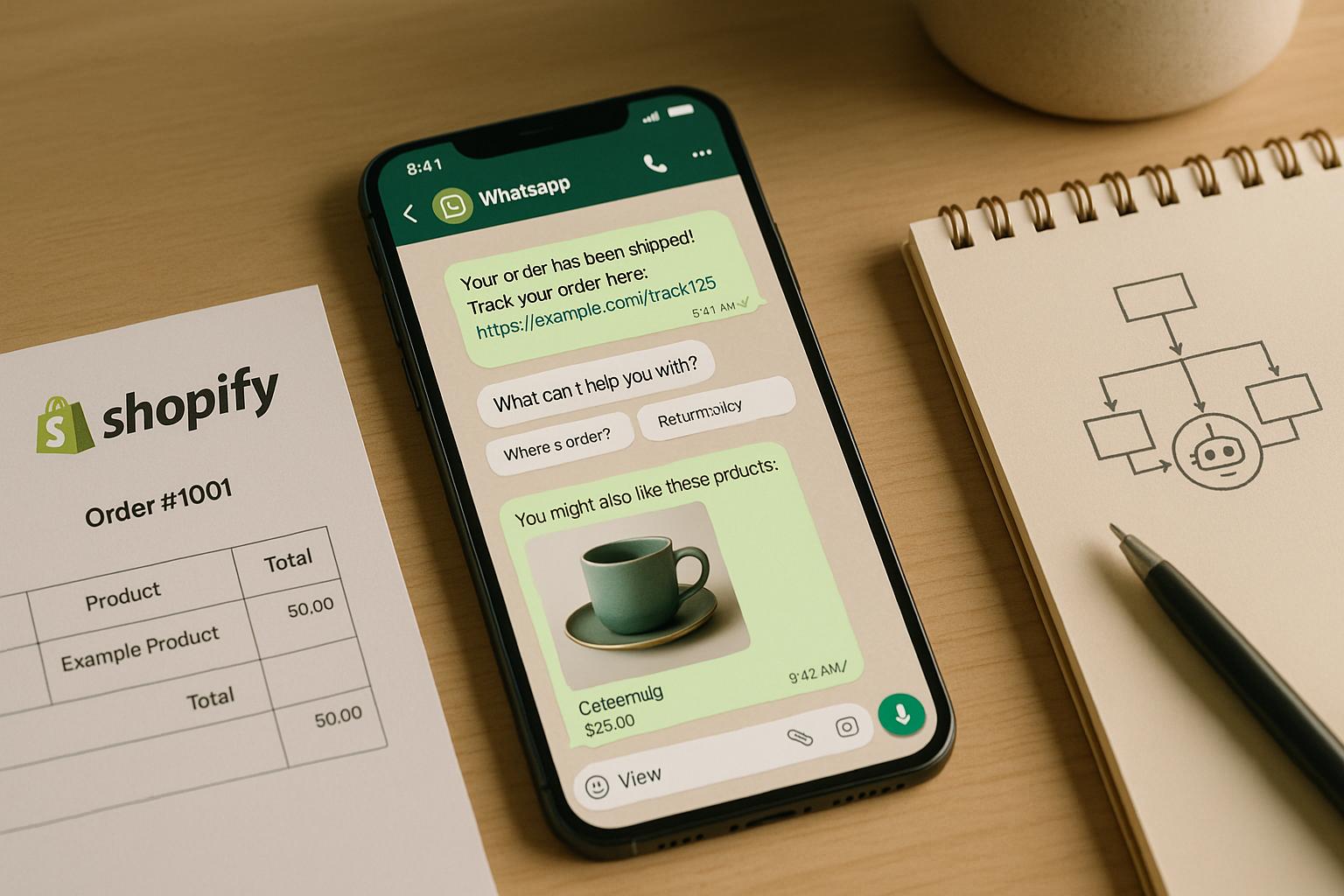
The order tracking process kicks off right after a purchase is completed. The system immediately sends a confirmation message to the customer's preferred communication channel - whether it's email, SMS, or a messaging app. This message includes critical details like the order number, estimated delivery date, and a summary of the purchase.
When the order ships, the system updates the customer with tracking information. For example: "Your order #78934 has shipped via UPS. Track your package here: [tracking link]. Expected delivery: December 9, 2025."
If a customer inquires about their order's status, the AI retrieves the latest information. For customers with multiple active orders, it clarifies: "I see you have two orders in progress. Which one would you like to track? Order #78934 (wireless headphones) or Order #78941 (phone case)?"
Delivery exceptions are handled proactively. If a delay occurs, the system notifies the customer before they even ask, saying something like: "We noticed your package is running behind schedule due to weather delays in the Midwest. The new expected delivery date is December 11, 2025. We apologize for the inconvenience."
The system also sends same-day alerts when an order is out for delivery. For high-value items, it confirms delivery completion and asks customers to verify receipt. If any issues arise, the system escalates the case to a human agent for further investigation with the carrier.
Address issues are resolved based on shipment status. If the order hasn’t shipped yet, the system updates the address in the order management system (OMS) and confirms the change with the customer. For shipments already in transit, it offers options like rerouting through the carrier or arranging a return and reshipment.
For gift orders, the system ensures privacy by verifying the recipient’s identity before sharing details. If a gift recipient needs tracking information, they must provide the order number or tracking link.
Throughout this process, the AI maintains a complete conversation history, so customers don’t have to repeat themselves. Once the order tracking workflow is in place, the same level of precision is applied to refund processes, ensuring customer trust is upheld.
Building on These Processes: How AI Streamlines Refunds
Refund workflows require careful attention to company policies, payment processing, and inventory updates. When a customer requests a refund, the system first checks the purchase date, product type, return reason, and the store’s policy to determine if the refund is allowed.
For example, if the return window is 30 days, the AI calculates the time since delivery. If the request falls within the window, the refund proceeds without issue. If not, the system responds: "I see your order was delivered on October 15, 2025, which is outside our 30-day return window. However, let me connect you with a team member who can review your situation."
The reason for return also directs the next steps. For defective items, the system might request photos or a description of the issue before approving the return. If applicable, return shipping fees are waived automatically for defective products.
For cases like damaged packaging or missing accessories, partial refunds can be offered. For instance, if a product box is dented but the item works perfectly, the system might propose a 15% refund instead of requiring a full return.
Sales tax calculations ensure refund accuracy. For example, if a $49.99 item purchased in California (with a 9.5% sales tax) is refunded, the system calculates and communicates: "Your refund of $54.74 (including $4.75 in sales tax) has been processed."
Once a refund is approved, the system generates and sends a return shipping label with clear instructions: "Please pack the item securely in its original packaging and attach the return label. Drop it off at any UPS location. Once we receive and inspect the item, your refund will be processed within 2-3 business days."
For items like opened electronics, restocking fees are disclosed upfront: "There's a 15% restocking fee for opened electronics, which would be $7.50 in your case. Your total refund would be $42.49. Would you like to proceed?"
In the case of exchanges, the workflow checks inventory availability. If the desired item is out of stock, it offers alternatives: "The large size is currently out of stock, but we expect more inventory on December 15, 2025. Would you like us to ship it then, or would you prefer a refund?"
To ensure security, fraud prevention measures flag unusual patterns, like multiple high-value refunds, for manual review. Legitimate customers aren’t disrupted, but suspicious activity is carefully monitored.
For subscription refunds, the system might offer options like pausing the subscription or providing a prorated refund based on unused time.
Refund processing times depend on the payment method. The system sets clear expectations: "Since you paid with a Visa credit card, the refund will appear on your statement within 3-5 business days. You'll receive a confirmation email once it's processed." Once the payment processor confirms the transaction, the AI sends a final message: "Your refund of $54.74 has been completed and should appear in your account shortly. Is there anything else I can help you with today?"
sbb-itb-204ca50
Omnichannel Automation with klink.cloud
Unified Workflows for Order Tracking and Refunds
When customers inquire about orders or refunds, they might use text, a phone call, or email. Without a centralized system, these interactions can feel disconnected, forcing agents to piece together fragmented conversations manually.
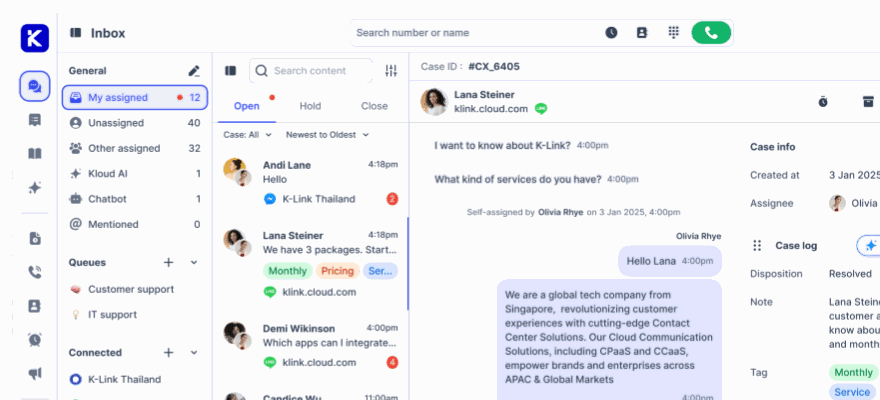
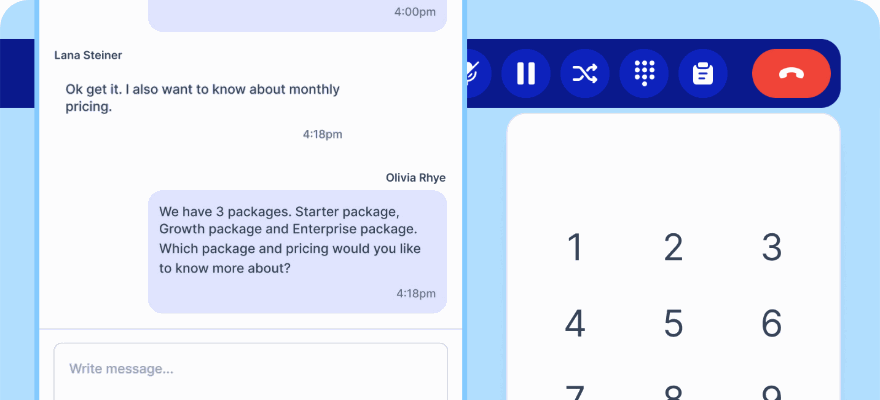
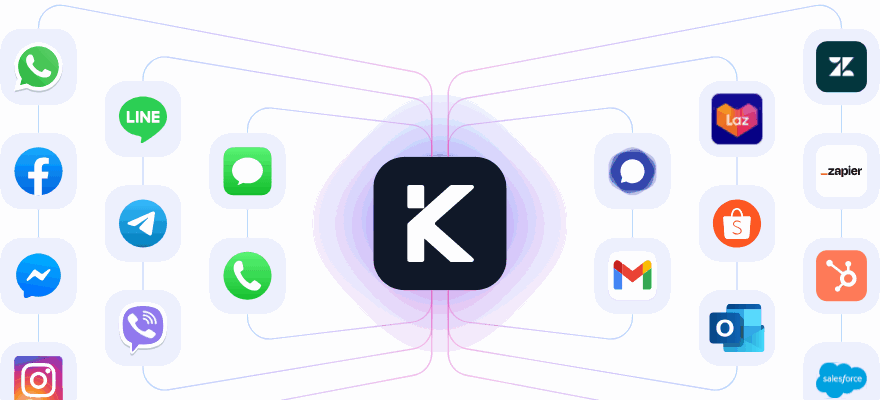
klink.cloud solves this by bringing all communication channels - phone, SMS, email, and messaging apps like WhatsApp, Facebook Messenger, and Telegram - into one unified workspace. Through the Unified Inbox, agents and AI workflows can instantly access the full history of customer interactions. For example, if a customer texts "Where is my order?" at 10:00 AM and later calls at 2:00 PM, the system identifies them and continues the conversation seamlessly, without asking for repeated details.
This centralized approach is particularly useful during busy periods like Black Friday or the holiday season. Instead of hiring extra staff to manage separate email queues, phone lines, or social media platforms, businesses can route all inquiries through AI-driven workflows. The system efficiently handles routine tasks such as order status updates or refund eligibility checks. More complex issues - like disputed charges or recurring refund requests - are escalated to human agents, complete with all relevant context.
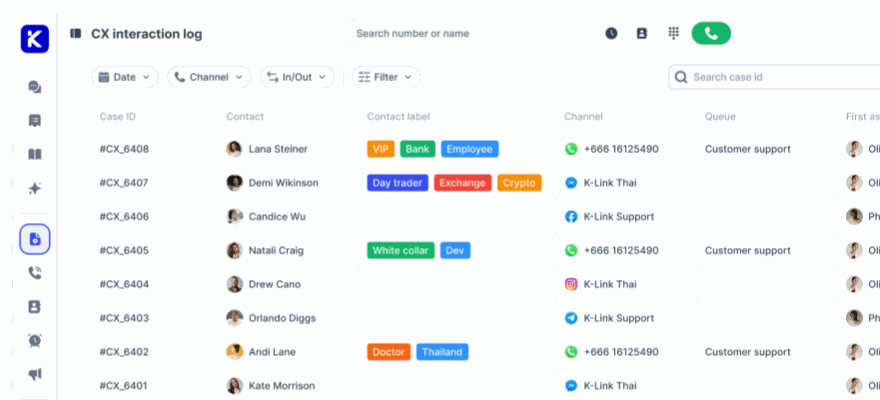
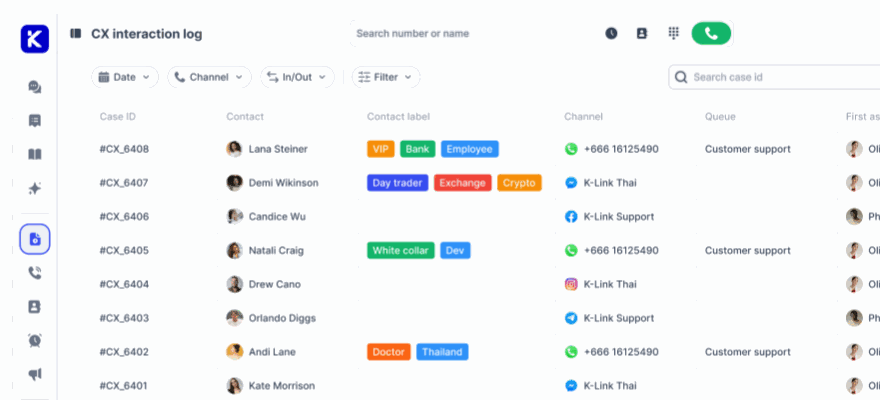
Case Management ensures every interaction is linked to a customer profile, capturing details like response times, sentiment, satisfaction scores, and custom tags. For instance, if a VIP customer submits a refund request via email, the system flags it for priority handling and routes it to a specialized queue. If the same customer follows up on Instagram later, the agent can see the entire history, from refund approval to return label issuance, without switching tools or asking redundant questions.
Real-time integration connects support channels, pulling data from various platforms to ensure customers receive consistent updates regardless of how they reach out. This seamless workflow reduces duplicate work for agents and speeds up responses for customers switching between channels. With this foundation in place, businesses can further enhance efficiency by configuring AI-powered workflows in klink.cloud.
Setting Up AI-Powered Automation in klink.cloud
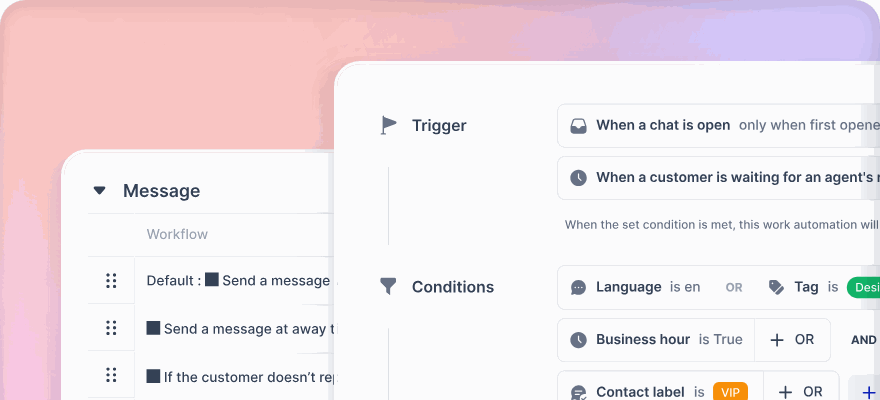
Building on the streamlined order tracking and refund processes, klink.cloud extends these benefits across every customer interaction. Setting up AI workflows starts with identifying common customer intents, such as order status inquiries, delivery issues, refund requests, or charge disputes. Each intent is tied to a specific workflow, dictating what data to retrieve and which actions to take - whether it’s sending a tracking link, generating a return label, or initiating a refund.
Routing rules allow businesses to prioritize and assign conversations based on criteria like customer value, urgency, or case complexity. For example, routine order status questions can be resolved instantly by AI, while refund requests or potential fraud cases are routed to specialized agents for personalized attention.
The platform also supports automatic workflow initiation, meaning the process begins the moment a customer reaches out. If someone texts, "I need to return my order", the AI recognizes the intent, authenticates the customer by requesting an order number or partial payment details, checks eligibility through the connected order management system, and either approves the return or explains why it doesn’t qualify. For straightforward cases like "item never arrived", confirmed by carrier data, the system can issue refunds or replacements without agent involvement.
To maximize efficiency, klink.cloud integrates with key business systems, including ecommerce platforms for order details, shipping providers for tracking updates, payment processors for transaction data, and CRMs for customer profiles. Optional connections to inventory systems can help determine replacement availability, while analytics tools provide insights into refund rates, resolution times, and overall performance across channels.
When designing automated messaging - like order confirmations or delay alerts - teams should define clear trigger events and tailor content for each channel. For instance, SMS messages should be concise, while emails can include more detail. Personalization, such as using the customer’s name or referencing specific items (e.g., "Your wireless headphones have shipped"), makes messages feel more relevant and human. Compliance with U.S. regulations like the Telephone Consumer Protection Act (TCPA) is crucial, so businesses should include frequency limits and easy opt-out options.
U.S.-specific configurations, such as using MM/DD/YYYY date formats, $25.99 currency formatting, and Pacific Time for West Coast customers, ensure a localized experience. For refunds, clear communication about amounts, including taxes, helps avoid confusion.
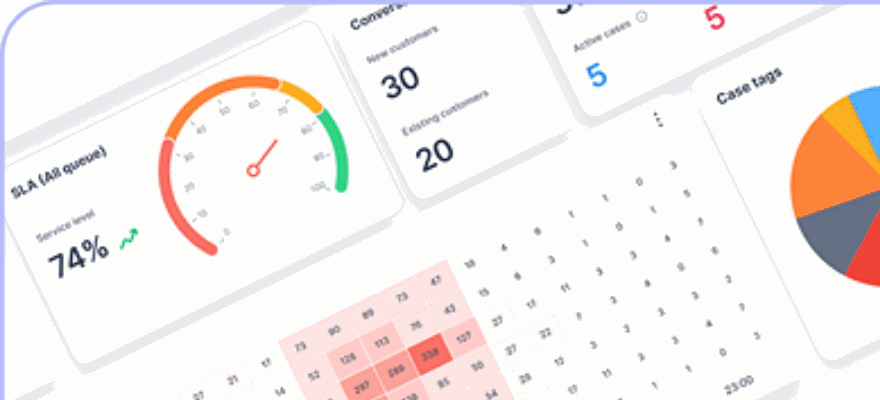
Real-time dashboards in klink.cloud provide visibility into workflow performance. Managers can track metrics like the percentage of inquiries resolved by automation, the average handling time for agent-assisted cases, first-contact resolution rates, and customer satisfaction scores by channel. If certain metrics, such as refund approval rates or response times, show unusual spikes, teams can refine AI training, adjust routing rules, or simplify processes.
Sentiment and intent detection further enhance the system. If a customer’s messages show frustration or confusion - such as repeated questions or negative language - the system can escalate the case to a skilled human agent, ensuring a smoother resolution. This balance between automation and human support keeps interactions efficient without sacrificing quality.
To implement automation effectively, businesses should start small. Focus on one or two channels and a few high-volume, low-risk intents, like order status updates or delivery ETA inquiries. Testing workflows with historical conversations helps validate AI accuracy. During the initial rollout, monitor metrics like response times and customer satisfaction to fine-tune configurations before expanding to additional channels and more complex workflows.
Compliance and Performance Optimization
Meeting U.S. Consumer Protection Requirements
When integrating AI into operations, ensuring compliance with U.S. consumer protection laws and maintaining high performance is non-negotiable. For instance, automating order tracking and refund workflows must align with regulations surrounding consumer rights, payment security, and data privacy. AI systems should clearly communicate return policies and maintain detailed records to uphold transparency and fairness.
Protecting data privacy is a top priority. Since AI workflows handle sensitive details like order numbers, payment data, shipping addresses, and customer identifiers, they must comply with PCI standards. This means structuring systems so sensitive payment information is securely handled and never exposed during communications.
Fraud detection adds another layer of security. AI can analyze order histories, customer behavior, and even use image verification to flag potential abuse in returns - helping safeguard revenue from fraudulent activities.
Transparency is also key in customer interactions. Clearly notifying customers when they are engaging with an AI agent and providing an easy option to switch to human support fosters trust.
Secure integration of AI systems with platforms like order management, inventory tools, CRMs, and payment gateways is essential. Using encrypted APIs, token-based authentication, and limiting access ensures transactions are verified without exposing sensitive data.
Beyond technical safeguards, oversight is critical. Establishing protocols to monitor AI performance and error tolerance helps maintain operational reliability and customer confidence. Regular audits ensure the system continues to operate accurately and fairly.
Monitoring and Improving Workflow Performance
Deploying automation is just the beginning. To keep AI workflows effective and efficient, continuous performance monitoring and updates are essential. Regular audits and frequent data validation - like updating algorithms with new return data - ensure accuracy and help identify emerging issues over time.
Starting with small-scale pilot programs can uncover challenges and edge cases before full implementation. This approach allows teams to refine processes and ensure workflows align with both business objectives and compliance standards. With ongoing adjustments, businesses can deliver consistent, reliable customer service across all platforms.
Conclusion
Using AI to automate order tracking and refund requests shifts the burden of manual, reactive tasks into proactive, efficient processes that enhance customer experiences. By streamlining workflows, businesses can significantly cut down on ticket volume, reduce support costs, and allow agents to focus on complex cases and high-value customers.
Take Siemens Healthineers as an example: they increased fully automated order processing from 8% to 85% and achieved an impressive 93% accuracy in field-level data capture with an AI-driven order management solution. Research also highlights that AI can reduce manual errors by up to 30% and shorten fulfillment cycles by around 25%, leading to faster order turnaround times. These advancements directly result in fewer chargebacks, a lower cost per customer interaction, and stronger customer trust.
Real-time tracking and proactive refund updates also play a key role in reducing wait times and turning potential customer frustrations into trust-building opportunities. This is especially crucial during high-demand periods like Black Friday, Cyber Monday, and the holiday season, when quick, transparent order tracking and smooth refund processes are essential for retaining customers.
Platforms like klink.cloud simplify this process by centralizing customer communication and seamlessly integrating with existing order management and payment systems. For U.S. businesses, klink.cloud caters to localized needs, such as displaying prices in USD, using U.S. date formats, and aligning workflows with domestic carriers and payment providers. This unified approach not only scales efficiently during seasonal spikes but also avoids the need for proportional increases in staffing. It’s a practical solution for businesses looking to implement automation without overcomplicating their operations.
"Thanks to klink.cloud, managing our contact center is simpler, faster, and more cost-effective. The ROI speaks for itself." - Lila Wong, CEO
To get started, businesses should map out their primary order and refund scenarios and test AI workflows in klink.cloud, connecting them to existing ecommerce, logistics, and payment systems. Begin with high-volume, low-risk use cases, such as basic tracking updates or standard refunds. Set clear policy rules, involve legal and finance teams early to ensure compliance, and keep a "human in the loop" for exceptions. This ensures that automation enhances the customer experience rather than restricting it.
Once processes are in place, tracking key metrics like average response time, first-contact resolution, refund cycle time, and customer satisfaction (CSAT) will help refine automation quality. Reviewing conversation transcripts and analyzing failure cases allows teams to adjust intents, messaging, and routing rules, steadily improving automation rates while maintaining service quality.
FAQs
How does AI improve accuracy and consistency in order tracking and refund requests?
AI brings a new level of precision and reliability to order tracking and refund processes by using real-time data integration and context-aware automation. It reviews customer interactions, monitors orders, and handles refunds with little need for human oversight, ensuring smooth communication and cutting down on mistakes.
By taking over repetitive tasks - like sending order updates or checking refund eligibility - AI reduces delays and speeds up responses. It also tailors support to individual customer preferences, offering personalized assistance across various channels. This makes the entire experience more seamless and dependable for customers.
How are complex refund requests managed when they require human involvement?
When refund requests require more than the usual processing, our system steps in to make the handoff to human agents as smooth as possible. It retains all essential details - like customer history and case context - so customers don’t have to repeat themselves. This approach helps agents resolve issues quickly while keeping the process efficient and ensuring a positive experience for the customer.
How does klink.cloud work with existing systems to improve customer service while keeping data secure?
klink.cloud works effortlessly with tools businesses already rely on, such as CRMs, helpdesk platforms, and billing systems. This integration allows for smooth data sharing and real-time updates, enabling teams to provide quicker and more tailored support to customers.
When it comes to security, klink.cloud doesn’t cut corners. It employs advanced encryption and strict access controls to safeguard sensitive customer information. This lets businesses automate their workflows with confidence, knowing their data remains secure and compliant with privacy standards.