How to Use WhatsApp AI Agent to Drive Sales and Reduce Support Load on Shopify
Want to boost Shopify sales while cutting down on customer support workload? A WhatsApp AI agent can help. It automates conversations, provides instant responses, and integrates with your Shopify store to handle common tasks like order updates, product recommendations, and abandoned cart recovery. Here’s what you need to know:
- Automated Support: Handles FAQs, order tracking, and return processing 24/7.
- Sales Growth: Suggests products, recovers abandoned carts, and sends personalized offers.
- Shopify Integration: Syncs with your product catalog, inventory, and policies for accurate answers.
- Setup Essentials: WhatsApp Business API, a clean Shopify catalog, and platforms like klink.cloud for no-code integration.
How WhatsApp AI Agents Work with Shopify Stores
What Are WhatsApp AI Agents?
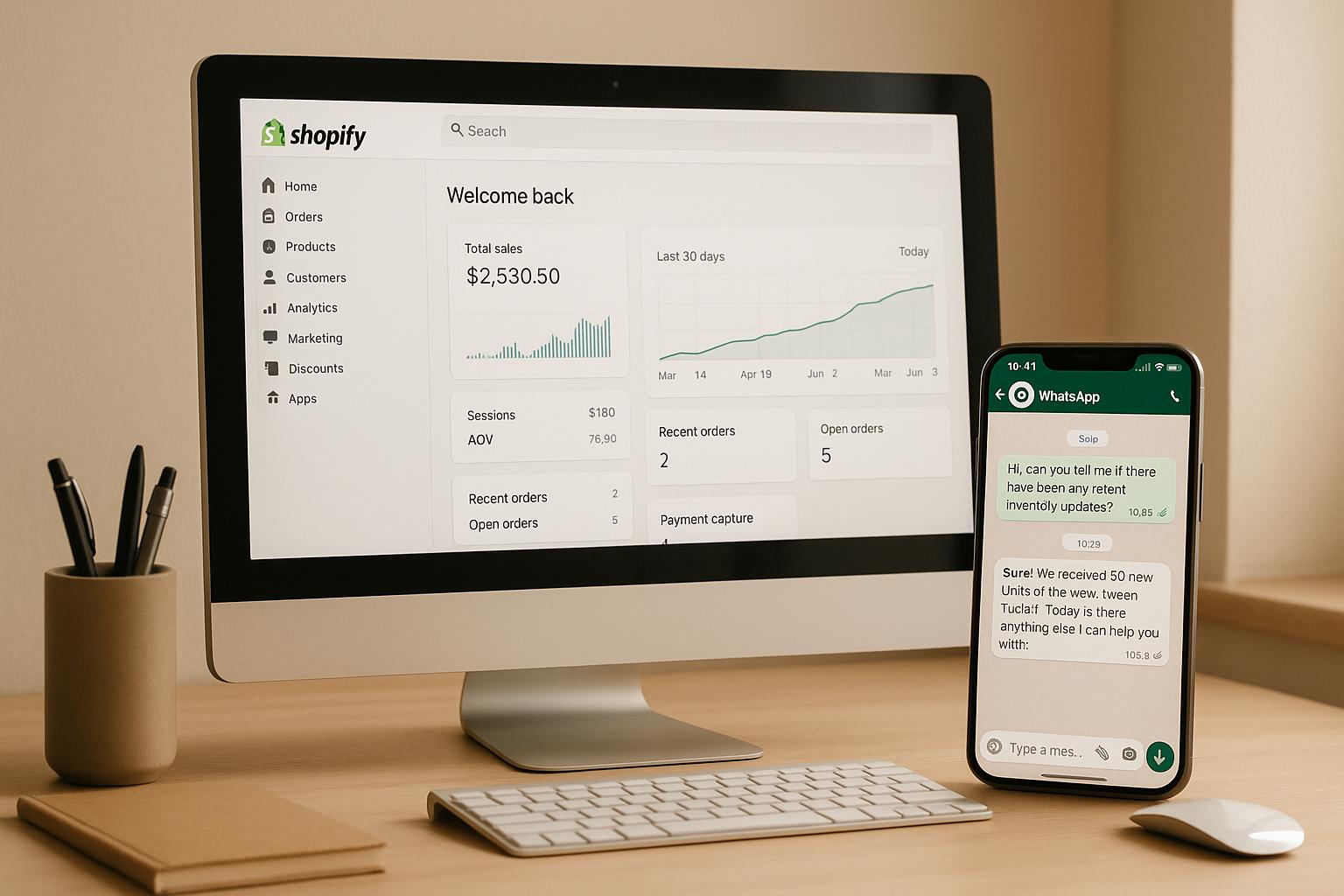
A WhatsApp AI agent goes beyond simple autoresponders. These chatbots are designed to understand natural language and directly connect to your Shopify store's data - like products, orders, customers, and inventory - to interact with shoppers in a meaningful way.
For example, if a customer asks, "Where is my order?" or "Do you have this in size M?", the AI agent interprets the question, retrieves real-time data from your Shopify store, and provides accurate answers. It can even suggest products based on a customer’s preferences, update cart contents, send secure payment links in USD, or initiate returns - all automatically.
Unlike static chatbots, these agents query your Shopify database using details like phone number, email, or order ID to provide precise tracking information. They also handle follow-up questions, adapt to the context of the conversation, and escalate to a human agent when necessary.
All interactions are tailored for U.S. customers, with prices displayed in USD (e.g., $49.99), dates formatted as MM/DD/YYYY, and delivery estimates customized for U.S. regions.
Common Applications for Shopify Merchants
Thanks to their real-time data access, WhatsApp AI agents play an important role throughout the customer journey. Shopify merchants in the U.S. use these agents for everything from answering pre-purchase questions to managing post-purchase support.
Pre-purchase support is a key area where these agents shine. They answer questions about product sizes, materials, availability, and more. They can even compare similar items and provide personalized recommendations based on a shopper’s budget, style, or browsing history. If a customer asks about discounts, shipping costs, or return policies, the agent delivers instant answers, helping to reduce cart abandonment.
Abandoned cart recovery is another game-changer. The AI agent identifies when a shopper leaves items in their cart and sends timely reminders through WhatsApp. These messages summarize the abandoned items, include prices in USD, and feature a clear call-to-action to complete the purchase. Merchants can make these reminders even more effective by offering limited-time discounts or highlighting U.S.-specific shipping options, like standard or expedited delivery.
Order tracking and updates are streamlined as well. The agent sends automated order confirmations and shipping notifications with tracking links. Customers can then ask about their package status and receive immediate responses.
Return and exchange processing becomes easier, too. The AI agent guides customers through the return process, explains your store’s policy (such as a 30-day return window), and provides clear next steps. By referencing your Shopify policies directly, the agent ensures consistent and accurate information every time.
These features work seamlessly because the AI agent pulls live data from your Shopify store. It’s not guessing or relying on generic responses - it’s using actual product details, inventory levels, and customer information to deliver personalized and relevant answers.
What You Need Before Integration
To set up a WhatsApp AI agent for your Shopify store, you’ll need a few essentials.
WhatsApp Business API access is the first step. Unlike the free WhatsApp Business App, which is limited to manual use on a single device, the Business API enables automation, shared inboxes, and integrations. You’ll need to secure access through Meta or an approved provider using a verified business number and documentation. Keep in mind, approval can take several days or even weeks, so it’s best to start early.
A well-organized Shopify catalog is also crucial. Make sure your product titles, descriptions, pricing (in USD), and inventory levels are accurate and up-to-date. This ensures the AI agent provides reliable answers and recommendations. Double-check that your shipping rules (both domestic and international), return policies, and free-shipping thresholds are clearly documented in your Shopify settings.
An omnichannel CX platform like klink.cloud can act as the bridge connecting WhatsApp, Shopify, and the AI engine. These platforms let you create conversation flows - like order tracking or abandoned cart follow-ups - without needing to code. They also manage message routing, unify customer profiles across channels, ensure compliance with WhatsApp template rules, and provide analytics to measure performance.
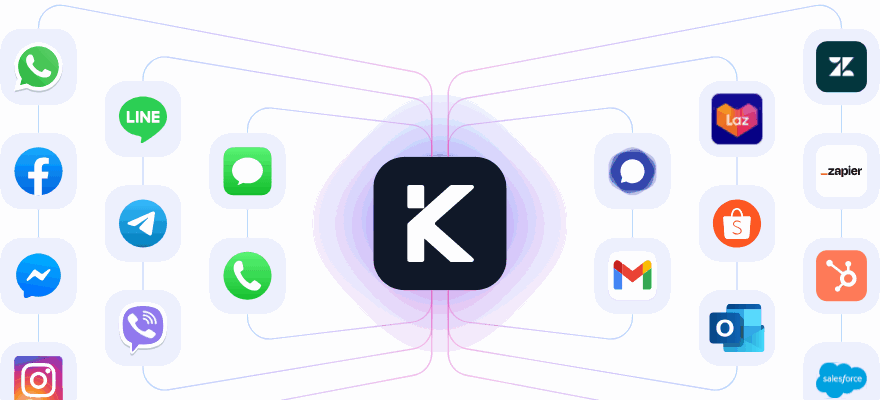
"From WhatsApp and Messenger to Gmail, Shopify, and more - klink.cloud integrates with the apps you already use to keep every conversation flowing and your business growing."
Without a platform like this, you’d need to rely on developers to build and maintain custom webhooks, message templates, and data syncing between Shopify and WhatsApp - a complex and time-consuming task for most merchants.
Finally, it’s important to set clear policies for how the AI should handle different situations. Decide which types of queries should be escalated to a human agent, how to handle billing disputes, or how to manage high-value orders. Establishing these guidelines upfront ensures smooth transitions and maintains customer trust when more complex issues arise.
Once these pieces are in place, you’ll be ready to integrate the AI agent with your Shopify store seamlessly.
How I Built a WhatsApp AI Agent for My Online Store – Full Tutorial !
Setting Up Shopify and WhatsApp for Integration
Before connecting your AI agent, it's essential to prepare Shopify and WhatsApp to work together seamlessly. This involves organizing your Shopify store data and properly configuring the WhatsApp Business API. Taking the time to set these up right from the start will help you avoid future headaches and ensure your AI agent can deliver accurate and helpful responses.
Preparing Your Shopify Store
To get your Shopify store ready, focus on creating a well-organized and detailed setup. This ensures your AI agent has all the information it needs to assist customers effectively.
Start by reviewing your product catalog. Make sure every product has a clear title and a detailed description. Include specifics like materials, dimensions, care instructions, and any available variants. The more thorough your product information, the better your AI agent can answer customer queries without needing to escalate.
Organize your inventory using product collections. Logical groupings like "Men's Apparel", "Women's Shoes", or "Holiday Gift Sets" help the AI agent navigate your catalog and recommend products more effectively. If you sell seasonal items, update your collections to reflect what's currently available so the agent doesn’t suggest out-of-season products.
Ensure your pricing structure is consistent and displayed clearly in USD. Include details about any volume discounts or product bundles in the descriptions so the AI agent can highlight them during conversations.
Set up accurate shipping zones in Shopify. Define rates for standard, expedited, and overnight shipping options. If you offer free shipping over a certain amount - like $75 - make sure this is configured in your settings. The AI agent will use this information when answering questions about delivery costs and timelines.
Verify that your tax settings comply with U.S. sales tax requirements. Shopify can calculate sales tax automatically based on customer location, but you should double-check that the settings are accurate for the states where you have nexus. This helps the AI agent provide correct total prices when customers ask about costs.
Clearly document your return and exchange policies in Shopify. Specify return windows (e.g., 30 days from delivery), conditions (items must be unworn with tags attached), and whether you offer free return shipping. If you have special rules for sale or final-sale items, make sure they’re noted. The AI agent will reference this information directly, so accuracy is crucial.
Finally, ensure your payment methods cater to U.S. customers. Enable options like major credit cards, PayPal, and digital wallets such as Apple Pay and Google Pay. When the AI agent sends payment links via WhatsApp, customers will see these choices, making checkout smoother.
With your Shopify store fully prepared, the next step is to set up the WhatsApp Business API.
Configuring WhatsApp Business API
Once your Shopify store is optimized, it's time to configure WhatsApp for automated customer engagement. Begin by creating a WhatsApp Business profile using a dedicated business phone number. This number must not already be linked to a personal WhatsApp account. Start by registering it through the WhatsApp Business app, where you can set up your profile with details like your business name, a brief description, operating hours, physical address (if applicable), and website URL. A complete profile builds trust before customers even reach out.
To gain access to the WhatsApp Business API, you’ll need to work with a Business Solution Provider (BSP). Meta doesn’t usually provide direct API access to small and medium-sized businesses, so BSPs handle the technical setup and provide integration tools. During this process, you’ll verify your business phone number, often by entering a code sent to you. Keep in mind that verification can take a few days.
Next, configure webhook URLs, which act as the communication link between WhatsApp and your systems. Your BSP will provide the necessary webhook endpoints to manage incoming and outgoing messages. Test these webhooks to ensure messages flow correctly. If you're using an integration platform like klink.cloud, much of this setup will be automated, but you’ll still need to authorize the connection.
Prepare message templates for common interactions. WhatsApp requires pre-approved templates for initiating conversations with customers. Templates should cover scenarios like order confirmations, shipping updates, and abandoned cart reminders. For example:
"Hi {{1}}, thanks for your order #{{2}}! We’ll send tracking info once it ships. Questions? Just reply here."
The placeholders {{1}} and {{2}} are replaced with the customer’s name and order number. Keep templates conversational and helpful, avoiding overly promotional language to comply with WhatsApp’s policies. Submit these through your BSP’s dashboard for approval, which usually takes 24-48 hours.
Set your communication preferences to align with U.S. business hours. For instance, you might specify Monday through Friday, 9:00 AM to 6:00 PM EST, and Saturday, 10:00 AM to 4:00 PM EST. This helps customers know when to expect responses from human agents. Even outside business hours, your AI agent can handle inquiries. Set up automated replies like:
"Thanks for reaching out! Our support team is available Monday-Friday, 9:00 AM-6:00 PM EST. In the meantime, our AI assistant can help with order tracking, product questions, and more."
You can also create specific templates for post-weekend or holiday messages to manage customer expectations.
Connecting WhatsApp AI Agents to Shopify Using klink.cloud
Once your Shopify store and WhatsApp Business API are set up, the next step is integrating them using the klink.cloud omnichannel CX platform. This integration streamlines customer communication, automates repetitive tasks, and ensures that more complex queries are directed to human agents. The best part? It’s a no-code process, so anyone can set it up, regardless of technical expertise.
Step-by-Step Connection Instructions
-
Authorize klink.cloud on Shopify
Log in to klink.cloud and choose the Shopify integration. You’ll be redirected to Shopify’s OAuth screen to grant permissions. These permissions typically include:- read_orders: Access to order details and statuses.
- read_customers: Access to customer profiles.
- read_products: Access to your product catalog for recommendations.
Approve these permissions to establish a secure connection.
-
Sync Shopify Data
Once authorized, klink.cloud will begin syncing your Shopify data. Depending on the size of your catalog and order history, this process may take anywhere from a few minutes to an hour. A progress indicator will show updates as products, customers, and orders are imported. -
Connect WhatsApp Business API
In klink.cloud’s channels section, select WhatsApp and link your verified Meta Business account. Once connected, your WhatsApp number will appear in the unified inbox alongside other communication channels. -
Set Up Shopify Event Triggers for WhatsApp
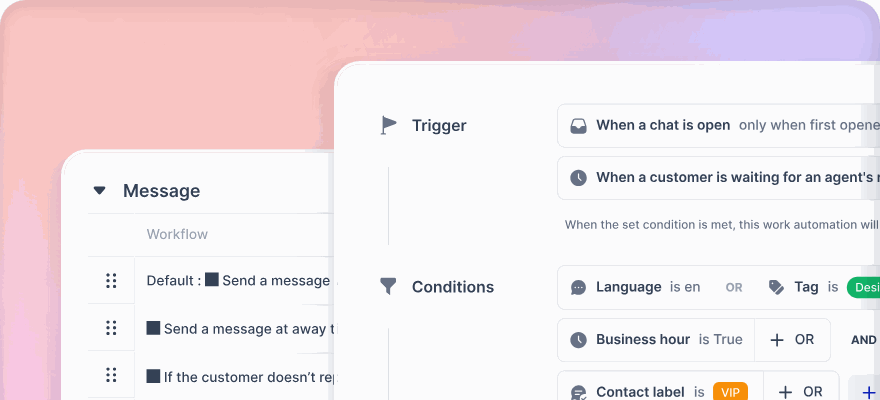
Use klink.cloud’s automation settings to map key Shopify events to WhatsApp messages. For example:- Order placed: Send a confirmation message with the order number, purchased items, total amount, and estimated delivery time.
- Order fulfilled: Notify customers with shipping details, including the carrier, tracking number, and a clickable tracking link.
- Abandoned checkout: Send a reminder 1–2 hours after a customer leaves items in their cart, including a direct link to the cart and a gentle nudge about stock availability or expiring discounts.
-
Test the Integration
Before going live, conduct thorough tests:- Place a test order using a US phone number to ensure it syncs correctly with klink.cloud and triggers the appropriate WhatsApp messages.
- Test various scenarios like canceled orders, partial shipments, and abandoned carts.
- Ensure tracking links work seamlessly on both iOS and Android devices.
- Verify opt-out functionality by replying "STOP" to a test message, ensuring promotional messages stop while transactional updates continue.
-
Manage Team Access
Assign specific roles in klink.cloud’s team settings. For instance, support agents might only need view access to orders and customer data, while sensitive settings remain restricted. It’s also a good idea to review klink.cloud’s data retention policies to ensure compliance with your privacy commitments.
Once these steps are complete, you’re ready to move on to configuring AI workflows for automated customer interactions.
Setting Up AI Workflows
With your integration live, you can now create AI workflows to handle common customer interactions. These workflows improve efficiency while keeping the experience personalized.
-
FAQ Automation
Train the AI to handle frequently asked questions like:- "How long does shipping take?"
- "What’s your return policy?"
- "Do you ship internationally?"
- "What payment methods do you accept?"
For instance, when asked about shipping, the AI could respond:
"Standard shipping to the continental US takes 5–7 business days and costs $5.99. Orders over $75 ship for free. Expedited 2–3 day shipping is available for $12.99."
-
Return Policy Inquiries
Provide clear, concise responses about your return policy. For example:
"You can return unworn items with original tags within 30 days of delivery. Refunds are processed to the original payment method within 5–7 business days after we receive the return. Return shipping is free - use the prepaid label included in your package." If some items are marked as "Final Sale", make sure the AI includes that clarification. -
Product Recommendations
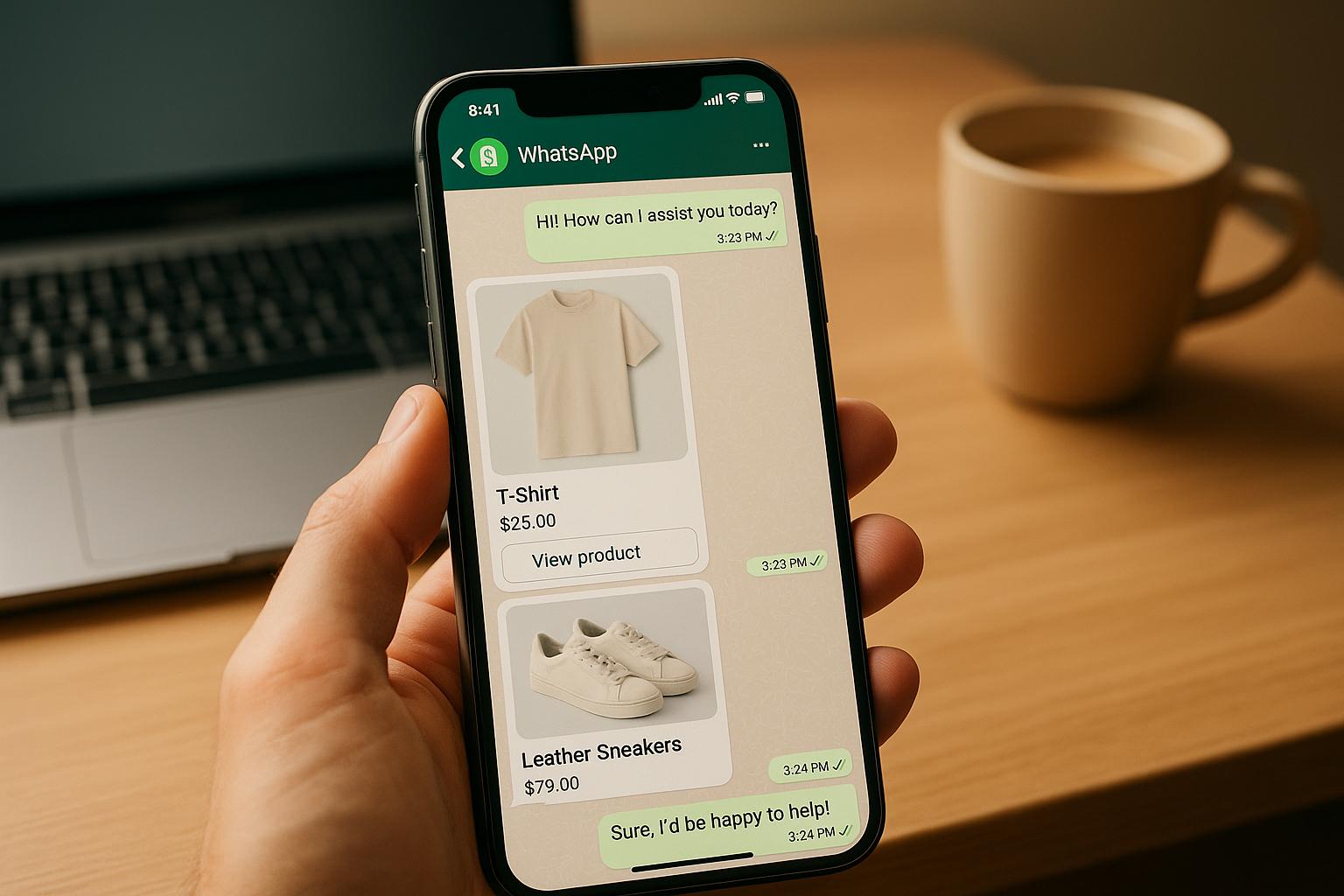
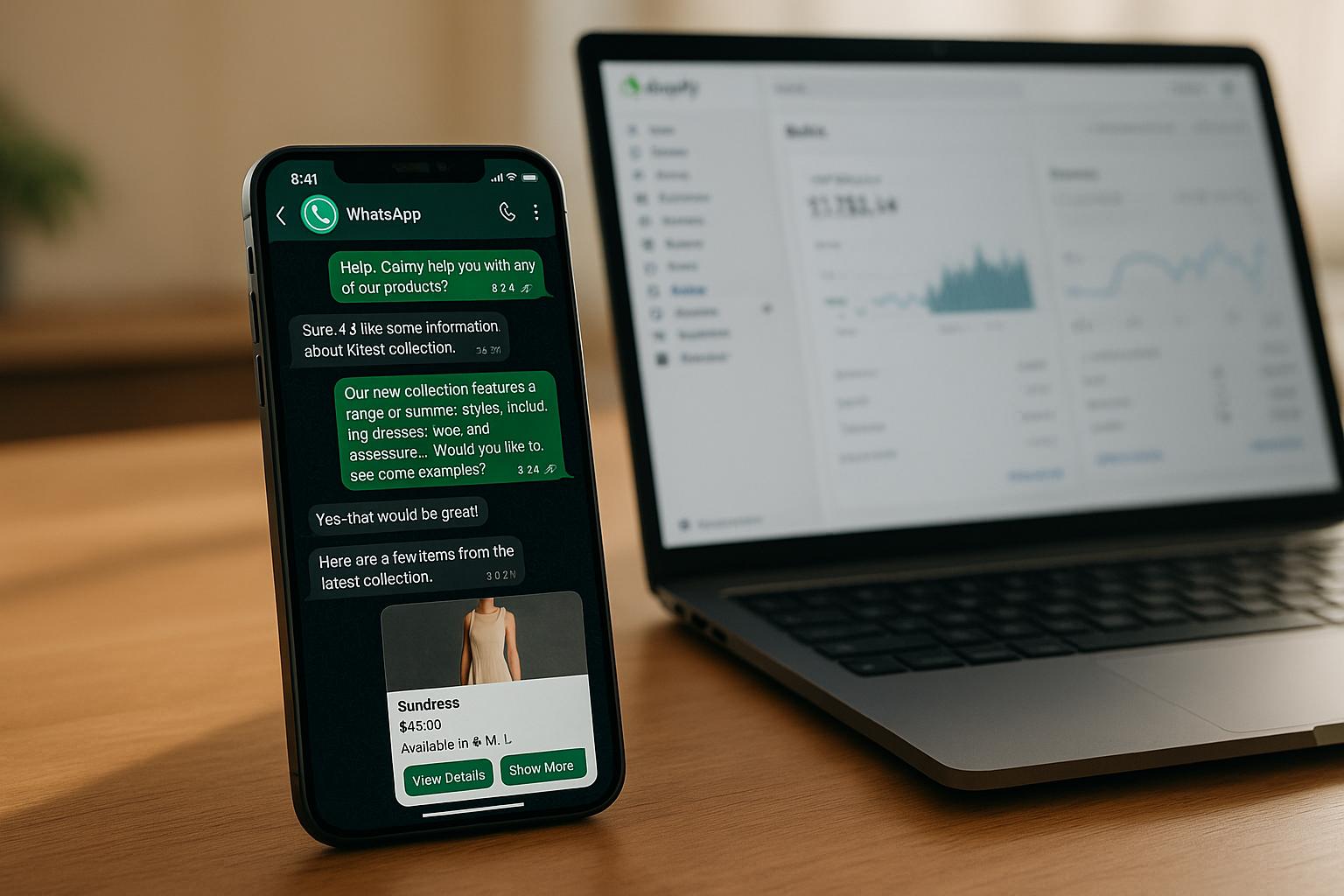
Use workflows to act as a personal shopping assistant. For example, when a customer asks about running shoes, the AI can prompt them to select a budget (e.g., "Under $75", "$75–$125", "Over $125"). It can then display 2–3 tailored options with product images, names, prices, and descriptions, along with an "Add to cart" button that updates the Shopify cart directly. -
Order Tracking
Enable customers to check their order status instantly. When someone asks, "Where’s my order?", the AI can request their order number or email. It will then retrieve the latest status from Shopify and respond with details like:
"Your order #12345 shipped yesterday via USPS and is currently in transit. It’s scheduled to arrive by Friday, 12/08/2025. Track it here: [tracking link]." The AI can also send proactive updates if the tracking status changes, such as when the package is out for delivery. -
Proactive Order Updates
Set up automated messages for key order events. For example, when an order ships, the AI can send a pre-approved WhatsApp message:
"Hi [Customer Name], great news! Your order #[Order Number] has shipped via [Carrier]. Track your package: [Tracking URL]. Expected delivery: [Date]. Need help? Just reply here." -
Abandoned Cart Recovery
Create a workflow to re-engage customers who leave items in their cart. For example:
"Hi [Name], you left some items in your cart! Your [Product Name] is still waiting. Complete your order now: [Cart Link]." If there’s no response within 24 hours, follow up with an incentive like free shipping or a discount. Monitor conversion rates from these messages to optimize performance. -
Escalation Rules
Ensure seamless handoffs to human agents when needed. Define triggers such as explicit requests for human help, repeated unanswered questions, or signs of frustration in customer messages. When escalated, the conversation should include full context so agents can pick up right where the AI left off.
These workflows not only improve response times but also ensure customers feel supported at every stage of their shopping journey. With klink.cloud, you can effortlessly balance automation and personalized service, enhancing the overall experience.
sbb-itb-204ca50
Increasing Sales with AI Conversations
Using WhatsApp AI agents to engage customers can significantly boost revenue by creating meaningful, timely conversations. With open and response rates far surpassing traditional email campaigns, WhatsApp ensures your sales messages are seen and acted upon. The secret lies in crafting AI workflows that feel helpful, not pushy, and leveraging real-time Shopify data to deliver personalized experiences that naturally lead to purchases. Let’s dive into how these conversational strategies can drive sales and recover lost revenue.
Personalized Product Recommendations and Upselling
The best AI-driven sales conversations are rooted in your Shopify data, making recommendations that align with what customers genuinely want. By syncing your Shopify data through klink.cloud, the AI can dynamically suggest products and upsell opportunities tailored to each customer. For example, if someone is browsing a specific product category or adds an item to their cart, the AI can step in with suggestions that complement their choices.
Training your AI to recognize buying signals is key. If a customer inquires about a product, the AI should provide detailed information, like the price in USD, available sizes, colors, and stock levels. This is also the perfect moment to suggest related items. For instance, if a customer asks about an $89.99 winter jacket, the AI could recommend thermal base layers for $34.99 and insulated gloves for $24.99 to complete the outfit.
Returning customers open up even more opportunities. By pulling purchase history from Shopify, the AI can make highly targeted suggestions. If someone previously bought running shoes, the AI might recommend moisture-wicking socks or a fitness tracker during their next visit. These personalized touches can increase the average order value (AOV) by introducing relevant add-ons at just the right time.
Budget-based filtering can further refine recommendations. The AI can ask, "What’s your budget range?" with options like "Under $50", "$50-$100", or "Over $100", and then showcase 2–3 products within that range. Including product images, names, prices, and direct "Add to cart" buttons streamlines the process, updating the Shopify cart instantly and keeping the shopping experience seamless.
Seasonal promotions and limited-time offers are another area where WhatsApp AI shines. If an item a customer previously viewed goes on sale, the AI can send a personalized message like: "Hi Sarah, those leather boots you looked at last week are now 25% off - just $74.99 instead of $99.99. Sale ends Sunday, 12/10/2025. Want to grab them before the deal ends?" By combining urgency with personalization, these messages encourage quick action.
Cross-selling also becomes effortless when the AI monitors cart contents in real-time. For instance, if a customer adds a camera to their cart, the AI could suggest a memory card, camera bag, or lens cleaning kit, saying: "Great choice on the Canon EOS! Most customers also pick up a 64GB memory card ($29.99) and a protective case ($39.99) to get started. Would you like to add these to your cart?" This feels more like helpful advice than aggressive selling.
Recovering Abandoned Carts
Abandoned carts are a major revenue drain for online stores, but WhatsApp AI agents excel at recovering these lost opportunities. Thanks to the immediacy and personal nature of WhatsApp messages, they outperform automated emails, which often go unnoticed. While personalized recommendations boost AOV, abandoned cart recovery ensures fewer sales slip through the cracks.
With real-time tracking, the AI can monitor cart activity and trigger recovery messages. For instance, if a cart is abandoned for 1–2 hours, the AI sends a friendly reminder listing the items and their prices. If there’s no response within 24 hours, a follow-up message might include an incentive, like 10% off or free shipping, to nudge the customer toward completing their purchase.
Addressing objections upfront can also make a difference. If shipping costs are a concern, the AI could highlight free shipping on orders over $75, encouraging customers to add another item. Or, if stock is running low, the AI might say: "The Navy Performance T-Shirt in your size is down to only 3 left. Want to secure yours before it sells out?"
For high-value carts (over $200), a three-message sequence can be effective. The first message reminds the customer about their cart, the second offers an incentive, and the third - sent 3–4 days later - creates urgency by warning that the cart will expire soon. Tracking conversion rates for these messages helps fine-tune the approach for your audience.
It’s also essential that the AI can handle responses naturally. If a customer asks about sizing, return policies, or shipping times, the AI should provide immediate answers and guide them back to completing the purchase. If price hesitation arises, the AI might suggest payment plans (if available through Shopify) or highlight the product’s value and positive reviews.
Analyzing which products have the highest abandonment rates can reveal underlying issues, such as unclear descriptions or high shipping costs. The AI can identify these trends by tracking conversation themes and cart contents, helping you refine your strategy.
The ultimate goal is to create a system that consistently turns abandoned carts into completed orders without coming across as overly aggressive. With klink.cloud’s automation tools, you can set up these workflows once and let them run in the background, bringing back customers who might have otherwise been lost.
Reducing Support Workload with AI Automation
Boosting sales is thrilling, but the real game-changer lies in cutting down the time your support team spends answering repetitive questions. This is where WhatsApp AI agents shine. They’re perfect for managing common customer inquiries like order tracking, shipping policies, return windows, and basic product details. By automating these routine conversations, your human agents can focus on more complex issues - like resolving billing disputes or addressing unique product concerns.
The secret to this efficiency? Syncing your Shopify data with WhatsApp AI. This connection allows the AI to provide real-time, accurate responses instantly. For example, it can pull order statuses and tracking details, even during off-hours. This 24/7 availability ensures customers get the help they need without overloading your team with support tickets the next morning. The result is a smoother, more efficient support process.
Automating Repetitive Inquiries
Shopify stores often face the same recurring questions: “When will my order arrive?”, “How much is shipping?”, “What’s your return policy?”, and “Do you have this in another size?” These predictable queries are tailor-made for automation. The AI agent can be trained to recognize these intents and respond with data pulled directly from your Shopify store and policy pages.
For order tracking, the AI can authenticate customers using their phone number or order ID before retrieving the order status. Once verified, it fetches the details from Shopify and responds with a clear update. For instance:
"Your order #4521 shipped on 12/3/2025 via USPS. Tracking: 9400111899562517845640. Estimated delivery: 12/7–12/9/2025."
This response includes a clickable tracking link formatted for U.S. dates, all handled without a human agent.
Questions about shipping and returns? The AI can pull this information directly from your Shopify policies or metafields, ensuring consistent and detailed answers that build trust. Even more nuanced situations, like partial shipments or mixed pre-orders, can be automated. For example, if a customer orders three items and only one has shipped, the AI can explain:
"Your Navy T-Shirt shipped on 12/4/2025 (tracking: 1Z999AA10123456784). The other two items are on pre-order and will ship separately by 12/15/2025. You'll receive another tracking number once they're on the way."
This level of detail minimizes follow-up questions and reassures customers that their orders are progressing as expected.
By automating these types of inquiries, businesses can reduce support tickets by 40–70%. Tracking metrics like the percentage of WhatsApp conversations resolved by AI, average handling time, and tickets per 100 orders helps measure the impact on your support workload. For issues the AI can’t resolve, clear escalation protocols ensure a smooth handoff to human agents.
Managing Escalations to Human Agents
Even the best AI can’t handle everything. Some situations - like billing disputes, product defects, or frustrated customers - require the empathy and judgment of a live agent. The key is making sure escalations happen seamlessly, without customers having to repeat themselves or wait endlessly.
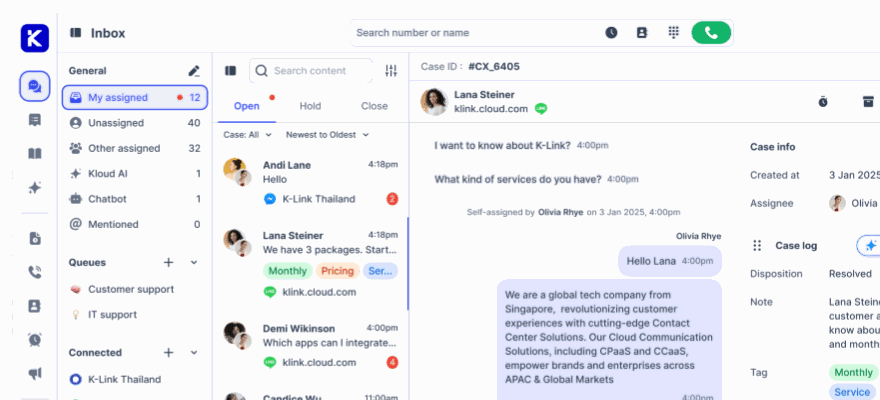
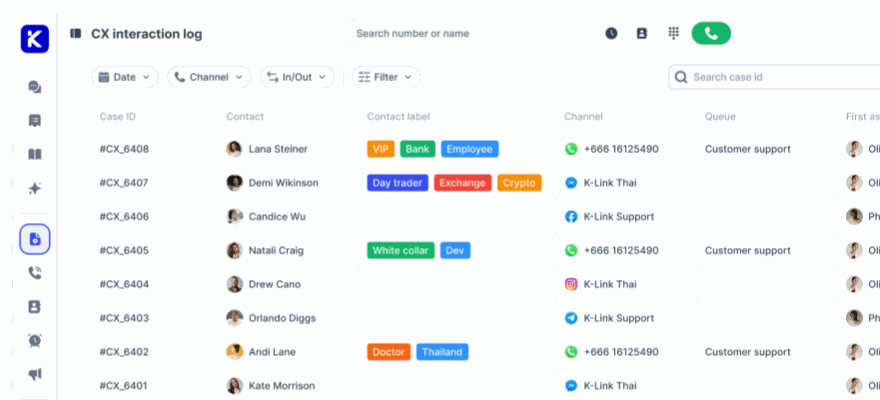
klink.cloud simplifies this process by triggering escalations based on specific keywords, sentiment analysis, or workflow timeouts. When escalation occurs, the entire conversation history and relevant Shopify data transfer to a human agent. This includes the customer’s question, the AI’s responses, and Shopify data like recent orders, purchased items, and customer tags (e.g., “VIP”). This way, agents can pick up right where the AI left off, saving time and improving the customer experience.
Best practices include notifying customers when a human agent is stepping in. A simple message like, “Let me connect you with one of our team members who can help with this,” keeps customers informed and reassured. Maintaining the conversation within the same WhatsApp thread avoids unnecessary channel switching or repetition.
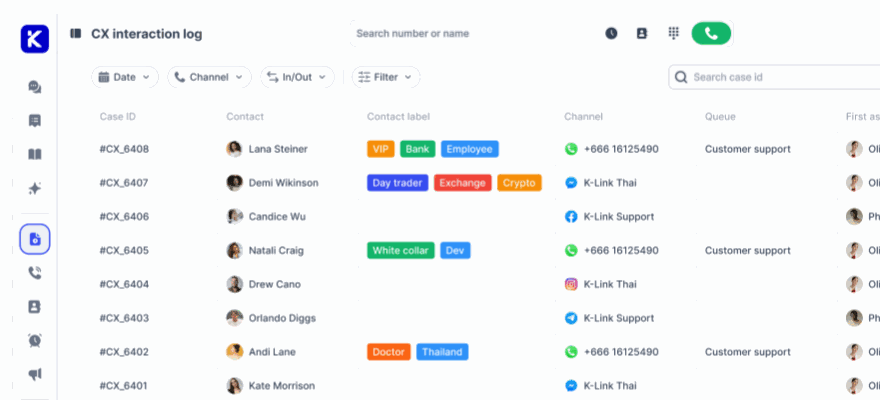
To further enhance escalations, sync key Shopify data into klink.cloud’s unified inbox. This data includes customer details like name, email, phone number, recent orders (with line items and prices in USD), payment and fulfillment statuses, discounts, shipping addresses, and store credit or loyalty points. When agents see that a customer is a repeat buyer with a strong purchase history, they can prioritize the case and offer personalized solutions.
It’s crucial to set boundaries for sensitive actions - like issuing refunds, modifying shipped orders, or dealing with legal matters. These should always be handled by human agents. The AI can collect information and initiate an escalation but should avoid making promises or changes that could cause compliance issues. Confidence thresholds ensure the AI only provides definitive answers when it’s certain; otherwise, it escalates or asks clarifying questions.
Regularly reviewing escalation metrics - like how often escalations occur and what triggers them - can help refine your system. Analyzing where the AI struggled offers insights to improve automation and reduce the workload even further. Striking the right balance between automation and human support ensures a smooth customer experience, making WhatsApp AI a powerful addition to your Shopify store.
"Since adopting klink.cloud, we've seen a massive improvement in our response times. Our customers are happier, and our agents are more efficient than ever."
- Sarah Lee, Head of Contact Center, Horizon Solutions
Tracking and Improving Performance
Once your WhatsApp AI agent is up and running, it’s essential to measure its effectiveness and fine-tune it for better outcomes. Keeping an eye on key metrics helps you determine if the AI is lightening the support team’s workload, boosting sales, and meeting customer expectations - all while delivering a solid return on investment.
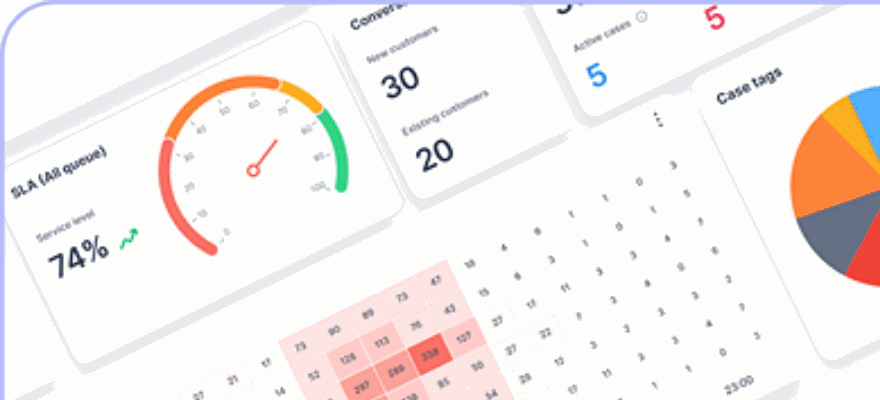
With klink.cloud’s real-time dashboards, monitoring your AI’s performance becomes straightforward. Regularly reviewing these metrics and tweaking workflows ensures your AI continues to add value as your business scales.
Important Metrics to Track
The metrics you track should align directly with your business goals, such as minimizing support tickets, driving revenue, and maintaining customer satisfaction. Here are the key performance indicators (KPIs) every U.S.-based Shopify merchant using WhatsApp AI agents should monitor:
- AI Resolution Rate: This measures the percentage of conversations the AI resolves without human help. For e-commerce, a healthy range is 60% to 80%. If your rate is lower, it might be time to retrain the AI or provide it with more Shopify data.
- Ticket Deflection: This tracks how many support tickets the AI prevents by handling issues directly on WhatsApp. Comparing AI-handled conversations to previous ticket volumes reveals cost savings and reduced workload for your human agents.
- WhatsApp-Driven Revenue: This shows how much revenue originates from WhatsApp conversations. Monitor orders placed after the AI provides product recommendations, sends abandoned cart recovery messages, or runs promotional campaigns. With klink.cloud, you can tag conversations that lead to purchases and pull Shopify order data to calculate total revenue.
- Average Handling Time (AHT): This measures how quickly the AI resolves inquiries. For automated tasks like order tracking or answering FAQs, the AHT should be under 30 seconds - much faster than the 3 to 8 minutes typically needed by human agents.
- Customer Satisfaction (CSAT) Scores: These scores reflect how customers feel about their WhatsApp experience. After resolving a conversation, send a short survey asking for a rating from 1 to 5. Aim for an average score of 4.0 or higher. If scores dip below this, look into common complaints.
- Escalation Rate: This measures how often the AI transfers conversations to human agents. A range of 20% to 40% is normal. If escalations exceed 50%, the AI might need more data or training. Conversely, if they drop below 10%, ensure customers aren’t abandoning chats out of frustration.
- First Response Time (FRT): This tracks how quickly the AI responds to a customer’s initial message. Ideally, responses should come within 5 to 10 seconds. Quick replies are crucial, as U.S. customers expect fast service and may drop off if there’s a delay.
- Conversion Rate: This measures the percentage of WhatsApp conversations that lead to a purchase. Compare this rate to your website’s average (typically 2% to 3% for e-commerce) to evaluate the AI’s effectiveness.
With klink.cloud’s dashboard, you can view all these metrics in one place, making it easier to identify trends and areas for improvement.
Continuous Improvement Process
Tracking metrics is just the first step. To keep your WhatsApp AI agent performing at its best, you’ll need to refine its workflows based on the data you collect. Here’s how:
- Review conversation logs regularly: klink.cloud saves detailed conversation histories, so you can pinpoint where the AI excels and where it struggles. If certain questions repeatedly lead to escalations, update the AI’s knowledge base or link it to more Shopify data.
- Analyze failed interactions: If customers abandon chats midway, dig into those interactions to uncover the reasons. Use these insights to adjust and improve your workflows.
- Test small changes: Introduce incremental updates and measure their impact. By comparing results between old and new workflows, you can identify what works without taking big risks.
- Incorporate customer feedback: When CSAT scores drop or negative comments pile up, act quickly to address recurring issues. U.S. customers value responsiveness and transparency.
- Fine-tune escalation triggers: If the AI escalates too often, adjust its confidence thresholds. If escalation rates are too low but customers are unhappy, consider tightening those thresholds. Regularly review why escalations happen and make adjustments as needed.
- Keep the AI updated: As your business evolves, so should your AI. Add new products, update policies, and reflect seasonal promotions or shipping changes in the AI’s knowledge base. Schedule monthly reviews to ensure it stays current.
- Set performance benchmarks: Track how your metrics improve over time. For example, aim to increase the AI resolution rate by 10% in the next quarter and measure progress toward that goal.
- Collaborate with your support team: Your human agents are a goldmine of insights. Regularly meet with them to discuss common customer issues and brainstorm new solutions. They can also highlight questions the AI should handle but currently doesn’t.
Conclusion
Connecting a WhatsApp AI agent to your Shopify store through klink.cloud transforms customer interactions into opportunities to drive sales. It’s like having an extra team member who works 24/7 - selling more and answering more - without increasing your headcount. From tracking orders to recommending products, every automated chat helps boost revenue while freeing up your human agents to tackle more complex tasks.
On the support front, repetitive inquiries like order statuses, return policies, and discount code requests are handled instantly by pulling real-time data from Shopify. With U.S. customers expecting quick and precise responses, WhatsApp’s high open rates ensure your messages actually get read - unlike emails that often slip through the cracks.
No coding needed. klink.cloud manages the API setup, syncs your Shopify data, and provides simple no-code tools. You can easily design conversation flows, set goals, and define escalation rules - all without relying on developers. Start small: connect your Shopify store, enable 1–3 automations like abandoned cart recovery, order confirmations, or FAQ responses, and track the results over a few weeks. Watch metrics like recovered revenue, reduced “Where’s my order?” tickets, faster response times, and improved customer satisfaction (CSAT) scores to measure success and build the case for further investment.
Your human agents stay in charge, stepping in whenever the AI escalates conversations it can’t resolve confidently.
"Since adopting klink.cloud, we've seen a massive improvement in our response times. Our customers are happier, and our agents are more efficient than ever."
- Sarah Lee, Head of Contact Center, Horizon Solutions
By starting with impactful automations - like cart recovery, shipping updates, and simple FAQs - you’ll see quick results that build momentum for advanced features like personalized product recommendations and post-purchase review requests. This approach upgrades your customer experience, keeps your brand voice consistent, and lets your team focus on what truly matters.
This integration doesn’t just streamline support - it unifies your digital customer engagement across channels. It’s proof that smart automation can elevate your entire customer experience.
Ready to get started? Sign up for klink.cloud, follow the setup checklist, and give your team the tools to drive revenue and delight your customers.
FAQs
How can a WhatsApp AI agent help Shopify businesses enhance customer service and reduce support workload?
A WhatsApp AI agent can revolutionize how Shopify businesses handle customer service by taking care of common queries like store policies or shipping updates. With round-the-clock availability, it ensures customers receive immediate assistance, no matter the time of day.
Beyond just answering questions, this AI agent simplifies post-purchase processes, such as tracking orders or providing status updates. It can also suggest tailored product recommendations, helping boost sales. By managing repetitive inquiries, the AI lightens the load on support teams, freeing them up to address more complicated customer concerns.
How can I set up a WhatsApp AI agent for my Shopify store using klink.cloud?
To set up a WhatsApp AI agent for your Shopify store using klink.cloud, here’s what you need to do:
- Connect your Shopify store: Start by logging into your klink.cloud account. Follow the platform's setup instructions to link your Shopify store. This step ensures that all your store's data syncs effortlessly.
- Configure the AI agent: Tailor your WhatsApp AI agent to handle tasks like answering common customer questions, offering tailored product suggestions, and helping with order tracking. Klink.cloud provides easy-to-use tools to create automation workflows for these functions.
- Test and refine: Before launching, test your AI agent to ensure it handles customer queries accurately. Keep an eye on its performance after going live and tweak it regularly to improve its responses.
By adding a WhatsApp AI agent, you'll engage customers more effectively, streamline your support efforts, and create a smoother shopping experience - all while driving more sales.
How can WhatsApp AI agents help recover abandoned carts and boost sales on Shopify?
WhatsApp AI agents have the potential to transform how businesses handle sales and recover abandoned carts. By automating personalized follow-ups, these agents can send friendly nudges to customers, reminding them about items they left behind and encouraging them to complete their purchases.
What makes these AI agents even more effective is their ability to operate around the clock. They provide instant answers to customer questions, suggest products based on browsing habits, and help track orders seamlessly. This not only makes shopping smoother and more enjoyable but also builds trust with customers. Plus, businesses can boost revenue while lightening the load on their support teams.