Turn WhatsApp into a Sales Channel for Your Shopify Store with Kai AI Agent
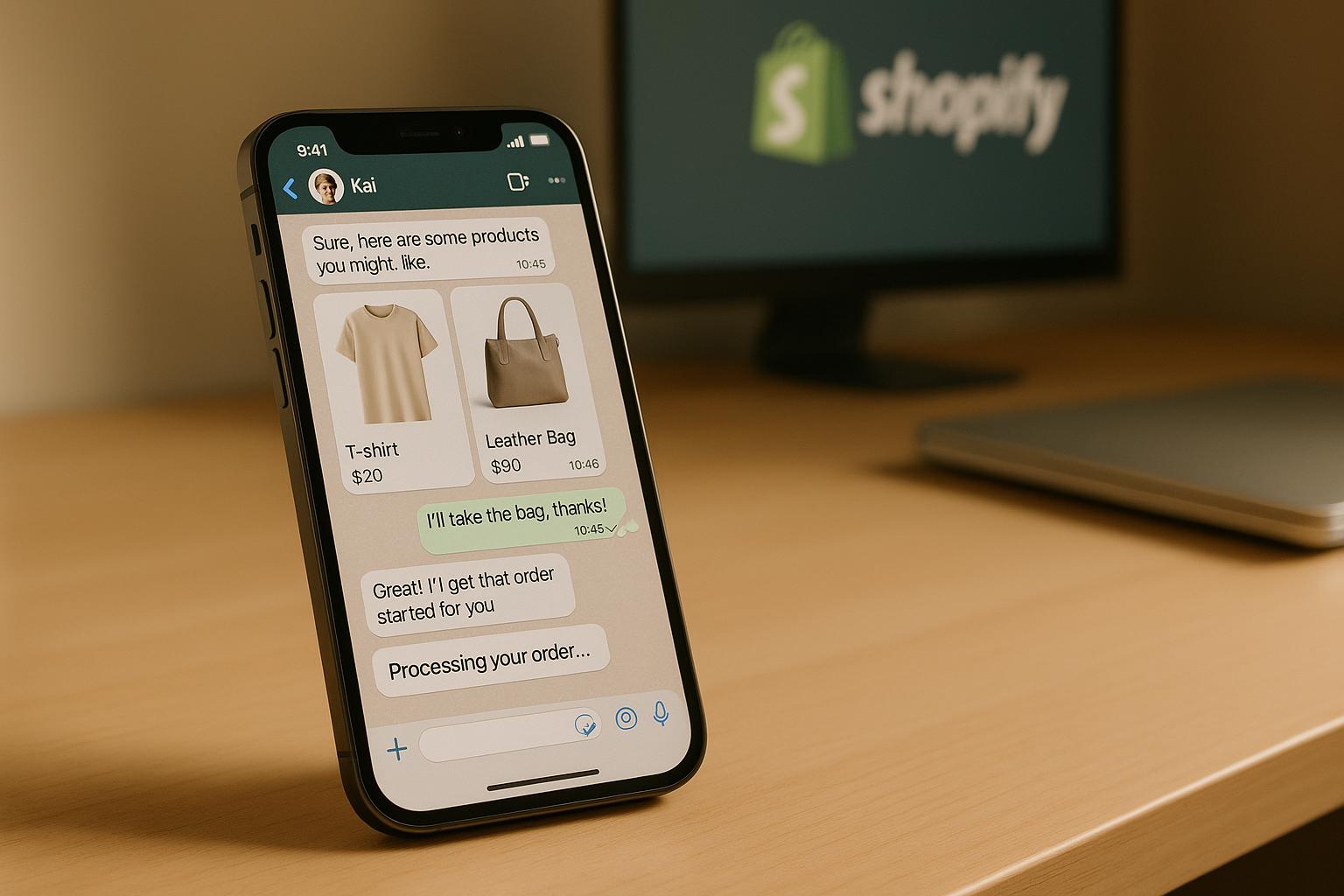
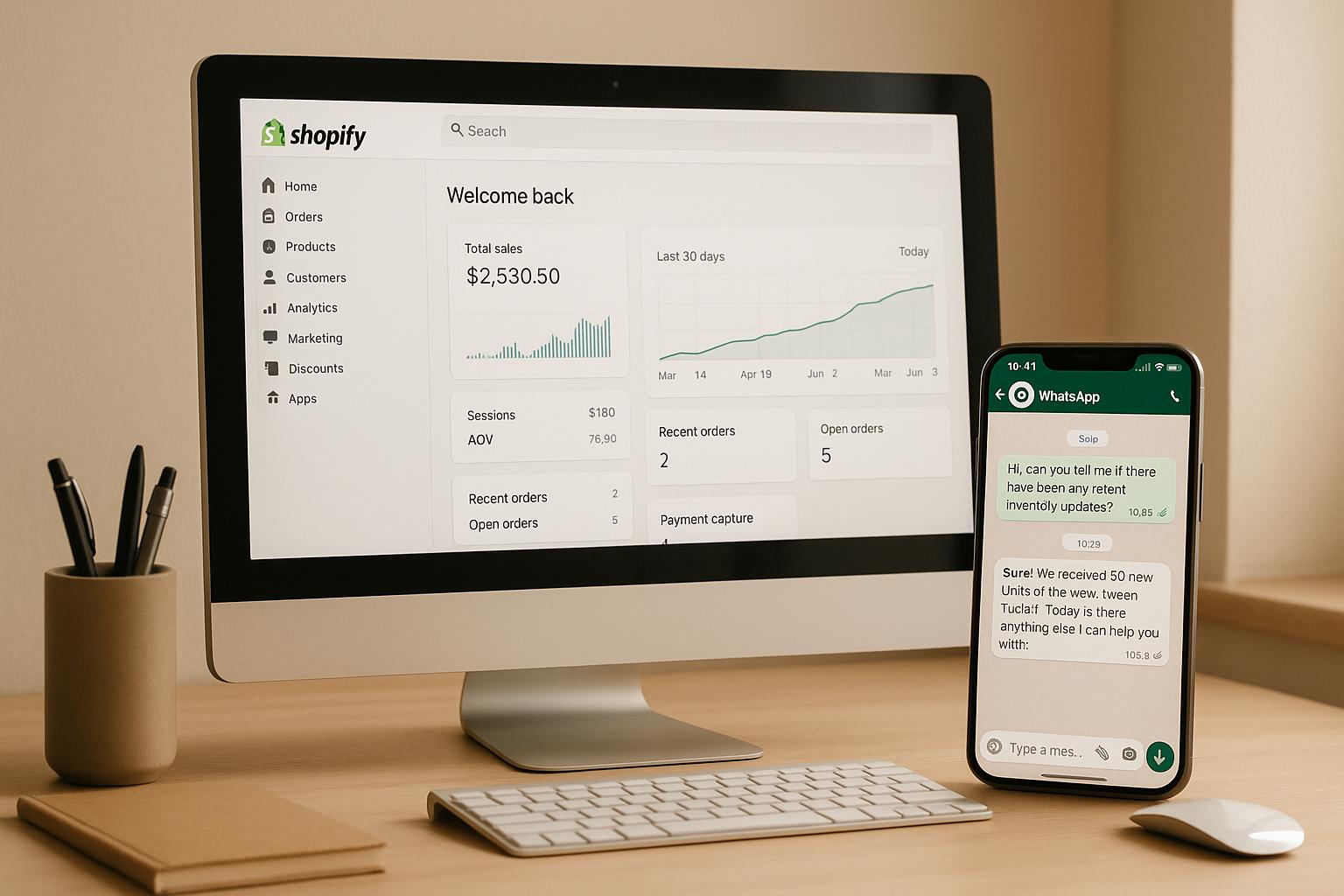
WhatsApp, with its 2 billion active users, is now a prime space for conversational commerce. For Shopify merchants, this means you can sell directly to customers where they spend most of their time. Using Kai AI Agent, you can manage product inquiries, process orders, and provide customer support - all within WhatsApp. This AI tool syncs with your Shopify store, making it easy to share product details, handle payments, and track orders in real-time without needing extra staff.
Here’s what you’ll gain:
- Streamlined integration: Sync your Shopify inventory and orders with WhatsApp.
- 24/7 customer support: Automate responses for FAQs, order tracking, and product recommendations.
- Boosted sales: Recover abandoned carts, upsell products, and close sales faster through personalized chats.
- Unified experience: Manage customer interactions across WhatsApp and other platforms in one dashboard.
Setting up is straightforward: connect your WhatsApp Business account to Kai AI Agent, sync your Shopify store, and start engaging customers with tailored chat flows. By combining WhatsApp’s reach with Shopify’s e-commerce tools and AI automation, you can create a fast, efficient, and user-friendly shopping experience that drives revenue.
What is Kai AI Agent and Why Use WhatsApp for Sales?
Understanding Kai AI Agent
Kai AI Agent is a conversational AI tool designed specifically for Shopify merchants. By integrating with WhatsApp, it streamlines the shopping experience, connecting directly to your Shopify store. This AI-powered assistant handles everything from product discovery to post-purchase support, making customer interactions smooth and efficient.
Think of Kai AI Agent as your virtual sales assistant that’s always on duty. It taps into your Shopify product catalog, inventory, and order data to provide accurate, real-time responses. For example, when a customer asks, “Do you have this in blue?” or “Where’s my order?”, the AI pulls the necessary information from Shopify and responds instantly, all while keeping track of the conversation’s context. Customers can browse, ask for advice, place orders, and get confirmations - all within a single chat.
What sets Kai AI Agent apart is its ability to integrate e-commerce workflows directly into messaging. Customers don’t have to leave WhatsApp to shop. They can browse products, make selections, and complete purchases right in the chat. The AI takes care of payment processing, order confirmations, and follow-ups, creating a shopping experience that feels personal and effortless.
For Shopify merchants, this means unlocking a new sales channel that operates around the clock without needing extra staff. Now, let’s explore why WhatsApp is such a great platform for driving sales.
Why WhatsApp Works Well as a Sales Channel
WhatsApp has become an increasingly popular sales tool in the U.S., aligning perfectly with today’s mobile shopping habits. While SMS and iMessage remain common, WhatsApp’s user base is steadily growing, especially among younger shoppers. This makes it an ideal match for Kai AI Agent’s conversational commerce capabilities.
The platform’s one-on-one messaging feels like personal texting, which encourages quick and natural engagement. When customers reach out to your business on WhatsApp, they expect fast, personalized responses - something Kai AI Agent excels at. This conversational approach eliminates the hassle of navigating websites or making phone calls, creating a smoother path to purchase.
WhatsApp’s immediacy also makes it a powerful tool for time-sensitive sales, like flash discounts or recovering abandoned carts. Customers can ask a quick question about a product and get an instant reply, helping to overcome hesitation and close the sale faster.
Another big advantage is WhatsApp’s support for rich media. Your AI agent can share product images, videos, catalogs, and even payment links directly in the chat. This allows customers to explore products, compare options, and complete their purchases without ever leaving the app. The result? A shopping experience that’s not only seamless but also highly engaging.
For U.S.-based Shopify merchants, WhatsApp offers a direct and convenient way to connect with customers. By being where your audience is most active, you can provide immediate support, strengthen customer relationships, and encourage repeat business - all while boosting word-of-mouth referrals.
Getting Started: Prerequisites and Setup
System Requirements and Preparation
Before diving in, make sure you have these essentials ready to go.
First, you'll need an active Shopify store with your products already listed. Double-check that your product descriptions are clear, pricing is in U.S. dollars, and inventory tracking is active. A well-organized Shopify catalog ensures that transferring data to WhatsApp via Kai AI Agent goes off without a hitch.
Next, set up a WhatsApp Business account with a dedicated phone number. Business verification through WhatsApp typically takes 1–3 business days, so plan ahead. You'll also need pre-approved message templates that follow TCPA guidelines to ensure compliance.
Finally, obtain your Kai AI Agent credentials from klink.cloud. These credentials include your account login and API keys, which are essential for connecting Kai AI Agent to both WhatsApp and Shopify. If you haven’t signed up for Kai AI Agent yet, take a moment to do so and get familiar with its dashboard.
Once you’ve completed these steps, you’re ready to move on to integrating your platforms.
Integration Overview
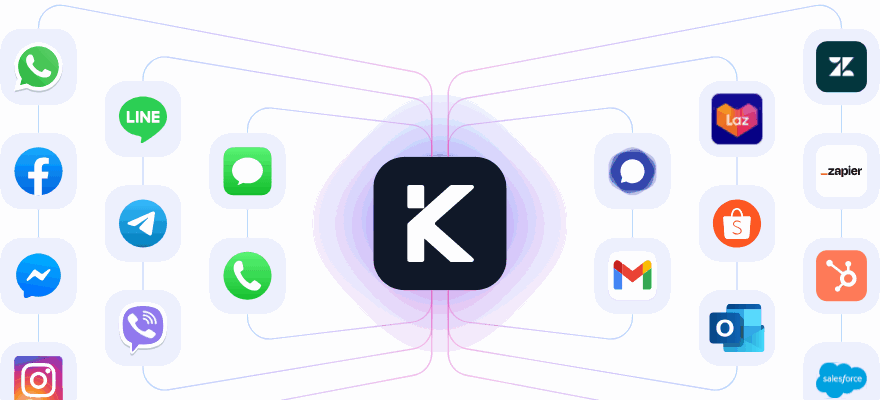
This integration connects your Shopify store and WhatsApp through Kai AI Agent, creating a seamless experience for managing customer interactions.
Here’s how it works: Kai AI Agent acts as the bridge between WhatsApp and Shopify. When a customer messages your business on WhatsApp, the agent processes their message using natural language understanding to determine their intent. Whether they’re browsing products, checking availability, tracking orders, or making a purchase, the AI handles it all.
For product catalog management, Kai AI Agent syncs directly with your Shopify inventory. When a customer inquires about a product, the AI instantly retrieves details like pricing, available sizes or colors, and stock levels. Any updates you make in Shopify - like new descriptions or price changes - are automatically reflected in WhatsApp conversations. This real-time connection ensures customers always get up-to-date information.
Inventory synchronization is another key feature. If you’re down to just two units of a popular item, Kai AI Agent will let customers know, preventing overselling and keeping expectations clear.
Pricing details, including promotions or discounts, are also pulled directly from Shopify. For instance, if you’re running a 20% off sale on winter jackets, the AI will show customers the discounted price in WhatsApp chats, formatted perfectly in U.S. dollars (e.g., $49.99).
When it comes to order processing, Kai AI Agent creates orders in your Shopify admin whenever a customer completes a purchase via WhatsApp. These orders appear in your Shopify dashboard just like your regular e-commerce orders, complete with customer details, shipping information, and payment data. Your fulfillment process stays exactly the same, so there’s no need to adjust your workflow.
The integration also supports customer data synchronization. For returning customers, Kai AI Agent recognizes their past purchases and uses that information to personalize interactions. For example, it might suggest, “I see you bought the blue sneakers last month - would you like the matching socks we just released?” Additionally, any customer interactions on WhatsApp are logged in Shopify, giving you a complete view of their journey across all channels.
Payments are handled securely through Shopify’s checkout system. Customers can pay using any method you’ve enabled - credit cards, PayPal, Apple Pay, or others.
This integration simplifies your operations, creating a smooth omnichannel experience for customers. Once it’s set up, everything runs automatically. You won’t need to manually transfer data or update inventory in multiple systems. Kai AI Agent takes care of the heavy lifting, letting you focus on growing your business while keeping your technical connections running effortlessly.
Step-by-Step Guide: Connecting Kai AI Agent with WhatsApp and Shopify

Setting Up WhatsApp for Kai AI Agent
Getting your WhatsApp Business account linked with Kai AI Agent is straightforward and takes about 15–20 minutes once your account is verified.
First, log into your klink.cloud dashboard. From there, head to Integrations > WhatsApp Business. Enter your WhatsApp Business phone number with the country code (e.g., for a U.S. number like (555) 123-4567, input it as +15551234567).
Next, click Generate Connection Code. You’ll receive a six-digit verification code via SMS on your business phone. Be quick - this code expires in 10 minutes. Once you enter the code, a green checkmark will confirm the connection between your WhatsApp account and Kai AI Agent.
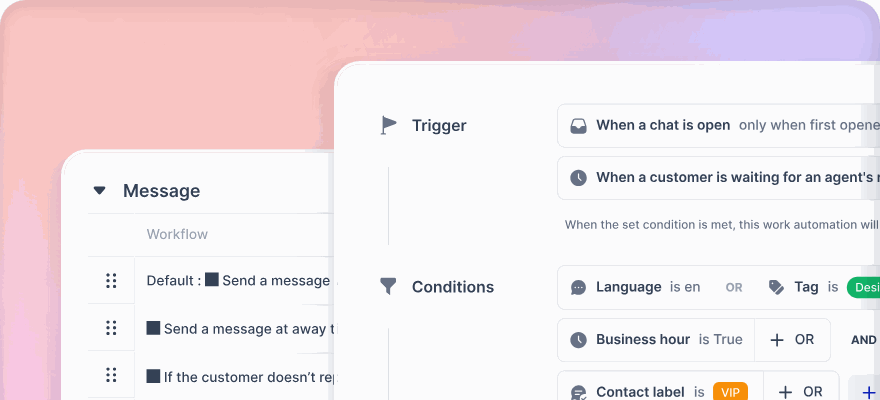
Now, configure message routing. Go to Settings > Message Routing. Most businesses opt for AI-First Routing, where Kai AI Agent handles all incoming messages unless a customer asks for human assistance. Alternatively, Business Hours Routing lets the AI manage conversations outside your working hours, while your team takes over during the day. You can also set up an automatic message to manage customer expectations, such as: "Our team will respond within 2 hours during business hours (9:00 AM–6:00 PM EST, Monday–Friday)." The AI responds to messages in just 2–3 seconds, ensuring quick interactions.
Under Templates, upload your pre-approved message templates. These might include order confirmations, shipping updates, or promotional messages. Make sure these templates comply with TCPA requirements by including opt-out language.
Finally, click Test Connection to send a test message from Kai AI Agent to your WhatsApp Business number. Open WhatsApp on your phone to confirm the message was received. Reply with a simple question, like "What products do you have?" to ensure the AI responds accurately.
With your WhatsApp channel ready, you can now connect your Shopify store to sync product data and orders seamlessly.
Connecting Kai AI Agent to Shopify
Integrating your Shopify store with Kai AI Agent ensures your product catalog, inventory, and orders stay in sync across both platforms.
Start by logging into your Shopify admin panel. Navigate to Apps and click Customize your store. Search for "Kai AI Agent" in the Shopify App Store, then click Add app to install it. Authorize the app to access your store’s data, including products, inventory, orders, and customer details.
Once the app is installed, return to your klink.cloud dashboard, where you’ll find a new Shopify Integration section.
Click Sync Products to import your Shopify catalog into Kai AI Agent. This process usually takes 2–5 minutes and pulls in details like product names, descriptions, prices (in U.S. dollars), images, variants (sizes, colors), and stock levels.
Next, set up inventory update frequency. You can choose real-time syncing or scheduled updates (every 15 minutes, 30 minutes, or hourly). Real-time syncing is ideal for busy periods, like Black Friday, to avoid overselling.
Enable order creation permissions under Order Management. This allows Kai AI Agent to create orders directly in your Shopify admin when customers complete purchases via WhatsApp. These orders will appear in your Shopify dashboard under Orders, tagged with "WhatsApp" as the sales channel for easy tracking.
In the Tax Settings section, configure tax calculations if you collect sales tax. Kai AI Agent will automatically apply the appropriate tax rate based on the customer’s shipping address, as defined in your Shopify settings. For instance, if you charge 7% sales tax in California, a $100.00 order will show a total of $107.00.
Enable customer data synchronization to provide a unified experience across channels. Kai AI Agent will recognize returning customers on WhatsApp and pull their purchase history from Shopify, enabling personalized recommendations and quicker service.
To ensure everything is working smoothly, place a test order through WhatsApp. Send a product inquiry to your business number, complete the purchase flow, and check out using a test payment method. Verify in your Shopify admin panel that the order appears with all the correct details.
Once the integration is active, your dashboard will display Integration Status: Active, along with a timestamp showing when the product catalog was last updated. From this point on, any updates you make in Shopify - like price changes, new products, or inventory adjustments - will automatically reflect in your WhatsApp sales channel without any extra work on your part.
Optimizing WhatsApp Conversations for Sales
Designing Chat Flows That Convert
Once your channels are integrated, the next step is creating conversation flows that encourage conversions. Think of these flows as a friendly and helpful sales associate guiding customers through their shopping experience - not a pushy salesperson. The aim is to make it easy for customers to find what they need and complete their purchases seamlessly.
Develop separate flows for different scenarios like product discovery, specific questions, or order assistance. For instance, when a customer messages, "I'm looking for a gift", the response should differ from when they ask, "Do you have black sneakers in size 10?"
For product discovery, start with simple, qualifying questions. If someone inquires about shoes, you might ask, "Are you looking for casual sneakers, dress shoes, or athletic footwear?" Then, narrow down options step by step, such as asking for their size or style preferences, to simplify their decision-making process.
Personalized product recommendations can make a big difference. Configure Kai AI Agent to reference previous purchases for returning customers. For example, if someone who bought running shoes last year asks about new arrivals, the AI could reply, "We just got the UltraRun Pro in stock - it’s the updated version of the TrailBlazer you ordered last summer. Would you like to check it out?" This approach shows customers that their preferences are remembered and valued.
When showcasing products, include images and key details like the name, price, available options, and a brief description. Keep descriptions short - two to three sentences - and conclude with a clear call-to-action, such as, "Would you like to add this to your cart?"
If you're running a promotion, be upfront about the details. For example: "This sweater is $45.00, marked down from $60.00. The sale ends Friday, December 12, 2025, at 11:59 PM EST." Include any discount codes and, if possible, apply them automatically during checkout. For percentage discounts, clarify the savings: "That’s 25% off - your total is $33.75."
Upselling and cross-selling should feel natural, not pushy. After a customer adds an item to their cart, Kai AI Agent can suggest a complementary product: "Customers who bought these jeans also loved our leather belt ($29.99). Would you like to add it?" Keep suggestions limited to one or two items, and if declined, move forward with the original order.
Make the checkout process smooth and straightforward. Gather shipping details step by step, formatted for U.S. addresses (e.g., "123 Main St" on one line, followed by "Austin, TX 78701" on the next). Present an itemized order summary, including taxes based on the shipping address. For example, a $100.00 order shipping to California with a 7.25% sales tax could be displayed as: "Subtotal: $100.00 | Tax: $7.25 | Total: $107.25."
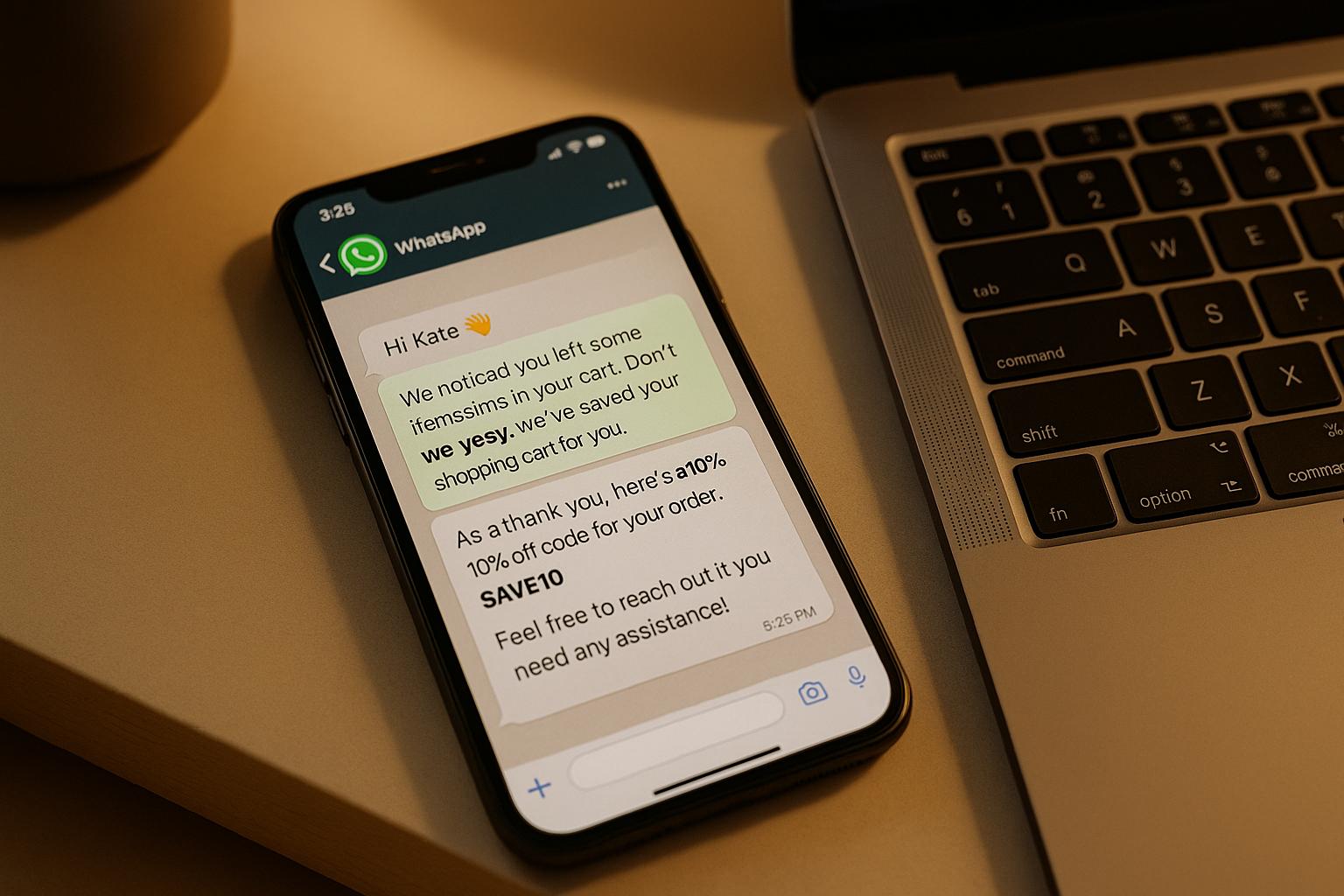
Abandoned cart recovery is especially effective on WhatsApp, thanks to its high open rates. Set up Kai AI Agent to send a friendly reminder a few hours after abandonment: "Hi! You left a blue hoodie (size M) in your cart. Still interested? I can help you complete your order." Limit follow-ups to two messages to avoid overwhelming customers. These flows keep interactions personal while leveraging WhatsApp’s strengths.
Automating Common Customer Interactions
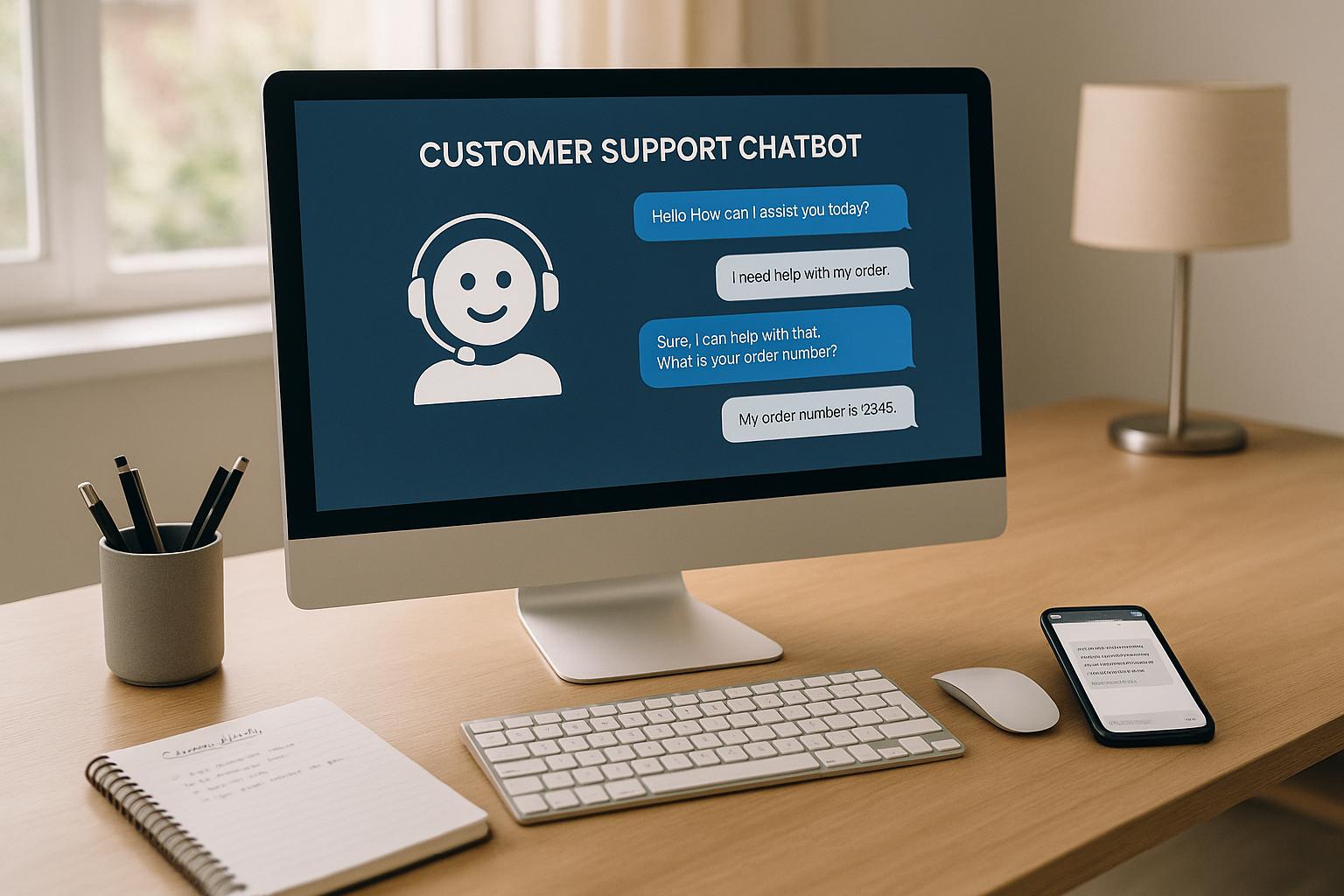
While personalized chat flows enhance engagement, automating frequent queries can save time and improve efficiency. Kai AI Agent can handle routine questions, freeing up your team to focus on more complex issues. Configure it to address common topics like store hours, return policies, shipping costs, and product availability.
For example, if someone asks, "What are your hours?" the AI could reply, "We’re open Monday–Friday, 9:00 AM–6:00 PM EST, and Saturday, 10:00 AM–4:00 PM EST. We’re closed on Sundays." For return policies, it might say, "You can return unworn items within 30 days of delivery for a full refund. Just reply with your order number to start the return process."
Order tracking is another popular request. Enable Kai AI Agent to pull tracking details directly from Shopify when customers provide their order number. A typical response might be: "Your order #1234 shipped via USPS on December 5, 2025. Tracking number: 9400111899223344556677. Status: In transit. Expected delivery: December 10, 2025, by 8:00 PM."
For shipping inquiries, provide clear details: "Standard shipping to Texas takes 3–5 business days and costs $5.99. Orders over $75.00 ship free. Express shipping (1–2 business days) is available for $15.99."
Real-time inventory updates are crucial for product availability questions. Since Kai AI Agent syncs with your Shopify inventory, it can instantly inform customers: "Yes, the black leather jacket is available in sizes S, M, and L. Size XL is currently out of stock but will be restocked by December 15, 2025."
If a customer expresses interest in a product but then goes silent, a follow-up message after 24 hours can re-engage them: "Hi! Earlier you asked about our wool scarves. They’re still available in all colors. Can I answer any questions?"
When collecting shipping information, validate U.S. addresses to catch errors. For example, if someone enters an incomplete address like "123 Main Street, New York, 10001", the AI can ask for clarification: "Which borough or city in New York? (e.g., Manhattan, Brooklyn, Queens)" to ensure accurate delivery.
Payment confirmations should be immediate and clear. After checkout, send: "Order confirmed! Order #5678 | Total: $127.50 | Estimated delivery: December 12, 2025. You’ll receive tracking info via WhatsApp once your order ships."
Proactive notifications help keep customers informed. When an order ships, Kai AI Agent can send: "Good news! Your order #5678 has shipped and is on its way. Track your package: [tracking link]." When delivery is close, notify them: "Your order will be delivered today by 8:00 PM. Please ensure someone is available to receive it."
When discussing discounts, always display both the original and sale prices to maintain transparency. For example: "Originally $79.99, now $59.99 - you save $20.00."
Use the 12-hour clock format with AM/PM (e.g., 9:00 AM) and dates as month/day/year (e.g., 12/25/2025) or full dates (e.g., December 25, 2025). Exclude weekends and major U.S. holidays like Thanksgiving and Christmas when referring to business days.
For complex issues or dissatisfied customers, set up escalation triggers. If the AI detects words like "complaint", "problem", or "issue", it should immediately offer to connect the customer with a live support agent.
sbb-itb-204ca50
Building an Omnichannel Customer Experience with Kai AI Agent
Integrating WhatsApp with Other Channels
WhatsApp shines when it’s part of a broader communication strategy. Today’s customers move fluidly between platforms. For instance, someone might browse your Shopify store on their laptop, send a quick inquiry via WhatsApp on their phone, and later check their email for an order confirmation. If these interactions feel disjointed, it can lead to frustration.
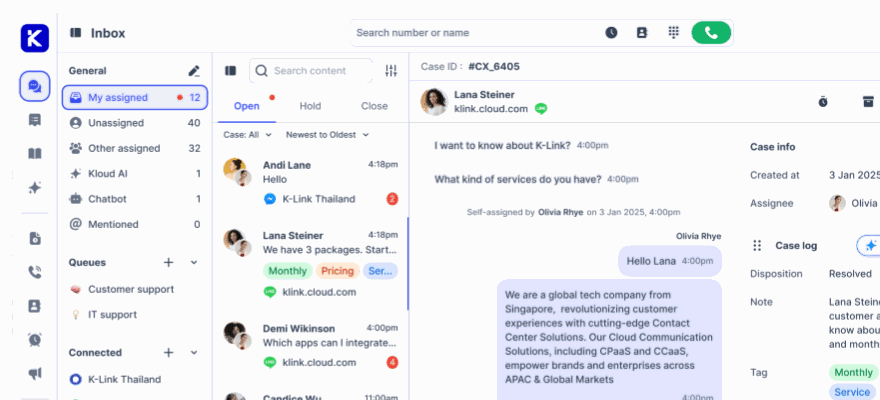
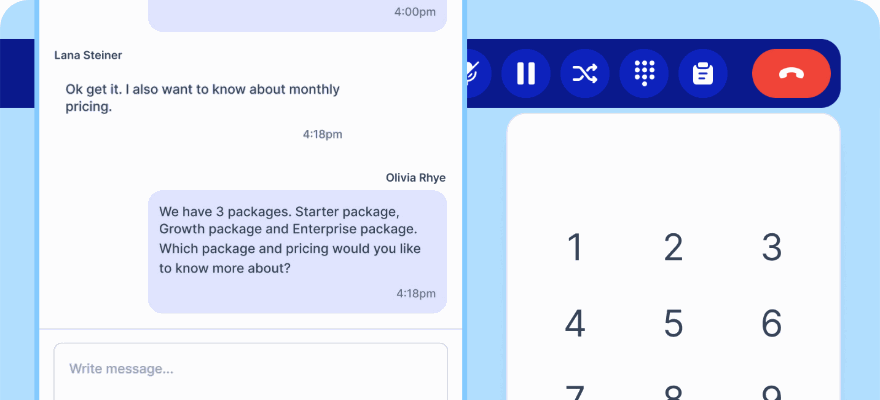
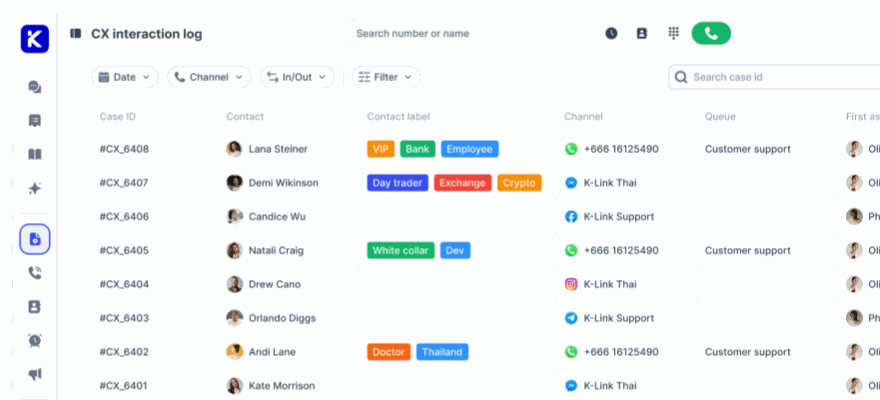
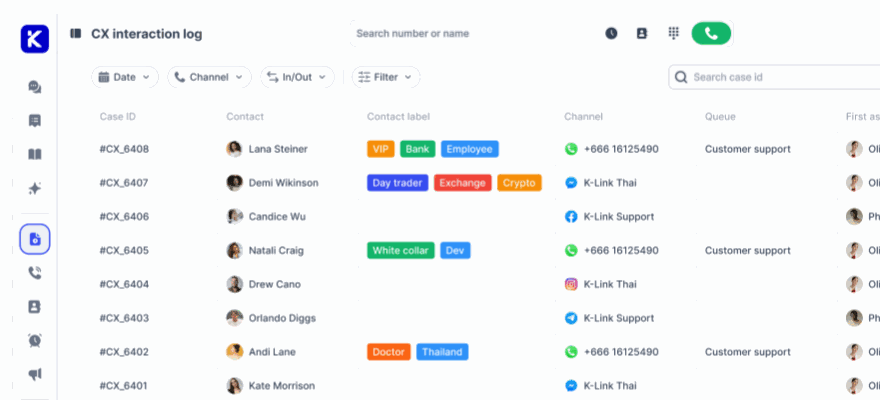
That’s where klink.cloud’s Unified Inbox comes in. It consolidates all customer conversations - whether they start on WhatsApp, email, or another platform - into one seamless view. For example, if a customer asks about a product on WhatsApp and follows up later via email, your team (and Kai AI Agent) can access the complete conversation history in one place. This eliminates the need for customers to repeat themselves, creating a smoother experience.
Technically, klink.cloud connects all communication channels to a single customer profile. It gathers details like phone numbers, names, and past interactions to maintain a unified record. Kai AI Agent uses this data to deliver personalized, context-aware responses across platforms.
Here’s how it might look in action: A customer browsing Instagram adds items to their cart on your website and then messages you on WhatsApp with a sizing question. Kai AI Agent can respond with something like, “I see you’re considering the navy crewneck sweater. It’s true to size, but many customers prefer a relaxed fit. Would you like to complete your order?” This kind of seamless interaction ensures the customer journey feels effortless.
For U.S. shoppers, who often expect a unified experience across devices and platforms, this approach is particularly effective. Businesses using klink.cloud report a 2x boost in customer satisfaction and relationship quality.
Each channel serves a specific purpose. Use WhatsApp for quick, high-intent conversations like product questions, cart assistance, or basic support. Save email for detailed communications, such as order confirmations, shipping updates, and promotions. Phone support can handle more complex issues that require a personal touch. Kai AI Agent coordinates these channels, maintaining a consistent tone while tailoring responses to each platform’s format.
The Case Management feature takes this a step further by linking all interactions under one customer profile. For example, if a customer expresses frustration on WhatsApp, that sentiment is flagged and carried over to email or phone interactions. This ensures agents can approach the situation with extra care.
"Since adopting klink.cloud, we've seen a massive improvement in our response times. Our customers are happier, and our agents are more efficient than ever."
- Sarah Lee, Head of Contact Center, Horizon Solutions
When setting up your omnichannel system, start with your most active platforms - typically WhatsApp and email for Shopify stores - then gradually integrate others like Instagram or phone support. Configure customer profiles to capture key details (e.g., phone numbers, email addresses, social media handles) so klink.cloud can match conversations across channels automatically.
One fashion retailer has mastered this approach: Kai AI Agent handles initial product inquiries and sizing questions on WhatsApp, sends personalized lookbooks via email, and provides tracking updates when orders ship. Detailed receipts and return instructions are sent by email, creating a cohesive experience. This strategy has reduced return rates and increased repeat purchases by keeping customers informed and supported throughout their journey.
Synchronizing multiple channels is essential, but it’s equally important to balance automation with personalized human support.
Balancing AI Automation and Human Support
A unified communication strategy works best when automation and human expertise complement each other. The goal isn’t to replace your team with AI; it’s about letting each focus on their strengths. Kai AI Agent excels at speed and consistency, handling repetitive tasks around the clock. Meanwhile, human agents bring empathy, creativity, and the ability to resolve complex or emotionally sensitive issues. Smart routing ensures that conversations are directed to the appropriate resource at the right time.
Start by defining which tasks Kai AI Agent can handle independently and which should be escalated to human agents. Routine inquiries - like tracking orders, checking product availability, or clarifying store policies - can be fully automated. In these cases, Kai AI Agent provides clear answers and next steps without requiring human intervention.
For more complex scenarios, set up triggers to escalate conversations. These could include payment disputes, repeated misunderstandings, negative sentiment (e.g., if a customer uses words like “frustrated” or “angry”), or VIP customer flags. You can also give customers the option to request human assistance by recognizing phrases like “speak to a person” or “I need help.”
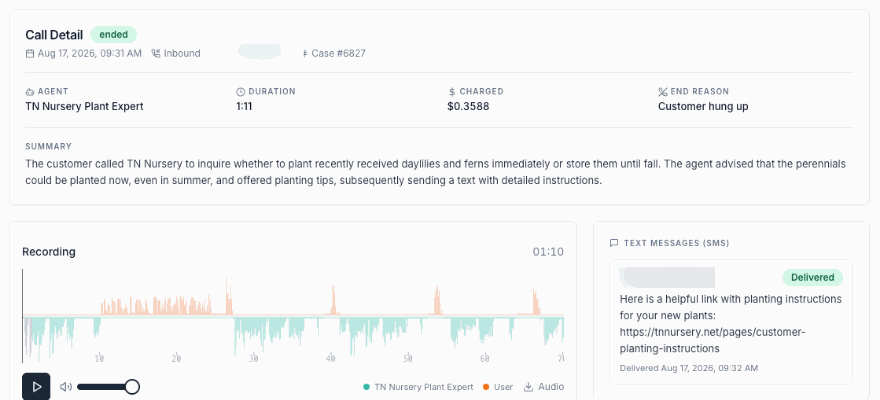
When a conversation is handed off, Kai AI Agent generates a summary with key details, such as products discussed, items in the cart, and the issue at hand. This ensures the human agent has full context, so customers don’t have to repeat themselves.
"klink.cloud has made a huge difference for our contact center! Our agents can easily manage conversations across different channels, helping us respond faster and keep our clients happy. We've seen big improvements in both productivity and customer satisfaction since we started using it."
- James Carter, Operations Manager, MPG BPO
The platform’s auto-assignment feature further streamlines the process by routing conversations based on criteria like language, inquiry type, or keywords. For instance, Spanish messages can be directed to bilingual agents, while wholesale inquiries go straight to your sales team. Set operating hours and service-level targets to match customer expectations. For U.S. businesses, consider peak times like weekday evenings (6:00 PM–10:00 PM EST) and weekends (10:00 AM–8:00 PM EST). Aim for a human response within 5–10 minutes during business hours. Outside these times, Kai AI Agent can manage expectations with updates like, “Our team is available Monday–Friday, 9:00 AM–6:00 PM EST. I’ve flagged your message for priority review, and someone will follow up by 10:00 AM tomorrow.”
If agents can’t respond within the set window, backup automation ensures Kai AI Agent sends interim updates or attempts to resolve the issue if possible. This prevents inquiries from slipping through the cracks during busy periods.
The balance between automation and human support will vary based on your business needs and the complexity of customer interactions. Keep an eye on your metrics and fine-tune escalation triggers and workflows to maintain high satisfaction levels. Businesses using klink.cloud report a 5x increase in productivity, as AI handles repetitive queries while agents focus on more nuanced issues.
Tracking Performance and Improving Conversions
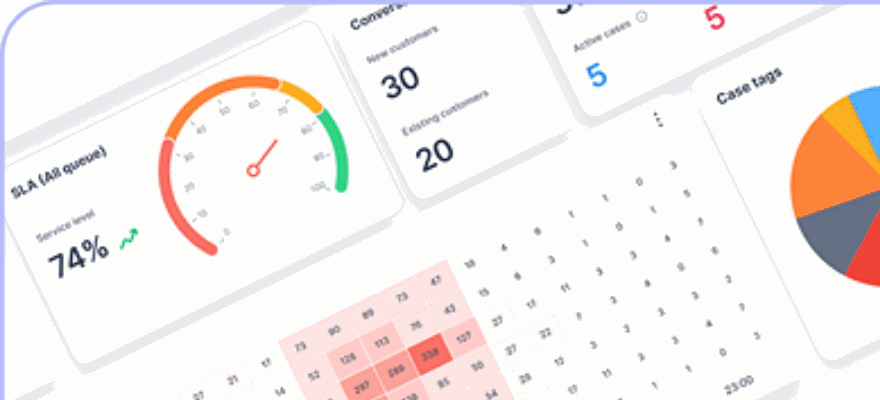
Once WhatsApp is up and running as a sales channel, keeping an eye on its performance is essential. Detailed analytics, like those from klink.cloud, can provide insights into how the Kai AI Agent is performing - showing where conversations succeed, where customers drop off, and which interactions lead to sales. Every chat generates valuable data, such as response times, customer sentiment, and conversion rates. By regularly reviewing these metrics, you can pinpoint issues, fine-tune your chat processes, and ultimately increase revenue through WhatsApp. Let’s break down the most important metrics that can shape your strategy.
Key Metrics to Monitor
Some metrics directly affect your sales and are worth tracking closely:
- Chat conversion rate: This measures the percentage of WhatsApp conversations that lead to purchases. For instance, if 1,000 conversations result in 150 sales, your conversion rate is 15%. WhatsApp often outperforms email and social media in conversions due to its personalized and immediate nature. Monitoring this weekly can help you identify trends - whether it’s a sudden drop that signals a need for adjustment or an increase that reflects effective communication.
- Average order value (AOV): This metric reveals how much customers spend per transaction. Divide your total revenue from WhatsApp sales by the number of orders. For example, if your Shopify store’s overall AOV is $75.00 but WhatsApp sales average $95.00, it suggests that these personalized interactions are encouraging higher-value purchases. Use this insight to target high-intent customers or promote premium products.
- Response time: Quick replies are crucial. For automated responses, aim for under 5 seconds. U.S. customers, in particular, expect fast communication - waiting longer than 15 minutes can lead to abandoned conversations. Klink.cloud’s dashboard helps you track response times, showing both averages and peak delays so you can address any slowdowns.
- Conversation resolution rate: This measures the percentage of inquiries the Kai AI Agent resolves without needing human help. A rate of 70–80% is solid for most Shopify stores. If it’s lower, it might mean the AI isn’t equipped to handle certain questions. If it’s higher, you might be over-automating and missing opportunities for personal engagement.
- Cart abandonment recovery rate: This metric shows how effective your follow-up messages are in reclaiming lost sales. For instance, if 200 customers abandon their carts and Kai AI Agent manages to recover 50 of them, your recovery rate is 25%. This helps gauge how well your reminders or incentives - like discounts - are working.
- Customer satisfaction (CSAT) score: After conversations, customers can rate their experience on a scale of 1–5. A score above 4.0 is strong, while anything below 3.5 suggests there are issues to address. Reviewing conversation transcripts can help identify recurring pain points.
- Engagement metrics: These include message volume, peak conversation times, and average conversation length. For example, if most chats happen between 6:00 PM and 9:00 PM EST, make sure your team is ready to step in during those hours.
- Revenue attribution: Track how much of your sales are coming through WhatsApp compared to other channels. If WhatsApp contributes 20% of your Shopify revenue but only takes up 10% of your marketing efforts, it’s a clear sign to invest more in this channel.
With klink.cloud’s real-time dashboard, there’s no need to manually compile reports. Set weekly or monthly reviews to assess performance, refine your strategy, and optimize your chat flows.
Using Data to Improve Results
The data collected from Kai AI Agent’s interactions is a goldmine for refining your approach. By analyzing these insights, you can make continuous improvements that enhance customer experiences and boost conversions.
Start with conversation transcripts to identify patterns. For example, if customers frequently ask, “Do you offer free shipping?” but the AI’s response isn’t clear, update the script to provide a detailed answer upfront. If customers often stop engaging after receiving a product link, test the chat flow to identify where the breakdown occurs and adjust accordingly.
Sentiment analysis is another powerful tool. Klink.cloud flags conversations where customers express frustration or confusion. If you notice repeated complaints about a specific product, like sizing issues, consider adding a size guide to the AI’s responses or updating the product page itself.
A/B testing can help fine-tune your messaging. For instance, test two versions of a cart recovery message - one offering a 10% discount and another highlighting free shipping. After running each for a week, compare the conversion rates and make the better-performing message your default. You can also experiment with timing to see whether follow-ups work better after 30 minutes, 1 hour, or 2 hours.
Dive into product-specific performance to understand which items are thriving on WhatsApp and which are falling short. If a product generates lots of inquiries but few sales, customers might need more reassurance. Update the AI’s responses to include customer reviews, return policies, or styling tips. On the flip side, if a product consistently converts well - say a winter jacket with a 30% conversion rate versus a store average of 15% - feature it more prominently in WhatsApp campaigns.
Customer feedback is invaluable for shaping improvements. After a purchase, ask customers what they enjoyed or what could be better. If quick responses or personalized recommendations are frequently praised, double down on those strengths.
Review escalation patterns to see when and why conversations are handed off to human agents. If escalations spike around specific topics, like returns or technical issues, expand the AI’s training to handle these scenarios or create detailed scripts for agents to resolve them faster.
Set benchmarks and goals based on your current performance. For example, if your chat conversion rate is 12%, aim to raise it to 15% within the next quarter. Break this into smaller steps, like improving response scripts or increasing cart recovery rates, and track progress weekly.
Finally, integrate WhatsApp insights with data from other channels. If customers engaging on WhatsApp have higher lifetime value than those interacting via email, prioritize WhatsApp for retention campaigns. Cross-channel analysis helps you allocate resources effectively and build a cohesive strategy.
Conclusion
Transforming WhatsApp into a sales channel for your Shopify store creates a powerful, always-available system that connects with customers where they’re most active. By leveraging WhatsApp’s massive audience and impressive 90% open rates alongside Shopify’s ecommerce capabilities and Kai AI Agent’s smart automation, you can craft a smooth buying journey that begins with a simple message and ends with a completed purchase.
The combination of WhatsApp, Shopify, and Kai AI Agent offers an integrated shopping experience that feels effortless. Kai AI Agent takes care of common questions about things like sizing, shipping, and availability, while also guiding customers through to checkout. This setup delivers quicker responses, higher average order values, and improved cart recovery rates compared to traditional email or social platforms.
To get started, connect Kai AI Agent to both WhatsApp and Shopify, then set up essential chat flows. Focus on automations like product FAQs, reminders for abandoned carts, and checkout support to cover your bases. Keep an eye on key metrics such as WhatsApp conversion rates, revenue generated, and response times. Even small tweaks - like rephrasing a cart recovery message or fine-tuning response times - can lead to noticeable revenue gains.
As your WhatsApp channel evolves, your klink.cloud dashboard becomes a central hub for managing customer interactions. It pulls together conversations from WhatsApp, email, web chat, and other channels into a single view, giving your team the full picture. Whether a customer messages you on WhatsApp at night or follows up via email the next morning, they’ll enjoy consistent, personalized service backed by the same product data and conversation history. This unified system strikes the perfect balance between automation and human support, making customer management both efficient and scalable.
Start with the basics, track your performance, and adjust as you learn what works best for your audience. The foundation you build with WhatsApp, Shopify, and Kai AI Agent today can grow into a complete omnichannel strategy tomorrow - one that drives sales, enhances customer satisfaction, and scales with your business. Head over to klink.cloud to see how unified customer experience management can turn every interaction into an opportunity to grow revenue.
FAQs
How does the Kai AI Agent manage payments and ensure security for purchases made through WhatsApp?
The Kai AI Agent works effortlessly with secure payment gateways to manage transactions directly through WhatsApp. It uses advanced encryption and adheres to top-tier security protocols to ensure that sensitive customer payment details remain protected.
By streamlining the payment process, the Kai AI Agent delivers a fast and convenient checkout experience. At the same time, it prioritizes security to uphold customer trust and protect their privacy.
How do I set up the Kai AI Agent with WhatsApp and Shopify, and how long does it usually take?
To get the Kai AI Agent working with WhatsApp and Shopify, you’ll need to follow a straightforward integration process using the tools provided by Kai. This involves linking your WhatsApp Business account, syncing it with your Shopify store, and tailoring the AI Agent to manage customer interactions, automate order processing, and boost sales.
The setup time varies depending on how complex your requirements are and how much customization you want. However, most businesses can wrap it up within a few hours. Once everything is in place, the Kai AI Agent will simplify communication and improve the shopping experience for your customers.
Can the Kai AI Agent connect with other communication channels to create a seamless shopping experience?
The Kai AI Agent works seamlessly across various communication channels, including email, live chat, social media, and phone. This integration lets businesses handle all customer interactions from a single platform, creating a unified and efficient experience. By keeping communication centralized, you can ensure consistent support and improve customer satisfaction at every step.