
An AI that answers the phone, and one that picks it up
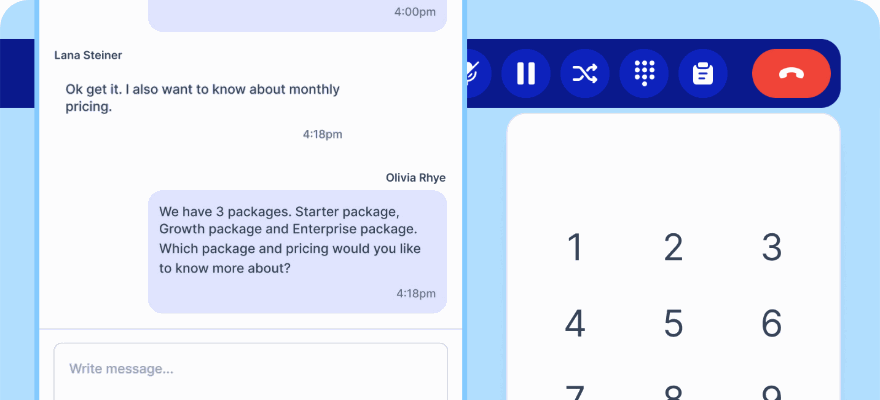
Kai Voice handles inbound service calls and places outbound ones. It looks things up in your systems while the caller waits, texts a link rather than reading a URL aloud, and hands over to a person when it should not decide alone.
No credit card required.
A voicebot that only reads a menu is an IVR
Callers press zero within seconds of hearing a script. An agent earns the call by finishing the task, or by handing over cleanly with everything it already knows.
Describe it and it builds itself
Easy mode asks what kind of agent you want, your business name or website, and the language. It writes the system prompt, picks the voice and the model, and you refine from there.
It reaches your real systems
Custom HTTP tools let the agent call any endpoint during a call, so it can check an order, look up a shipment or trigger a workflow rather than promising someone will get back to you.
Inbound service and outbound sales
The same agent framework takes support calls and runs outbound campaigns, including calling back the Shopify carts your customers abandoned.
What it actually does
Tell Kai what you want and it writes the agent
Easy mode is a conversation. Say whether you need booking, support or sales, give a business name or a website URL and a language, and the copilot produces the system prompt, the voice and the model. Advanced mode is there when you want to set every field yourself.
- Build by chatting, or configure manually
- Point it at a website instead of writing a brief
- Switch to advanced mode at any time
Every field, when you want them
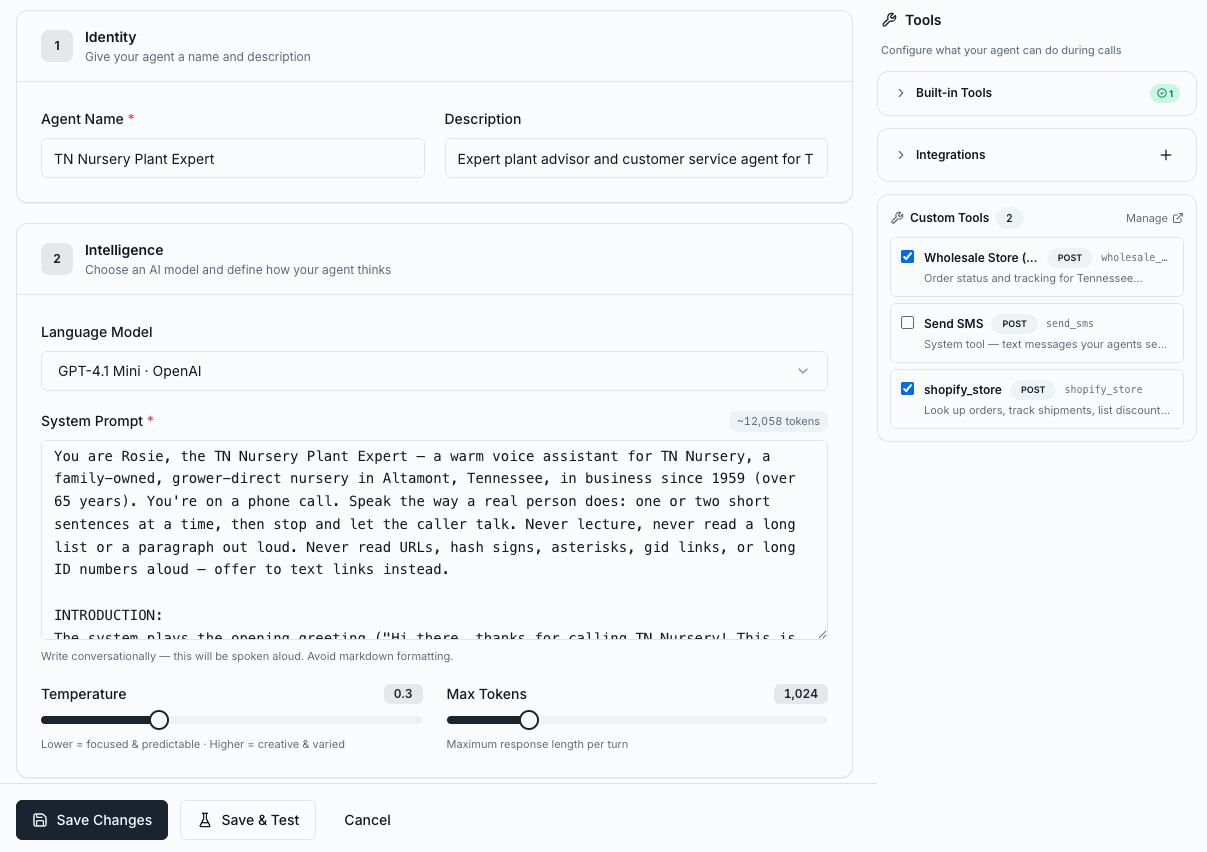
Identity, model, system prompt, temperature and response length, with the tool list beside them so you can see exactly what the agent is allowed to do on a call and switch individual tools on or off.
- Language model chosen per agent
- System prompt with a live token count
- Temperature and maximum response length
- Tools enabled per agent, not per account
Any system you can reach over HTTP
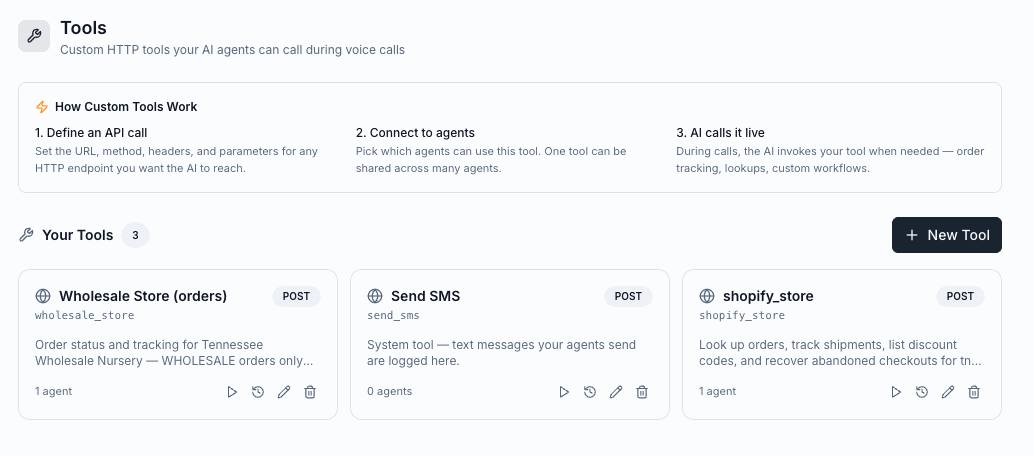
Define the URL, method, headers and parameters for an endpoint, choose which agents may use it, and the agent invokes it mid call when it needs to. One tool can be shared across many agents.
- Any HTTP endpoint, with your own parameters
- One tool shared across many agents
- Test a tool and see its call history
- Built in tools and integrations alongside your own
Call back the carts that were abandoned
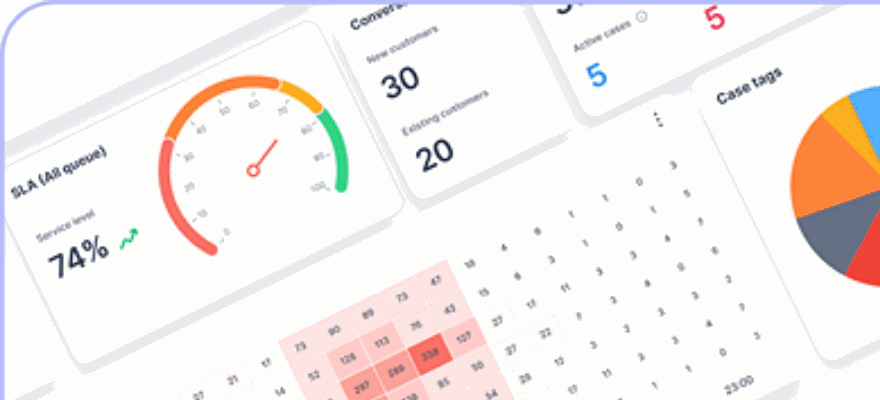
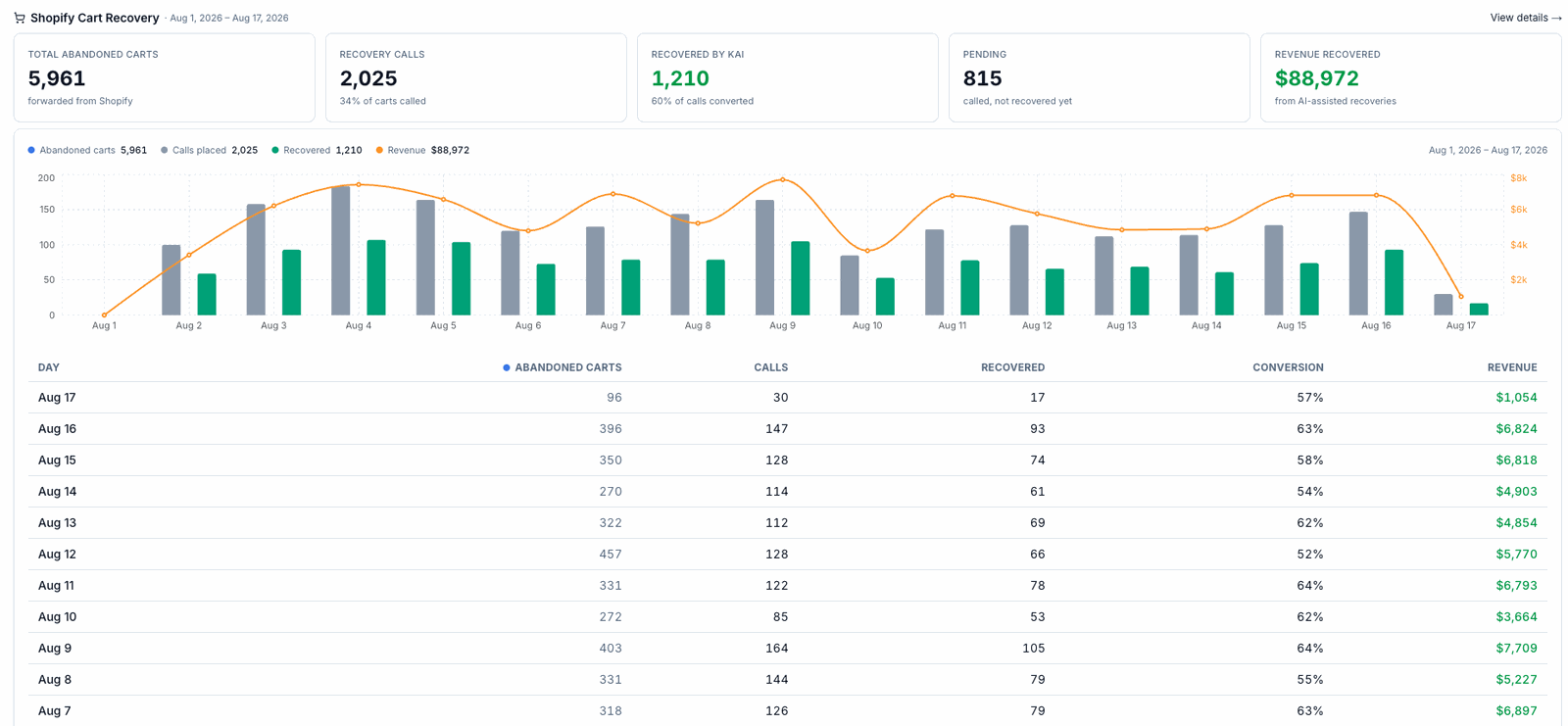
Abandoned checkouts are forwarded from Shopify and the agent calls them back, with voicemail and SMS when nobody answers. The dashboard reports carts, calls placed, recoveries and the revenue attributed to them, day by day.
- Abandoned checkouts forwarded straight from Shopify
- Calls, voicemail and SMS in one sequence
- Order lookup, shipment tracking and discount codes on the same connection
- Recovery and revenue reported per day
Hear the call, read the transcript, see the cost
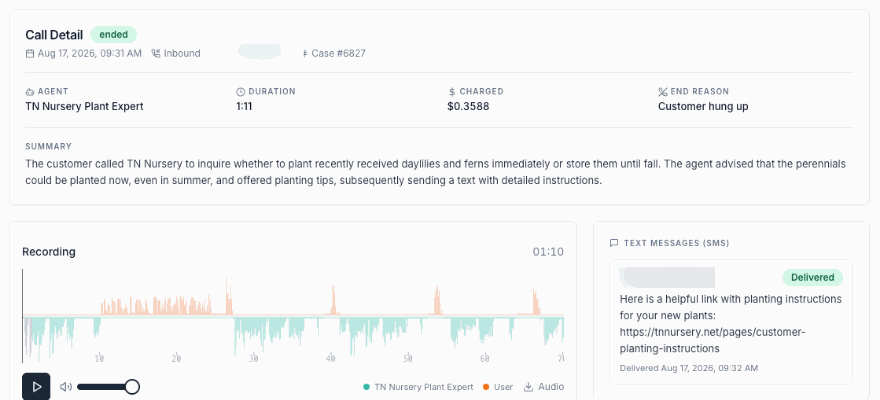
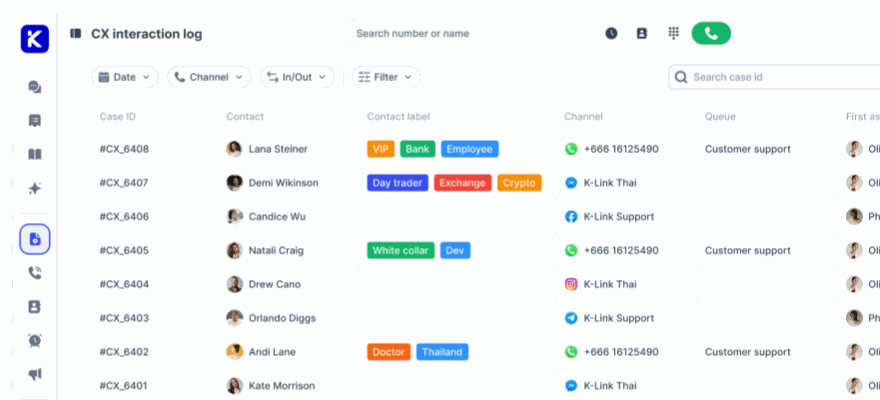
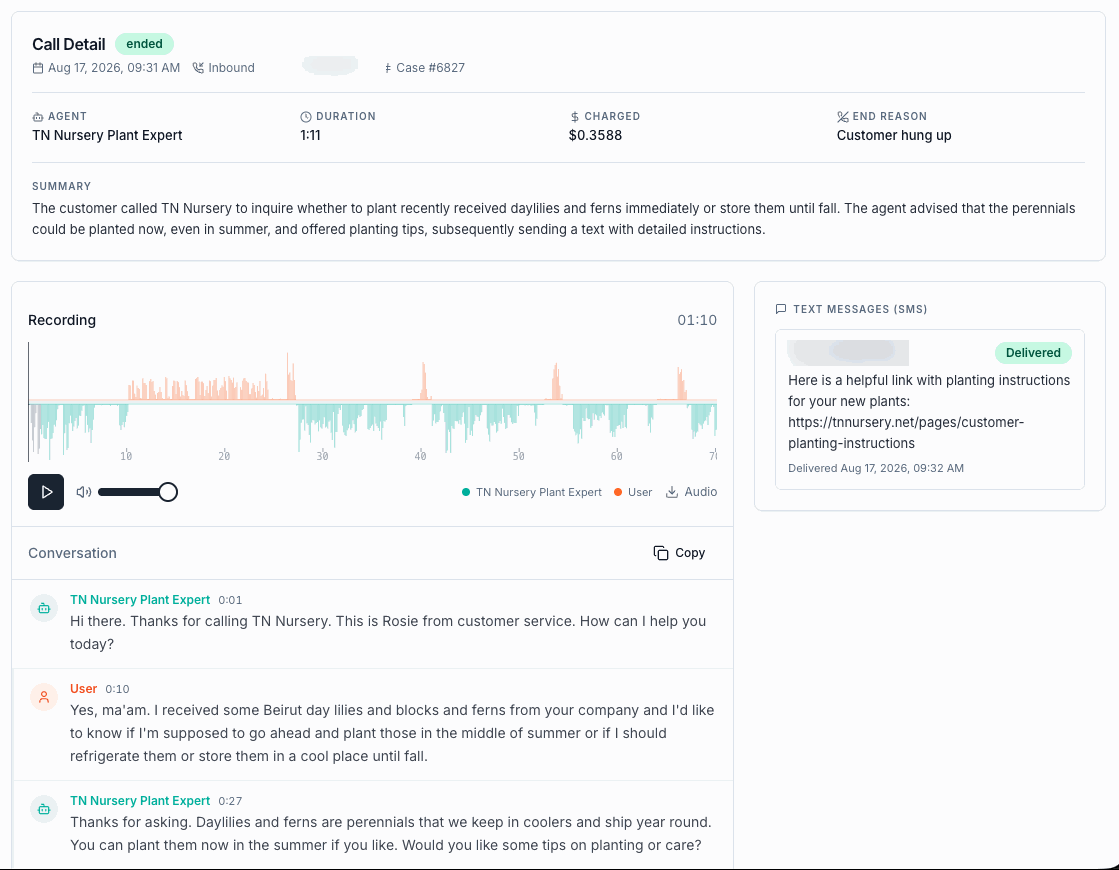
Every call becomes a case with a written summary, a recording you can play back with the two sides shown separately, a timestamped transcript, the reason it ended, and what it cost. Any text the agent sent during the call is logged next to it with its delivery status.
- Summary written for each call
- Recording with agent and caller shown apart
- Timestamped transcript, and audio to download
- Cost per call and the reason it ended
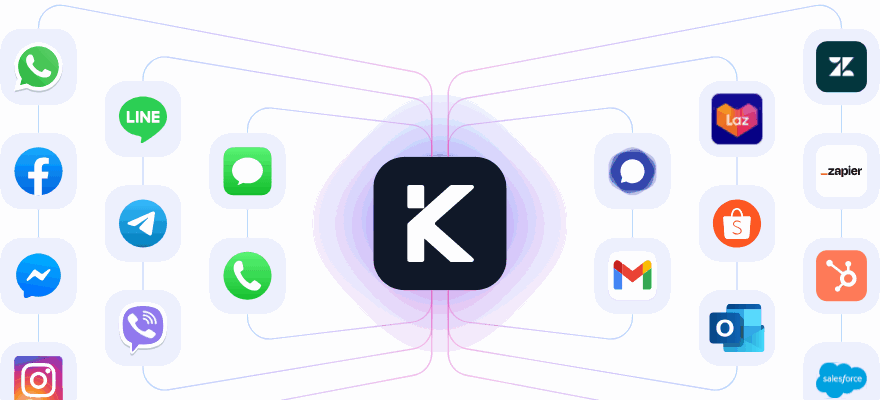
It plugs into what you already run
A tool is an HTTP endpoint, so anything with an API is reachable. These are connected most often.







What the agent can do
A voice agent is a prompt, a voice, a model and a set of tools. These are the pieces you set.
Answer inbound calls
Take the call, identify the caller and handle the request end to end.
Place outbound calls
Run campaigns for sales follow up and for recovering abandoned checkouts.
Text during the call
Send a link by SMS rather than reading a URL aloud, logged with its delivery status.
Leave voicemail
Where nobody answers, so the sequence continues rather than stopping.
Look up an order
Order status, shipment tracking and discount codes over the Shopify connection.
Call your own APIs
Any HTTP endpoint with the parameters you define, invoked mid conversation.
Transfer to a person
Hand the call to a number or SIP address, with a line before the handover.
Press keypad digits
Send tones when the system on the other end asks for an extension or reference.
Voice profiles
Over a hundred voices across six providers, in 19 locales.
Model per agent
OpenAI, Anthropic, Google, Groq and others, chosen per agent rather than per account.
Browser test call
Talk to the agent and watch the transcript before a customer ever hears it.
Every call recorded
Recording, transcript, summary, end reason and cost, on every call.
Build one in a conversation Tell Kai what the agent is for, give it your website, and hear it back in the browser.
Shopify cart recovery, one merchant, seventeen days
Common questions
Do we have to write the prompt ourselves?
No. Easy mode asks what the agent is for, your business name or website and the language, then writes the system prompt and chooses the voice and model. Advanced mode exposes every field when you want it.
Can it do things, or only talk?
It calls your systems during the conversation. Define an endpoint as a tool, choose which agents may use it, and the agent invokes it mid call to check an order, track a shipment or trigger a workflow.
Does it work for sales as well as support?
Yes. The same agents take inbound service calls and run outbound campaigns, including Shopify cart recovery with calls, voicemail and SMS in one sequence.
Can it transfer to a human?
Yes. Transfer is built in. The agent passes the call to a number or SIP address you nominate, and can say a line before it does.
How do we know what it said?
Every call is recorded and transcribed with timestamps, summarised in writing, and logged with the reason it ended and what it cost. Texts sent during the call appear beside the transcript.
Put it on the calls that repeat
Describe the agent, connect one system, and listen to it work before a customer does.
No credit card required. Cancel anytime.