
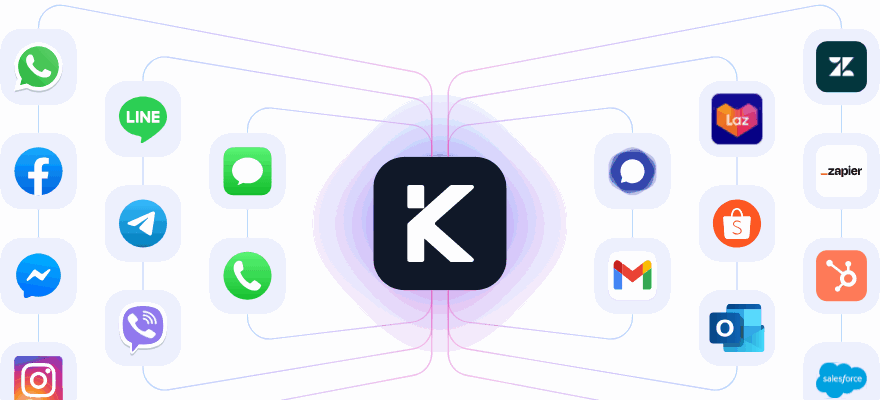
Every conversation, tracked as a case
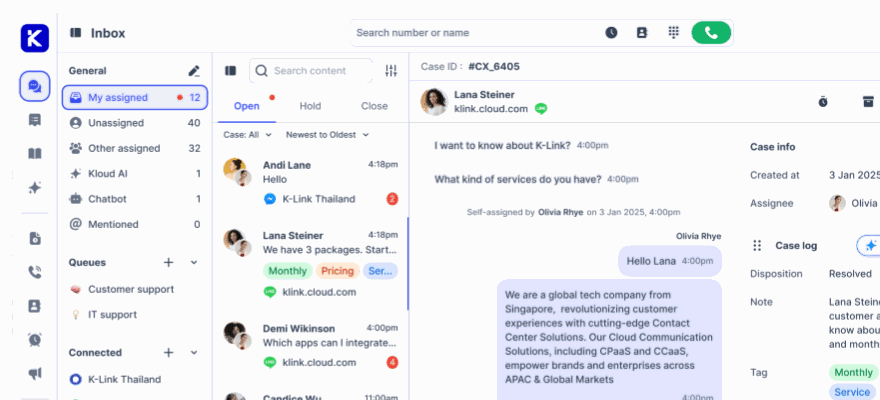
A call, a WhatsApp thread and an email are the same object here: a case with an ID, a queue, an assignee, a set of timings and an outcome. That is what a CX lead needs to review a week of work without asking anybody what happened.
No credit card required.
A conversation nobody can look up was never managed
Most teams can say how many chats they took and almost nothing about any single one of them. Who touched it, how long it sat on hold, what the outcome was called, and whether the customer left happy.
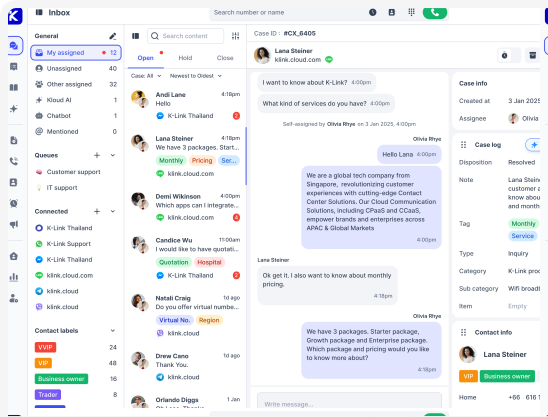
Every interaction gets a case ID
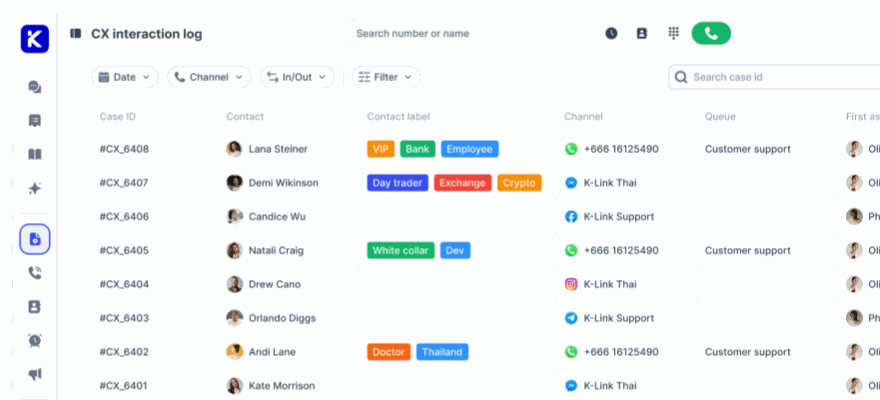
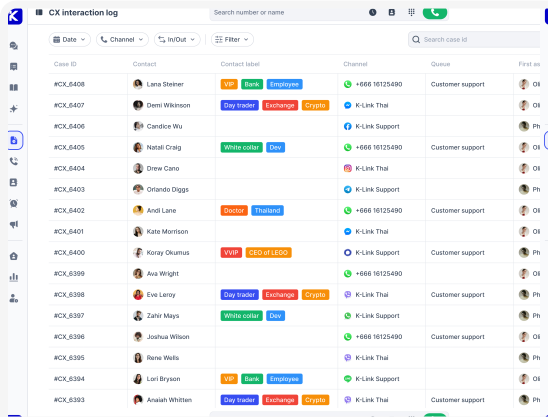
Calls, chats, emails and social messages are logged as cases in one CX interaction log, each with the contact, contact label, channel, queue, direction and every agent who touched it.
Seven timings on every case
Hold, handled, full handled, first response, resolution, full resolution and wrap up. Handled time excludes hold and full handled time includes it, so a slow case can be explained rather than argued about.
Sentiment and CSAT without a survey
CSAT is scored by AI when the room closes, on the five point scale from very unsatisfied to very satisfied, so a score exists on conversations no customer would ever rate. Sentiment sits in the column beside it.
What a team leader can actually open and read
One table, filtered the way you review
The CX interaction log lists every case in the workspace, filtered by date, channel and direction, and searchable by case ID. Columns show and hide, so a QA review and a volume check are the same table wearing different columns.
- Filter by date, channel and inbound or outbound
- Search a single case by its ID
- Show or hide any column in the table
- First assignee, current assignee and closed by on every row
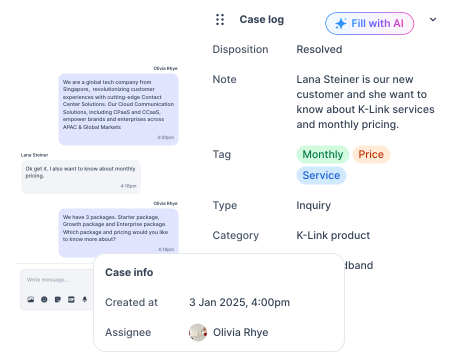
Disposition, tags, notes and your own fields
The wrap up form is what turns a conversation into something reportable. Notes and tags taken during the contact are already in it when it opens, the timer is set by an admin, and it auto saves every five seconds so nothing is lost when the next contact arrives.
- Disposition such as resolved, follow up, transfer or escalated
- Tags for the topic, the customer segment or the action needed
- Type, category and sub category, plus the custom fields you define
- Wrap up duration recorded as a number of its own
The same record whichever one answered
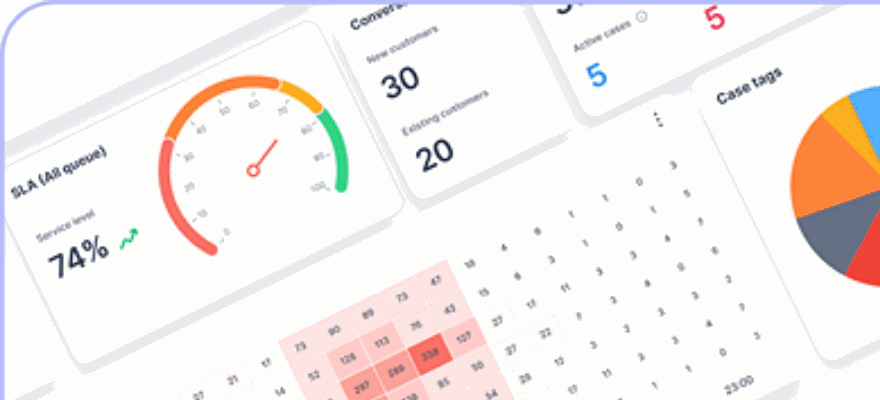
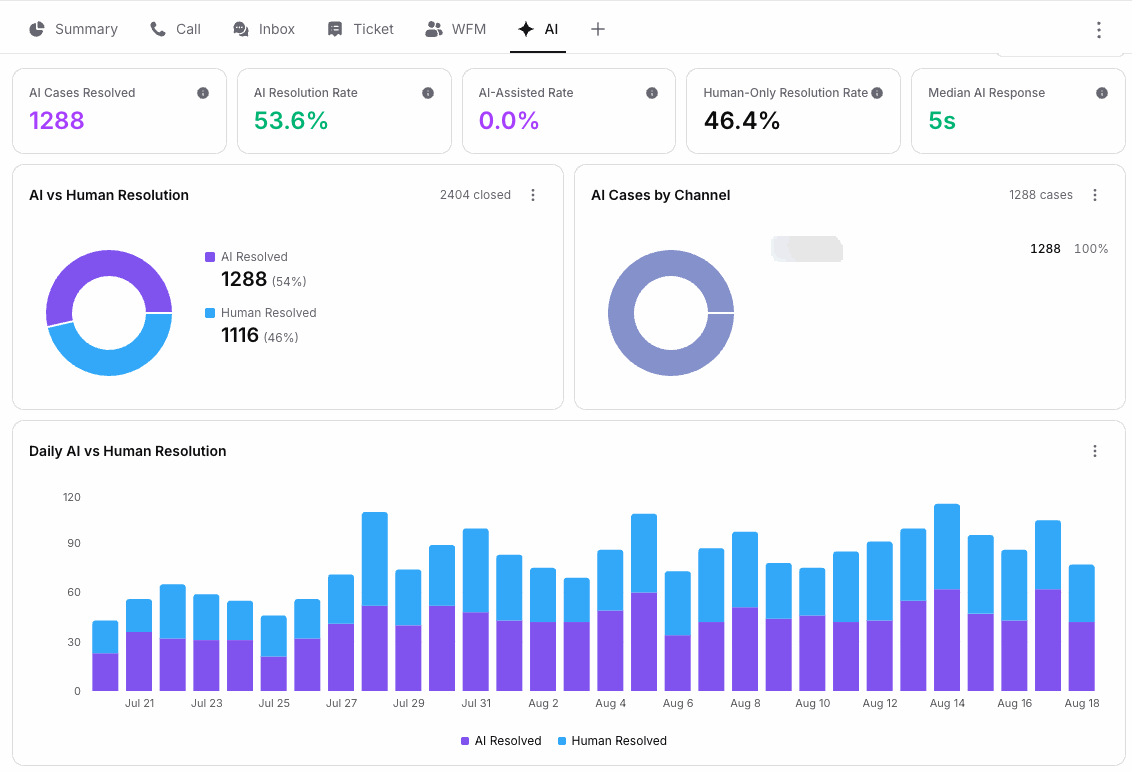
A case Kai closed is logged exactly the way a case your team closed is, with the transcript, the disposition and the timings. The AI against human split on the dashboard is counted from those rows, so a supervisor can open any one of them and see what the agent actually said.
- AI resolved against human resolved, as counts and as rates
- AI assisted kept separate from fully automated
- Median AI response time
- A daily split, so a rollout is visible over weeks rather than claimed
Read the conversation, not a summary of it
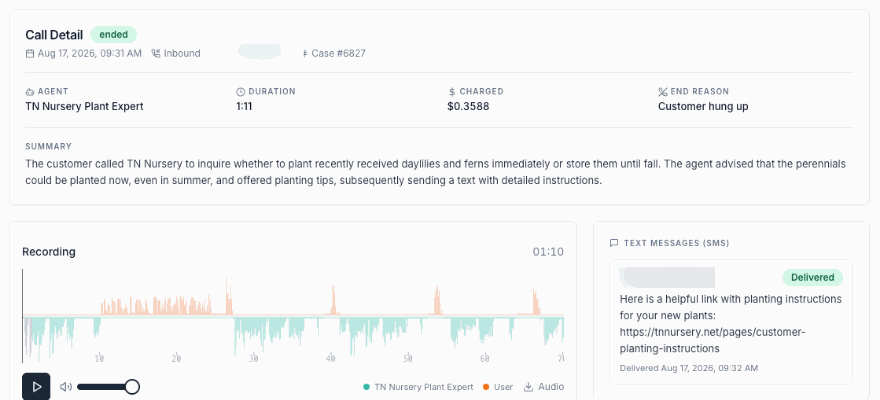
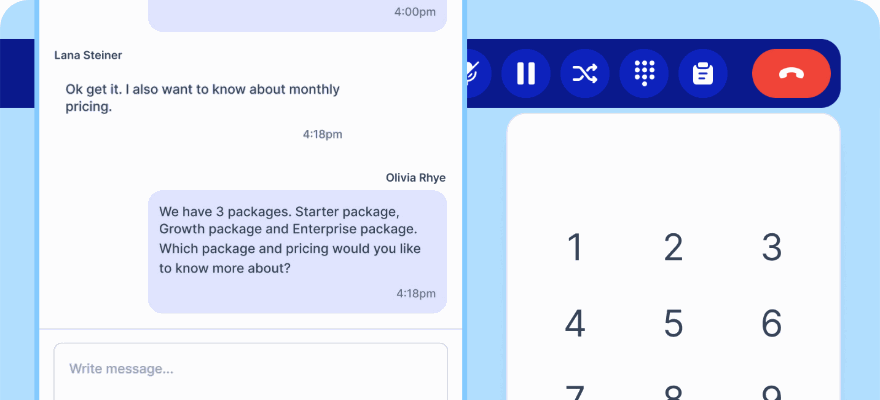
A case keeps the messages as they were sent, and a call keeps its recording with a timestamped transcript and a written summary. Coaching and disputes are settled by reading the case rather than by memory, and the transcript is a column, so it comes out in the export too.
- Recording playable from the case
- Timestamped transcript and a written summary for calls
- Full message history for chat, email and social
- Agent notes carried to whoever picks the case up next
Take the cases into your own tools
Any filtered view exports to CSV or XLSX, and a column picker decides what goes into the file. Leaving transcript and recording out keeps it small enough to open in a spreadsheet; putting them in gives an auditor the whole thing.
- CSV or XLSX with the filters you applied
- Choose the columns before the file is generated
- Heavy columns like transcript and recording are optional
- Wrap up duration and every timing included
What the CX interaction log records
These are columns in the product rather than a reporting project somebody has to scope.
Case ID
A unique identifier for the interaction, so a case can be quoted, searched and referred back to.
Contact
The customer or contact the case belongs to, linking it to everything else they have raised.
Contact label
The tag on the contact, such as VIP or a support tier, so priority is visible in the list.
Channel
The channel the interaction arrived on, from phone to chat to email to social.
Queue
The queue the case was routed to, by issue type, priority or agent specialisation.
Direction
Inbound or outbound, which separates customer demand from your own outreach.
First assignee
The agent who took it first, which is what initial handling is measured against.
Current assignee
Who owns it now after any transfer or escalation.
Closed by
The agent who closed the case, for accountability on the resolution.
Start date and time
When the interaction began, and the point every timing is measured from.
Total hold duration
How long the case sat in pause mode waiting for information or approval.
Handled time
The time your team spent actively working the case, hold excluded.
Full handled time
Creation to close including hold, which is how long the customer was in it.
First response time
How long the customer waited for the first reply after the case was created.
Resolution time
Working time spent resolving it, with hold taken out.
Full resolution time
Creation to close with every hold period counted in.
Wrap up duration
Time spent on notes, tagging and logging the outcome after the contact ended.
Recording
The audio of the interaction where there is one, for QA, training and compliance.
Transcript
The conversation in text, exportable as a column when you need it.
Disposition
The outcome the case was closed as: resolved, escalated, pending follow up and the rest.
Type
What kind of contact it was, an inquiry against a complaint, set on the wrap up form.
Category
Your own top level subject list, so volume can be read by what people are asking about.
Sub category
The level beneath it, which is where a category such as a product becomes an actual issue.
Tags
Custom labels for topic, segment or required action, countable across a period.
Note
What the agent wrote down, which is the context an escalation runs on.
Sentiment score
The emotional tone of the interaction, from sentiment analysis of the conversation.
CSAT score
Satisfaction on the five point scale, scored by AI on close or set by hand.
SLA
Meet or unmeet against your first response and resolution targets for that case.
Look at your own cases Connect one channel free and the log fills in as conversations arrive.
Common questions
What counts as a case?
Every interaction between a customer and your team on any connected channel. A call, a WhatsApp thread, an email and a live chat each get their own case ID and land in the same CX interaction log, rather than in a separate report per channel. Cases raised by the same contact stay attached to that contact, so a history is one lookup rather than four.
Are conversations handled by the AI agent tracked the same way?
Yes. A case Kai handles carries the same case ID, timings, disposition, tags and transcript as one your team handles, which is what makes the AI against human resolution split on the dashboard trustworthy: both halves are counted from rows a supervisor can open and read.
How is CSAT scored when the customer never answers a survey?
AI CSAT reads the conversation when the room closes and assigns a score from one to five based on sentiment, tone and whether the issue was resolved, so no rating request is sent to the customer. It runs on WhatsApp, LINE, Facebook, email, live chat and voice, and scores conversations in any language. Scores appear in the CSAT column of the CX log, filterable by agent, team, channel or date range.
What is the difference between handled time and full handled time?
Handled time is the time your team spent actively working the case with hold time taken out, so it measures effort. Full handled time runs from creation to close and includes every hold period, so it measures what the customer experienced. Resolution time and full resolution time split the same way. A gap between the pair is a case that spent its life waiting on somebody else.
How is SLA decided on a case?
Admins set targets for first response time and resolution time, optionally counted only inside business hours, and with tighter targets for VIP customers or high priority cases. Each case is then marked SLA meet or SLA unmeet, and the percentage is cases handled within SLA divided by total cases.
Can we get the case data out?
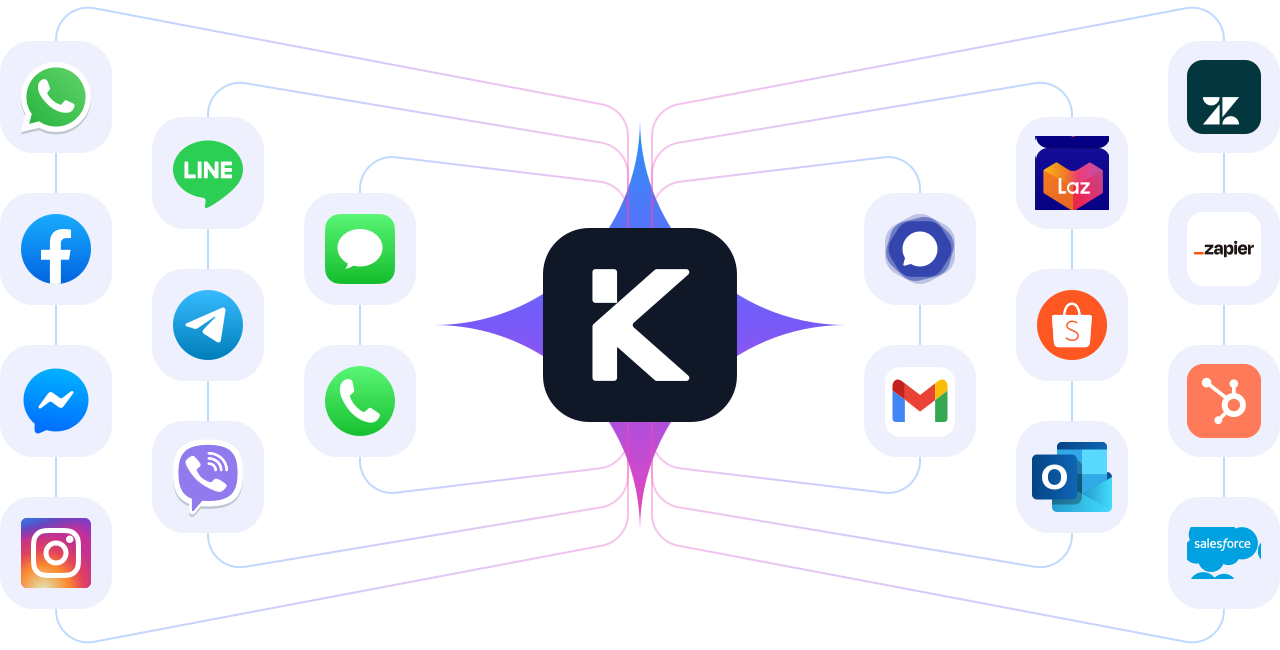
Any filtered view of the log exports to CSV or XLSX with a column picker, so you decide whether the file carries transcripts and recordings or just the metrics. Webhooks push case and conversation data to a CRM or a warehouse as it happens.
Who can see which cases?
Visibility follows the queue. Queue managers monitor every open, held and closed conversation in their queues, while agents reply to the cases assigned to them and can read the others in their queue for context. Cases belonging to another department are moved with a cross queue transfer rather than reassigned by hand.
Give every conversation a case number
Connect a channel and watch the first case land in the log with its times, its outcome and its transcript attached.
No credit card required. Cancel anytime.